
Contexture

Contexture copied to clipboard
 trustbit
Rename "Key" to "Short Name" in UI and API
As the term "key" is not self-explanatory and users are having difficulties understanding what it means, please change it at various places to "short name".
Acceptance criteria
- the short name may be a maximum of 16 characters long (reason: Topics in Kafka that start like the Bounded Context. For each bounded context there is one service user, which is stored in the Active Directory. This service user gets the short name of the bounded context. In AD the name can be max. 16 characters. Microsoft does not support more.)
1. Domain Level
-Button Label:
The button label "Assign Key" must be changed to "Assign Short Name"
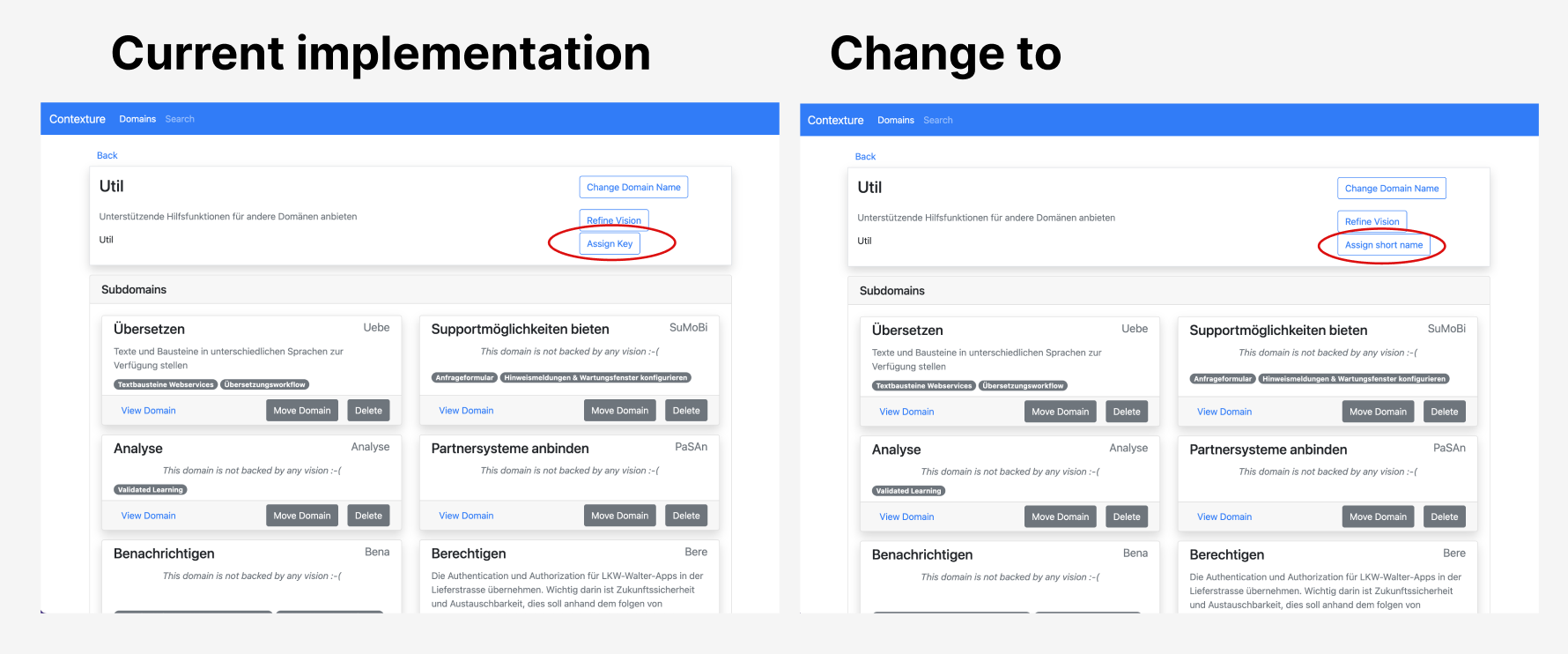
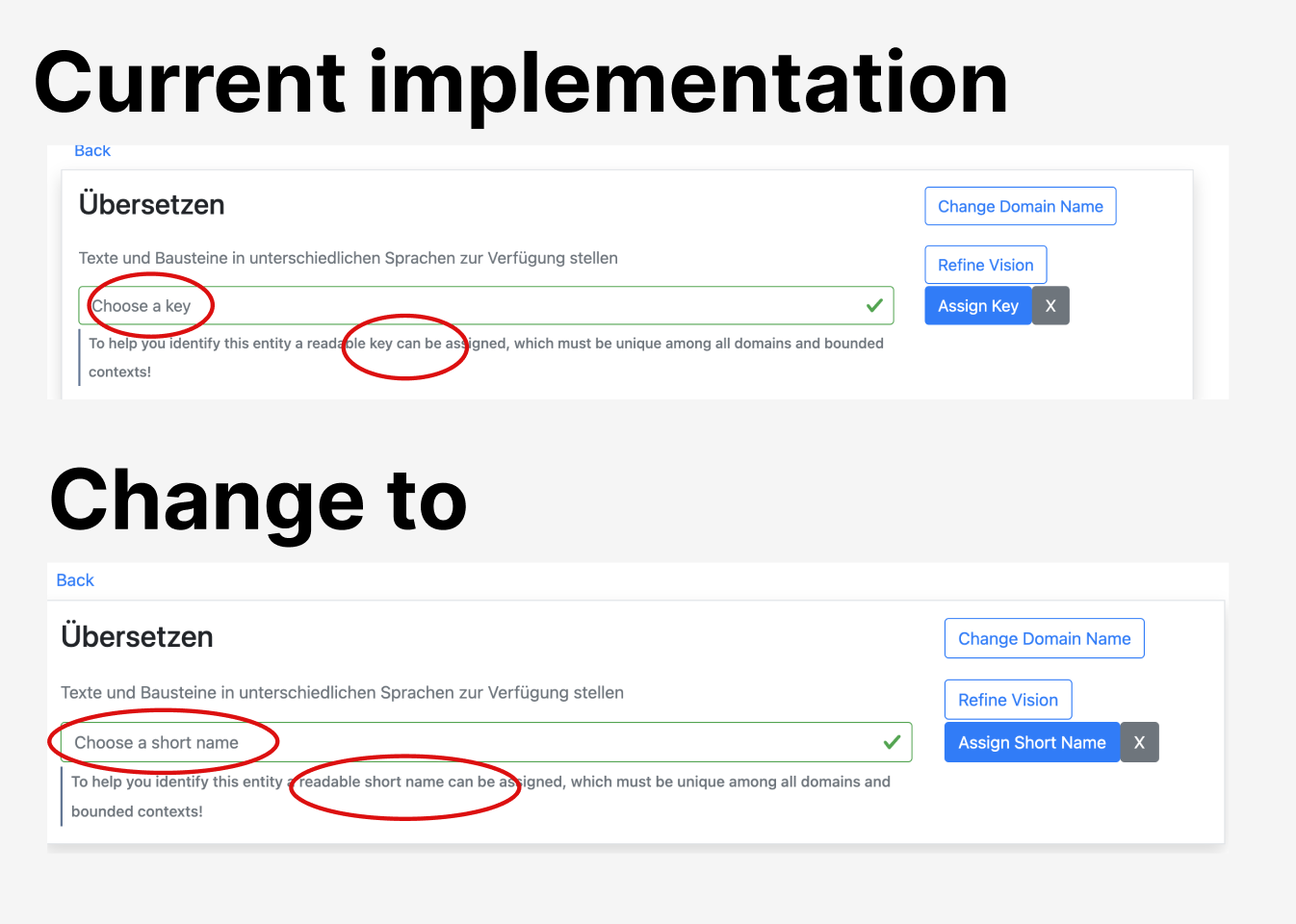
Edit mode of domain (and subdomain) level:
- Placeholder: Change "Choose a key" to "Choose a short name"
- Infotext: Change "To help you identify this entity a readable key can be assigned, which must be unique among all domains and bounded contexts!" to "To help you identify this entity a readable short name can be assigned, which must be unique among all domains and bounded contexts!"
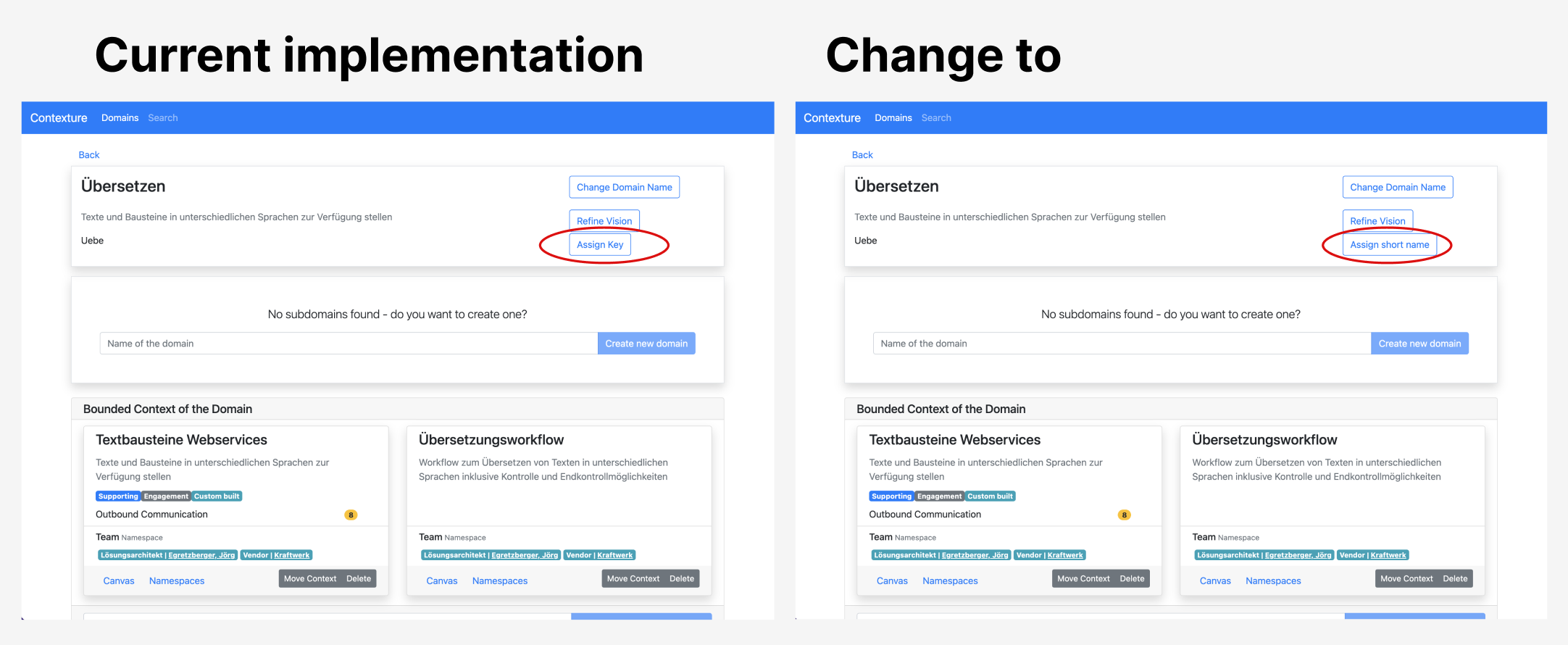
2. Subdomain Level
-
Button label: (same as in domain view)
The button label "Assign Key" must be changed to "Assign Short Name"
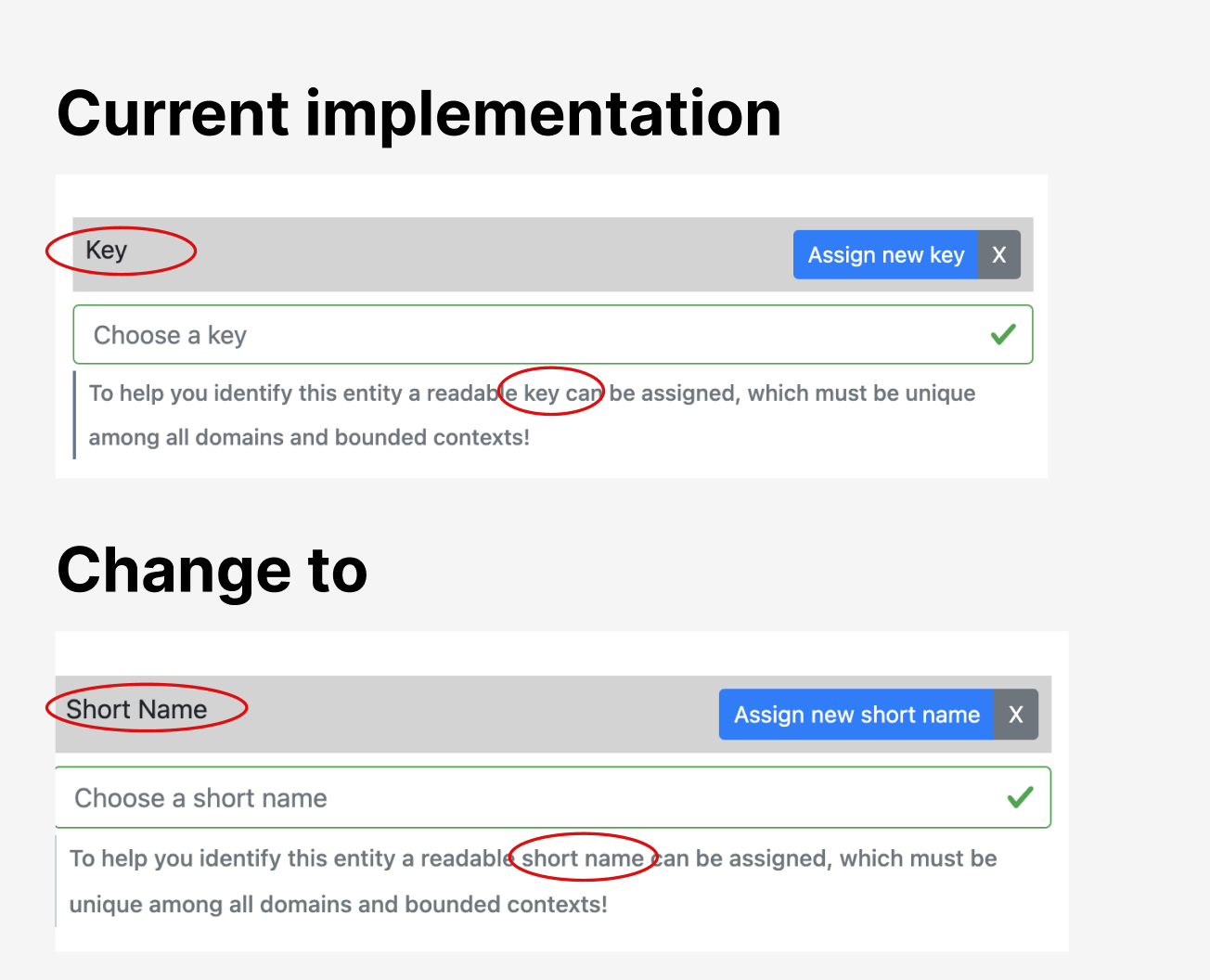
3. Bounded Context Level
Title: The title "Key" must be changed to "Short Name" Button Label: The button label "Assign Key" must be changed to "Assign Short Name"
Edit mode:
- Placeholder: Change "Choose a key" to "Choose a short name"
-
Infotext: Change "To help you identify this entity a readable key can be assigned, which must be unique among all domains and bounded contexts!" to "To help you identify this entity a readable short name can be assigned, which must be unique among all domains and bounded contexts!"
4. API
- Apply the changes from "Key" to "Short name" to the API
