
UniversalCL
 UniversalCL copied to clipboard
 tonghoangvu
UWP controls for Delphi VCL
UniversalCL
UWP controls for Delphi VCL.
This project will be removed soon. Check out the newer version at https://github.com/VuioVuio/DelphiUCL
Compatible with Delphi 2010 and Delphi 10.3 and Windows 7+. Some controls require Segoe MDL2 Assets font, such as TUCheckBox or TURadioButton for correctly drawing.
Install package
Step 1: Open group project file UniversalCL.groupproj
Step 2: In Project Manager window, right click on UCLPackage.bpl and select Install
Step 3: Open Delphi library options (Tools > Options > Languge > Delphi Options > Library)
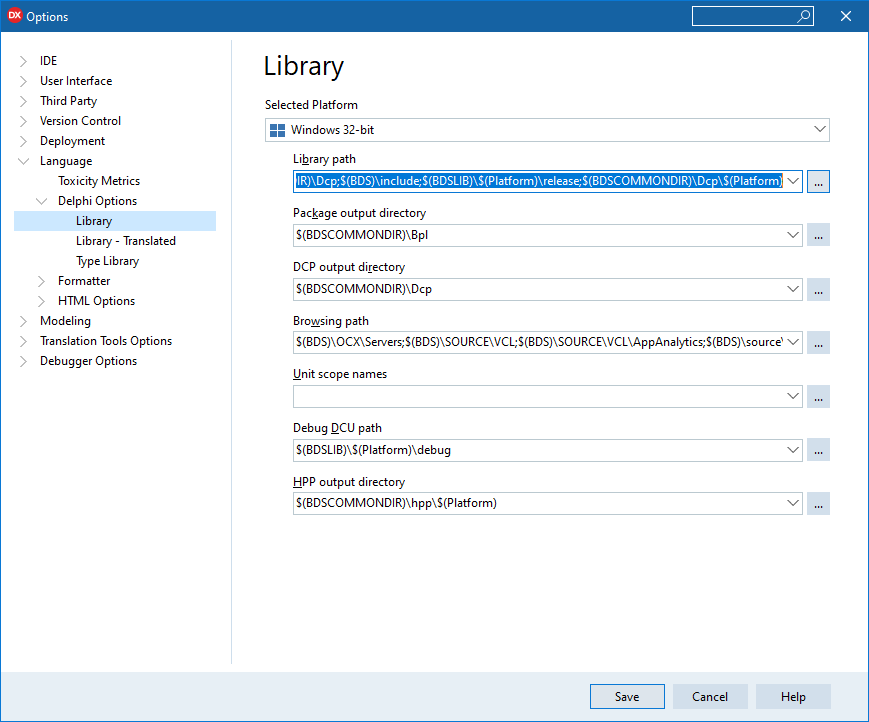
Step 4: Add Sources folder to textbox, click Add
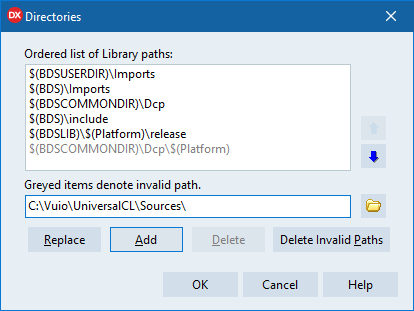
Step 5: OK > Save > Check it out
Screenshots
Image 1: Light theme
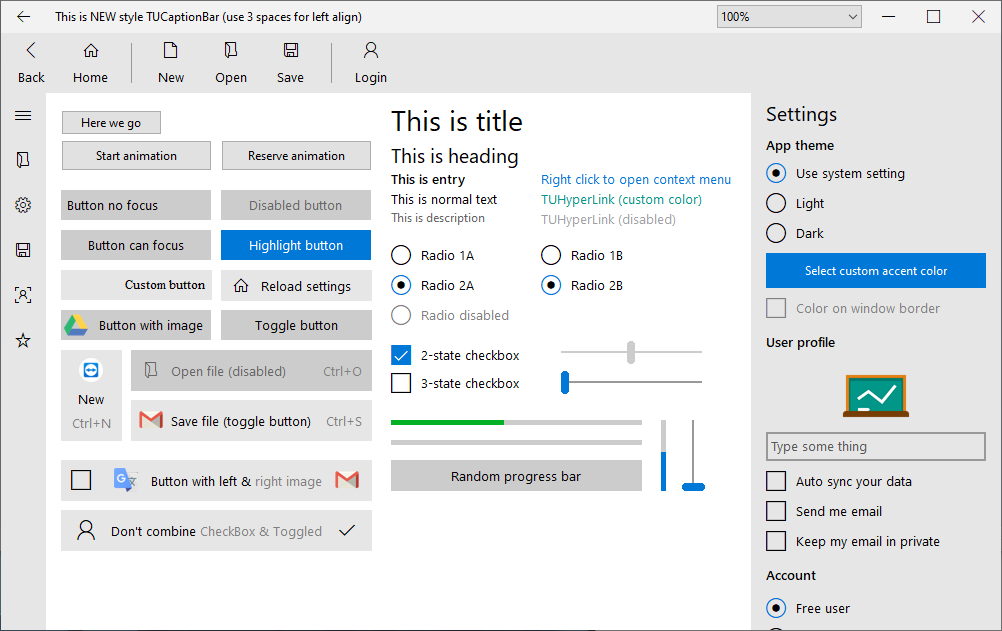
Image 2: Dark theme
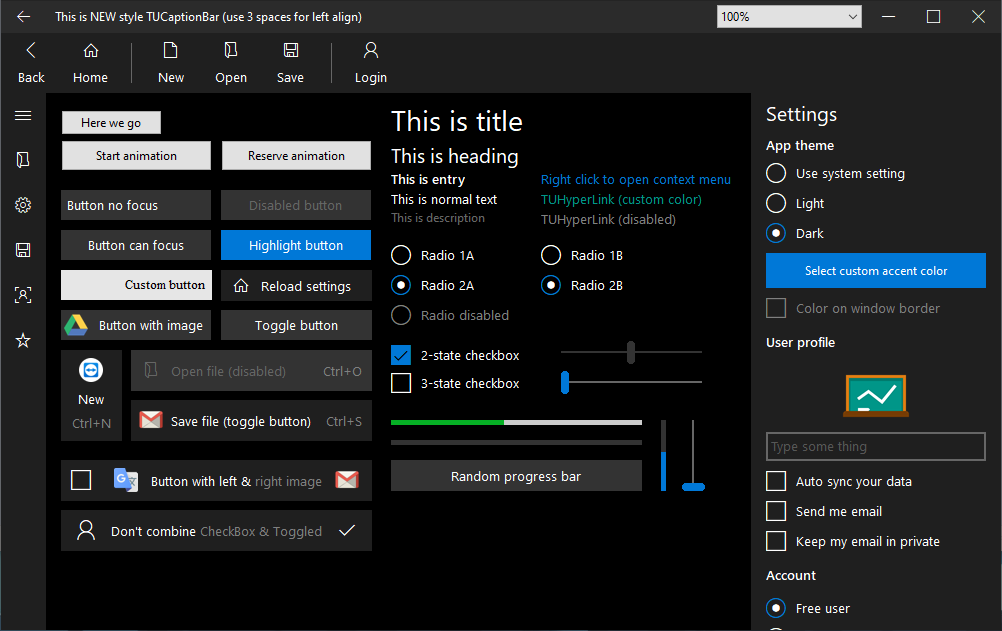
Image 3: Control styles
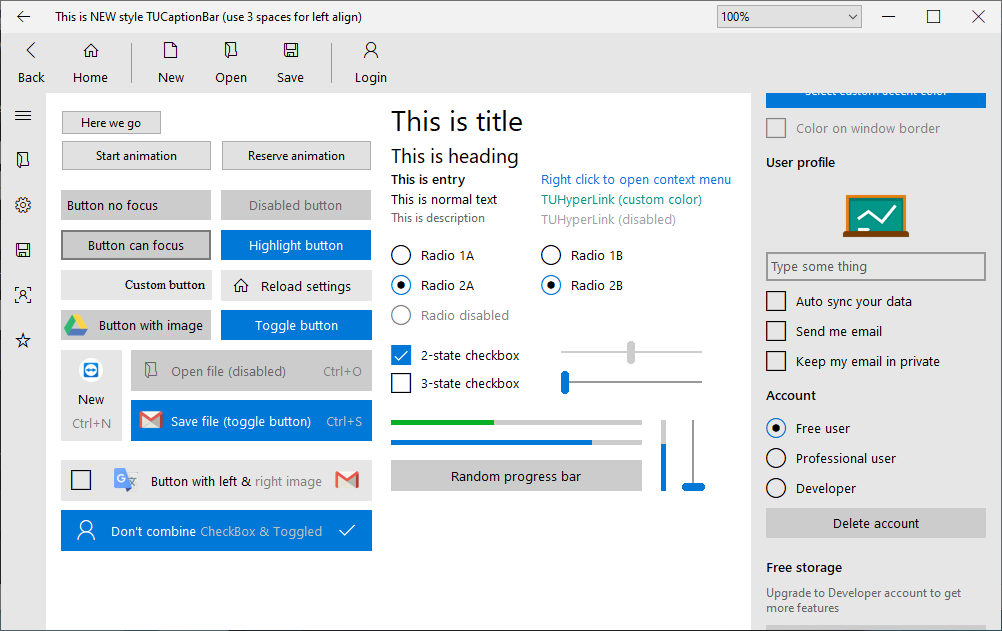
Image 4: Custom accent color
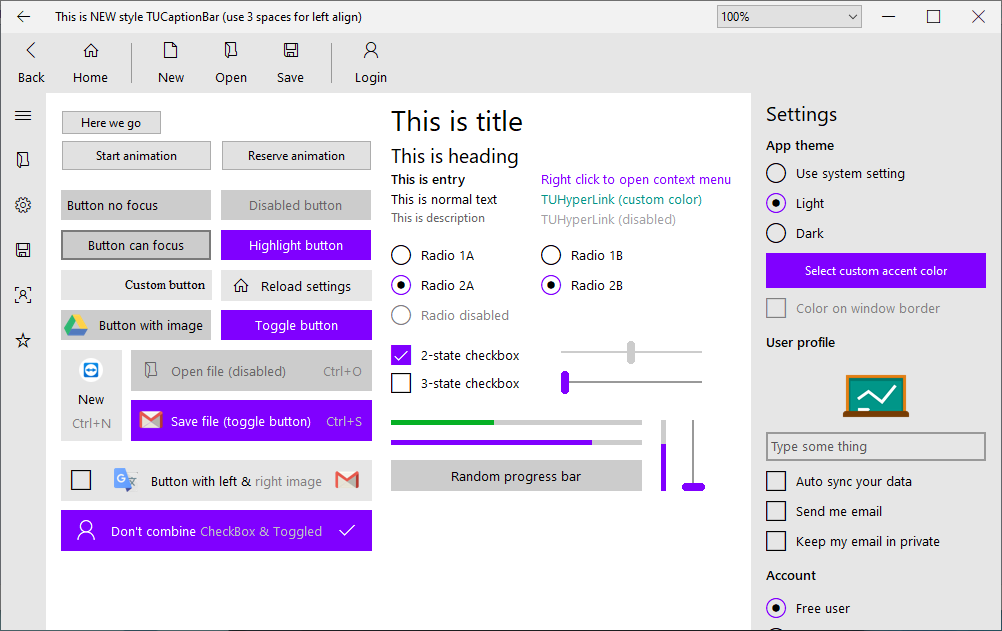
Image 5: Support HighDPI (click to view full size image)
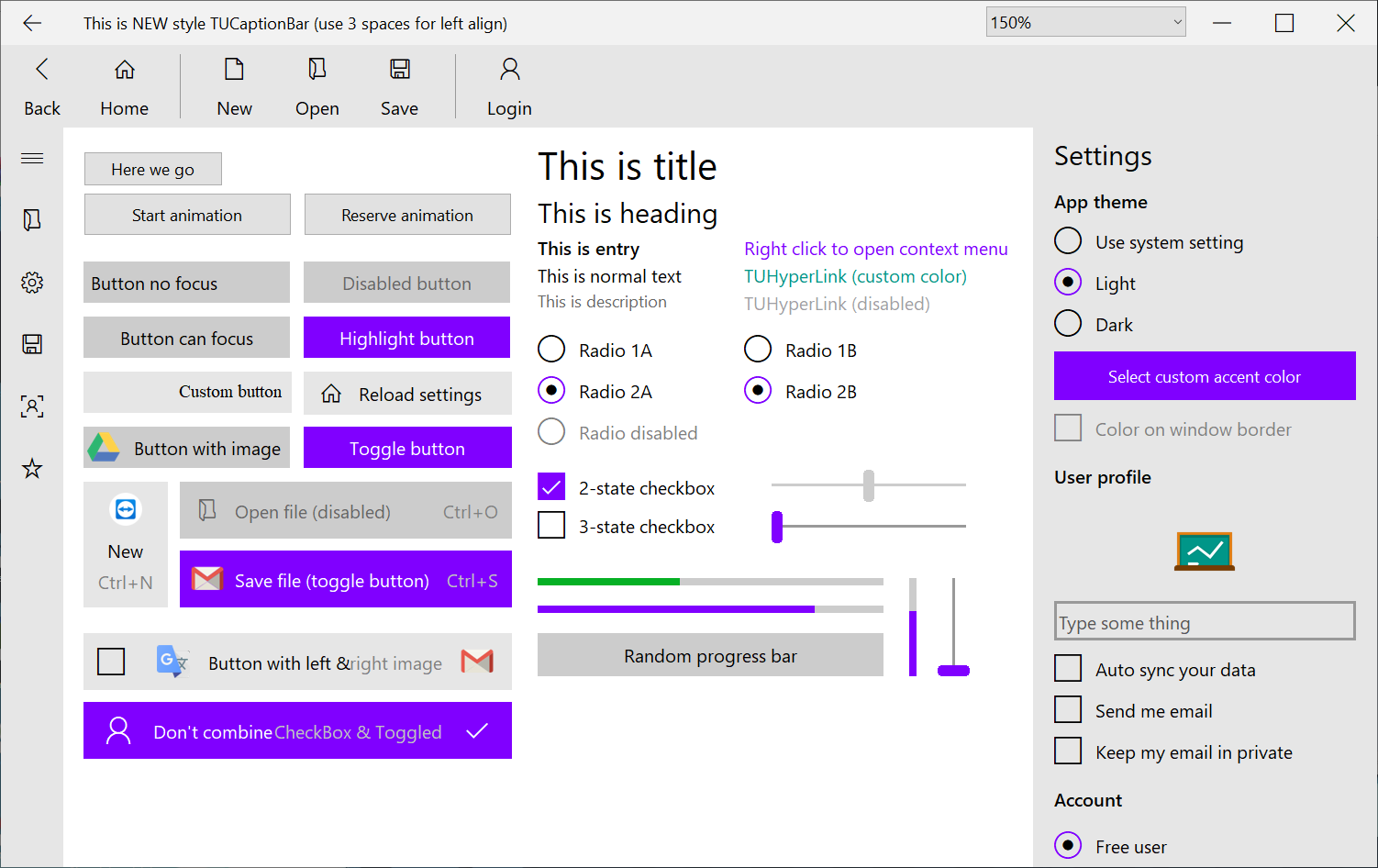
Image 6: Splash screen

Image 7: Login form (light theme)
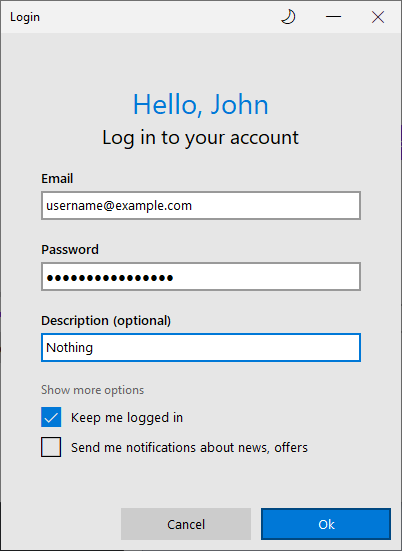
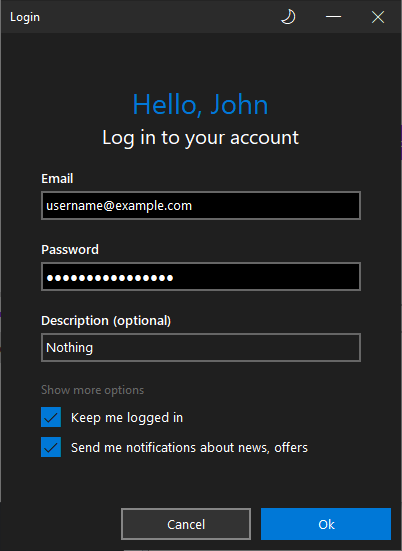
Image 8: Login form (dark theme)
 tonghoangvu