

 tomusborne
Dynamic Typography - add CSS class field for pre-defined elements
Description
Option to add a CSS Class to predefined target elements:
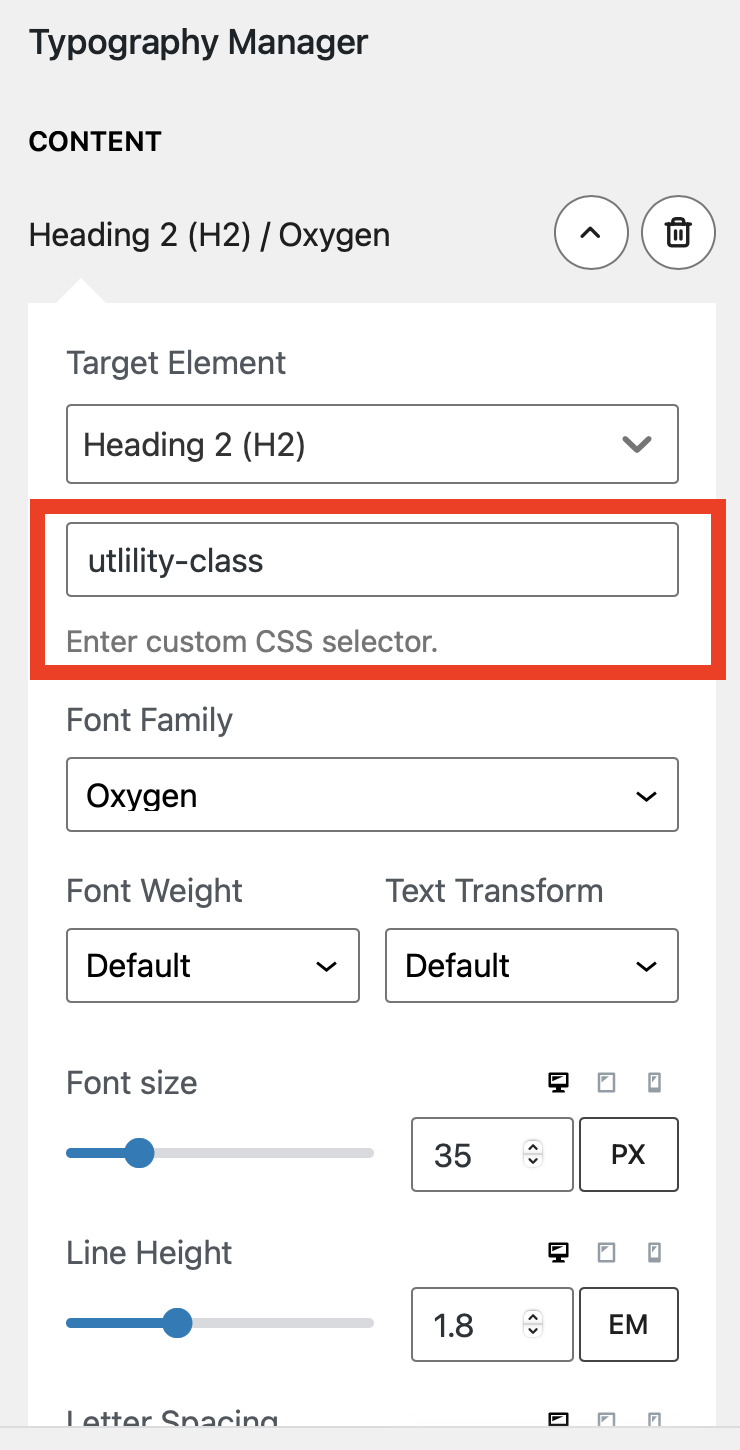
This would allow users to create a utility class for that specific style.
For example the user selects the H2 Element and adds a utility class of .h2 this will return:
h2, .h2 { /* font styles */ }
NOTE: This can be achieved using a Custom target element. But there are more requests of this kind where users want to maintain semantic markup but apply a different style, and this would make a better UX than custom targets for this purpose.

Personally I would not need to define the utility-class names manually. If they were hardcoded to h2 or gp-h2 or something I do not think I would mind.
And to clarify, what I want to avoid is repeating typography settings for tags in either dynamic typography or custom CSS. If I change the style for h2, I should not have to update the corresponding utility class.

The method above would allow you to select a predefined Typography Target element and add as many Utility classes that may be required. No repeating or duplicating. Just a field to add the extra classes if you need them:
The benefit of providing the field for users over us adding a gp utility class are:
- if no class is added then we don't write extra code to the CSS
- users can apply their own class names to fit into their workflows
- you can include pre-defined classes for elements that are added by other means eg. a the HTML from another plugin.
If its something we agree to do, then i recommend we keep it as flexible as possible. :)