

 tomusborne
Drag and drop to order with the "Include posts" query parameters
Description
The include posts param is great. I have a lot of clients that will love this to manage their homepages for instance, when they want to pick and choose what to show. So far I used ACF to handle these requests, using theit post object field. One feature that ACF post object field has and GB "Include Posts" does not, is ordering manually. In ACF post object, you can drag and drop posts into the order you want them, right there in the field, what ever the order in the field, will be the order on the front.
Steps for testing
- Insert query block.
- Add wuery parameter
- Choose include posts
- Choose individual posts
- Grab the last post in the field and try draging it to be the first
- Does not work
References:
- Create the ACF (free version is fine) field group and create the post object field
- Create the loop https://gist.github.com/thisbit/c6039d719f871386c0a6d989c0c9aa80
- Go to page that has the access to that field, and pull the posts you want same way you do it in the "Include posts" in GB
- Grab the last post in the field and drag it to the first place
- Works
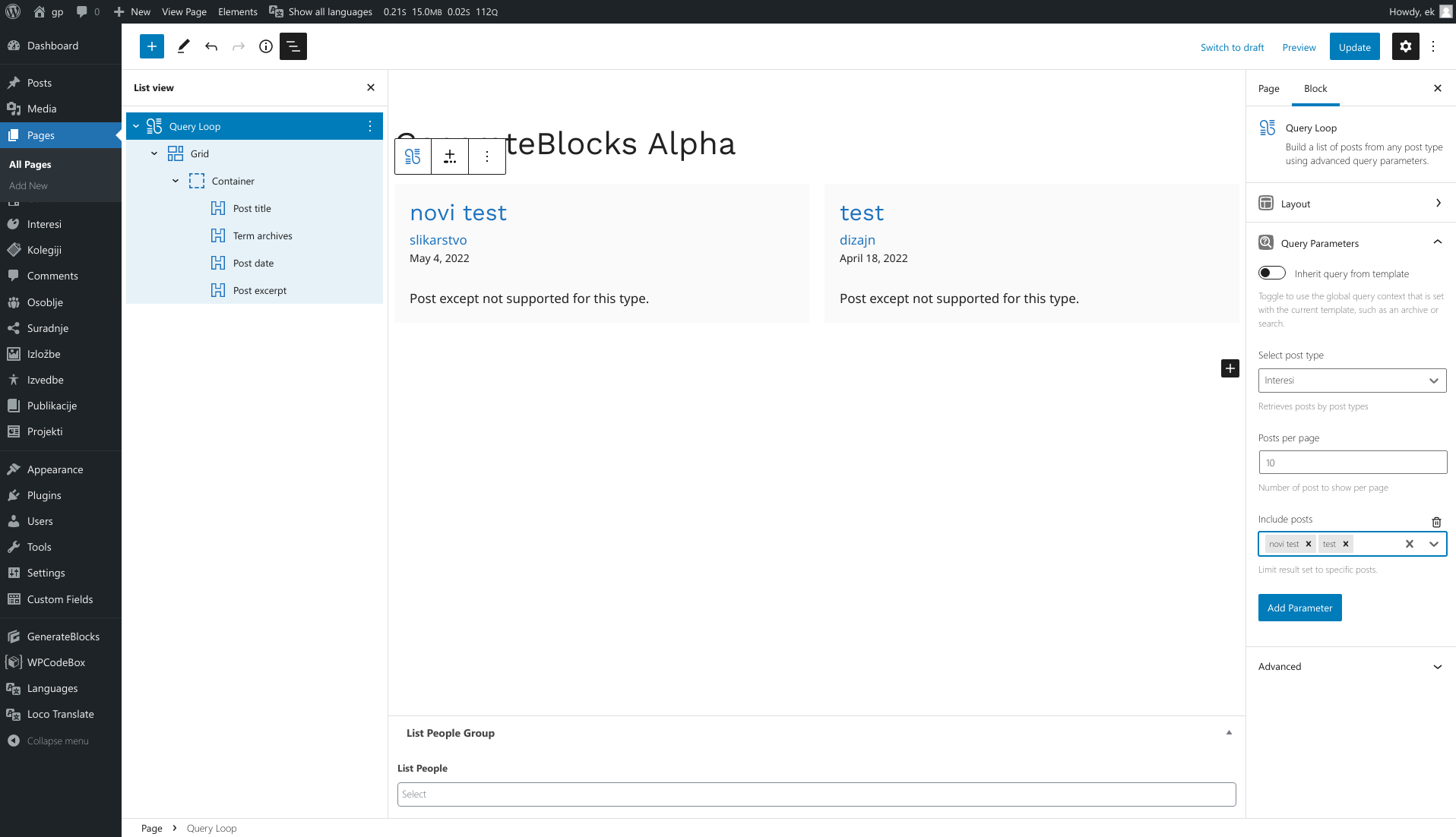 In the screenshot you can both see the GB Include posts (in the sidebar) and the ACF post object bellow the content
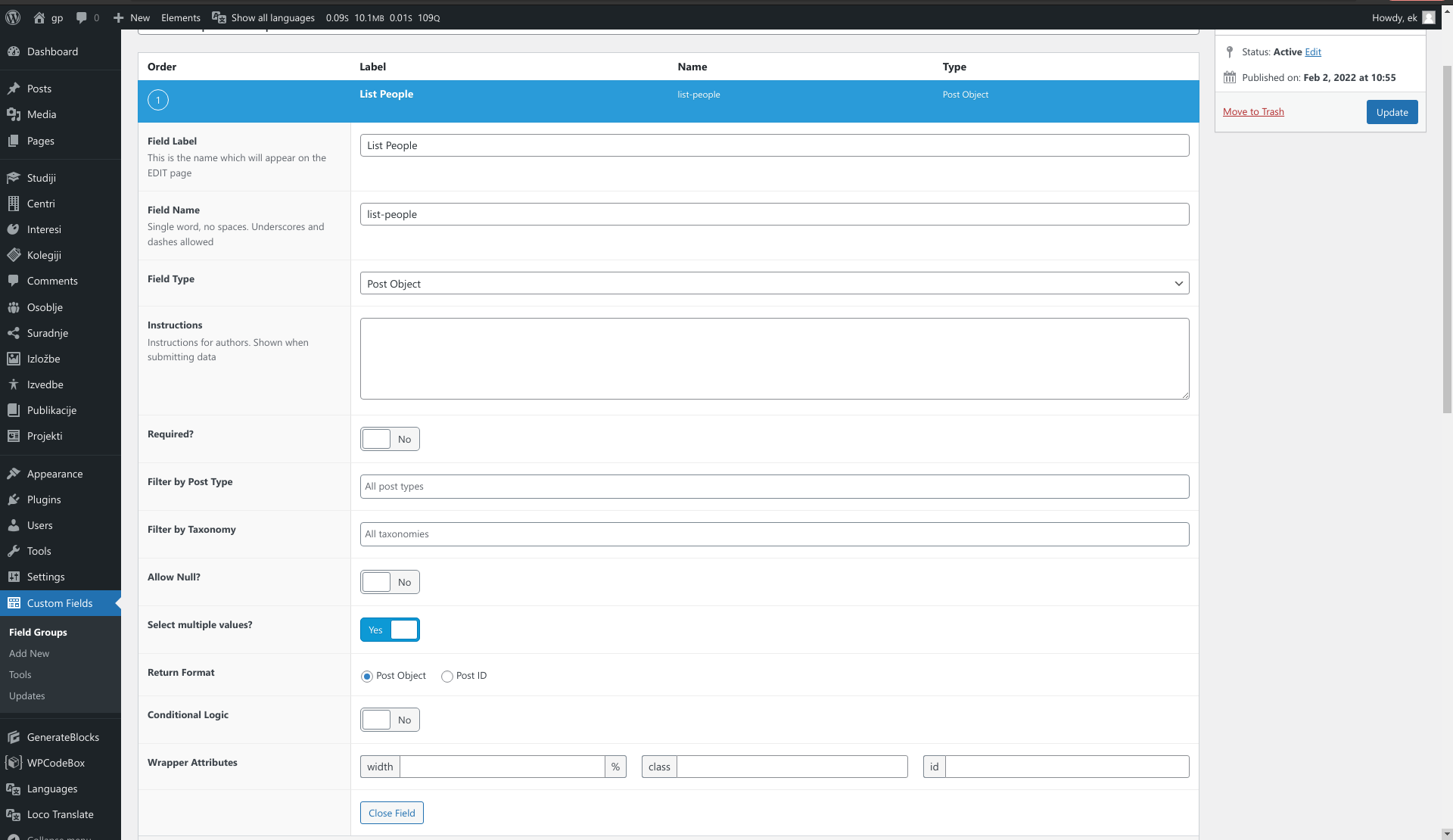 here is how to set up post object in the ACF settings page

@thisbit would be really helpful to be able to rearrange your posts within the select. But given the current state of Query loop, and other features we are planning for the near future we won't be doing this anytime soon. Still gonna move this to our backlog for future updates. Thanks
