
TinyFPGA-Programmer-Application

TinyFPGA-Programmer-Application copied to clipboard
 tinyfpga
Bad format file filter if started without programmer plugged in
I started TinyFPGA Programmer v1.1.5 applicaion without it being connected by USB to the programmer, by mistake since it was my first time using it. The Select File button brings up the Select File dialog but I was unable to see my JED file because the file filter has the incorrect syntax, so I thought I had not managed to generate one correctly from my first usage of Lattice Diamond. However, the file could be seen in Windows Explorer. Workaround - use the all files option and type *.jed in the File name.
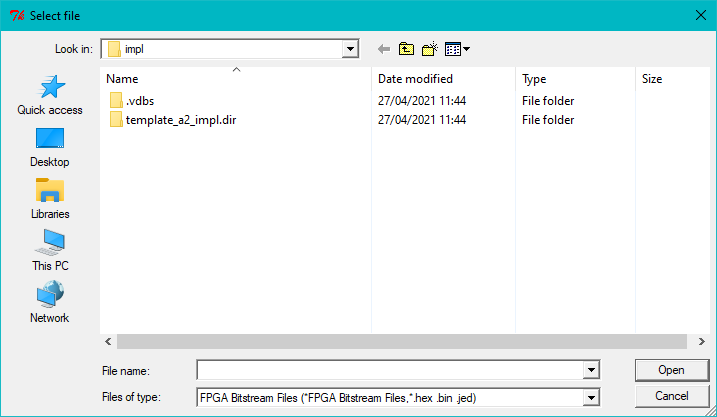
The problem does not occur if the USB connection is present when the application is started, irrespective of power to the target board.
