

 timusus
"Playlist is empty" message
Shuttle version:
v2.0.6
Device, OS: OnePlus5, 8.1.0, OOS5.1.5
Description of bug: Getting an error when trying to play music "The playlist is empty. Long press on an artist, album or song and press 'add to playlist', or + icon to get started."
Steps to reproduce:
- Copy new downloaded podcasts to phone internal memory
- Find music through app
- Message appears on every file: "The playlist is empty. Long press on an artist, album or song and press 'add to playlist', or + icon to get started."
Expected outcome: Expecting file to be played
Observations/Actual Result: File is not played, no matter what file i tap on. Have also deleted files and readded to still have the same issue. Please note that this only seems to be happening for newly added files. Older files that existed before seem to work as expected. Have also tried rescanning the folders from the overflow menu (as per Tim Malseed's suggestions) but still have the same issues

I'm having this issue but also extended to seeing the problem with existing playlists / files.
To reproduce:
- Open Shuttle
- Navigate to Playlists, select an existing Playlist
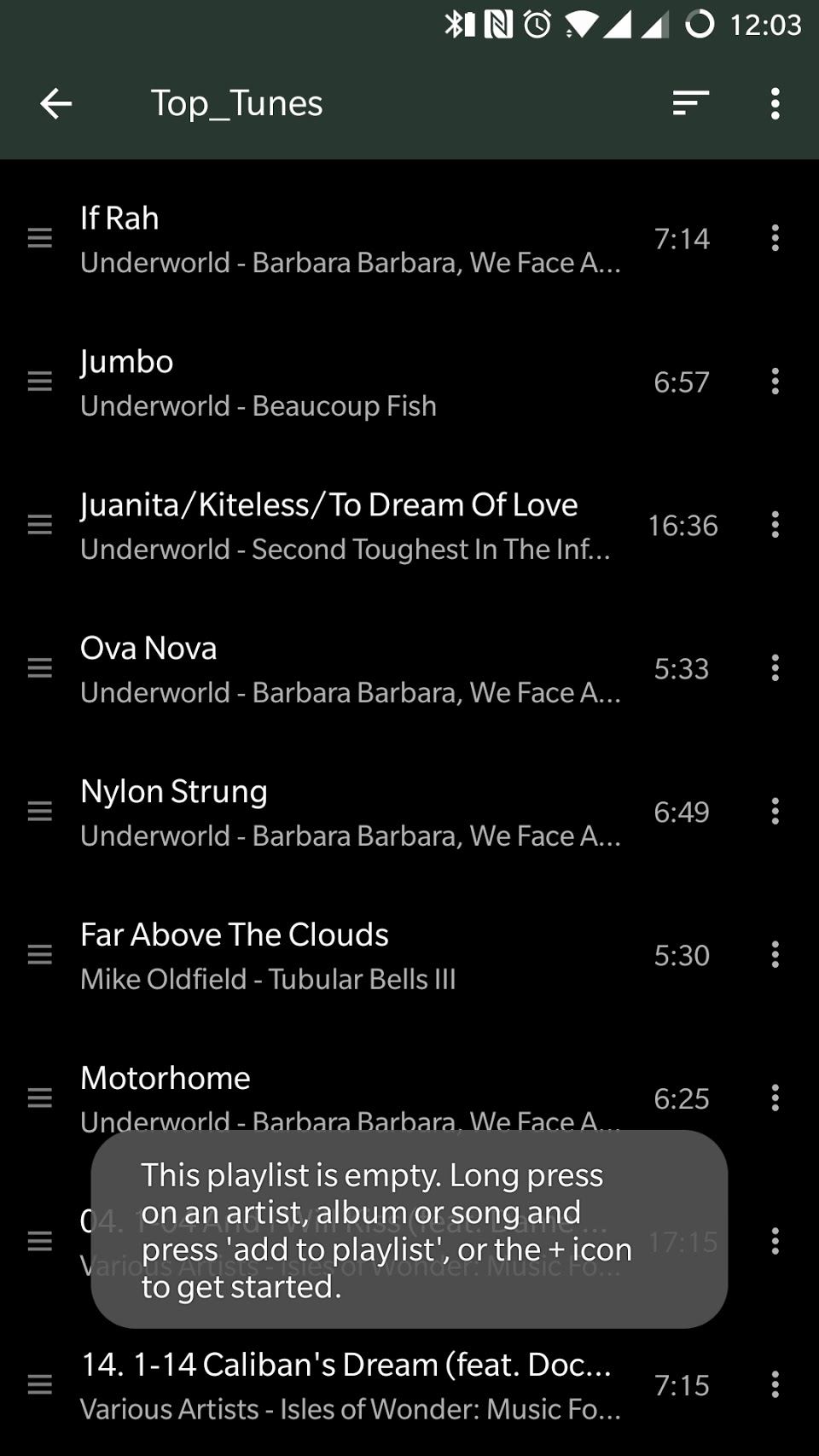
- Tap a track to start playback and instead read the toast "This playlist is empty. Long press on an artist, album or song and press 'add to playlist' or the + icon to get started".
(Screenshot of bug at bottom of post)
Workaround:
Either:
- Wait 5-10 minutes and try again (Media Storage re-scan interval?) OR:
- Close Shuttle and re-launch.
Shuttle version 2.0.10 OnePlus 3T / OxygenOS 5.0.8 / MediaStorage 8.0.0

I have the same issue sometimes. The only workaround I found was to kill the process (using app settings) and restart.
