

 thunderbird
messageDiplay example do not work on MacOS version
Thunderbird version: 102.2.2 (64-bit), language: FI Plugin: [email protected]
The plugin was loaded using the Load temporary plug-in functionality.
The button becomes visible, but when pressed, the popup window has no content.

I modified plugin.js a bit to get some debug information:
browser.tabs.query({
  active: true,
  currentWindow: true,
}).then(tabs => {
  let tabId = tabs[0].id;
  browser.messageDisplay.getDisplayedMessage(tabId).then((message) => {
    document.body.textContent = message.subject;
    console.log(document.body)
  });
});
Here's what I can see on console:


I took the screenshot as I thought the labels containing the text "Invalid object" would be important.
Thunderbird version: 102.3 (64-bit) Macos 10.15
I also encountered the same problem. Were you able to find a solution to this issue?

Seems to be related to https://bugzilla.mozilla.org/show_bug.cgi?id=1725630
I have not yet been able to reproduce this myself, which makes it hard to fix.

I am on macOS Monterey 12.4 where I cannot reproduce this.
@arndissler @jporminal @jarimustonen Is this issue limited to macOS 10.* and macOS 11.* ?
Do we have evidence it happens on recent macOS 12.* ?
I do get the invalid object in the log, but that seems not to be related to the issue, as I see the content of the popup.
I found a workaround. Setting browser.tabs.remote.autostart to false fixed the issue for me.
This was mentioned on the comments in the link you provided https://bugzilla.mozilla.org/show_bug.cgi?id=1725630
I am on macOS Monterey 12.4 where I cannot reproduce this.
@arndissler @jporminal @jarimustonen Is this issue limited to macOS 10.* and macOS 11.* ?
Do we have evidence it happens on recent macOS 12.* ?
I'm using Mac OS 12.5.1. We are also seeing this on a standard out-of-the-box Ubuntu.
I found a workaround. Setting browser.tabs.remote.autostart to false fixed the issue for me.
This is not a real fix, as it disables fission and removes the extra security layer between tabs. It is related to that change, yes, but I hoped it was only affecting older macOS.
Edit: So even if it fixes it for you, I wanted to make you aware of the implications.
We are also seeing this on a standard out-of-the-box Ubuntu.
That is totally unexpected and first time I ever hear that. Since it affects two of your systems, is there a common configuration which is applied to both of them? Any security suits installed?
Into the blue: What happens if you disconnect them from any network?
I don't think there are any commonalities in our system. I just asked my son to run the code in his Linux box. He installed Thunderbird for that purpose. We'll try this again as the initial test was with a bit different extension. (We tested a "hello world" extension that we copied from this extension.)
I tested this with a disconnected network and the behavior is the same.
https://bugzilla.mozilla.org/show_bug.cgi?id=1725630#c21
Here you mention that printing this.extension.browsingContextGroupId. At which point this is available. I'm trying to ask what this refers to.
Are there other options to have some debugging run? I can provide it if instructions are presented.
On a related note, I did add a lot of console logging, and the plugin code gets executed. Also, the document DOM-tree gets updated. It just does not become visible to UI.
We are also seeing this on a standard out-of-the-box Ubuntu.
That is totally unexpected and first time I ever hear that. Since it affects two of your systems, is there a common configuration which is applied to both of them? Any security suits installed?
Ok. We tested this again and the popup remains empty. Also, the popup does not have content even in the first run. So it stays empty always. Thunderbird version is 102.3.0.
https://bugzilla.mozilla.org/show_bug.cgi?id=1725630#c21
Here you mention that printing
this.extension.browsingContextGroupId. At which point this is available. I'm trying to ask whatthisrefers to.Are there other options to have some debugging run? I can provide it if instructions are presented.
On a related note, I did add a lot of console logging, and the plugin code gets executed. Also, the document DOM-tree gets updated. It just does not become visible to UI.
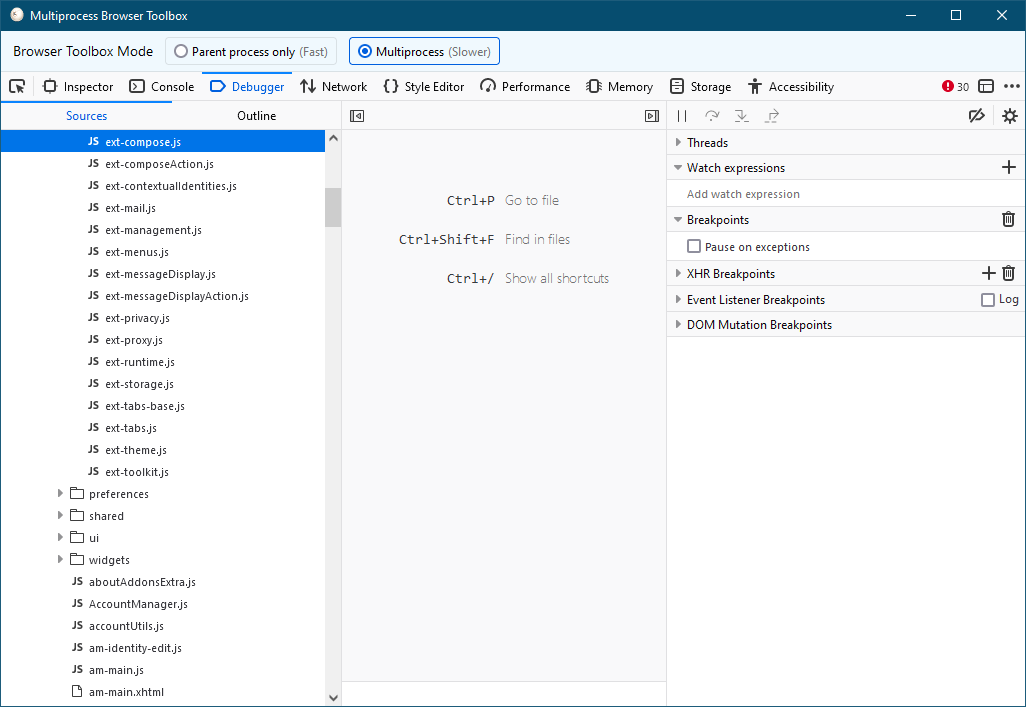
- Make sure that the example add-on is loaded and that you tried to open the pop-up at least once, so all required code has been loaded.
- Open the debugger (app menu -> Tools -> Developer Tools) and switch to its Debugger tab
-
Press CTRL + P and enter
ExtensionPopups.jsminto the field and select the file. -
Go below the code block mentioned in the bug:
    browser.setAttribute(
      "initialBrowsingContextGroupId",
      this.extension.policy.browsingContextGroupId
    );
For me this is line 277, and set a breakpoint there (click on line number)
- Add a expression to the watch list on the right:
- this.extension.policy.browsingContextGroupId
- this.extension.browsingContextGroupId
- this.extension
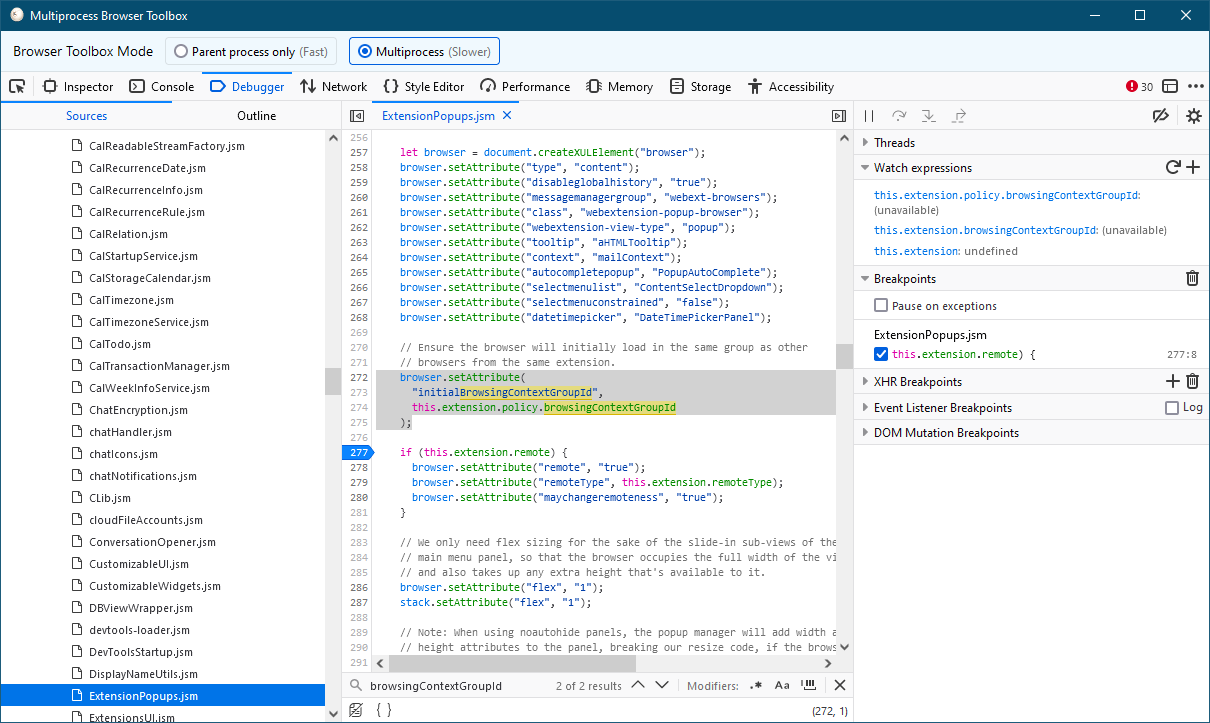
Open the pop-up and observe the debugger, which will hold execution at the breakpoint:
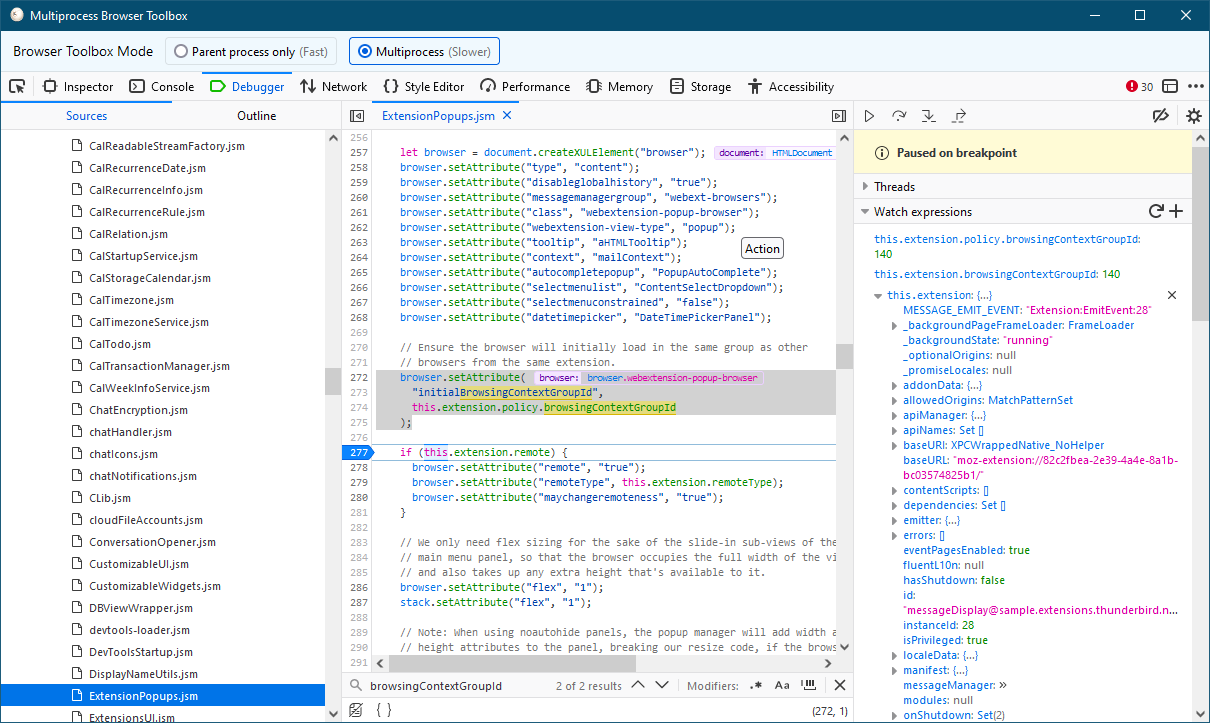
What do you get?
Another shot into the blue: Select a message without any non ascii-characters in the subject
For me the bug seems to be independent from locale or macOS version. I've tested it with de_DE and en_US and the bug occurs even on Big Sur.
Can confirm the bug on macOS occurs still in 102.3.0 and 106.0b1, both on Intel (not M1/2 Apple Silicon), macOS v12.5.1 (Monterey).

There is one more differentiation we have to do: Does the pop-up correctly show the first time after a fresh Thunderbird restart? This is what Bug https://bugzilla.mozilla.org/show_bug.cgi?id=1725630 is about.
@jarimustonen @jporminal Are you seeing it work once or not at all?
For me the bug seems to be independent from locale or macOS version. I've tested it with de_DE and en_US and the bug occurs even on Big Sur.
Can confirm the bug on macOS occurs still in 102.3.0 and 106.0b1, both on Intel (not M1/2 Apple Silicon), macOS v12.5.1 (Monterey).
I am on Apple Silicon, and I am not seeing this, so that is something to look out for.
There is one more differentiation we have to do: Does the pop-up correctly show the first time after a fresh Thunderbird restart? This is what Bug https://bugzilla.mozilla.org/show_bug.cgi?id=1725630 is about.
@jarimustonen @jporminal Are you seeing it work once or not at all?
As I've tested this repeatedly, it's both. Sometimes the content appears on the first try, but most of the time, the content does not even appear the first time.
P.S. I'll respond to you about the other points and debugging information later today.
I am on Apple Silicon, and I am not seeing this, so that is something to look out for.
I use an M1 processor so it's not that.
What do you get?
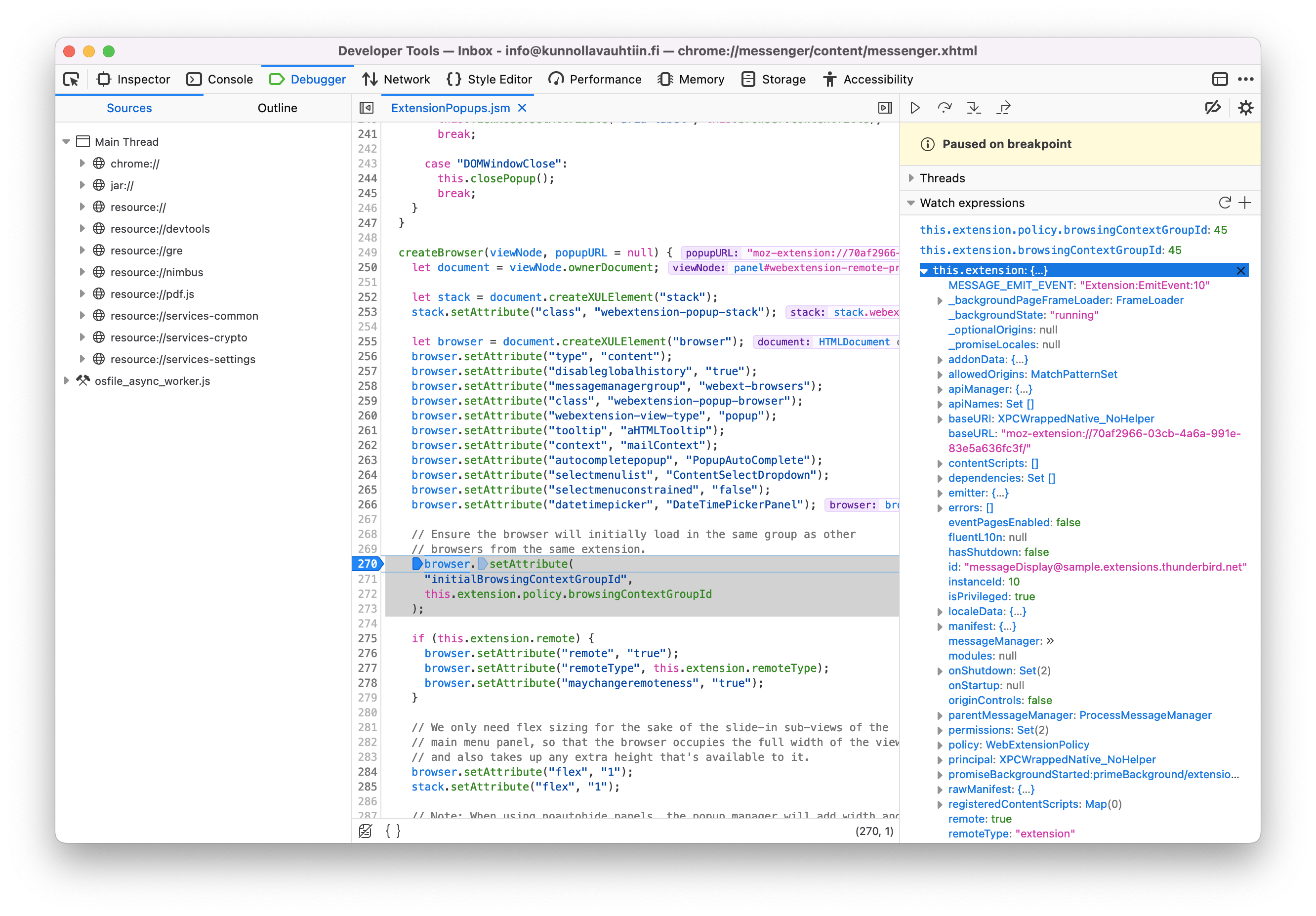
Here's the result:
-
this.extension.policy.browsingContextGroupId:45 -
this.extension.browsingContextGroupId:45
And I assume the values do not change if you click on the button for a second time? We did this on Arnd's system in the add-on developer meeting yesterday and found it to stay the same.
Another shot into the blue: Select a message without any non ascii-characters in the subject
I'm unable to find a such message so it's probably not that.
The behavior stays the same with the following change so it's probably not the content of subject.
Original:
document.body.innerText = message.subject;
New:
document.body.innerText = "Test";
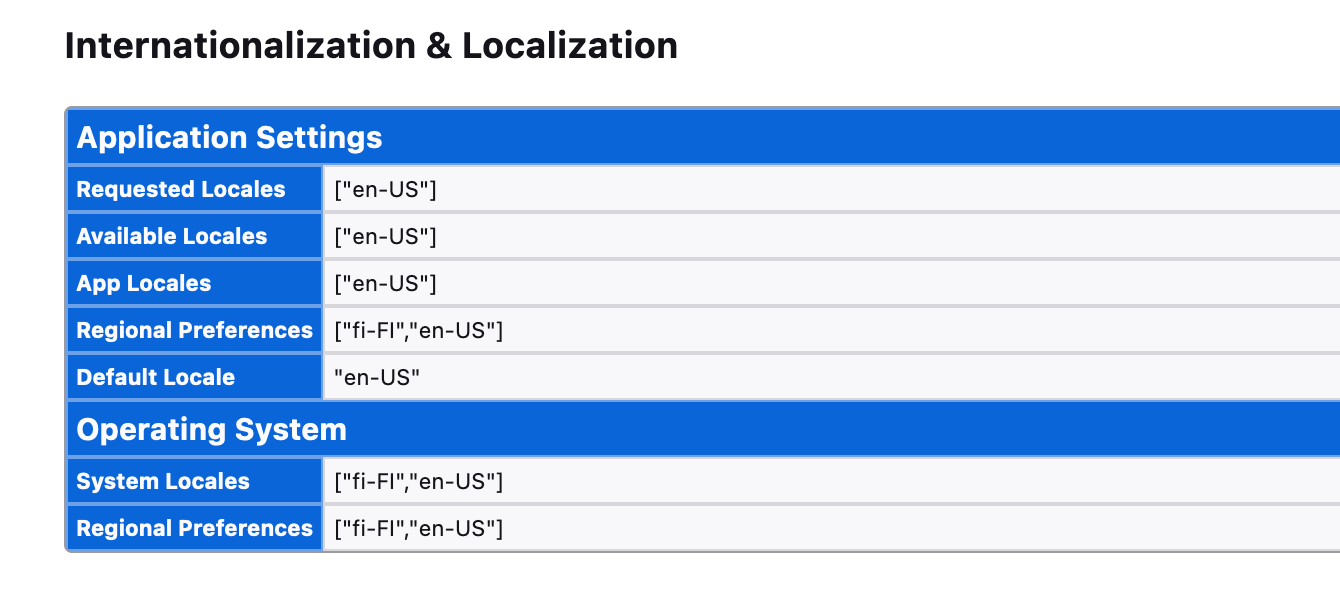
What is your Thunderbird locale?
I'm using the standard EN_us version, or so I think. I also suspected this, so I reinstalled Thunderbird with the old locale being FI_fi.
Edit: Here are the settings:
And I assume the values do not change if you click on the button for a second time? We did this on Arnd's system in the add-on developer meeting yesterday and found it to stay the same.
Yes. It stays the same. (After restarting Thunderbird the value was 46.)
Here's a funny observation. The width of the subject affects the size of the popup box!
I have two examples. Here's the subject is Digitaidot kunnolla vauhtiin:

Here the subject is VS: Muista aloittaa Digitaidot kunnolla vauhtiin -koulutus:

Could it be that we have white on white text? But why the difference with the first run? Is there a way to set the color manually?
Edit: I tried to modify text color with the following but this didn't seem to work:
document.body.innerHTML = '<span style="color: black">' + message.subject + '</span>';
By the way, maybe it's due to the debugging breakpoints and watched variables or what not but the following do not work anymore:
browser.tabs.query({
  active: true,
  currentWindow: true,
}).then(tabs => {
  let tabId = tabs[0].id;
  browser.messageDisplay.getDisplayedMessage(tabId).then((message) => {
    document.body.textContent = message.subject;
    console.log('body', document.body);
  });
});
It just prints:
body <unavailable>
Maybe it's related, maybe it's not.
We've made the experience that there are some restrictions to what WE can print using console.log. Try a local copy:
let b = document.body; console.log(b);

We've made the experience that there are some restrictions to what WE can print using console.log. Try a local copy:
let b = document.body; console.log(b);
Hi
Thank you for the message, and sorry for the delayed response. Here's the popup.js that I'm now using:
browser.tabs.query({
  active: true,
  currentWindow: true,
}).then(tabs => {
  let tabId = tabs[0].id;
  browser.messageDisplay.getDisplayedMessage(tabId).then((message) => {
    let b = document.body; console.log(b);
    document.body.textContent = message.subject;
  });
});
The new addition is at line 7.
Here's the console log with Betterbird:
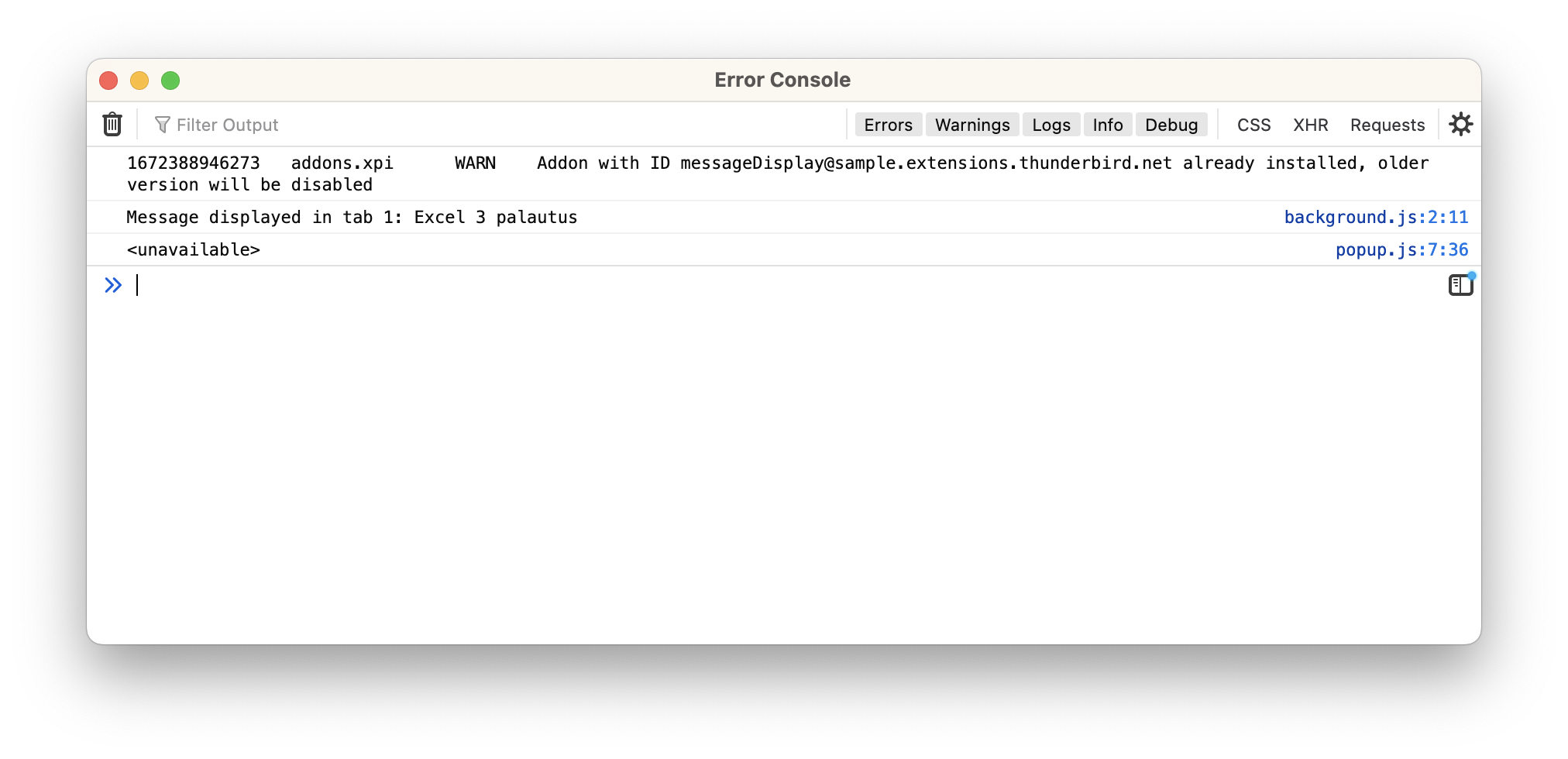
The log is identical also with Thunderbird.
Important observations:
- When the plugin is loaded for the first time and the button is pressed for the first time, the text becomes visible. (So the button works.) Only on consecutive button pushes is the text hidden.
- The console log is identical in both cases.
- The text printed is the message subject. Even in the case that the text does not show, the subject length affects the box size as if the text color changes to while on white.
This looks like a bug deep down in the Mozilla platform code where the text is rendered into the UI. Sadly the issue is hard to reproduce, and the Mozilla/Firefox developers (understandably) don't want to investigate issues which are only demonstrable in Thunderbird (if at all). Most of the TB developers are not familiar with Mozilla platform code. This split in responsibilities has been a problem for decades with many bugs being left unsolved.