

 threeplanetssoftware
Pinned notes and folders order
It's possible to Pin note and it's possible to rearrange folders order. I assume this information is somewhere in sqlite db. Would it be possible to add this to the library?

I have considered adding some of the more "meta" information such as this (primarily the pinned note and the paper display on the note), but hadn't yet come up with a real use case. Could you please describe the value this would add for you?

I'm trying to generate proper accurate html representation of my folder apple notes folder/notes structure.
Can also add PR if you help me to understand where this pin attribute (and order) info is stored.
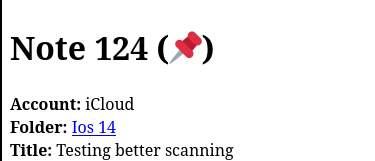
Pinning is indicated by the ZICCLOUDSYNCINGOBJECT.ZISPINNED column. This is now added to the HTML and CSV output. In HTML, you will see a unicode pin next to the notes that are pinned.
Oh, yeah - I saw that column too when inspected sqlite. Thank you for adding this! Couldn't find the column that stores the folder/notes order though. Probably it's in one of those bplist columns?
Ok, I took a look and I suspect I know how the folder and note ordering is being stored, the folder aspect is the more annoying part since notes are just stored by modification date. I will try to work it in, but this will need a bit of testing so it may be a few days.
I just pushed a partial solution to this issue in 2df48b6. The note order is easy, so check out the -r option for your next run. I'll reorder the folders when I can time to test. This will show the notes in each folder in the right (I believe) order with pinned notes on top and everything sorted by modification time, newest on top.
thank you so much! pinned notes work. Happy to test folders order when it's available.
Ok, thanks! It might be a bit, I opened a few other issues while poking at folders that I'd like to handle before pushing it out.
I have this at roughly an 80% solution, but there are some odd edge cases in my test data that simply aren't fitting. This isn't a bplist, it is another protobuf, similar to how tables are represented.
I figured out where folder order is stored, but before I push this code out I want to handle a few other updates to folders nicely, rather than leave them on the todo list. Hopefully won't be too long, though.
Ok, check out 03265c16f30be21afbf7241577482b4fd3171750 on the order-folders-and-notes branch. This is a test that retains folder order, per account. Still a few things I'd like to clean up, but I think that the bulk of the work is done.
got this error
Storing the results in ./output/notes_rip

Created a new AppleBackup from single file: NoteStore.sqlite
Guessed Notes Version: 15
Starting Apple Notes Parser at Thu Oct  6 23:17:38 2022
Storing the results in ./output/notes_rip

Created a new AppleBackup from single file: NoteStore.sqlite
Guessed Notes Version: 15
/Users/m1/app/parser/lib/AppleNoteStore.rb:442:in `inflate': buffer error (Zlib::BufError)
	from /Users/m1/app/parser/lib/AppleNoteStore.rb:442:in `block (2 levels) in rip_account'
	from /Library/Ruby/Gems/2.6.0/gems/sqlite3-1.4.4/lib/sqlite3/database.rb:204:in `block (2 levels) in execute'
	from /Library/Ruby/Gems/2.6.0/gems/sqlite3-1.4.4/lib/sqlite3/resultset.rb:134:in `each'
	from /Library/Ruby/Gems/2.6.0/gems/sqlite3-1.4.4/lib/sqlite3/database.rb:203:in `block in execute'
	from /Library/Ruby/Gems/2.6.0/gems/sqlite3-1.4.4/lib/sqlite3/database.rb:156:in `prepare'
	from /Library/Ruby/Gems/2.6.0/gems/sqlite3-1.4.4/lib/sqlite3/database.rb:198:in `execute'
	from /Users/m1/app/parser/lib/AppleNoteStore.rb:437:in `block in rip_account'
	from /Library/Ruby/Gems/2.6.0/gems/sqlite3-1.4.4/lib/sqlite3/database.rb:204:in `block (2 levels) in execute'
	from /Library/Ruby/Gems/2.6.0/gems/sqlite3-1.4.4/lib/sqlite3/resultset.rb:134:in `each'
	from /Library/Ruby/Gems/2.6.0/gems/sqlite3-1.4.4/lib/sqlite3/database.rb:203:in `block in execute'
	from /Library/Ruby/Gems/2.6.0/gems/sqlite3-1.4.4/lib/sqlite3/database.rb:156:in `prepare'
	from /Library/Ruby/Gems/2.6.0/gems/sqlite3-1.4.4/lib/sqlite3/database.rb:198:in `execute'
	from /Users/m1/app/parser/lib/AppleNoteStore.rb:405:in `rip_account'
	from /Users/m1/app/parser/lib/AppleNoteStore.rb:347:in `block in rip_accounts'
	from /Library/Ruby/Gems/2.6.0/gems/sqlite3-1.4.4/lib/sqlite3/database.rb:204:in `block (2 levels) in execute'
	from /Library/Ruby/Gems/2.6.0/gems/sqlite3-1.4.4/lib/sqlite3/resultset.rb:134:in `each'
	from /Library/Ruby/Gems/2.6.0/gems/sqlite3-1.4.4/lib/sqlite3/database.rb:203:in `block in execute'
	from /Library/Ruby/Gems/2.6.0/gems/sqlite3-1.4.4/lib/sqlite3/database.rb:156:in `prepare'
	from /Library/Ruby/Gems/2.6.0/gems/sqlite3-1.4.4/lib/sqlite3/database.rb:198:in `execute'
	from /Users/m1/app/parser/lib/AppleNoteStore.rb:344:in `rip_accounts'
	from /Users/m1/app/parser/lib/AppleNoteStore.rb:202:in `rip_all_objects'
	from /Users/m1/app/parser/lib/AppleBackup.rb:169:in `block in rip_notes'
	from /Users/m1/app/parser/lib/AppleBackup.rb:166:in `each'
	from /Users/m1/app/parser/lib/AppleBackup.rb:166:in `rip_notes'
	from notes_cloud_ripper.rb:152:in `<main>'
and the debug logs show this
D, [2022-10-06T23:17:39.047193 #67015] DEBUG -- : Rip Account: Using server_record_column of ZSERVERRECORDDATA
D, [2022-10-06T23:17:39.047203 #67015] DEBUG -- : Rip Account: Query is SELECT ZICCLOUDSYNCINGOBJECT.ZNAME, ZICCLOUDSYNCINGOBJECT.Z_PK, ZICCLOUDSYNCINGOBJECT.ZSERVERRECORDDATA, ZICCLOUDSYNCINGOBJECT.ZCRYPTOITERATIONCOUNT, ZICCLOUDSYNCINGOBJECT.ZCRYPTOVERIFIER, ZICCLOUDSYNCINGOBJECT.ZCRYPTOSALT, ZICCLOUDSYNCINGOBJECT.ZIDENTIFIER, ZICCLOUDSYNCINGOBJECT.ZSERVERSHAREDATA, ZICCLOUDSYNCINGOBJECT.ZUSERRECORDNAME, ZICCLOUDSYNCINGOBJECT.ZACCOUNTDATA FROM ZICCLOUDSYNCINGOBJECT WHERE ZICCLOUDSYNCINGOBJECT.Z_PK=?
Thanks, just pushed 8833d10b1b5b98860fc92d8204ad041c7c771c9e which should hopefully fix that.
I'm getting some different error now:
Starting Apple Notes Parser at Sat Oct  8 12:15:59 2022
Storing the results in ./output/notes_rip

Created a new AppleBackup from Mac backup: .
Guessed Notes Version: 15
/Users/m1/app/parser/lib/AppleNoteStore.rb:580:in `block in rip_folder': undefined method `add_child' for nil:NilClass (NoMethodError)
	from /Library/Ruby/Gems/2.6.0/gems/sqlite3-1.4.4/lib/sqlite3/database.rb:204:in `block (2 levels) in execute'
	from /Library/Ruby/Gems/2.6.0/gems/sqlite3-1.4.4/lib/sqlite3/resultset.rb:134:in `each'
	from /Library/Ruby/Gems/2.6.0/gems/sqlite3-1.4.4/lib/sqlite3/database.rb:203:in `block in execute'
	from /Library/Ruby/Gems/2.6.0/gems/sqlite3-1.4.4/lib/sqlite3/database.rb:156:in `prepare'
	from /Library/Ruby/Gems/2.6.0/gems/sqlite3-1.4.4/lib/sqlite3/database.rb:198:in `execute'
	from /Users/m1/app/parser/lib/AppleNoteStore.rb:551:in `rip_folder'
	from /Users/m1/app/parser/lib/AppleNoteStore.rb:493:in `block in rip_folders'
	from /Library/Ruby/Gems/2.6.0/gems/sqlite3-1.4.4/lib/sqlite3/database.rb:204:in `block (2 levels) in execute'
	from /Library/Ruby/Gems/2.6.0/gems/sqlite3-1.4.4/lib/sqlite3/resultset.rb:134:in `each'
	from /Library/Ruby/Gems/2.6.0/gems/sqlite3-1.4.4/lib/sqlite3/database.rb:203:in `block in execute'
	from /Library/Ruby/Gems/2.6.0/gems/sqlite3-1.4.4/lib/sqlite3/database.rb:156:in `prepare'
	from /Library/Ruby/Gems/2.6.0/gems/sqlite3-1.4.4/lib/sqlite3/database.rb:198:in `execute'
	from /Users/m1/app/parser/lib/AppleNoteStore.rb:490:in `rip_folders'
	from /Users/m1/app/parser/lib/AppleNoteStore.rb:203:in `rip_all_objects'
	from /Users/m1/app/parser/lib/AppleBackup.rb:169:in `block in rip_notes'
	from /Users/m1/app/parser/lib/AppleBackup.rb:166:in `each'
	from /Users/m1/app/parser/lib/AppleBackup.rb:166:in `rip_notes'
	from notes_cloud_ripper.rb:152:in `<main>'```
Interesting, thanks for the report. I had made one assumption, that the child folder would always have a higher folder Z_PK than the parent folder. That may not have been the case here. I'll provide some debug steps after I try to recreate that on my end.
Sorry, today has been busy. I have a few thoughts as to how to recreate this, could you please try the following on your NoteStore.sqlite?
SELECT Z_PK, ZPARENT
FROM ZICCLOUDSYNCINGOBJECT
WHERE Z_ENT=14 AND ZPARENT>Z_PK
Please tell me if anything returns from this query, this would identify folders who appear before their parents in the database. If this returns anything, I need to revisit my assumptions.
Secondarily, I'm wondering if something did not yet sync and is stored in a different field. The below will look for that.
SELECT Z_PK, ZACCOUNTDATA
FROM ZICCLOUDSYNCINGOBJECT
WHERE Z_ENT=13
The will identify the rows hold account information for each account, then
SELECT Z_PK, length(ZMERGEABLEDATA),
length(ZMERGEABLEDATA1),
length(ZMERGEABLEDATA2),
length(ZSERVERRECORDDATA),
length(ZUNAPPLIEDENCRYPTEDRECORD)
FROM ZICCLOUDSYNCINGOBJECT
WHERE Z_PK=[ZACCOUNTDATA for the account that is failing]
For example, in my database, the first query returns Z_PK 9 having ZACCOUNTDATA 104, so I ran the second query on Z_PK=104.
here it is
SELECT Z_PK, ZPARENT
   ...> FROM ZICCLOUDSYNCINGOBJECT
   ...> WHERE Z_ENT=14 AND ZPARENT>Z_PK
   ...> ;
4998|5004
6080|6083
6081|6083
6082|6083
6643|6657
6654|6657
for the second one
SELECT Z_PK, ZACCOUNTDATA
   ...> FROM ZICCLOUDSYNCINGOBJECT
   ...> WHERE Z_ENT=13;
6|100
SELECT Z_PK, length(ZMERGEABLEDATA),
   ...> length(ZMERGEABLEDATA1),
   ...> length(ZMERGEABLEDATA2),
   ...> length(ZSERVERRECORDDATA),
   ...> length(ZUNAPPLIEDENCRYPTEDRECORD)
   ...> FROM ZICCLOUDSYNCINGOBJECT
   ...> WHERE Z_PK=6;
6||||1771|
Ok, thanks, I'll need to go back and revisit that assumption. Could you please run the second query as the following? 100 is the ZACCOUNTDATA pointer.
SELECT Z_PK, length(ZMERGEABLEDATA),
  length(ZMERGEABLEDATA1),
   length(ZMERGEABLEDATA2),
   length(ZSERVERRECORDDATA),
   length(ZUNAPPLIEDENCRYPTEDRECORD)
   FROM ZICCLOUDSYNCINGOBJECT
   WHERE Z_PK=100;
here it is:
SQLite version 3.36.0 2021-06-18 18:58:49
Enter ".help" for usage hints.
sqlite> SELECT Z_PK, length(ZMERGEABLEDATA),
   ...>   length(ZMERGEABLEDATA1),
   ...>    length(ZMERGEABLEDATA2),
   ...>    length(ZSERVERRECORDDATA),
   ...>    length(ZUNAPPLIEDENCRYPTEDRECORD)
   ...>    FROM ZICCLOUDSYNCINGOBJECT
   ...>    WHERE Z_PK=100;
100|||||
I want to make sure I have this correct. This database has a few thousand ZICCLOUDSYNCINGOBJECT entries and exactly one account? Is that (Z_PK=6) an iCloud account, not a local store account? What version iOS is this from?
Also, please check out the latest push on order-folders-and-notes and see if that removes the error. It now handles assigning folder children until after all folders have been ingested.
Edit: Removed the specific commit and replaced with the branch as a whole.
update on this one. No errors. It generated html. However I think the order is still off. It doesn't match the order I see in Apple Notes.
Here is the result:
Storing the results in ./output/notes_rip

Created a new AppleBackup from Mac backup: .
Guessed Notes Version: 15
com.apple.paper is unrecognized ZTYPEUTI, please submit a bug report to this project's GitHub repo to report this: https://github.com/threeplanetssoftware/apple_cloud_notes_parser/issues
Updated AppleNoteStore object with 769 AppleNotes in 174 folders belonging to 1 accounts.
Adding the ZICNOTEDATA.ZPLAINTEXT and ZICNOTEDATA.ZDECOMPRESSEDDATA columns, this takes a few seconds
so it's 1 iCloud account and 769 notes.
What's confusing to me is that it doesn't appear the place the folder order is stored is populated for your account. That ZACCOUNTDATA row (Z_PK=100) should have it, but the fields appear null based on your query. I added a debug statement to the log, look for this after you run it: "Rip Account: row['ZMERGEABLEDATA'] is empty!"
Could you please confirm that shows up?
not sure I see this debug statement. Did you push code recently? Because I think the last change on the branch is from 2 days ago.