

 thibseisel
Album "Play" button is confusing
Hi,
first of all thank you very much for your awesome app! Excellent work! Now to my problem... I find it very confusing that when you open an album and hit the play button in the bottom right corner of the album cover it starts playing a random song from the album instead of the first song in the list. (Shuffle is deactivated) Also is there a way to see the current titles of the playlist? When I started playing an album and then leave the album page I still can iterate through the album's song using the next and previous buttons, but can't see the list of songs in the playlist?
Thanks!

Hi @CramericaIndustries,
Thanks for your bug report! I'm able to reproduce it easily. Regarding displaying the current playlist as well as its title, I'm still wondering where it should be in the UI. Do you have any suggestions?

Do you have any suggestions?
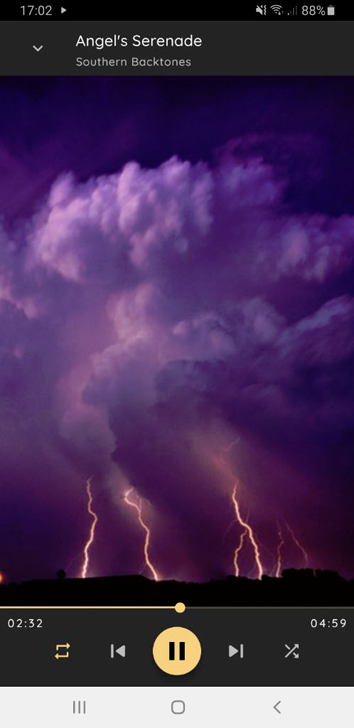
I would put it in the window with the "play","pause","next","prev" controls which slides up from the bottom if you hit the small arrow icon. Looks like so:
The modified view with the playlist could look like so maybe?
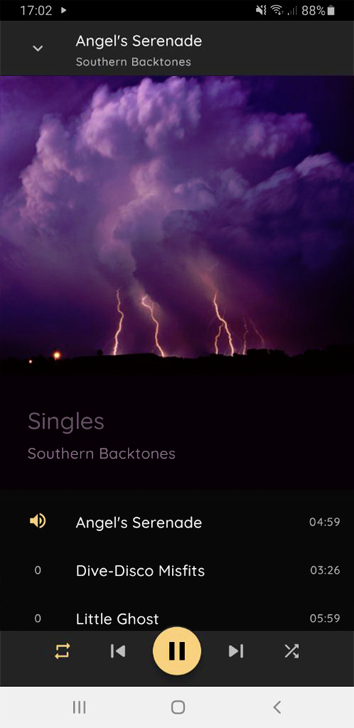 Where the list is basically the same (scrollable) view as on the Album page, just with the additional controls and the title of the song which is currently playing.