

 thesofproject
[BUG] Desktop audio goes through microphone
Describe the bug
Me and my friend have got a problem with the computer audio being sent to the receiver as if the headphone microphone hears it.
I've got a generic headphone with two microphones. It's got a single jack.
When I plug it to the laptop, three devices are detected. A headphones device for output, stereo headphones mic and mono headset mic devices for input.
As the incorrect behaviour, the computer audio appears on the input device along with output.
I tried this on my laptop and headphone while my friend tried it on their laptop and headphone.
I've tried it on Linux v6.3-rc5 while my friend tried it on v6.1.
My laptop has got this audio device:
00:1f.3 Multimedia audio controller: Intel Corporation Comet Lake PCH-LP cAVS
My friend's laptop has got these:
05:00.6 Audio device: Advanced Micro Devices, Inc. [AMD] Family 17h/19h HD Audio Controller
05:00.1 Audio device: Advanced Micro Devices, Inc. [AMD/ATI] Renoir Radeon High Definition Audio Controller
I assumed this was a problem with the HD-Audio Controller driver on Linux as my friend doesn't see this behaviour on Windows 10. The drivers on Windows 10:
AMD High Definition Audio Device 10.0.1.24
Realtek (R)  Audio 6.0.9132.1
Reproduction Rate All the time.
Expected behavior The audio should appear only on the output device.
Environment
- Branch name and commit hash of the 2 repositories: sof (firmware/topology) and linux (kernel driver).
- Kernel: Ubuntu's Linux v6.3-rc5
- Name of the platform(s) on which the bug is observed.
- Platform: Ubuntu 22.04.1 LTS
Screenshots or console output
I don't see Headset Mic set as an input device which is the one I'm having the problem on.
[ 4884.478422] sof-audio-pci-intel-cnl 0000:00:1f.3: DSP detected with PCI class/subclass/prog-if info 0x040100
[ 4884.478487] sof-audio-pci-intel-cnl 0000:00:1f.3: Digital mics found on Skylake+ platform, using SOF driver
[ 4884.478829] sof-audio-pci-intel-cnl 0000:00:1f.3: DSP detected with PCI class/subclass/prog-if 0x040100
[ 4884.478917] sof-audio-pci-intel-cnl 0000:00:1f.3: bound 0000:00:02.0 (ops i915_audio_component_bind_ops [i915])
[ 4884.484484] sof-audio-pci-intel-cnl 0000:00:1f.3: use msi interrupt mode
[ 4884.497231] sof-audio-pci-intel-cnl 0000:00:1f.3: hda codecs found, mask 5
[ 4884.497235] sof-audio-pci-intel-cnl 0000:00:1f.3: using HDA machine driver skl_hda_dsp_generic now
[ 4884.497237] sof-audio-pci-intel-cnl 0000:00:1f.3: DMICs detected in NHLT tables: 1
[ 4884.497328] sof-audio-pci-intel-cnl 0000:00:1f.3: Firmware info: version 2:0:0-b678a
[ 4884.497330] sof-audio-pci-intel-cnl 0000:00:1f.3: Firmware: ABI 3:20:0 Kernel ABI 3:23:0
[ 4884.497332] sof-audio-pci-intel-cnl 0000:00:1f.3: unknown sof_ext_man header type 3 size 0x30
[ 4884.617242] sof-audio-pci-intel-cnl 0000:00:1f.3: Firmware info: version 2:0:0-b678a
[ 4884.617246] sof-audio-pci-intel-cnl 0000:00:1f.3: Firmware: ABI 3:20:0 Kernel ABI 3:23:0
[ 4884.617513] sof-audio-pci-intel-cnl 0000:00:1f.3: Topology: ABI 3:20:0 Kernel ABI 3:23:0
[ 4884.617846] skl_hda_dsp_generic skl_hda_dsp_generic: ASoC: Parent card not yet available, widget card binding deferred
[ 4884.666762] snd_hda_codec_realtek ehdaudio0D0: autoconfig for ALC3204: line_outs=1 (0x14/0x0/0x0/0x0/0x0) type:speaker
[ 4884.666766] snd_hda_codec_realtek ehdaudio0D0:    speaker_outs=0 (0x0/0x0/0x0/0x0/0x0)
[ 4884.666768] snd_hda_codec_realtek ehdaudio0D0:    hp_outs=1 (0x21/0x0/0x0/0x0/0x0)
[ 4884.666769] snd_hda_codec_realtek ehdaudio0D0:    mono: mono_out=0x0
[ 4884.666770] snd_hda_codec_realtek ehdaudio0D0:    inputs:
[ 4884.666770] snd_hda_codec_realtek ehdaudio0D0:      Headset Mic=0x19
[ 4884.666771] snd_hda_codec_realtek ehdaudio0D0:      Headphone Mic=0x1a
[ 4884.713763] snd_hda_codec_realtek ehdaudio0D0: ASoC: sink widget AIF1TX overwritten
[ 4884.713769] snd_hda_codec_realtek ehdaudio0D0: ASoC: source widget AIF1RX overwritten
[ 4884.713863] skl_hda_dsp_generic skl_hda_dsp_generic: ASoC: sink widget hifi3 overwritten
[ 4884.713867] skl_hda_dsp_generic skl_hda_dsp_generic: ASoC: sink widget hifi2 overwritten
[ 4884.713869] skl_hda_dsp_generic skl_hda_dsp_generic: ASoC: sink widget hifi1 overwritten
[ 4884.713872] skl_hda_dsp_generic skl_hda_dsp_generic: ASoC: source widget Codec Output Pin1 overwritten
[ 4884.713875] skl_hda_dsp_generic skl_hda_dsp_generic: ASoC: sink widget Codec Input Pin1 overwritten
[ 4884.713879] skl_hda_dsp_generic skl_hda_dsp_generic: ASoC: sink widget Analog Codec Playback overwritten
[ 4884.713882] skl_hda_dsp_generic skl_hda_dsp_generic: ASoC: sink widget Digital Codec Playback overwritten
[ 4884.713885] skl_hda_dsp_generic skl_hda_dsp_generic: ASoC: sink widget Alt Analog Codec Playback overwritten
[ 4884.713889] skl_hda_dsp_generic skl_hda_dsp_generic: ASoC: source widget Analog Codec Capture overwritten
[ 4884.713892] skl_hda_dsp_generic skl_hda_dsp_generic: ASoC: source widget Digital Codec Capture overwritten
[ 4884.713895] skl_hda_dsp_generic skl_hda_dsp_generic: ASoC: source widget Alt Analog Codec Capture overwritten
[ 4884.724911] input: sof-hda-dsp Headphone Mic as /devices/pci0000:00/0000:00:1f.3/skl_hda_dsp_generic/sound/card0/input32
[ 4884.725063] input: sof-hda-dsp HDMI/DP,pcm=3 as /devices/pci0000:00/0000:00:1f.3/skl_hda_dsp_generic/sound/card0/input33
[ 4884.725133] input: sof-hda-dsp HDMI/DP,pcm=4 as /devices/pci0000:00/0000:00:1f.3/skl_hda_dsp_generic/sound/card0/input34
[ 4884.725228] input: sof-hda-dsp HDMI/DP,pcm=5 as /devices/pci0000:00/0000:00:1f.3/skl_hda_dsp_generic/sound/card0/input35

This is quite unclear @arinc9
"generic headphone with two microphones. It's got a single jack."
If you have a 'generic headphone with a mic', then there's a single mic. There are 4 connectors on the jack, one for ground, two for playback left/right and one for mics. the position of the mic can change depending on the CTIA or OMTP options.
So I have no idea what this headphone is, and it certainly is anything but generic. Please provide a clearer description of what your device hardware is. Thanks!

Thank you @plbossart. I really don't know the brand, it's a pair of in-ear headphones. My mum purchased it from some obscure shop without even keeping the box. Here's a picture:
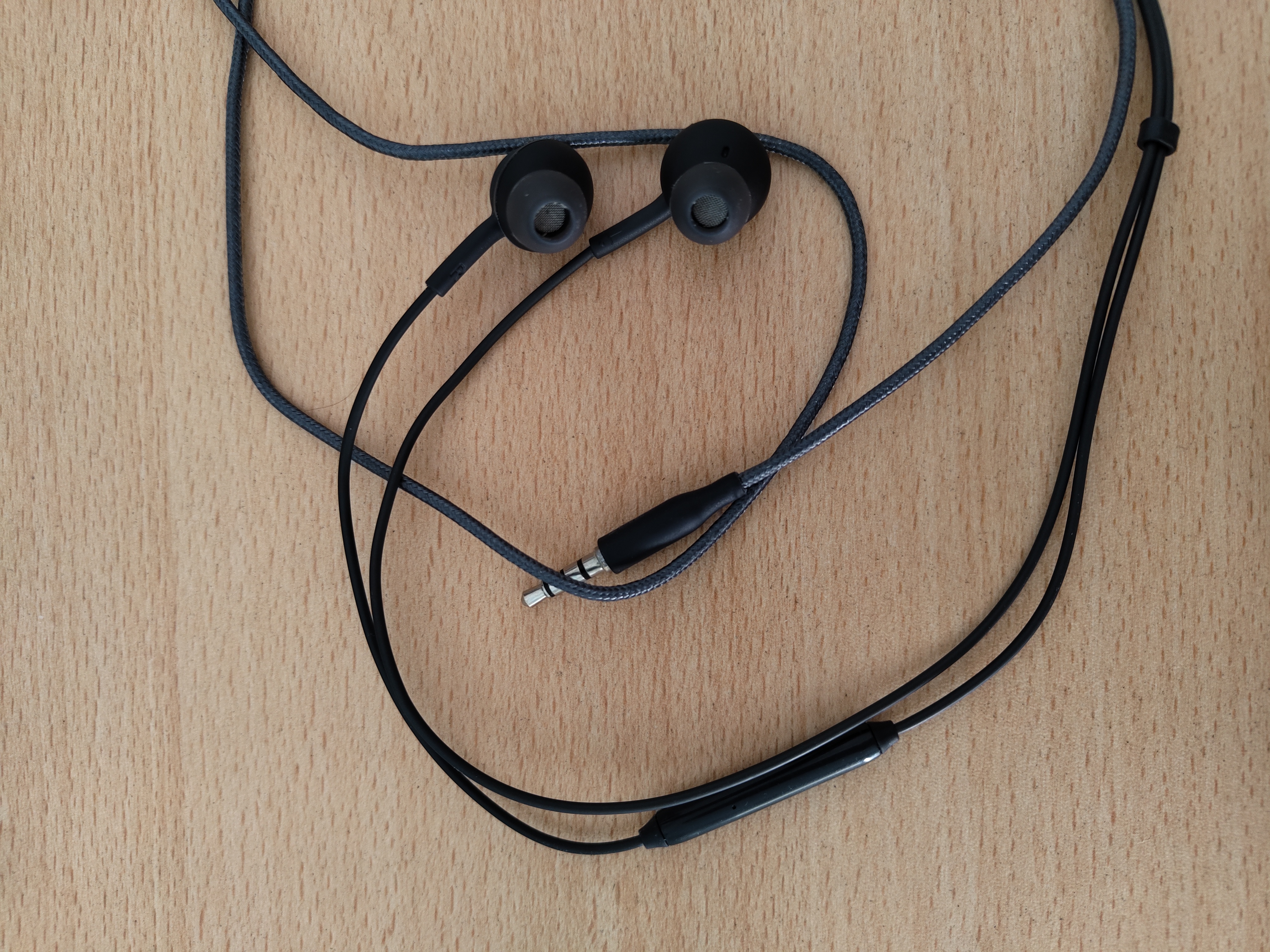
There are two microphones (called stereo on software), one on each headphone. There is a mono microphone on the volume controller.
My desktop computer has got a different audio device. It doesn't detect all 3 devices. It detects output if I plug it to headphones jack. It detects only the stereo microphones device if I plug it to microphone jack.
00:1f.3 Audio device: Intel Corporation 200 Series PCH HD Audio

[    4.484675] snd_hda_codec_realtek hdaudioC0D0: autoconfig for ALC1220: line_outs=3 (0x1b/0x15/0x16/0x0/0x0) type:line
[    4.484678] snd_hda_codec_realtek hdaudioC0D0:    speaker_outs=0 (0x0/0x0/0x0/0x0/0x0)
[    4.484680] snd_hda_codec_realtek hdaudioC0D0:    hp_outs=1 (0x14/0x0/0x0/0x0/0x0)
[    4.484681] snd_hda_codec_realtek hdaudioC0D0:    mono: mono_out=0x0
[    4.484682] snd_hda_codec_realtek hdaudioC0D0:    dig-out=0x1e/0x0
[    4.484683] snd_hda_codec_realtek hdaudioC0D0:    inputs:
[    4.484684] snd_hda_codec_realtek hdaudioC0D0:      Front Mic=0x19
[    4.484686] snd_hda_codec_realtek hdaudioC0D0:      Rear Mic=0x18
[    4.484687] snd_hda_codec_realtek hdaudioC0D0:      Line=0x1a
[    4.497384] input: HDA Intel PCH Front Mic as /devices/pci0000:00/0000:00:1f.3/sound/card0/input17
[    4.497447] input: HDA Intel PCH Rear Mic as /devices/pci0000:00/0000:00:1f.3/sound/card0/input18
[    4.497495] input: HDA Intel PCH Line as /devices/pci0000:00/0000:00:1f.3/sound/card0/input19
[    4.497537] input: HDA Intel PCH Line Out Front as /devices/pci0000:00/0000:00:1f.3/sound/card0/input20
[    4.497584] input: HDA Intel PCH Line Out Surround as /devices/pci0000:00/0000:00:1f.3/sound/card0/input21
[    4.497634] input: HDA Intel PCH Line Out CLFE as /devices/pci0000:00/0000:00:1f.3/sound/card0/input22
[    4.497682] input: HDA Intel PCH Front Headphone as /devices/pci0000:00/0000:00:1f.3/sound/card0/input23
To be clear, the audio only appears on the input device for mono microphone. Interestingly, the mono microphone device is the only one that won't be registered as an input device on /devices/pci0000:00/0000:00:1f.3/skl_hda_dsp_generic/sound/card0/.
I don't get what the problem is. There is no notion of 'mono' microphone at the card level, or even that it's a headphone, what you should see is a PCM device named "HDA Analog" for capture and playback. please attach the result of 'alsa-info' and clarify if you get sound with the "HDA Analog" PCM device?
Let me shorten my bug report, and make it more on point.
The problem is, on my laptop, the computer audio is being sent to the receiver when on a voice chat, as if the headphone microphone hears it. As the incorrect behaviour, the computer audio appears on the input device (therefore causing the said audio to be recorded, or sent to the receiver when on a voice chat) along with the output device. The audio should appear only on the output device.
On the log below, I see only Headphone Mic being set up as an input device. However, the physical microphone which should translate to Headset Mic device, still appears as input on the Ubuntu Settings application. This is also the only input device I'm seeing this bad behaviour on. My friend with a completely different laptop and in-ear headphones also have this issue.
[...]
[ 4884.666770] snd_hda_codec_realtek ehdaudio0D0:    inputs:
[ 4884.666770] snd_hda_codec_realtek ehdaudio0D0:      Headset Mic=0x19
[ 4884.666771] snd_hda_codec_realtek ehdaudio0D0:      Headphone Mic=0x1a
[...]
[ 4884.724911] input: sof-hda-dsp Headphone Mic as /devices/pci0000:00/0000:00:1f.3/skl_hda_dsp_generic/sound/card0/input32
[ 4884.725063] input: sof-hda-dsp HDMI/DP,pcm=3 as /devices/pci0000:00/0000:00:1f.3/skl_hda_dsp_generic/sound/card0/input33
[ 4884.725133] input: sof-hda-dsp HDMI/DP,pcm=4 as /devices/pci0000:00/0000:00:1f.3/skl_hda_dsp_generic/sound/card0/input34
[ 4884.725228] input: sof-hda-dsp HDMI/DP,pcm=5 as /devices/pci0000:00/0000:00:1f.3/skl_hda_dsp_generic/sound/card0/input35
Here's the alsa-info output.
http://alsa-project.org/db/?f=82063fc61e3b259833bfa14b00021fa5c21e7e53
thanks @arinc9. ok, so there's some sort of loopback of the output on the input.
Can you try this with two terminals with the headphone removed. terminal a) speaker-test -Dhw:0,0 -c2 -r48000 -FS16_LE -t sine terminal b) arecord -Dhw:0,0 -c2 -r48000 -fS16_LE -d10 test.wav
(edit: the difference between -FS16_LE and -fS16_LE is intentional and not a typo)
gzip test.wav and attach it.
Then redo the test with the headphone connected.
This is to check if the loopback happens in the hardware or your software setup. At the ALSA and firmware level, the same path is taken and it's only in the Realtek hardware codec that the headphone/headset are handled.
It could also be that you have a 'monitor' function setup in PulseAudio/PipeWire, we need to rule that out.
Thanks!
This issue only happens if the headphones are selected as the output. So even while the headphones are plugged in, if the output is, let's say the laptop's speaker, it won't be looped back to the microphone's input. So only the audio that appears on headphones output is looped back to the headphones microphone input (Headset Mic).
I did the test without the microphones plugged in, and playing it back tells me no loopback happening (apart from what the laptop's microphone hears back from the laptop's speaker).
Here's the recording while output being headphones and input being headphones microphone (Headset Mic) test.wav.gz
@arinc9 can you confirm that you did the test with the 'speaker-test' and 'arecord' commands above verbatim.
There is no way the 'headphones can be selected as the output' at the lowest layer. We have ONE PCM device "HDA Analog" for both headphone and amplifier outputs.
How exactly do you select the output?
@plbossart yes, I did the test word by word. I first started speaker-test, then ran the arecord command on another terminal. The latter command exited after 10 seconds, then I killed the speaker-test program.
I select the device for output and input on Ubuntu's Settings application.
On the screenshot below, you can see front right is looped back at 50% volume level.
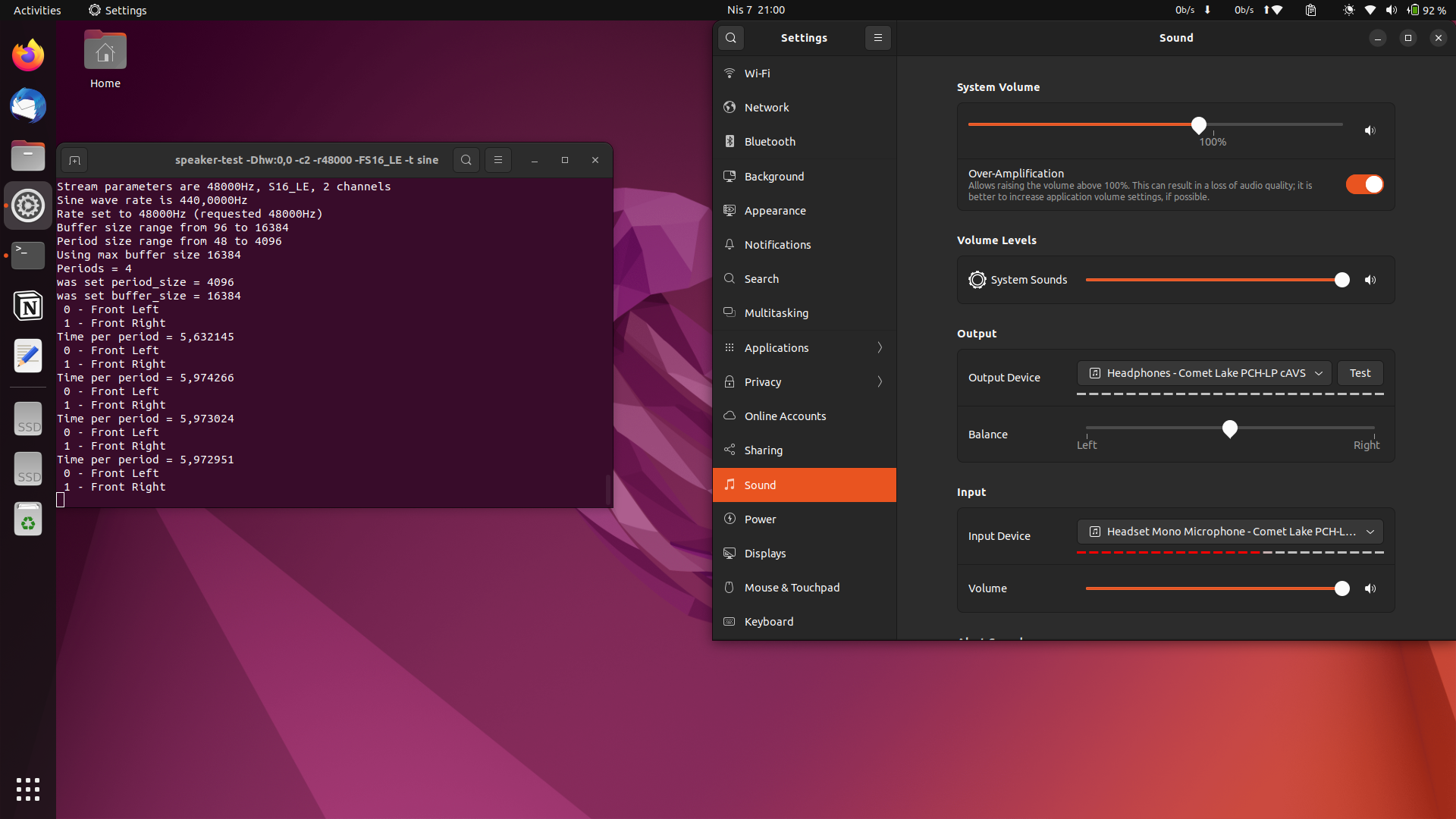
Front left is looped back at 100% volume level. This should support the half loud and full loud noise on test.wav.
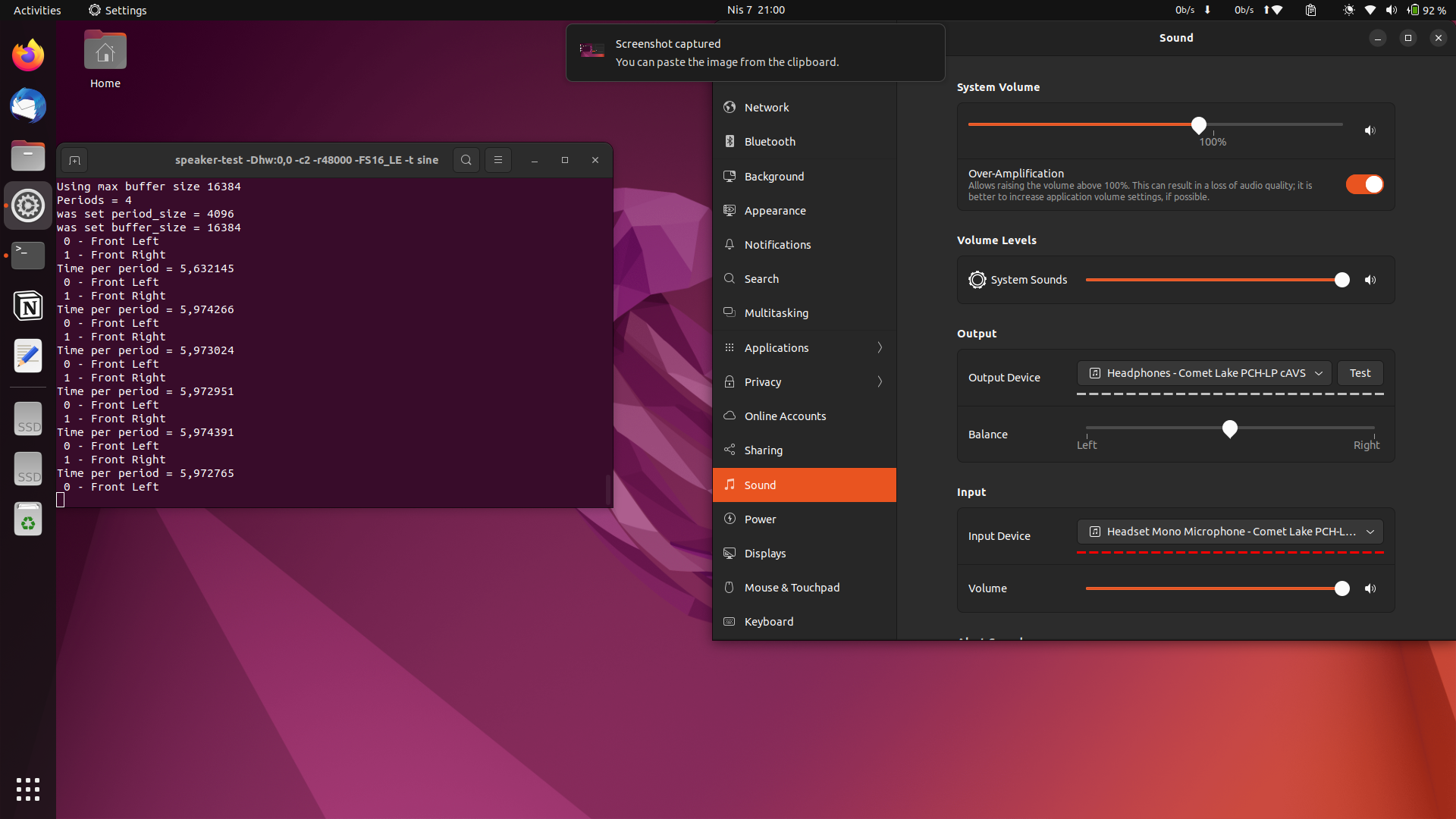
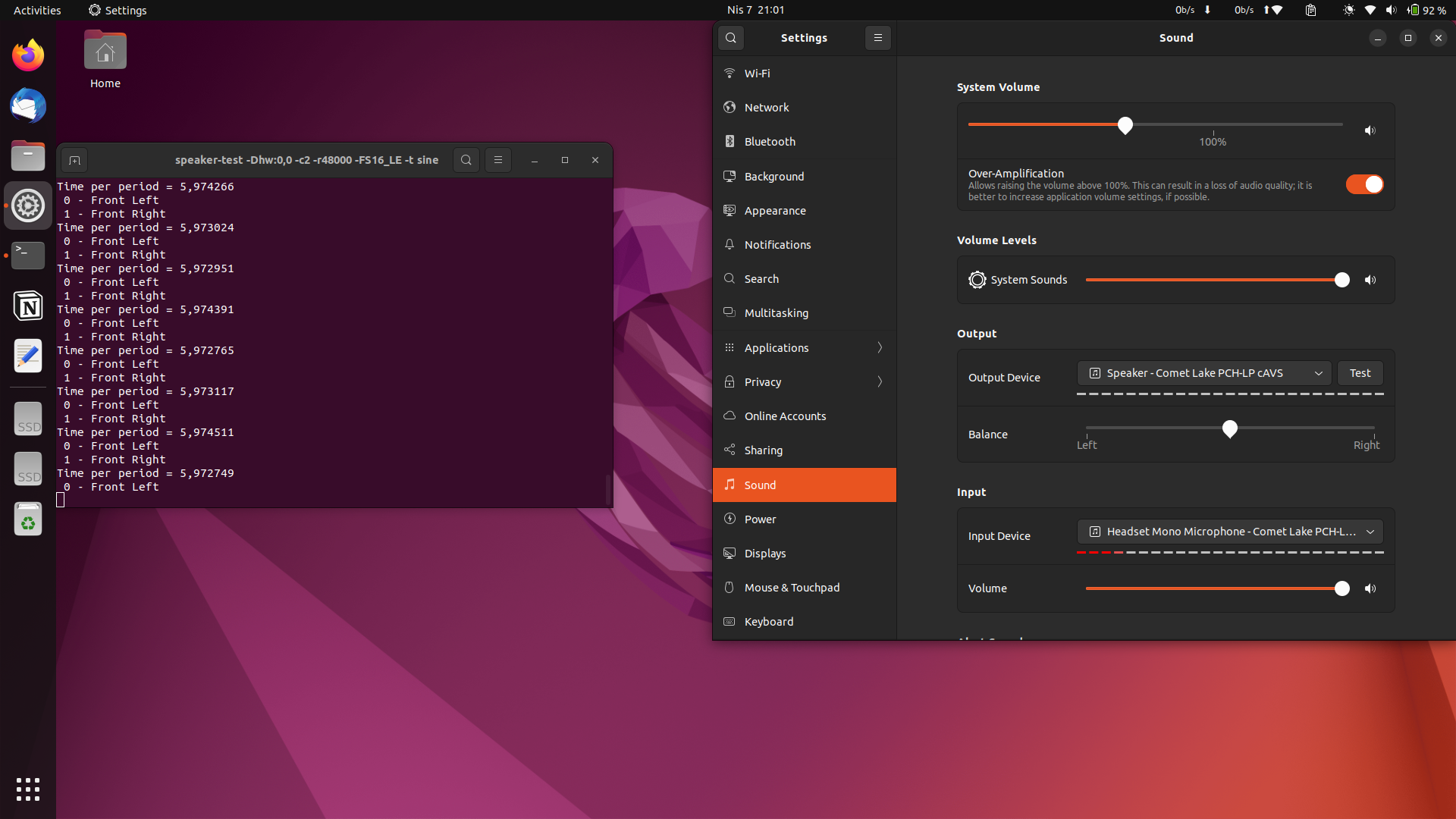
This is with laptop's speaker set as the output device. I can hear the test audio from the laptop's speaker and the microphone only picks up the physical noise.
Humm, by using the Ubuntu settings you are changing the alsamixer settings when selecting outputs and interfering with low-level tests. I am not able to draw a conclusion here.
The last result is also unclear, you selected the speaker but record from the headset - which means the headphone is plugged so we can't know what is happening. it could be the low-level drive that switches, or some userspace code.
Not sure how we can help if variables are not separated.
@plbossart ok, it took me a while to understand the sound concept in general and what to do next.
I stopped pulseaudio with systemctl --user stop pulseaudio.socket && systemctl --user stop pulseaudio. Now, Ubuntu Settings app grays out the output and input devices, and it won't mute/unmute things when I plug in the headphones. I can confirm that by looking at alsamixer.
Here's the test audio without the headphones plugged in. test.wav.gz
Here's the test audio with the headphones plugged in. test2.wav.gz
Nothing changed on alsamixer after the headphones were plugged in.
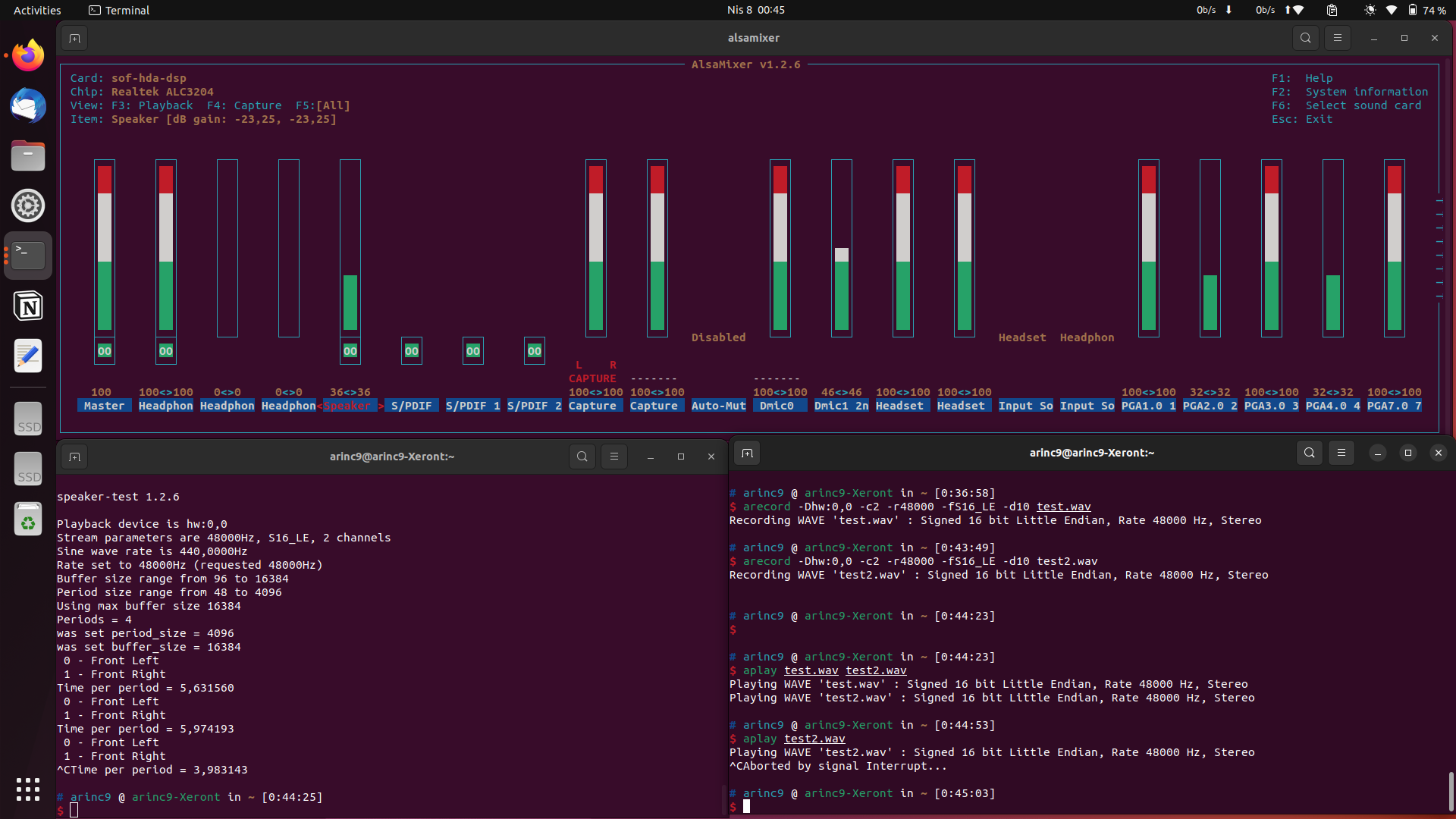
I had disabled Capture 1 and dmic0 as can be seen on the screenshot. I enabled them back and tried both cases again, the result does not change.
ok @arinc9, so the logical conclusion is that there's something in the codec driver or possibly codec hardware that detects the presence of a jack, and creates a loopback from playback to capture.
I am afraid we'll have to ask our Realtek friend for help in debugging this, I am clearly not qualified to provide more guidance.
Thanks a lot for your help @plbossart! It's great that we were able to narrow this down to the Realtek codec driver. We'll see how it goes from here.