

 teslamotors
Upgrade Barcode Scanning Dependency to 17.3.0 and Add Auto-Zoom Feature for QR Code Scanning
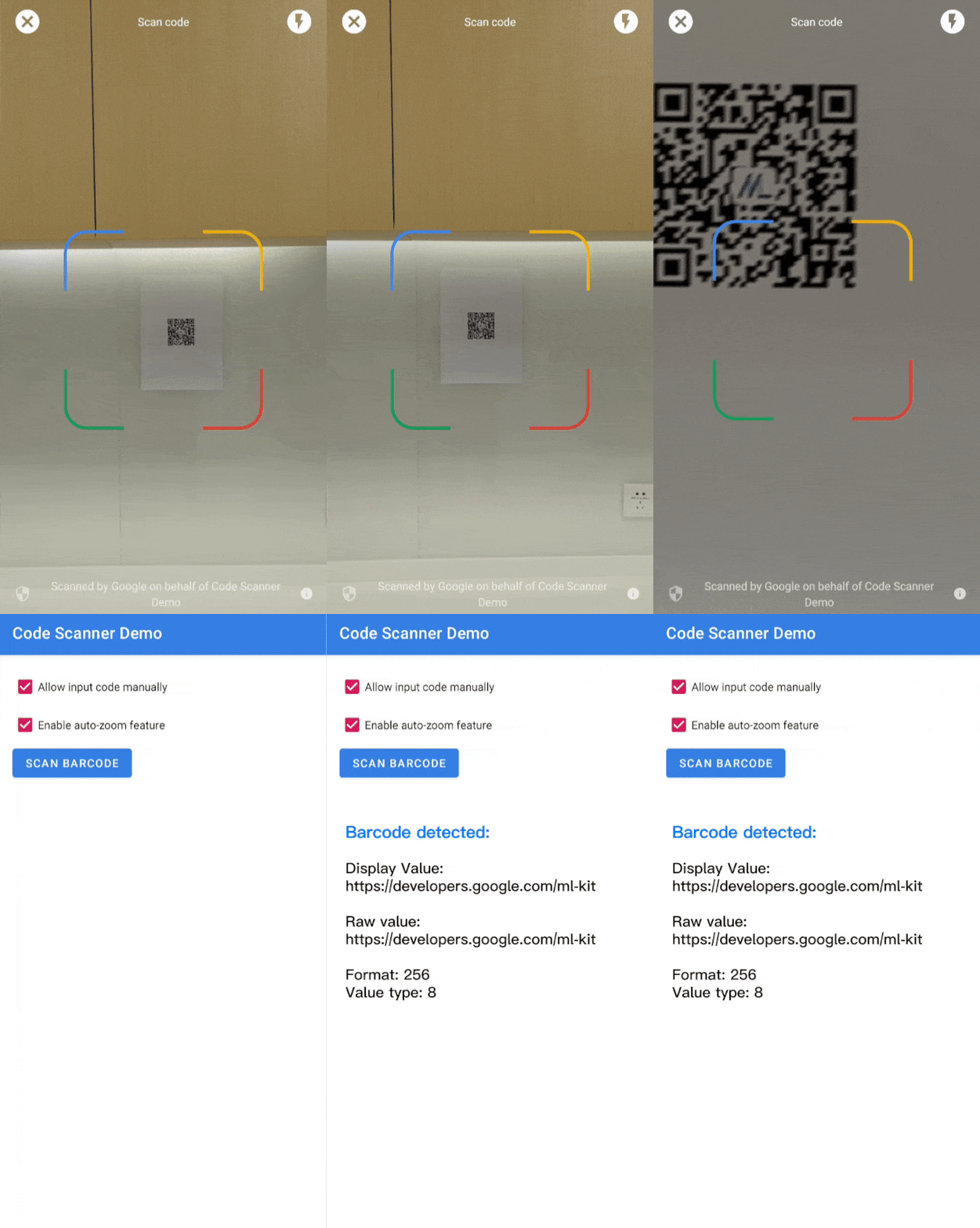
Is your feature request related to a problem? Please describe. I'm frustrated with the current QR code scanning performance, especially when scanning small, distant, or blurry QR codes. The existing implementation lacks an auto-zoom feature, which makes it challenging to detect QR codes quickly and accurately in such conditions.
Describe the solution you'd like I’d like to request two improvements:
1. Upgrade the ML Kit Barcode Scanning dependency to the latest version:
implementation 'com.google.mlkit:barcode-scanning:17.3.0'
This version offers performance enhancements and new features, including auto-zoom support.
1. Add Auto-Zoom functionality for QR code scanning using ZoomSuggestionOptions. This feature automatically adjusts the zoom level to improve QR code detection, especially for small or unclear codes. Here’s an example implementation:
val options = BarcodeScannerOptions.Builder()
    .setBarcodeFormats(Barcode.FORMAT_QR_CODE)
    .setZoomSuggestionOptions(
        ZoomSuggestionOptions.Builder(zoomCallback)
            .setMaxSupportedZoomRatio(maxSupportedZoomRatio)
            .build()
    ) // Optional
    .build()
Describe alternatives you've considered
- Manually adjusting the zoom level via custom camera logic, which is less efficient and doesn’t provide the smooth experience that ZoomSuggestionOptions offers.
- Using third-party libraries for QR scanning, but this adds unnecessary dependencies and complexity to the project.
Additional context Upgrading to 17.3.0 and integrating auto-zoom will significantly improve QR code scanning accuracy and user experience. This feature is particularly useful in real-world scenarios like scanning QR codes from posters, receipts, or screens where manual zooming isn’t ideal.
Thank you for considering this feature request! 🚀


Seems like a good addition. However, it isn't as simple as upgrading the package, as you show. We'll need a way to turn this off, as I don't see myself using this - people who scan QR codes or barcodes often have several in the same area, so automatic zoom won't always be helpful.
I'd be very interested in a pull request for this.

@scarlac Thanks for ur reply.,, The problem is when we do continuous scanning, the qr detection taking some time to read at lower end device also some higher end device.,, Is there any way to speed up the detection at all the challenging environments? right now im using setTargetResolution(Size(1280, 720)) to speed up the process., It seems this also not helpful., Any suggestions from your End?,
@aravind3566 Double check the orientation is accurate and the input frame matches the feed. If the numbers are wrong (you can't tell by using the viewfinder) then then analyzer will struggle to scan the QR code. We had this bug in RNCK bug it was fixed and scanning became very fast after that point.
@scarlac thanks again.,, Currently I'm using "version": "14.1.0" I haven't changed anything now; I think it's already fixed in this version, if I'm correct?
Also, could you please help me to add auto zoom in QRCodeAnalyzer.kt if possible? I tried but not working till now.,,
val options = BarcodeScannerOptions.Builder()
    .setBarcodeFormats(Barcode.FORMAT_QR_CODE)
    .setZoomSuggestionOptions(
        ZoomSuggestionOptions.Builder(zoomCallback)
            .setMaxSupportedZoomRatio(maxSupportedZoomRatio)
            .build()
    )
    .build()