

 terrastruct
needs a way to enforce horizontal alignement of nodes
With
app -> db1: w
app -> db2: r
db1 and db2 are naturally aligned.
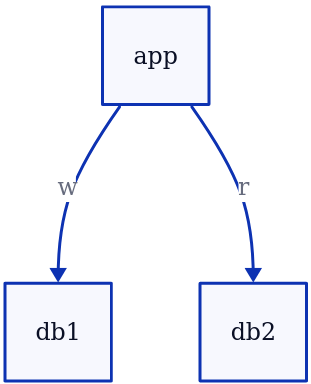
but if I want to explicit replication between my two DB
app -> db1: w
app -> db2: r
db1 -- db2
Then DBs are not aligned anymore making the diagram awkward.
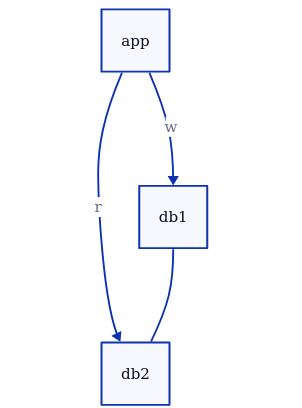
Plantuml allows this by using different types of arrows : one dash means horizontal spacing, two dashes (and more) meand vertical spacing.
reminds me #724

this is a limitation of dagre's layout. Here's a version in tala: https://play.d2lang.com/?script=RNExDsMgDEbh3ad4UmcqqDp56F1KoW0WjBAS14-cIRk_603-z_GUYquJvHsnvCg5KevSQxlSciIEl8iNr43P1n6eMo1cscb8V_y73t6ndeUZ4wG_KlH2AAAA__8%3D&layout=tala&
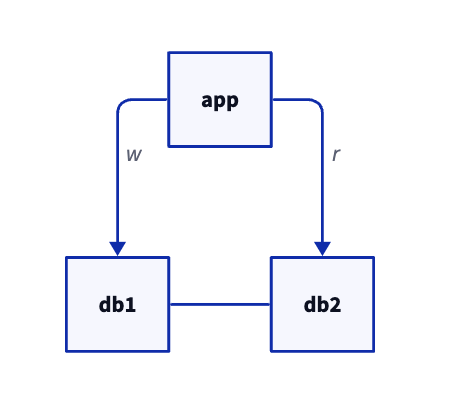

wait but plantuml was able to do that. i wonder how. @setop can you link or copy paste the plantuml script?

I also want to note that you can do this with Graphviz as well. Though the "usual" way is to use invisible node links, the much easier approach is to simply specify that an edge is not a constraint. As a result, the link itself becomes "optional" and doesn't influence the direction of the node rendering.
I've been fiddling with the Diagrams Python library and they make this pretty easy:
from diagrams.onprem.compute import Server

with Diagram('3 Node Test', show=False, direction='LR'):

    node1 = Server("Primary")
    node2 = Server("Replica")
    node3 = Server("Replica")

    node3 << Edge(constraint='false') << node1
    node1 >> Edge(constraint='false') >> node2
    node2 >> node3
And this is the result:
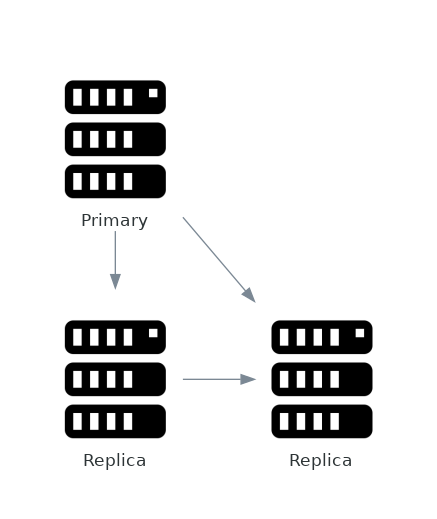
Now, the symmetry here isn't great, but you do get direct control over horizontal and vertical this way. I used it here as well:
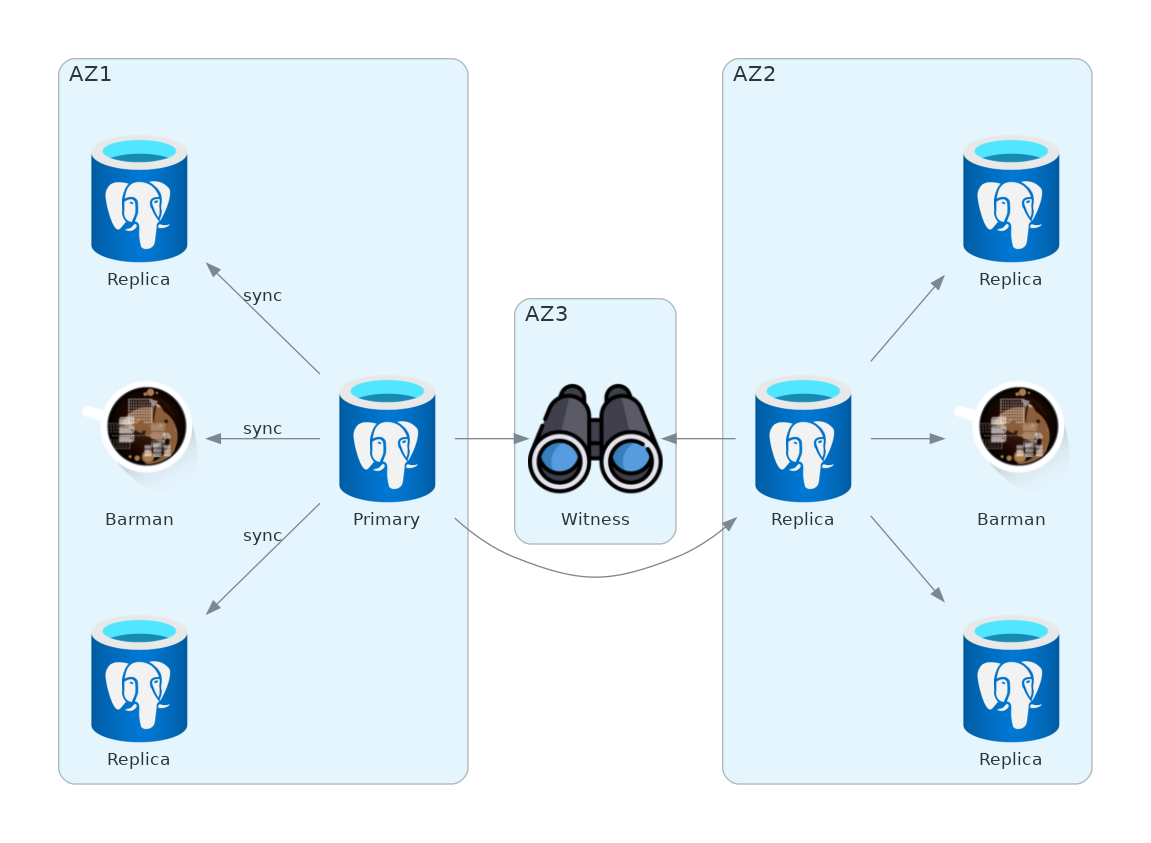
That time, the only "optional" link is the one between the PG nodes in AZ1 and AZ2. If you make it required, it staggers the two clusters instead of just drawing the line differently. So I've basically started using the rule of "If you want the nodes to follow the render direction, use a regular link. If not, disable the link constraint." Thus I can do this:
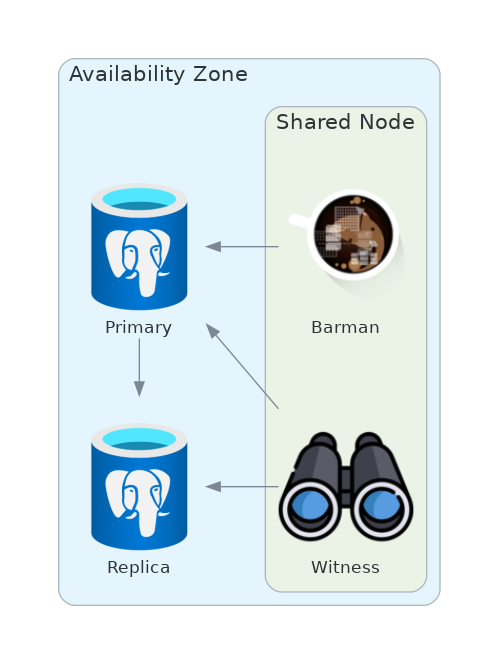
Where D2 does this:
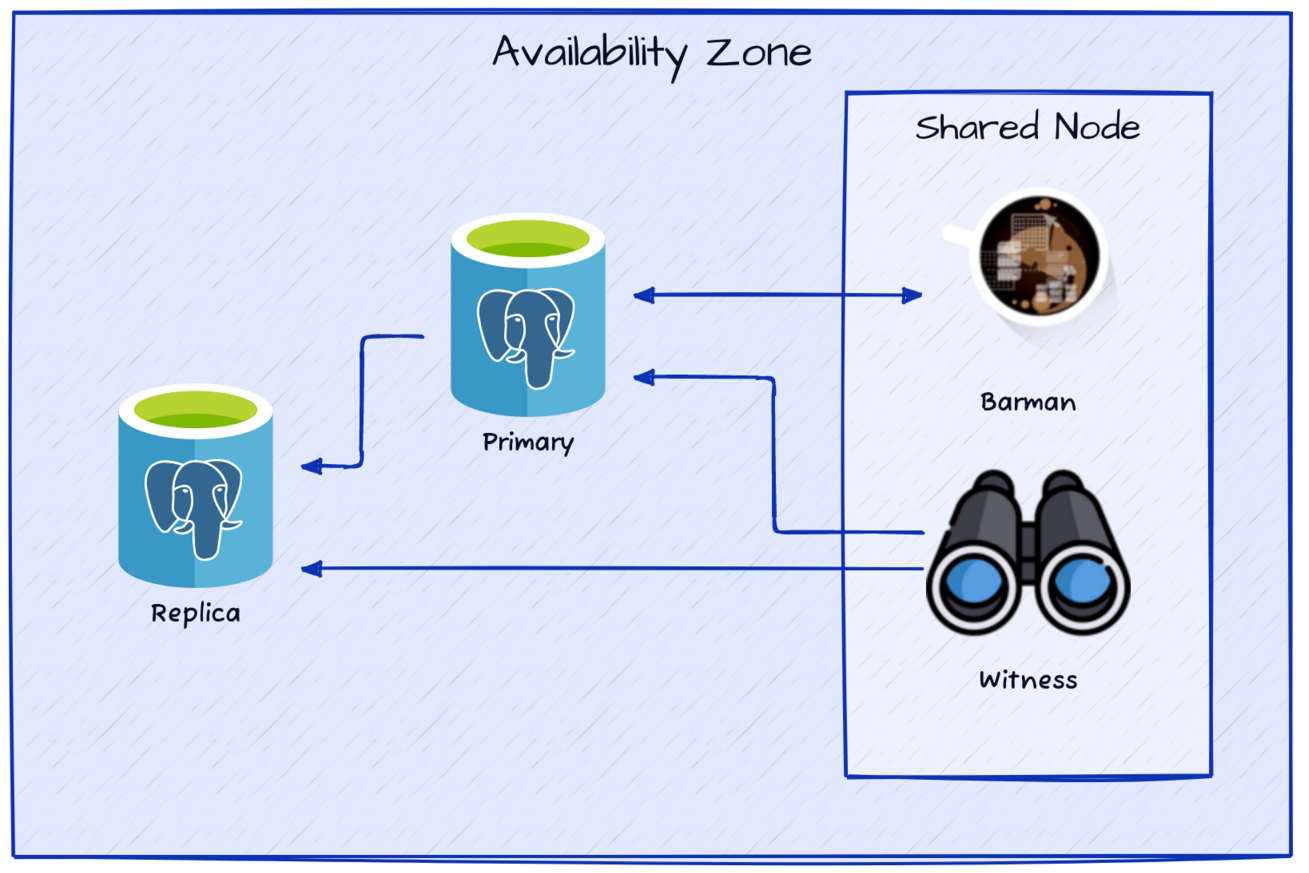
D2 elk does render "correctly" if you leave out the link between node 1 and node 2, but that defeats the purpose of the diagram.
Unfortunately Graphviz and its derivatives have other problems that make it a giant PITA to work with. D2 is much simpler, and if it could offer more horizontal/vertical control, would be essentially perfect. It's also a lot "prettier" out of the box, which is always nice.

D2 is much simpler, and if it could offer more horizontal/vertical control, would be essentially perfect
@bonesmoses ❤️
should be doable. will find some time to prioritize this
D2 is much simpler, and if it could offer more horizontal/vertical control, would be essentially perfect.
My feeling too
we did a proof of concept which worked but was hacky: https://github.com/terrastruct/d2/pull/1120
will continue investigating more robust solutions
we did a proof of concept which worked but was hacky: #1120
Really hacky indeed :) But at least proves we can control the layout engine to produce expected output, great news.
The main cons to me is it leaks implementation : we need to make the edge "phantom" in the layout engine so we ask the user to put is as a property. "phantom" has no functional meaning to the user.
I guess Plantuml has it right encode type of edge in the language. I know it's a more profound change to d2 as it impact the parsing. But it might be the price to pay.
