

 tensorflow
can not deploy docker serving, it fails
Please refer to https://github.com/tensorflow/tensorflow/issues/53061 which is routed to here.

@gggh000
Could you please try to add a / before $ in Git bash
Docker:
docker run -t --rm -p 8501:8501 -v /$TESTDATA/my_model:/models/my_model -e MODEL_NAME=my_model tensorflow/serving
Let us know if this helps, Thanks.

@gggh000 ,
Apologies for delayed response, I was unable to replicate your issue with demo models preloaded with tf serving.
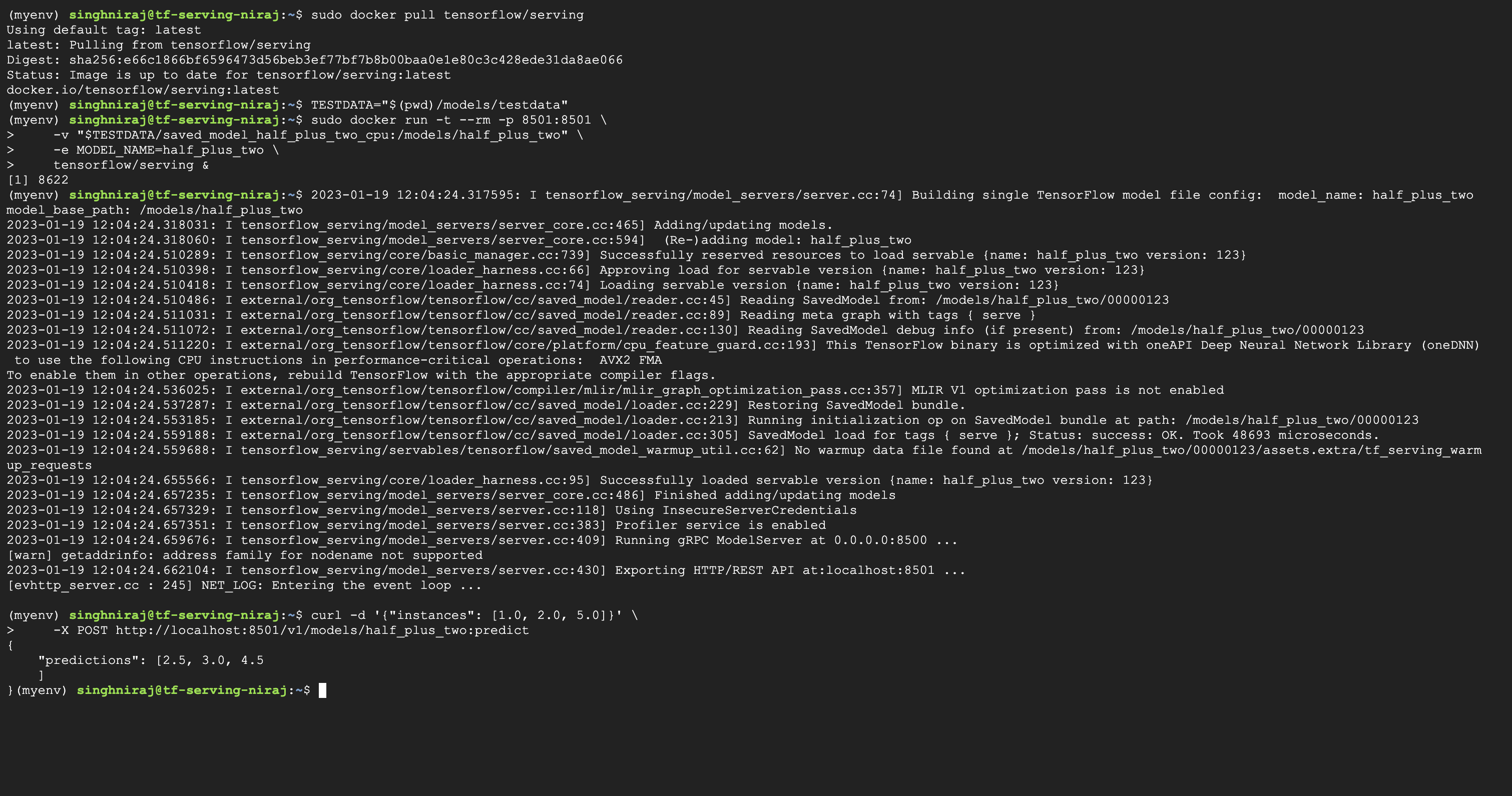
I pulled the latest tensorflow-serving image, ran the docker image with demo model located in my local and was able to serve the model and get predictions. Please refer screenshot below.
Looks like the model path was not correct, I have tried to correct the path. Can you please try below code to start TensorFlow Serving container and open REST api port and let us know if it works. Thank you!
MODEL_NAME="p297"
MODEL_PATH="$(pwd)/p297"
docker pull tensorflow/serving
docker run -t --rm -p 8500:8500 -p 8501:8501 \
    -v "$MODEL_PATH:/models/$MODEL_NAME" \
    -e MODEL_NAME="$MODEL_NAME" \
    tensorflow/serving &

Closing this due to inactivity. Please take a look into the answers provided above, feel free to reopen and post your comments(if you still have queries on this). Thank you!