

 t2linux
Installing mbp-ubuntu on Macmini8,1
Following your procedure, I tested the mbp-ubuntu v20.04-5.7.19-1 ISO on a Macmini8,1.
I found three issues:
-
Grub is failing with
failure reading sector 0x*** from 'cd*'andno such device: ***errors and land in its shell. Executingchainloader /efi/ubuntu/grubx64.efi&bootbrought me a step further. -
the boot either pauses or completely freezes after those two messages:
-
bce-vhci: Not implemented: wait for pending output requests -
brcmfmac: brcmf_fw_allow_request: using brcm/brcmfmac4364-pcie for chip BCM4364/3
-
-
past those steps, the HDMI display goes nuts. The host doesn't appear in my DHCP server, so I suppose it's not just a display issue.
My complete log follows. Hope this helps...
-
Added 2 partitions with diskutil: a 32GB for swap and a 250GB for Linux root (I didn’t add a /boot partition — maybe I should ?)
$ sudo diskutil list /dev/disk0 (internal, physical): #: TYPE NAME SIZE IDENTIFIER 0: GUID_partition_scheme *500.3 GB disk0 1: EFI EFI 314.6 MB disk0s1 2: Apple_APFS Container disk1 218.0 GB disk0s2 3: Linux Swap 32.0 GB disk0s3 4: Linux Filesystem 250.0 GB disk0s4 /dev/disk1 (synthesized): #: TYPE NAME SIZE IDENTIFIER 0: APFS Container Scheme - +218.0 GB disk1 Physical Store disk0s2 1: APFS Volume Sparrow SSD - Données 110.9 GB disk1s1 2: APFS Volume Preboot 83.3 MB disk1s2 3: APFS Volume Recovery 529.0 MB disk1s3 4: APFS Volume VM 2.1 GB disk1s4 5: APFS Volume Sparrow SSD 11.0 GB disk1s5 -
Successfully rebooted with a
mbp-ubuntu v20.04-5.7.19-1Live USB, without Thunderbolt. -
Successfully installed on 250GB ext4 Linux partition.
-
Rebooted and selected « EFI Boot » in boot manager.
-
Got this:
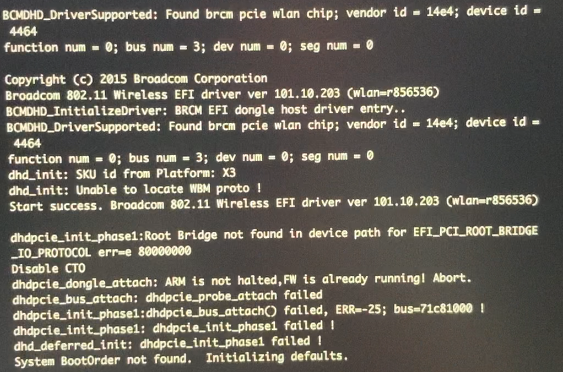
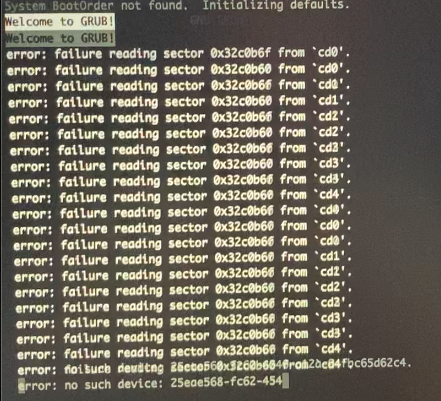
-
Landed in the Grub shell. Tried this:
grub> cat /efi/ubuntu/grub.cfg search.fs_uuid d76a0965-9743-4940-b7c9-a8dbdddd5357 root set prefix=($root)'/boot/grub' configfile $prefix/grub.cfg grub> search.fs_uuid d76a0965-9743-4940-b7c9-a8dbdddd5357 hd0,gpt4error: failure reading sector 0x32c0b6f from `cd0'. error: failure reading sector 0x32c0b60 from `cd0'. error: failure reading sector 0x32c0b6f from `cd1'. error: failure reading sector 0x32c0b60 from `cd1'. error: failure reading sector 0x32c0b6f from `cd2'. error: failure reading sector 0x32c0b60 from `cd2'. error: failure reading sector 0x32c0b6f from `cd3'. error: failure reading sector 0x32c0b60 from `cd3'. error: failure reading sector 0x32c0b6f from `cd4'. error: failure reading sector 0x32c0b60 from `cd4'. grub> chainloader /efi/ubuntu/grubx64.efi /EndEntire file path: /ACPI(a0341d0,0)/PCI(0,1b)/PCI(0,0)/UnknownMessaging(16) /HD(1,6,12c00,a2794e34979ea543,2,2)/File(\efi\ubuntu)/File(grubx64.efi) /EndEntire grub> boot -
…randomly booting…
-
…up to:
/dev/nvme0n1p4: recovering journal /dev/nvme0n1p4: clean, 167395/15261696 files, 2826728/61030400 blocks [ 3.195924] intel-spi 0000:00:1f.5: unrecognized JEDEC id bytes: 00 00 00 00 00 00 [ 3.271249] bce-vhci: Not implemented: wait for pending output requests -
…or up to:
/dev/nvme0n1p4: recovering journal /dev/nvme0n1p4: clean, 167395/15261696 files, 2826728/61030400 blocks [ 3.195924] intel-spi 0000:00:1f.5: unrecognized JEDEC id bytes: 00 00 00 00 00 00 [ 3.271249] bce-vhci: Not implemented: wait for pending output requests [ 3.355200] brcmfmac: brcmf_fw_allow_request: using brcm/brcmfmac4364-pcie for chip BCM4364/3 -
...or, eventually, up to:
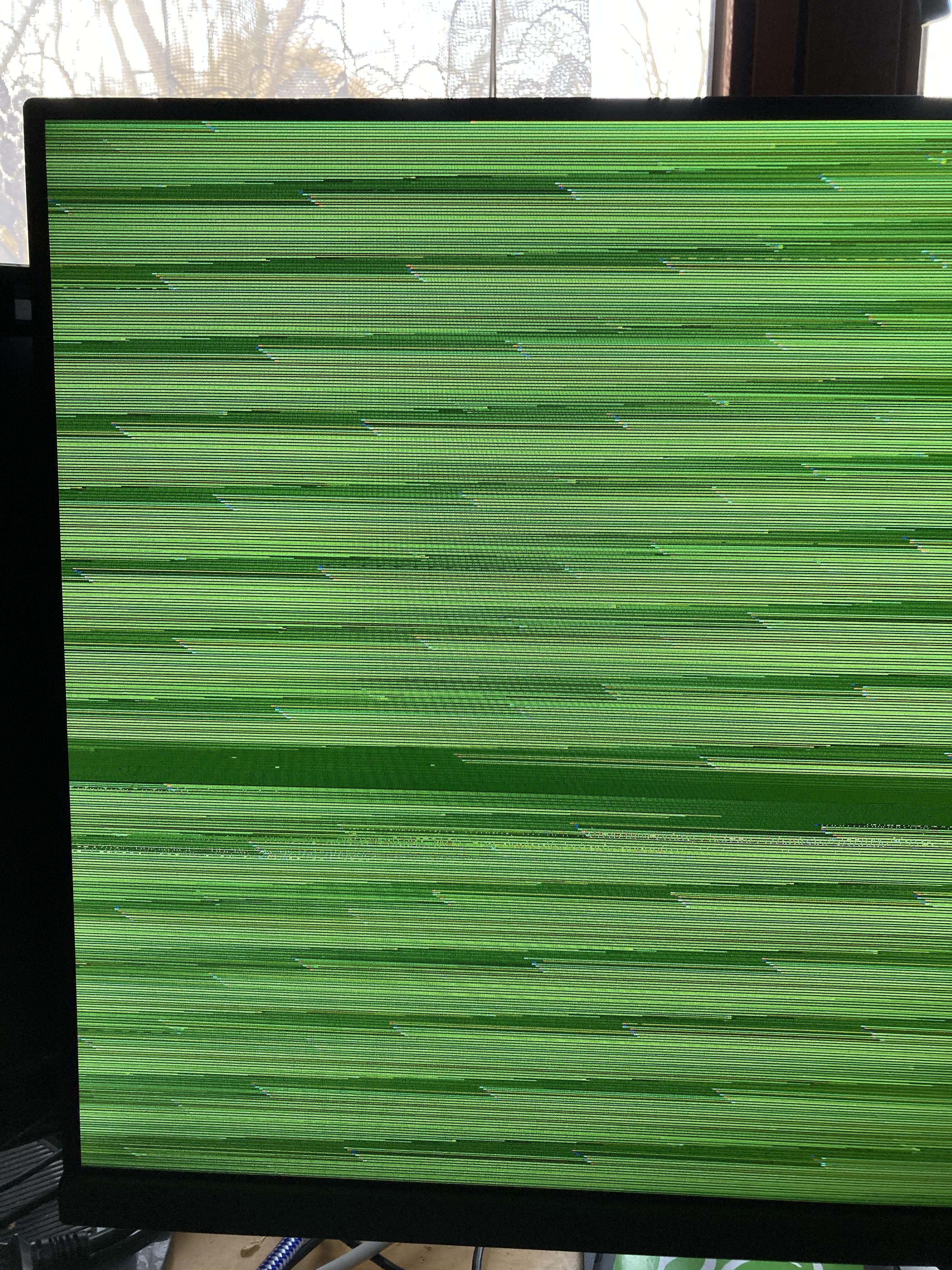
-

Hi, did you discuss this issue in the discord channel? There you will find possibly somebody that already install it on the same device.

