

 syscl
syscl
Usb c monitor recognized but no image
I have succesfully runes deploy.sh it run very well. But I can't get my LG 4k 27UD88-W monitor to work. It is recognized but no image is displayed.
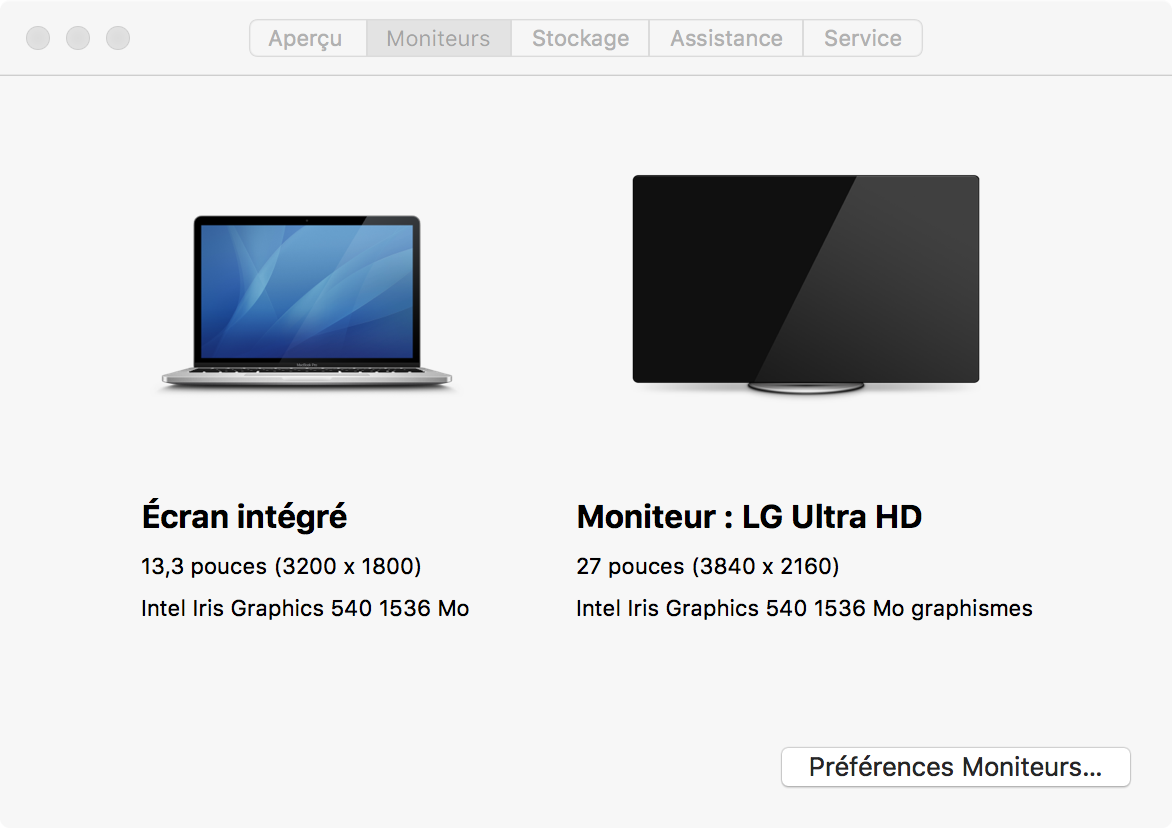

I was able to get an image after rebooting and waiting for the system to go to sleep then waking it up. This behavior seems a bit strange.
@WilliamPrvz I believe there are issues with DisplayPort related to USB-C. I noticed the device has a USB hub in it, do the USB ports work (either at 2.0 or 3.0 speeds)? Hot-plugging? Oh, audio?
That is one sexy monitor :)

Thanks ! The USB port doesn't work very well sometime yes sometime no, and this monitor doesn't have integrated audio.
By sometimes USB works do you mean it works if the monitor is plugged in at the beginning?
The monitor does have a earphone jack in the back.
Just tried usb and it worked. the monitor was plugged in at start. But audio through headphone jack doesn't work it is not listed as an output. But it look like the computer thinks that it is outputting an image since I can put my mouse pointer out of my integrated screen on the non working screen.
@WilliamPrvz Yes. My system will freak out and disconnect the external monitor when I click on the Volume (speaker) icon in the menu bar. Then, the system will not display an image on the external monitor even though it lets me move the mouse to it, so I see what you're seeing.
I noticed something strange, if the computer goes to sleep after wake, if I plug the monitor, it work ! but then bluetooth doesn't work.
LOL. I ran deploy.sh last night, and my bluetooth is completely whacked now. It looks like it's working, but it can see anything and none of my other devices can see it. Totally sucks because my keyboard is BT (or was, it's plugged into the laptop via a micro-USB cord). I should have just bought a desktop if this was the case, LOL.
BTW, I reverted back to the previous CLOVER folder, rebuilt the cache, etc. Still nope.
So I am just now encountering this issue myself. At first my external display was working fine. Then I closed the lit and unplugged it and had to do a force reboot to get the built-in display to work. Then when I went back to my desk and plugged in my external dispaly, it stopped working (powers off even though macOS shows it connected with the correct resolution/refresh rate.
As of now I haven't been able to get my external display working again. I've deleted com.apple.windowserver.* plist files, rebooted, attempted to reset PRAM (if that's even possible?) all with the same result.

Strangely, switching my display adapter cable brought my display back online, only to have it revert to a non-working state after a reboot. Then I couldn't get anything on the display with either cable. I wonder if this is some sort of EDID issue?
Ok, I figured it out. Changing the SMBIOS ProductName to "MacBookPro13,1" totally eliminated the problem. It appears MacBookPro13,1 is actually more representative of the XPS 9350 and its specs anyway, so I would almost recommend that be the default in this repo as well.
(CC: @ggctseng @WilliamPrvz in case you're still struggling with this)
@RogWilco LOL I've mentioned the SMBIOS issue several times, just in other threads. You may see other issues with this SMBIOS, however (I haven't updated in a long while, so maybe some latest changes have fixed things?)
If changing the SMBIOS works, then there's probably something related to the fact that the other SMBIOS is for a MacBook that has 4 Thunderbolt ports.
What bios are you on?

My BIOS is on a fairly recent version I think, I'll have to double check on my next reboot though.