

 swcarpentry
Use display() instead of print() to render html-formatted DataFrames
Hi folks,
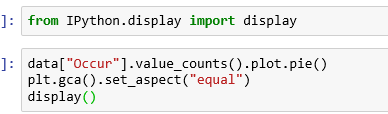
I went ahead and opened a pull request for episode 7 based on feedback from issue #342 switching print() to display()
Let me know if it displays correctly in gh-pages, and I'll go ahead and generate a corresponding pull request for episode 8.

How does one make individual tables scrollable? Do you need to use an iFrame or something?
Are you talking about the changing the behavior of the display() function to generate scrollbars for the pandas dataframe output, or are you talking about adding a scroll bar to the HTML table in the Instructor's markdown document?
This brings up another point. It might be better to actually render a jupyter notebook with an iFrame instead of converting it to Markdown. See this Lesson on cell factory design
Sorry for the latency, was 🏕 in the Grand Canyon for a few days with the family 😅
Hmm, I think both, and I was mostly thinking out loud / checking to see if it's possible. I find the new display tables harder to read as they are wide and require side scrolling but that's my personal preference.. other's thoughts?

Hi @alee sounds like a wonderful vacation. It is good to unplug every once in a while. Which browser are you using? I am using Chrome and I see side scroll bars for the tables so I don't have to page scroll.

%matplotlib inline it works and this command tell by my Sir Anees Ahmed
Closing inactive PRs with unresolved conflicts before transitioning to Carpentries Workbench.
