

 supabase
Running db reset results in unexpected error
Bug report
Describe the bug
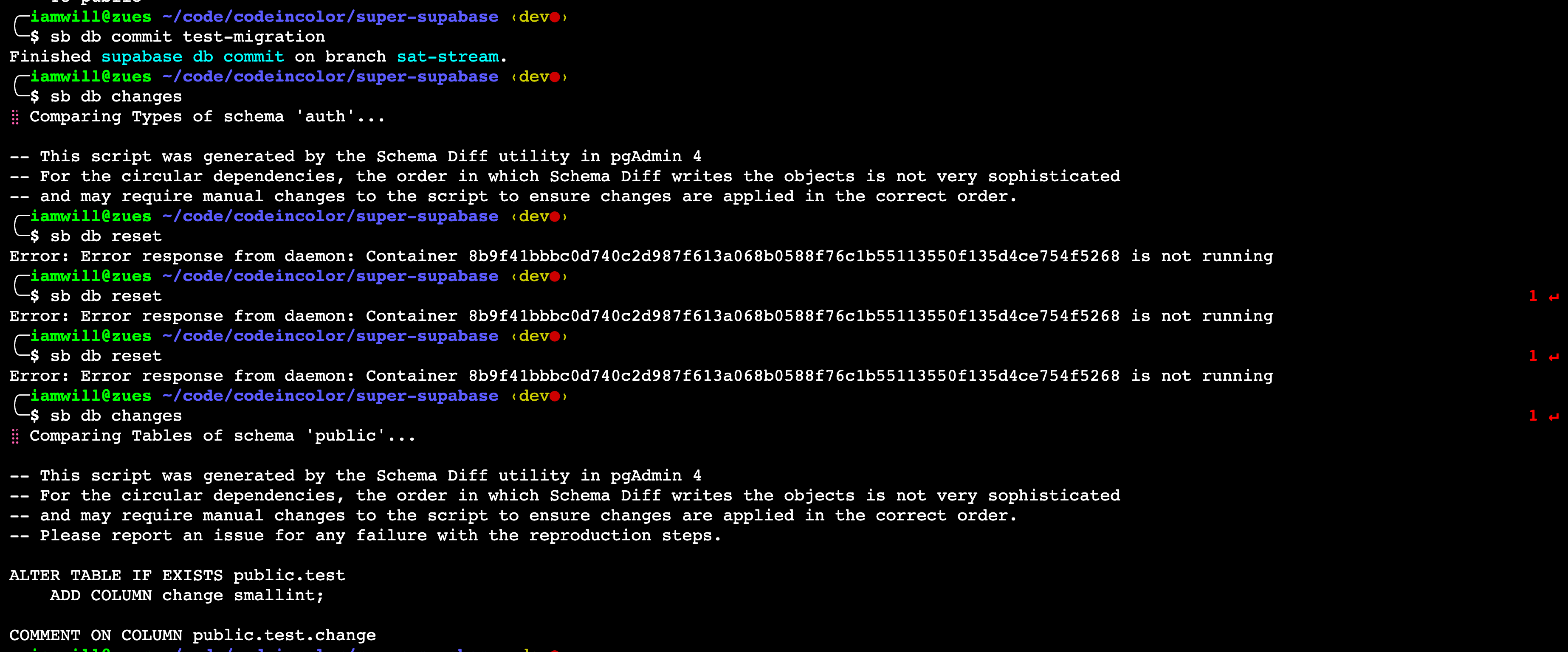
I've struggled to understand the conceptual model behind the CLI's DB commands for migrations, so I decided to have a whirl and learn how they work by playing around with it. I got stuck; however, when testing supabase db reset, I received the following error:
Error: Error response from daemon: Container 8b9f41bbbc0d740c2d987f613a068b0588f76c1b55113550f135d4ce754f5268 is not running
This is unexpected because I can run all the other commands fine, most notably, the changes command. At the moment, it's not clear why it's looking for this particular container which, as far as I know, has never existed on my machine.
Any idea what could cause this behavior?
To Reproduce
- Create
testdirectory andcdinto it - Run
supabase init - Add a new table to the db
- Run
supabase db reset
Expected behavior
¯_(ツ)_/¯
There's no documentation to set my expectations. Fwiw, I know a document exists, but I don't consider this documentation.
Screenshots
System information
- OS: macOS 12.2.1 (21D62) (Apple Silicon)
- Version of supabase-js: 1.30.0
- Version of Node.js: v16.13.2
Additional context
It would be beneficial if migrations are fully documented, complete with guides and troubleshooting FAQ.

Hi @iAmWillShepherd , we have recently released a new migration guide that fleshes out the conceptual model in more detail, including setting up CI/CD pipeline, and troubleshooting FAQ. We would love to hear your feedback if you find the time to try it out.
Regarding steps to reproduce this bug, it seems like you have not run supabase start after init. Could you give the following a try:
- Create
testdirectory and cd into it - Run
supabase init - Run
supabase start - Add a new table to the db
- Run
supabase db reset
