

 sumatrapdfreader
Better printing settings dialog
I was using sumatraPDF for a long time, it was very cool, fast, reliable PDF reader for me to use in work and study.
But now, my son is entering in school age and I need to print some exercises for him. When I'm try to print a PDF using sumatra I got the simple windows printing dialog with very few options or hide options difficulty to spot out. So now I'm getting forced to use another PDF reader or Firefox to print the documents.
Will be very nice to have a good print dialog for sumatra with many options such print copies, sheets per page, page layout, print color, front/back printing, etc.

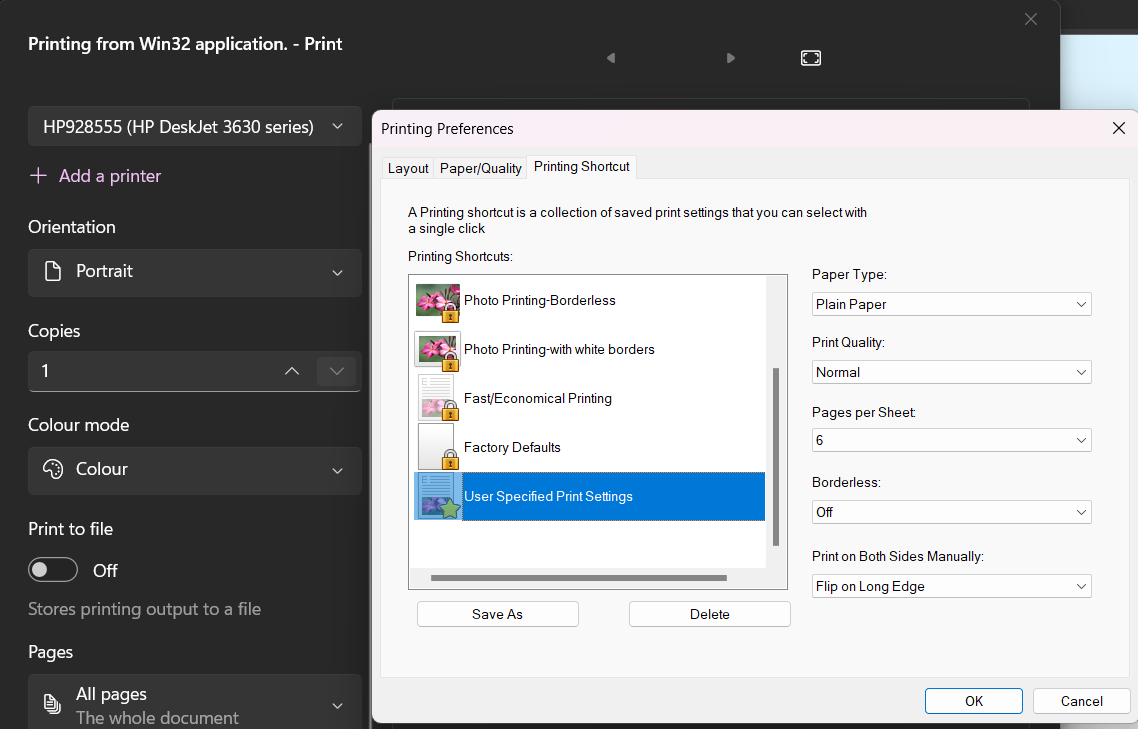
Printing in SumatraPDF is entirely down to Drivers and their Dialogs so some windows printers are better than others, sadly Windows 11 is pants at offering the options so today it looks like this !!! WTF last time it was much better.
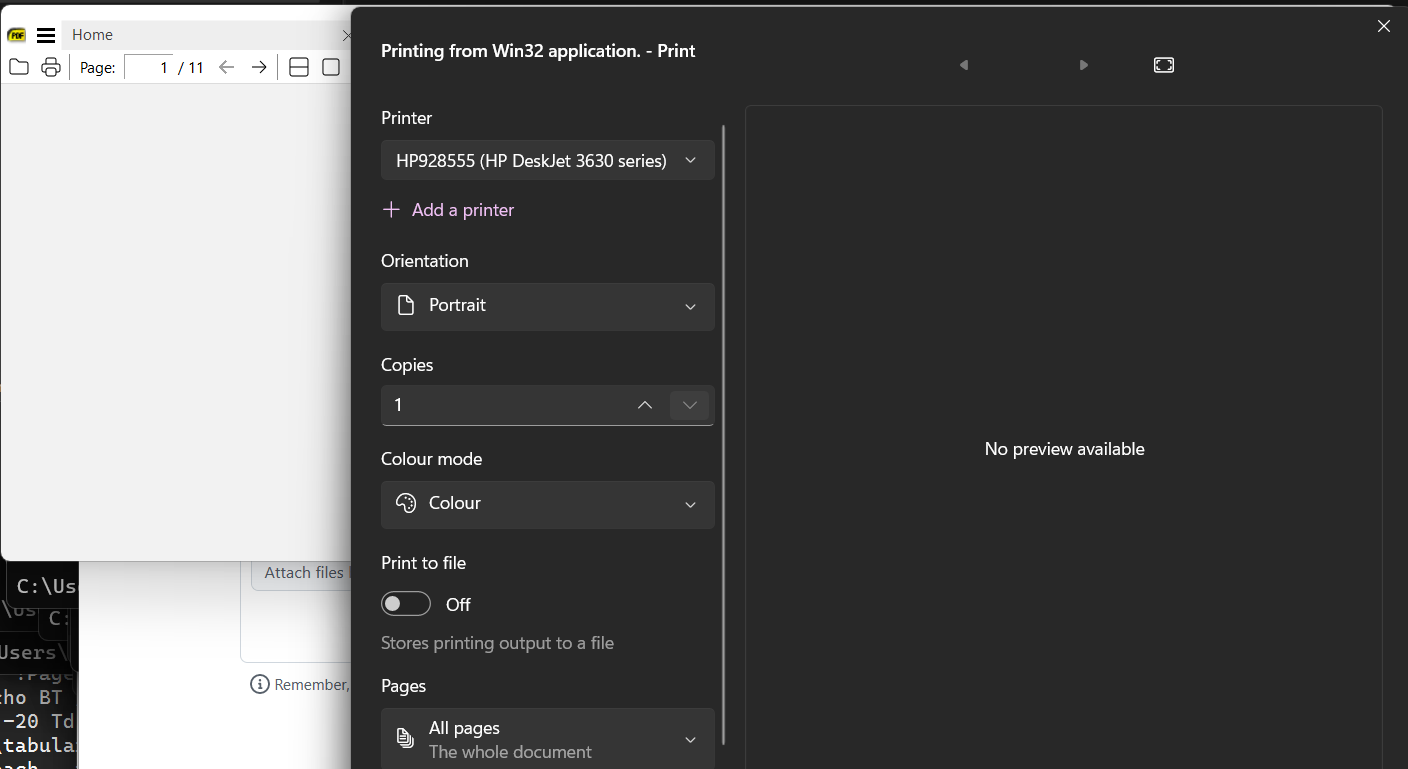

I'm using Windows 10 right now and I'm getting this print dialog, using Firefox or Adobe PDF and get way more options than that, like sheets per page, orientation, color, front and back print, etc
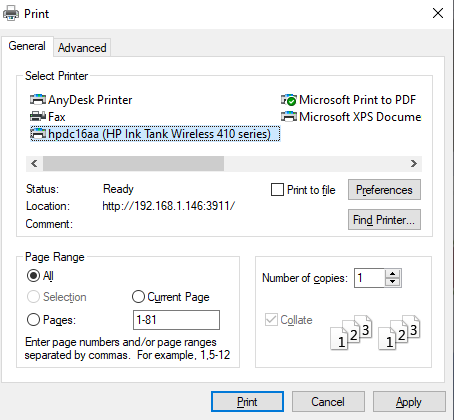
This is the print dialog in Firefox 108 PDF Reader, way more options...
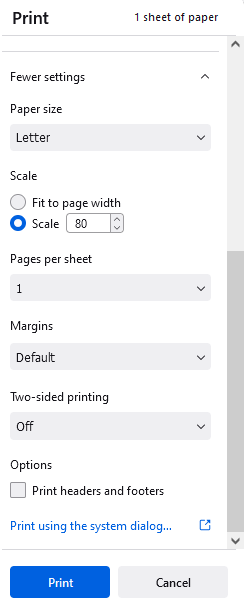
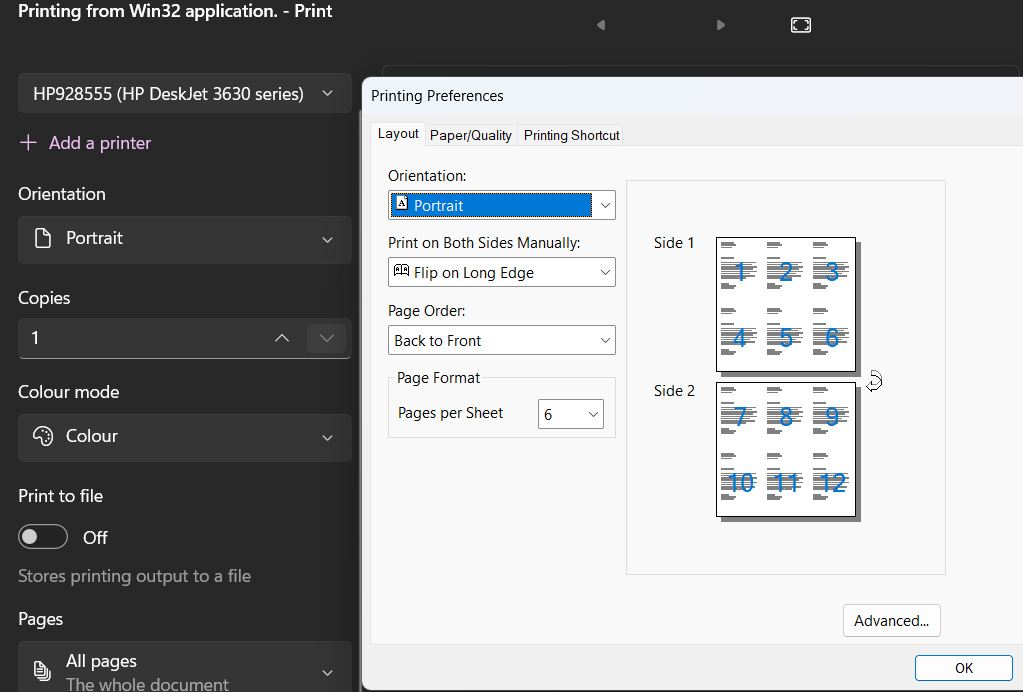
If the driver offers options it can be better but Widows11 is not very good for print abilities its entirely what manufacturer offers.
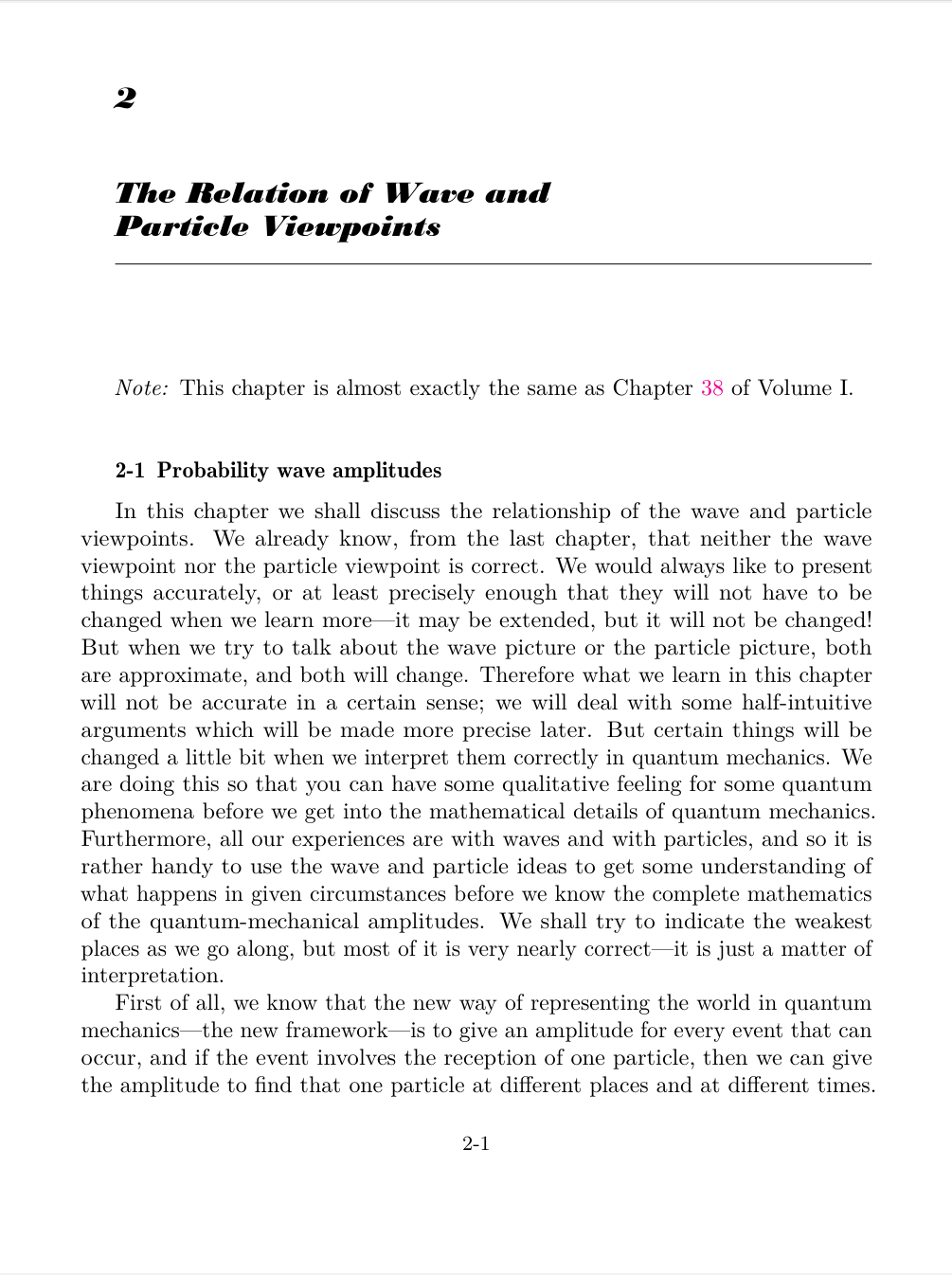
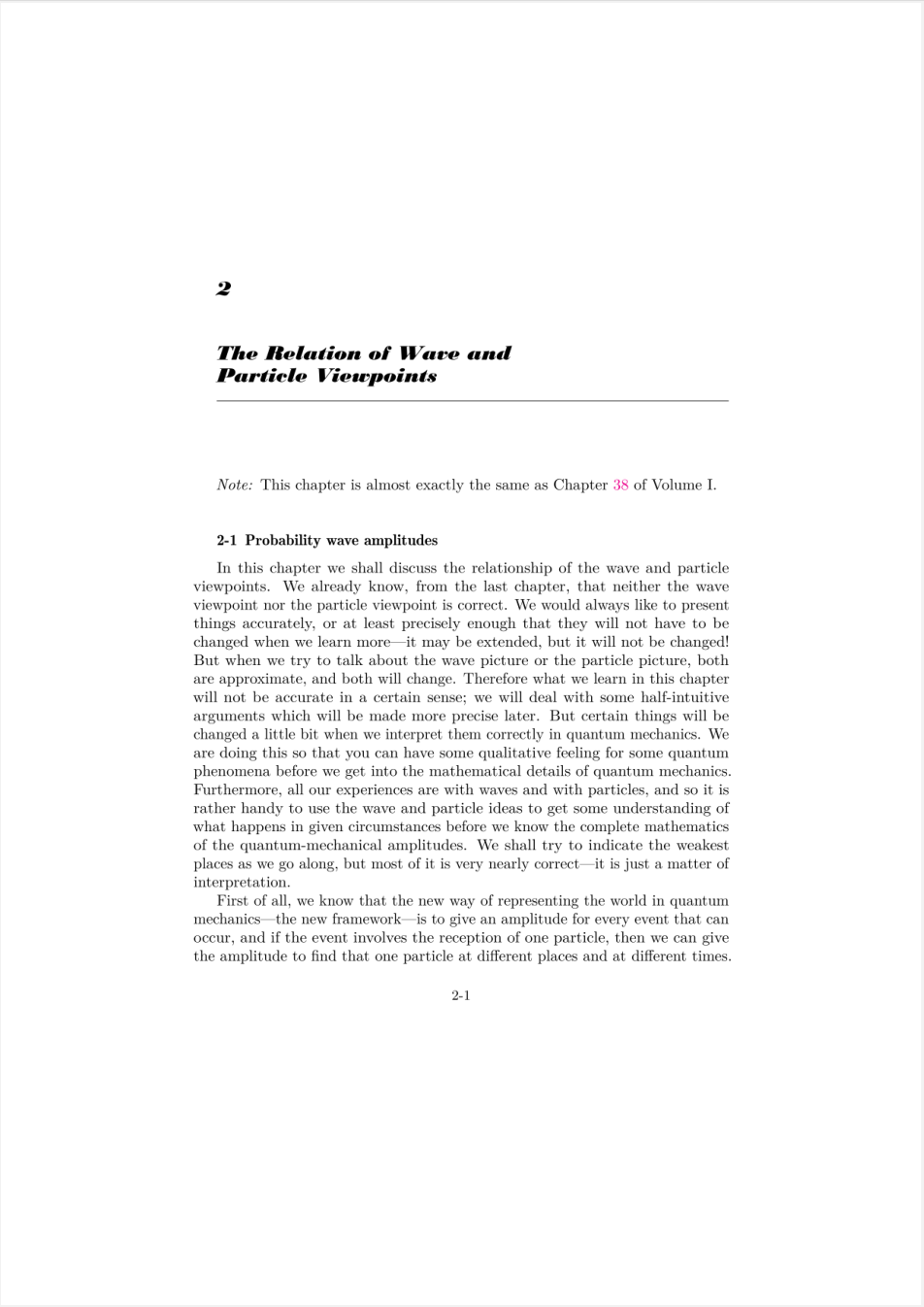
I have some problems with printing too. I don't know what's happening in the background, but a page that looks like (left) is printed to a page that looks like (right). Bigger margins.
In Acrobat the printing dialogue looks like this: (note the "effective dimensions" and page preview)
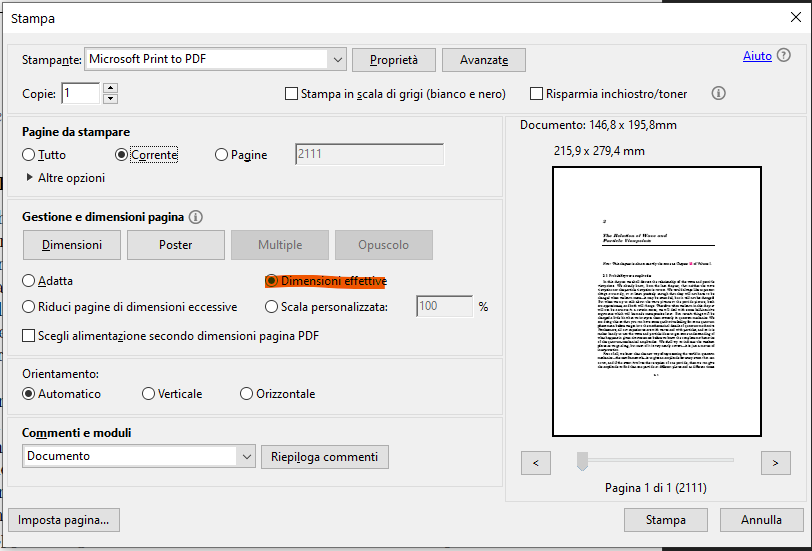 I can fix the white margins by selecting "Adapt" (note the page preview)
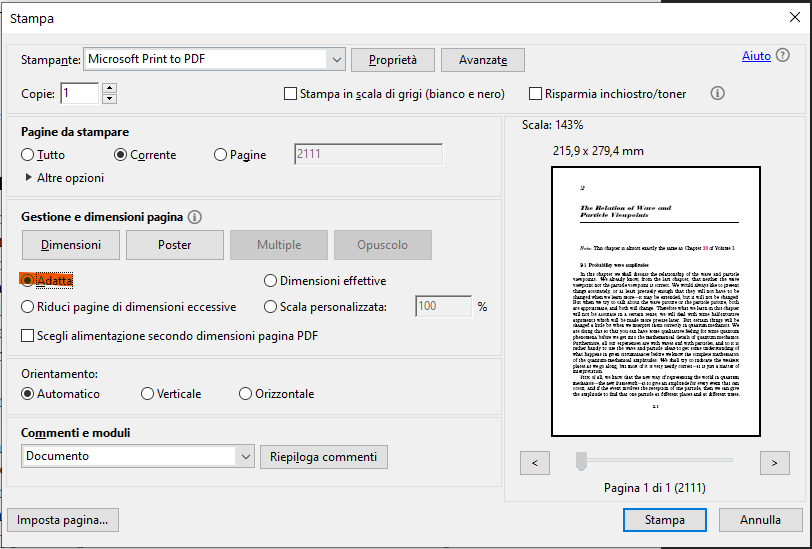
Would be nice to have some way of getting around this in sumatra.

Found out that the options is hidden just on the other tab of the printing dialogue, so ignore my last post:
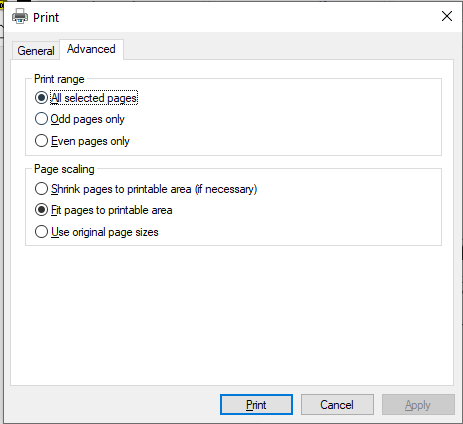
Currently we're using system print dialog, which is easy. It seems to be getting worse in win 11.
Unfortunately custom print dialog would be a bit of work.

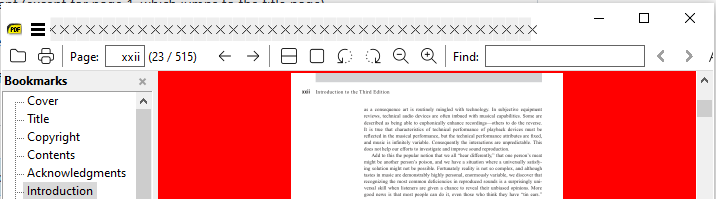
The printer dialog box only gives a choice between complete document or select a range. I want to print the current page only. But on the screen indicating which page I am on, it says [70] 77/164. The "70" is in the box that I can edit, which appears to model the page numbering appearing on the document (except for page 1, which jumps to the title page).
Which is the current page for printing purposes? Is it 70 or 77? I don't want to have to guess and end up printing twice every time.
Perhaps there should be a way to turn off the feature that converts the page numbers? In my example the box would show 77, not 70.

the core of a PDF starts page 0 and that could be shown in the box as anything i or A or even 1 so the base 1 number is [77] took a while to find one that was not 1 :-)
Hello, I don't know if this can help you, but I solved my problem here: https://confluence.forterro.com/pages/viewpage.action?pageId=139990189
Sorry the link is in French (I'm French)

@eyhop , thanks.
Beware this will affect ALL APPS not just SumatraPDF
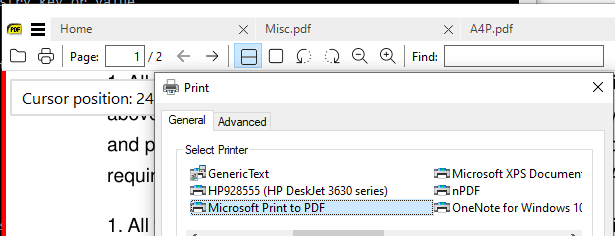
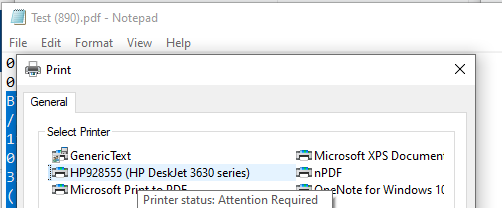
Switch on translator "TUTORIAL: How to restore the old print dialog after Windows 11 22H2 update?"
However the source was English https://www.winhelponline.com/blog/restore-legacy-print-dialog-windows-11/
Using the command prompt Caution you should ALWAYS export before overwrite, in case you need to restore function, but looks like currently the entry would simply need a delete later?
reg add "HKCU\Software\Microsoft\Print\UnifiedPrintDialog" /v "PreferLegacyPrintDialog" /d 1 /t REG_DWORD /f
Using the Registry Editor (safer if you know or don't know :-) how it works) You can also start Registry Editor (regedit.exe) and navigate to the following branch:
HKEY_CURRENT_USER\Software\Microsoft\Print
if there is no key add UnifiedPrintDialog
 Create a new REG_DWORD value named PreferLegacyPrintDialog
Set PreferLegacyPrintDialog data to 1
Create a new REG_DWORD value named PreferLegacyPrintDialog
Set PreferLegacyPrintDialog data to 1
or simplest use a set2old.reg file
Windows Registry Editor Version 5.00

[HKEY_CURRENT_USER\Software\Microsoft\Print\UnifiedPrintDialog]
"PreferLegacyPrintDialog"=dword:00000001
Is there no way the app can have a "Print (legacy)" option that launches the previous dialogue style? I can't get rid of the big margins when printing as shown above in comment: https://github.com/sumatrapdfreader/sumatrapdf/issues/3216#issuecomment-1399231180

@jddcef bigger margins are usually due to not getting a "fit to print" so I currently cant test (I use the old system :-) However it MAY be you need to use Advanced Settings to make that the default (SumatraPDF expects Windows to handle such options) however there is one over-ride
PrinterDefaults [
	PrintScale = shrink
]
so try setting shrink to fit or none
Thanks for the reply. Could they not perhaps have like a hold Ctrl while clicking print to make it "fit", and Shift while clicking Print for like "none"? So that that value can be changed on the fly without editing files etc? Just an idea
@jddcef there was no need that's done in the click this dialog button UNTIL most recent MS lets make it darker for users to not see out of their windows
The setting is for command line use where its the default unless over-ridden by dialog or command line print !
I would like to add my dislike for this dialog window in Windows 11. Printing individual page ranges is much more painful. It takes 5 mouse clicks for what used to take 1 mouse click.

I really miss the "Advanced" tab to set the scaling functions. So I would like to add my dislike for Microsoft "improving" this dialog by making it worse.
But: thanks for a great and lightweight PDF tool!

https://wiki.autocountsoft.com/wiki/Others:_How_to_switch_back_to_the_old_print_dialog_in_Windows_11%3F

@dottoreFell That is already shown above https://github.com/sumatrapdfreader/sumatrapdf/issues/3216#issuecomment-1434645081
short answer Caution you should ALWAYS export before overwrite, in case you need to restore function, but looks like currently the entry would simply need a delete later?
reg add "HKCU\Software\Microsoft\Print\UnifiedPrintDialog" /v "PreferLegacyPrintDialog" /d 1 /t REG_DWORD /f