

 sumatrapdfreader
SumatraPDF Crash while Opening a PDF File
Hello,
Link to the GIST here, https://gist.github.com/differentiaI/228c7601b9d522291182b79334d170d6 .
CompanyProfile_Elite_Fire_PS.pdf
The file is attached as above. SumatraPDF crashes whenever I try to open it.
- what were you doing when the crash happened
Looking at Sumatrapdf's screen.
- when did the crash happen. When opening a file? changing view? etc.
When opening the file. SumatraPDF set as my default pdf reader, so when I tried opening it, it crashes by double clicking on the file in file explorer.
- how did you open the file? drag & drop on Sumatra window? Double-click in file manager? From command line?
Mentioned above.
- Additional info.
A new log is generated every time the crash happens.
Peace, love your pdf viewer.


Hmm interesting use of Random order Outline clearly not a problem for stable versions such as 3.1.2 - 3.4.6
@kjk 3.5.15239 pre-release 64-bit seems prone to crashing easily (uncertain why) file seems good in 3.5.15229 but not 3.5.15234

FYI, the file opens without problems in Acrobat Reader
Definitely, the file opens without hiccups in browsers too.
I was about to open a new issue but saw your issue report and decided to see if it was the same as mine, and it was the same bug, so no need to open a new issue and clot the tracker.
The problem seems from the annotation in the pdf file. in my file it was at page 30, opening it in browser conform my conclusion, your PDF had annotation at page 6 at the end of it there is an image which has "Admin9/4/2021, 10:58:50 AM" annotation while hovering over the image.
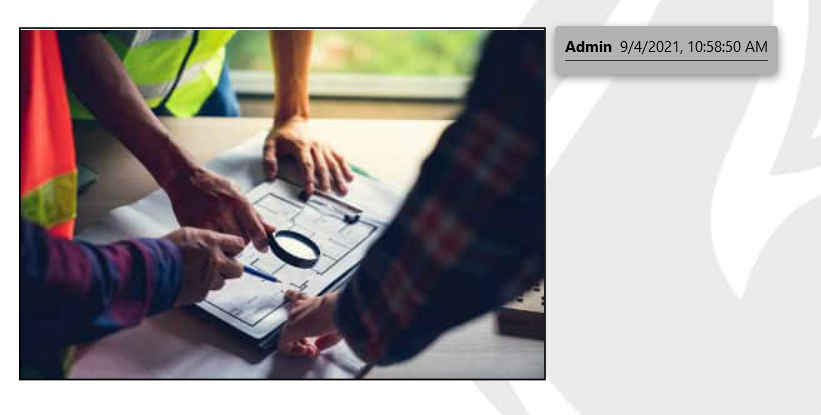
Relevant logs
LoadDocument: 30.63 ms, 143 pages for 'C:\Users\MYPCNAME\Downloads\CompanyProfile_Elite_Fire_PS.pdf'
MakePageElementCommentsFromAnnotations: annot 3 'Line', contents: '', label: 'Admin'
Line annotations have no Rect property
aborting process from uncaught error!
My crash log
LoadDocument: 33.69 ms, 846 pages for 'C:\Users\MYPCNAME\Downloads\Documents\C++.pdf'
MakePageElementCommentsFromAnnotations: annot 8 'Highlight', contents: 'a', label: 'Administrator'
Highlight annotations have no Rect property
aborting process from uncaught error!
My version is:
Ver: 3.5.15239 pre-release 64-bit
BuiltOn: 2022-08-24
Git: a0f784630e5e25e85cd8dacd93d90dcc02bad1c8
(https://github.com/sumatrapdfreader/sumatrapdf/commit/a0f784630e5e25e85cd8dacd93d90dcc02bad1c8)

@Pandaa-P that makes sense as its highlighting I am having problems with most, well spotted
so mupdf had annot changes in 3.5.15229 but my test with that version and file did not fail, I can see the list in the editor no problem, but they are not visible on the page ?
'3.5.15231' also had mupdf changes to annots but thats not available as deleted but a chinese mirror copy Date signed 2022-08-09 02:03:00 UTC has no problems `3.5.15234' yet again had annot changes and that certainly is a fail but as that is also deleted I cannot test for 15233
@kjk looks like its 3.5.15234 updates causes a problem
@differentiaI @tactilis @Pandaa-P
Should be fixed in 3.5.15244+ (see note) likely caused by annotation instability
Note:- current pre-release is 3.5.15249 and on first run MAY crash for a different reason see https://github.com/sumatrapdfreader/sumatrapdf/issues/2984
@differentiaI @tactilis @Pandaa-P
Should be fixed in 3.5.15244+ (see note) likely caused by annotation instability
Note:- current pre-release is 3.5.15249 and on first run MAY crash for a different reason see #2984
Thanks :) And thanks for the link to 2984, sumatra really crashed after an update so needed to adjust settings file :)

@GitHubRulesOK I tested it and it was instantly crashed, I opted out of the pre-release and back to the stable release for now.
@GitHubRulesOK I tested it and it was instantly crashed, I opted out of the pre-release and back to the stable release for now.
There is no crashes, related to pdf comments. Opening mine files and also first post from OP is just fine. Instant crash is related to https://github.com/sumatrapdfreader/sumatrapdf/issues/2984#issuecomment-1258729143, please edit your settings file for now.
@GitHubRulesOK , this issue can be closed.
Tested with:
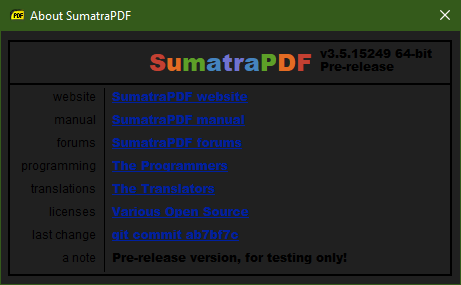
@WhiteChairFromIkea the OP was from @differentiaI thus would prefer either them or @KJK to confirm this issue is resolved by updates
@Pandaa-P the instant crash in latest pre-release is a different issue that needs balanced [ bracketing ] within shortcuts[ ] please see temporary fix https://github.com/sumatrapdfreader/sumatrapdf/issues/2984#issuecomment-1258729143
@GitHubRulesOK yep, I know it's a different issue, I read your comments on the other issues. It look like SumatraPDF has an Access Violation caused when try to writes on an invalid Memory Address.
Opening the .dmp fie in windbg and runing .exr -1 to show what type of Exception it was:
0:000> .exr -1
ExceptionAddress: 00007ff639c1774a (SumatraPDF+0x000000000001774a)
   ExceptionCode: c0000005 (Access violation)
  ExceptionFlags: 00000000
NumberParameters: 2
   Parameter[0]: 0000000000000001
   Parameter[1]: 0000000000000000
Attempt to write to address 0000000000000000

PROCESS_NAME:  SumatraPDF.exe
WRITE_ADDRESS:  0000000000000000
ERROR_CODE: (NTSTATUS) 0xc0000005 - The instruction at 0x%p referenced memory at 0x%p. The memory could not be %s.
EXCEPTION_CODE_STR:  c0000005
EXCEPTION_PARAMETER1:  0000000000000001
EXCEPTION_PARAMETER2:  0000000000000000
FAULTING_THREAD:  ffffffff

STACK_TEXT:
000000a9`d4effd10 00007fff`652fa2f1 ntdll!RtlUserThreadStart+0x21

SYMBOL_NAME:  ntdll!RtlUserThreadStart+21

MODULE_NAME: ntdll
IMAGE_NAME:  ntdll.dll
STACK_COMMAND:  .ecxr ; kb ; ** Pseudo Context ** Pseudo ** Value: c ** ; kb
FAILURE_BUCKET_ID:  NULL_POINTER_WRITE_c0000005_ntdll.dll!RtlUserThreadStart
the syntax is
    Exception Code
    Parameter[0] - Read (0), Write (1), Execute (8)
    Parameter[1] - Address
So it attempt to Write to address 0000000000000000 on the memory.
I don't have SumatraPDF compiled with debug info nor have the tools to compile it from source, so I can't investgate farther and know the root of the issue or why puting [ ] within shortcuts[ ] fix the issue.
@tactilis @GitHubRulesOK @WhiteChairFromIkea @Pandaa-P @kjk The issue has been resolved. Thanks for the help. Closing the issue now.