sumatrapdfreader
Problems with FB2 and EPUB in SumatraPDF pre-release build version 15237
Latest SumatraPDF pre-release build version 15237 has brought the following new issues related to FB2 and EPUB documents. (Note that 15235 works fine in the cases described below.) No one of my .fb2 books can be opened by 3.5.15237 at all, only one empty page is shown for every FB2. In every .epub book of about 30 I have tested, SumatraPDF 3.5.15237 did not show the cover art image at all, although all further content of EPUB was displayed properly. Again, let me remind that 15235 works fine with all that.

looks like the shift is due to MuPDF updates but since its file format content specific for the epub image issue perhaps include one sample since that format can be more variable

book.zip ZIP contains one book in EPUB and FB2 format. SumatraPDF 3.5.15237 does not show the cover image of EPUB and shows only one empty page for FB2. SumatraPDF 3.5.15235 shows both files correctly.
Please still same issue in 3.5.15238 - empty pages in epub file. But worked in older versions (I think 3.4.*). Thanks for all your work on this great application.

I just found that the new build 3.5.15238 opens all my EPUB books correctly, the cover pictures are shown everywhere. But still every one of my FB2 books is shown by 3.5.15238 as a single empty page. Continue using the fine build 3.5.15235. P.S. The same for the latest 3.5.15239: all my EPUBs are shown fine, all my FB2s are shown as one empty page. P.P.S. Latest SumatraPDF pre-release build version 15252: all my EPUBs are shown fine, all my FB2s are shown as a single page with a smashed text at the top left corner (see a FB2 printed to PDF attached). FB2.pdf The same for version 15253.
I have just tested pre-release build version 15255, built on 2022-10-14. Nice! All my EPUB and FB2 books are displayed correctly. I only have to close this issue. Thank you!
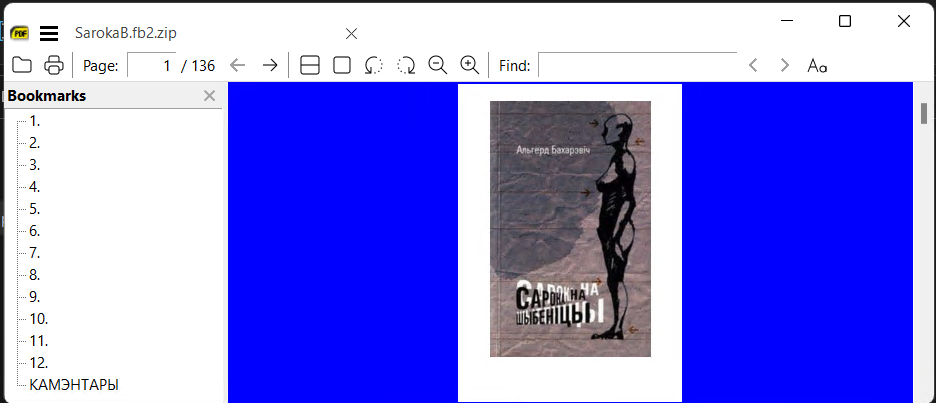
@sergsako You can convert the images to larger by using external apps so here I increased image size 250% but in compensation have also changed to zip SarokaB.fb2.zip