

 stylextv
Bug when saving cached region files
HI,i'll start off by saying that i'm using a modpack so i don't expect this ticket to be considered . I know a bit of java myself so i know that the exception that the mod threw (FileNotFoundException) is not a very good sign. I've noticed using the mod that the cache folder is always empty,at least when i checked after every crash, and that exception was thrown. I don't know how you manage the cache but i think a "reload" command that tries to re-cache everything around could fix the cache file problem. Maybe the FileNotFoundException could be catched and you can reload the cache (create the cache files) automatically.
Exceptions and logs latest.log
To Reproduce Steps to reproduce the behavior:
- enter the game
- try to use any command
- crash
Screenshots


Modified options Nothing was modified, it was clean, the config has only allowBreak and allowPlace both true
Environment (please complete the following information):
- OS: windows 10
- Java version: 1.8.0_301
- Minecraft version: 1.7.10
- Maple version: latest( maple-fabric-mc1.17-0.1.0+build.4 )
- Other mods (if used): it is a modpack, there are a lot of mods.
Additional context have a nice day : D

Thanks for the bug report :)
The reason for the 'FileNotFound' error and for all the crashes is the name of the cache file the program wanted to create. If you look closer at the error message, you can see that it wanted to write to this file: C:\Users\dj-da\AppData\Roaming.minecraft.maple\cache\remote\51.255.5.213:25654\overworld\region_-2,6.dat But you can also notice that there is a ":" in the file name, which is not a valid character for a file name on most operating systems (the error message already hints at this: "La sintassi del nome del file, della directory o del volume non è corretta"). If cache files are to be stored for a specific server, they are stored under '/remote/SERVER_IP'. However, because your server has a port specified (:25654), the system cannot create this folder.
Maybe I could replace the ":" with a "_" but that will cause mixups. Have you tried using the mod in singleplayer, because if that works, it would confirm my theory.
have a nice day : D
thanks :D

Thank you for the reply. I tested the mod in singleplayer and it worked everytime. I didn't think about the illegal name ,to fix that is there any way to fetch the name of the server and use it as a folder name? On another note, i imported the project on eclipse using the git smart import but almost every class has a problem finding some packages (see the attached screenshots) , is there any way to fix it? i pretty sure i'm missing packages but i don't know where to get them. i would like to study your code and try to help . as always have a nice day : D
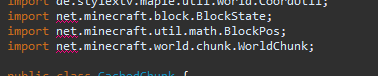
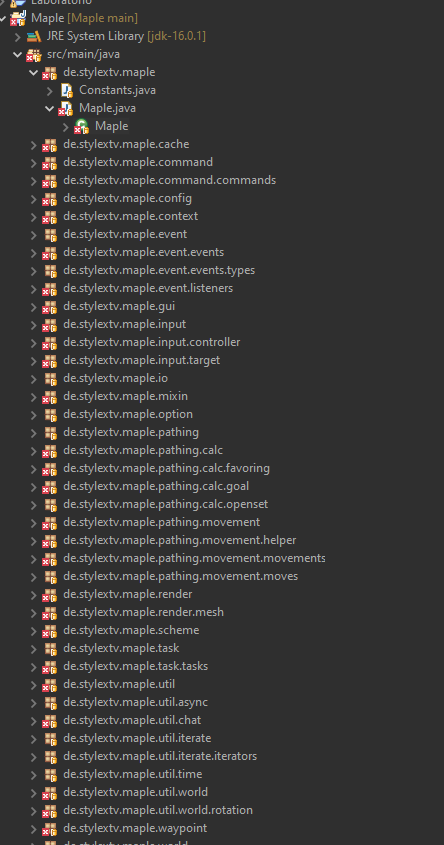
Thanks for the confirmation that it works in single player mode.
There is indeed a way to get the "server name", but only the one you entered yourself when you added the server to your server list. This means that as soon as a player has 2 servers with the same name in their list, it will cause massive problems, so I think I'll stick to using ips. Also, you have to keep in mind that the "direct connection" feature in the server GUI does not require you to enter a name, only the IP.
As for broken packages in Eclipse, I can tell you that I'm definitely not an expert when it comes to fixing these kinds of problems. This article shows how to install a new fabric mod (without this project), but maybe it can also help with fixing your problem (?).
Have a nice day (or evening idk) :D
Thank you, i saw the article and now i have a better understanding of the problem.
btw, i just thought, you could replace the ":" with a "_" and it would fix the problem while keeping the port number