

 styled-components
Specificity selector not working
Describe the bug (including copyable syntax) On hover specificity view is not working
Screenshot
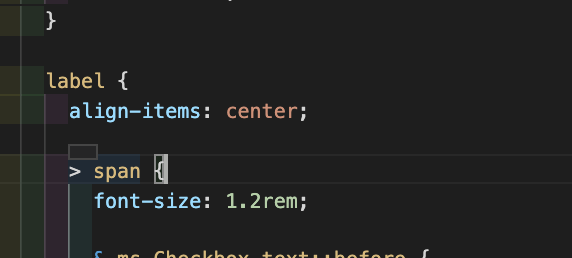
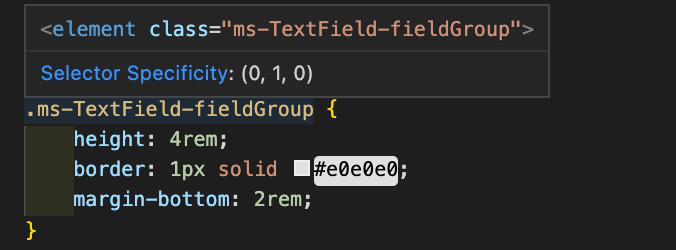
If you typed a basic styled component and try to view the specificty by hovering over a selector I would expect it appear like so:

@enigmatikme we will need steps to reproduce, can you show where it’s working and where it isn’t. Could you paste the code for us to try?

Hi, I've come across this issue myself.
I've encountered it in this case:
/* eslint-disable-next-line */
export interface LandProps {}
// document structure has this nested in main element, so structure accordingly
const StyledLand = styled.div`
  color: pink;
  font-family: 'Northstar 3D';
  /* ad-hoc alignment. Replace once tobechi is done. */
  display: grid;
  align-items: center;
  justify-content: center;
  width: 100vw;
  height: 100vh;
  overflow: hidden;
  /* Global so each one can override as needed. Create a theme for these and update in this parent, but what of triggers? It'll have to be a global theme then and we'll update here via useTheme(). But this is our metaphorical body! Still. It can be small. put it on body instead */
  /* css variables work too! So we can just use theme and pass here, but why bother duping? */
  --newOriginX: 0px;
  --newOriginY: 0px;
  --rotationDegrees: 0deg;
  --transformTime: 2s;

  svg {
    width: 200px;
    height: auto;
  }
  .X .Y{

  }
`;
I'm running this on vscode off the gitpod extension if that's any help. @jasonwilliams

any PR you can do would be helpful https://github.com/styled-components/vscode-styled-components/blob/master/CONTRIBUTING.md#syntax

I am facing the same issue. I have included a project with examples. Simply navigate into the style.js folder and see comments. I am running a basic setup with react and styled components alongside the vscode styled components extension. my-test.zip

