

 streamich
useClickAway triggers on click if descendant target element no longer exists
What is the current behavior? If a container's descendant element target no longer exists, the useClickAway callback will still be invoked when listening for the "click" event. This does not occur with the default events ("mousedown" and "touchstart").
Steps to reproduce it and if possible a minimal demo of the problem. Your bug will get fixed much faster if we can run your code and it doesn't have extra dependencies other than react-use. Paste the link to your JSFiddle or CodeSandbox example below:
Minimal demo: https://codesandbox.io/s/wonderful-snyder-irw7o
What is the expected behavior? Since the target was a descendant of the ref, I was expecting the callback to not be invoked.
A little about versions:
- OS: macOS Big Sur 11.6
- Browser (vendor and version): Google Chrome 94.0.4606.71
- React: 17.0.2
-
react-use: 17.3.1 - Did this worked in the previous package version? Not sure 😬

Hi @chawes13! I tried to reproduce with default and custom events and it works with no difference. Does this problem still exist?

I think so! I updated the linked sandbox to the latest release and the problem persists for the custom click event.
You can view the updated example here: https://codesandbox.io/s/billowing-shadow-pyigy8?file=/src/App.js
I tried to compare with default events and your example it looks the same, when I click "Click me" button and then I click outside of the container, in both examples there is text in console "Clicked away!"
Interesting, I would like to reproduce your problem, but I don't know what I'm doing wrong

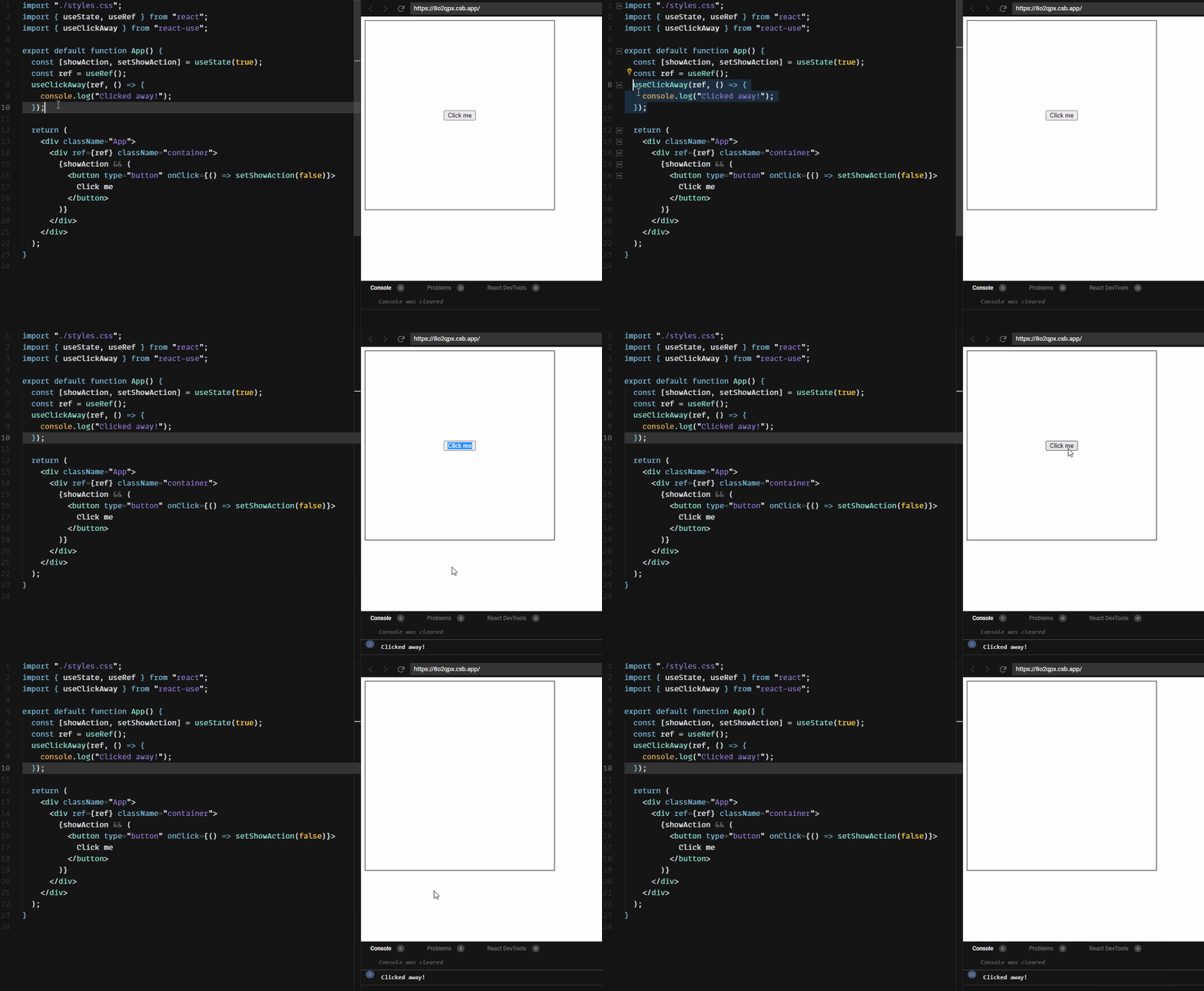
Ah, no worries! So the hook's functionality states, "React UI hook that triggers a callback when user clicks outside the target element."
The button is inside of the target element (styled with a black border in the sandbox). When listening for the click event, the hook logs "Clicked away!" when the user clicks the button, even though the button was (at the time of the event) inside of the target element. This doesn't happen with the default events.
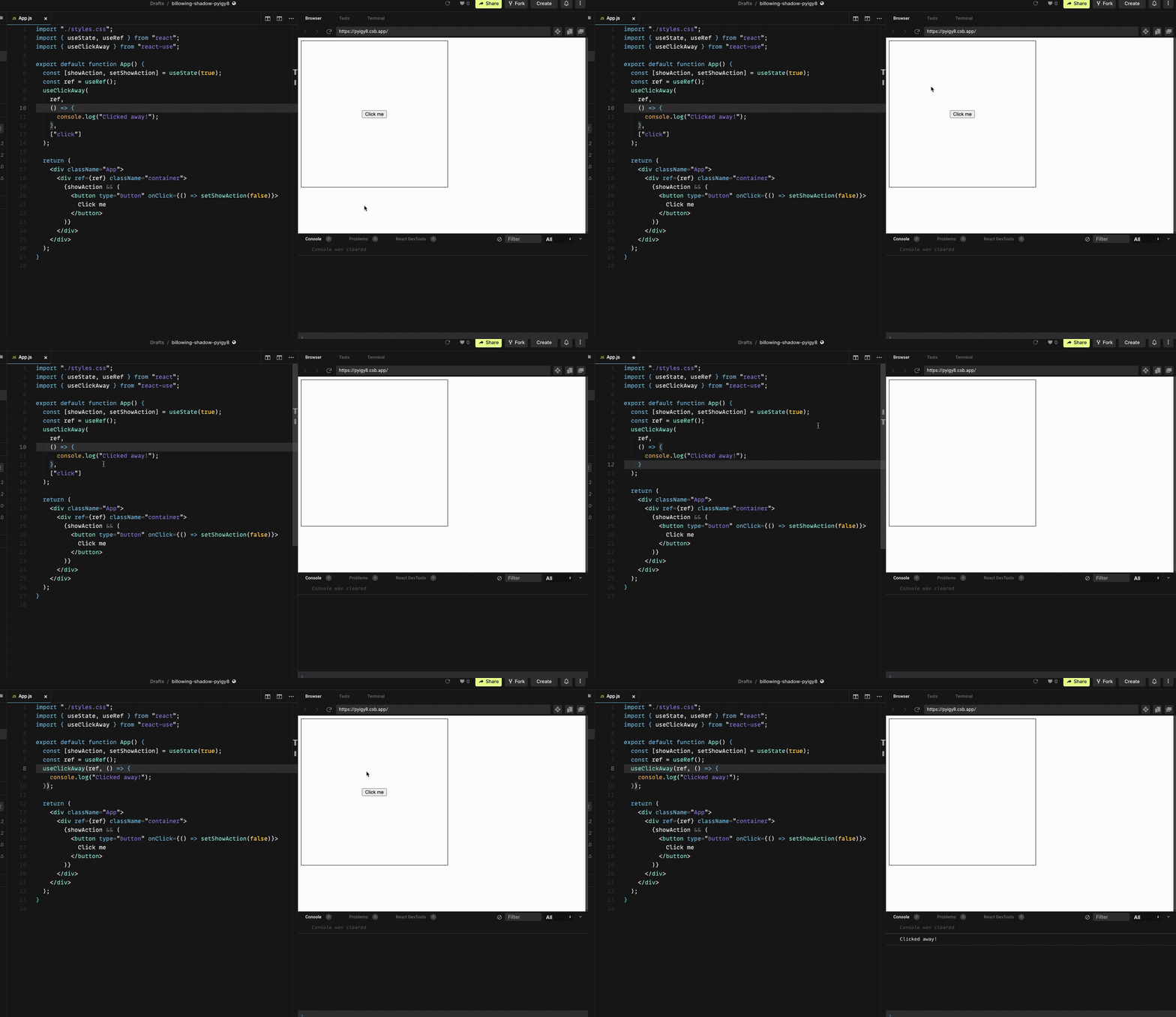
Thanks @chawes13! I see, now. I would like to take a look why it happens when I have time
Any resolution to this? For me as well, if I remove the events then everything works as expected. So should we remove it or keep it is the question I have.

For now, no idea. Need to find out why click and mousedown behave differently example with click and mousedown
Quick solution is to use mousedown and touchstart instead of click