

 strdr4605
Add functionality that changes all text on an HTML page
Would be nice to use this package as a 1st of April Joke. By using this package in any frontend library/framework build with npm.
A possible solution is to check if it is a frontend app and has HTML, them finding every text on the page and convert it to mockingcase!
Welcome for discussions on this topic! :blush:
TO DO:
- [ ] Pick a good name for the function
- [ ] Implement the functionality that will change all text (after each DOM update)
- [ ] Comment the function using jsdoc
- [ ] Add unit test for the function
- [ ] Add declaration of the function for Typescript, Declaration Files
- [ ] Add usage and describe the function in README
Update:
Found a solution to select all nodes with text from a page. https://stackoverflow.com/questions/2579666/getelementsbytagname-equivalent-for-textnodes#2579869
Update2:
related topic: https://stackoverflow.com/questions/3219758/detect-changes-in-the-dom

- Use https://developer.mozilla.org/en-US/docs/Web/API/Document/querySelectorAll to query all elements that can have text
- Use these properties to get and set elements text
- https://developer.mozilla.org/en-US/docs/Web/API/HTMLElement/innerText
- https://developer.mozilla.org/en-US/docs/Web/API/Element/innerHTML
- https://developer.mozilla.org/en-US/docs/Web/API/Node/textContent
- https://developer.mozilla.org/en-US/docs/Web/API/MutationObserver can be used to handle changes in DOM
@strdr4605 should not the current code would have to be compiled (ex: BABEL) in order to make it run on any browser?

@strdr4605 I have been wondering about the API as well. Let's say I import this package on the client side and before running the code I run browserify/webpack, for example, to transforms the npm package into a library understandable for the client side (In my mind this must be done automatically). Then I would add browserify output to my script tag on the client side and we would have something like this:
<html>
   <head>
      <script src="{BASE}/mockingcase.js" >
         <script>
         window.onload = function() {
           // after all the html is loaded
           mockingcase.parseAllHTML()
         }
      </script>
   </head>
   <body>
      </script>
   </body>
</html>
also as you mencioned we would have to validate if the method was called on the client side by doing something like this:
mockingcase.parseAllHTML = () => {
    if (typeof window === 'undefined') {
        // run the logic

    } else {
        throw new Error('this method just works on the browser')
    }
}
@RicardoE105 Firstly I thought about making the package ready to be used with https://unpkg.com/[email protected]/index.js.
Secondly, as I understand libraries and frameworks like React, Angular, and Vue, compile packages to be used in the browser.
I did a quick check and used ReasonML bindings bs-mockingcase in a ReasonReact project and it works:
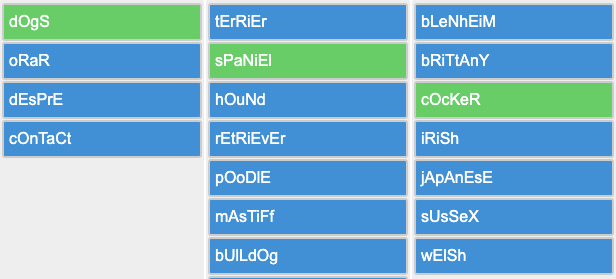 I guess it will work for Angular and Vue as well.
The only thing to do is to check if it is running in a browser and expose
I guess it will work for Angular and Vue as well.
The only thing to do is to check if it is running in a browser and expose parseAllHTML() function to the user.
If I am missing something I am welcome for discussions.
I think we need to use one of these solutions to find all nodes with text: https://stackoverflow.com/questions/2579666/getelementsbytagname-equivalent-for-textnodes#2579869
WIP at https://github.com/strdr4605/mockingcase/blob/parse-all-html/src/mockingcase.js#L121