

 strapi
[Request]: Admin panel customization - Email templates
Summary
Documentation about email templates override (link below) doesn't works as expected.
https://docs.strapi.io/developer-docs/latest/development/admin-customization.html#forgotten-password-email
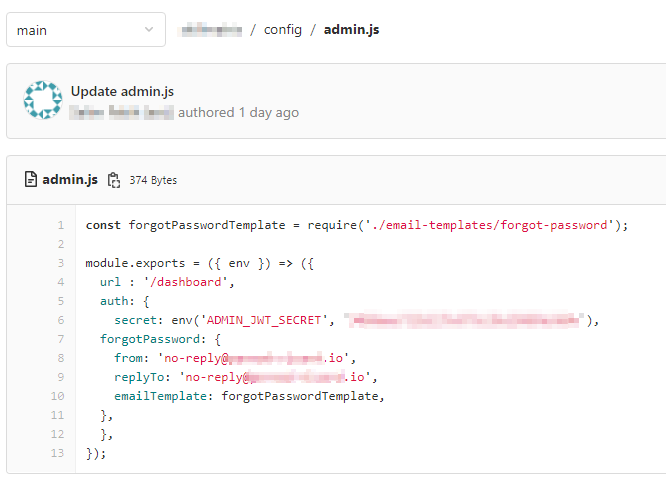
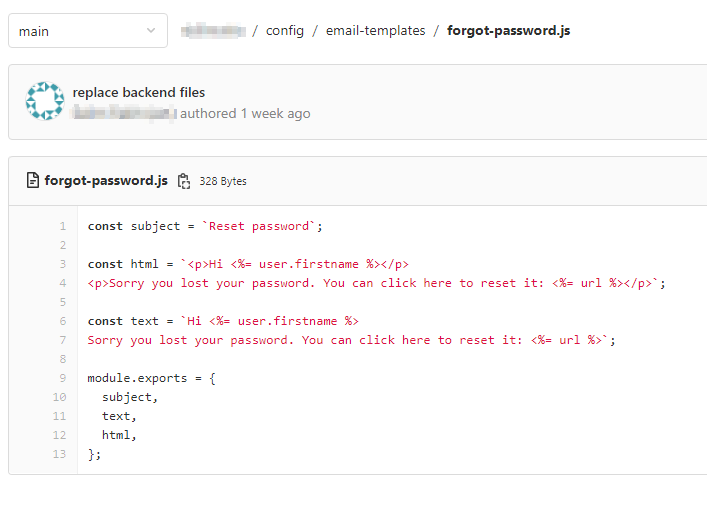
The sent email is never replaced, neither via the override by this method, nor via the override by the admin panel.
See config below :
Why is it needed?
Needed to replace host url and port and edit mail content
Suggested solution(s)
No response
Related issue(s)/PR(s)
No response

Hello @C4rlit0, thank you for creating this issue. I'm sorry you're having trouble with this part of the documentation. I'm adding our senior front-end developer @soupette to the loop so he can help us on the matter. We will keep you posted 🙂

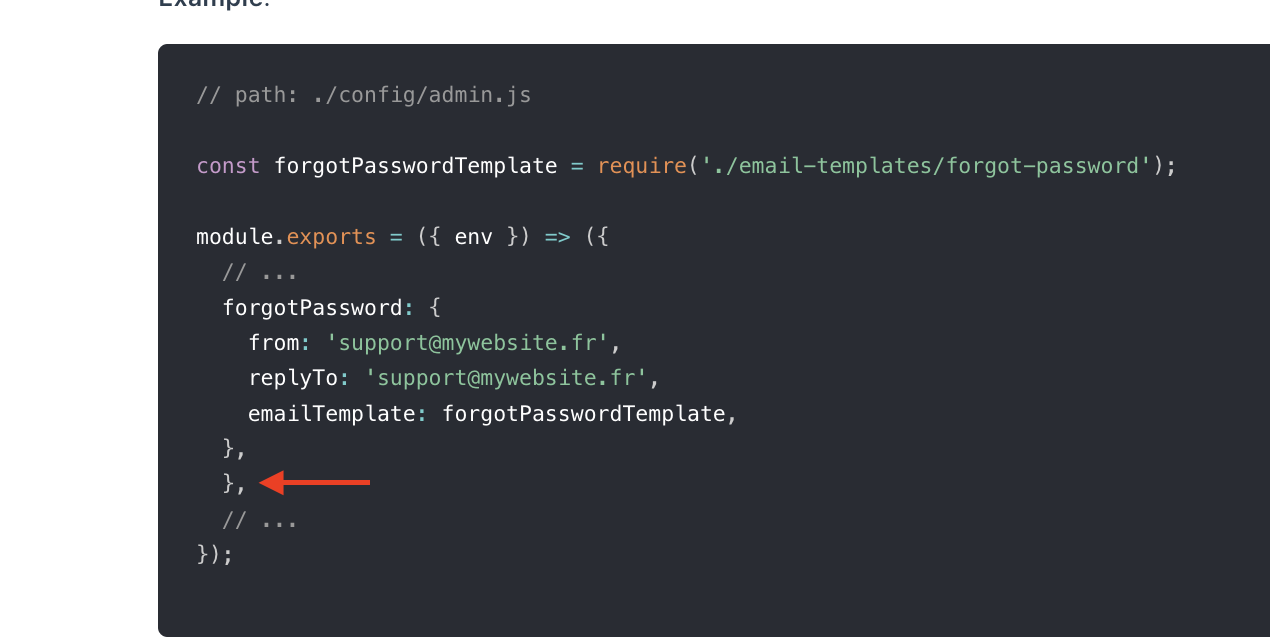
Not sure it will fix your issue but at least I noticed a typo in the code example in the documentation, I'll fix it right now
 .
.
Hi Pierre,
Thank you for your quick reply, I've made your correction in my file but the problem is still there.

In addition, it is not specified in the documentation but it can be really useful to know the override order of the default template.
Admin Panel --> override in code email template --> override default email (if it works like that)
Sorry this happens, Charly. I'll ask for more information from our devs and will get back to you 🙂
Hi Pierre,
Do you have any news for me about this issue ? It's very important for us to be able to modify email template.
Many thanks 🙏
HI Charly,
I'm looping in @soupette (front end developer) and @derrickmehaffy (solutions engineer) in the hope they will be able to find a solution to your problem.
Hello,
i'm facing the same issue with email templates. From the GUI, there is no change when modifying the template. Also when i override it with a template file... HELP PLEASE 🙏🏻

Hey sorry this got lost in my notifications. I'll try and take a look on Monday

Hey sorry this got lost in my notifications. I'll try and take a look on Monday
Hi @derrickmehaffy. If you have a chance can you look at this again? It looks like the admin panel customization is unchanged from v3, but that the "forgot password" template is in the U&P plugin in v4. Thanks!
(edit to add): I see that the admin panel templates are here: ./node_modules/@strapi/plugin-users-permissions/server/bootstrap/index.js Is the correct way to change/override with plugins extension in the ./src/index.js file?

You shouldn't really need to modify code for this, the code just bootstraps the values into the database on boot if they don't exist but to modify them you would do it through the admin panel instead.
Hi @pwizla @derrickmehaffy @stb13579 , I'm facing this issue when I try to update the Forgot Password email template using the GUI. The changed template is shown in the GUI, but I still receive the unchanged email (default provided Forgot Password email by Strapi).
I'm using Strapi V4.20.1.
Any solution?
