

 standardnotes
Font missing in file dialogue in Snap image
When I try to save a note, the font is missing in the file dialogue:
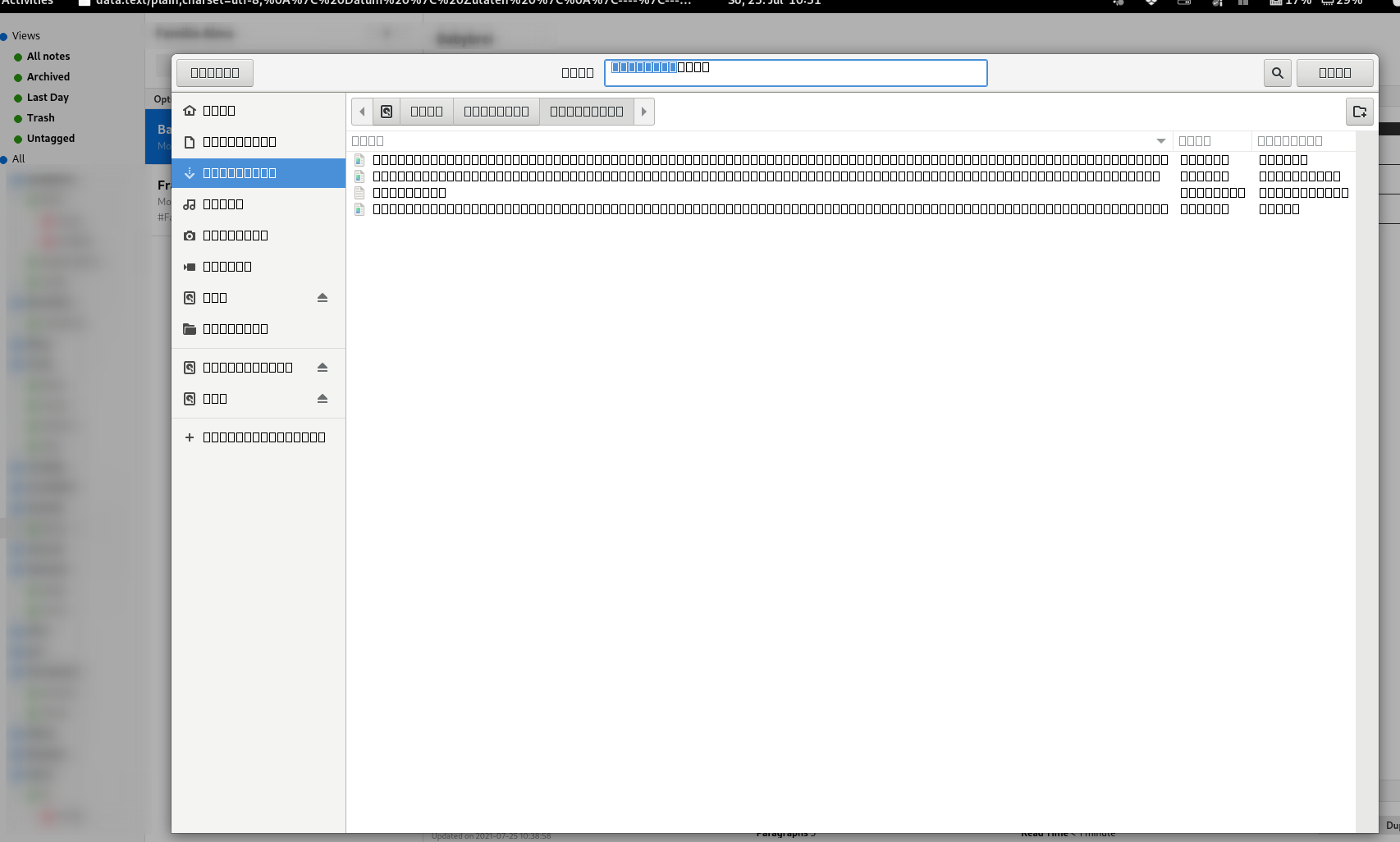
I'm not sure if this is a problem on my side or a bug. Is this reproducible?
My system
Desktop: GNOME 40.3 tk: GTK 3.24.30 wm: gnome-shell dm: GDM 40.0
Distro: Manjaro Linux base: Arch Linux
standard-notes 3.8.18 (Snap)

Hi @jrabensc, sorry to hear that. IIRC, this is an issue with the Snap package for some users. I would recommend using the AppImage in its place. You can use AppImageLauncher to help install the app and subsequent updates made to it. 🙂

Thanks for your answer. The update process via snapd is way smoother, so I would prefer to use Snap.
I did some research, this might be related to the dependencies: https://forum.snapcraft.io/t/snapped-app-not-loading-fonts-on-fedora-and-arch/12484/106
Hi @jrabensc, thank you for sharing that! I'll forward it over to the dev team for review.
 Same issue in the alert message when performing a manual backup.
Sorry to hear that. Has deleting the font cache, as mentioned by someone in the aforementioned thread, helped serve as a workaround for this issue?