
archetype
 archetype copied to clipboard
 ssjshields
Custom user interface for the online video game PokeMMO. Features a total visual overhaul with animations and quality of life changes.


Archetype is a custom user interface for the online video game PokeMMO.
Feel like exploring? Give our encounter / Egg / Fossil counter a try.
Features
🌱 total interface overhaul; new animations and windows
✂️ new icons (moveset, types, abilities, alpha, shiny, etc.)
🛠️ modular framework that allows control of the color palette
📚 multi-language support (utilizes Noto Sans.)
Media


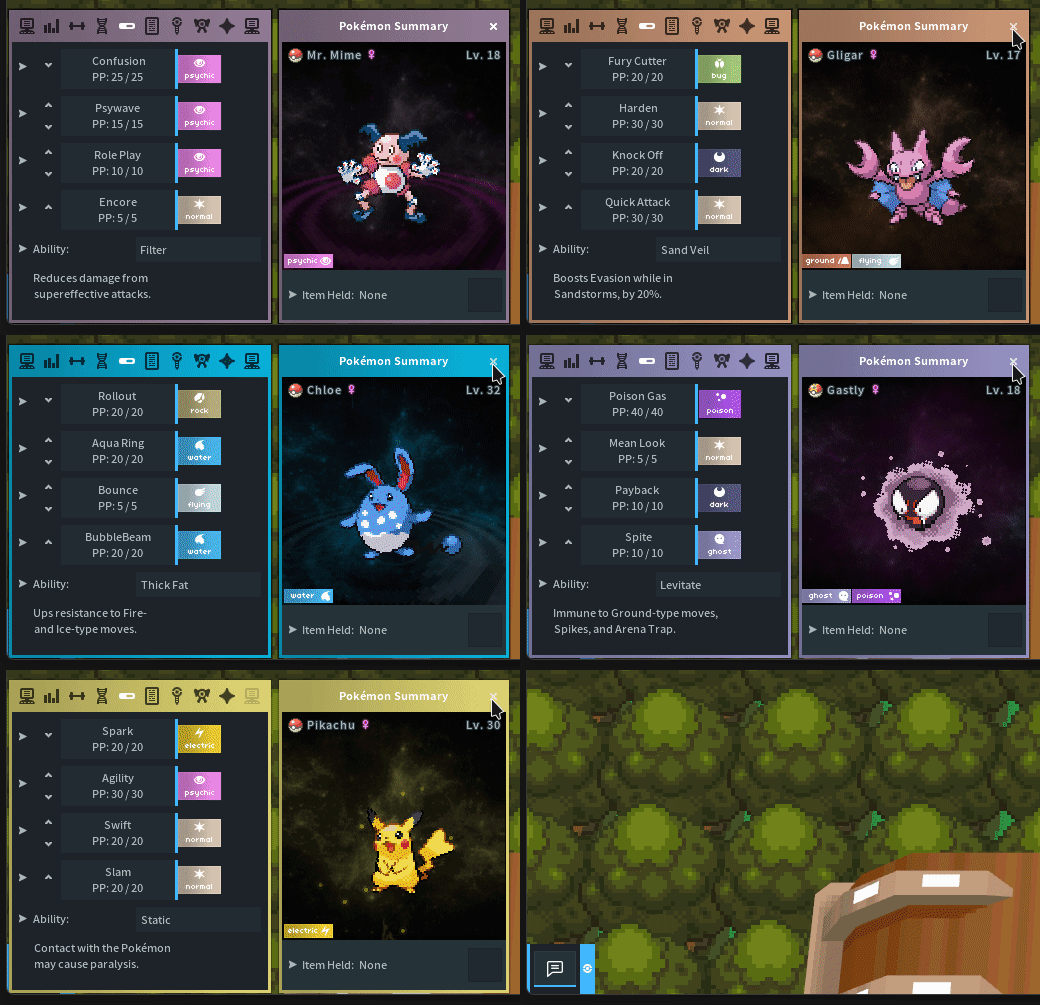
Click here to view more images


Installation
[!IMPORTANT] If previous versions of Archetype were installed, remove them entirely before updating
1. Open ZIP, then open the archetype folder; extract contents into PokeMMO\data\
[!NOTE] If you would like to install Archetypes custom Sprite icons, during extraction overwrite the
main.png
Linux / macOS users see this issue regarding the Launcher overwriting modified Sprites
2. Select archetype under Settings → Interface
3. Restart the game to refresh the user interface
Removal
1. Select default under Settings → Interface
2. Delete the archetype folder from PokeMMO\data\themes
3. If the main.png was replaced, repair the client from main menu or run the pokemmo_updater.jar
Repairing the client restores the original
main.png
Customization
Archetype is a unique compared to other themes- you can tweak the majority of the UI to your liking.
CHOOSE_YOUR_LOOK.xml - Modify simple conditional flags to personalize your theme, such as different Login backgrounds, Window styles and Cursors
CHOOSE_YOUR_COLORS.xml - Modify hex color values to personalize your theme

[!TIP] These files can be opened with any text edtior- instructions are commented inside the files
[!TIP] If the Archetype Customization XMLs are modified, they can be copied between updates unless announced otherwise
FAQ
Does this work on mobile?
Unfortunately, no- desktop clients only
Why aren't the custom icons showing?
Ensure the
main.pngis overwrote during installation
The game utilizes a single sprite sheet which contains all of the icons
Why aren't my customization edits showing?
Ensure that you are modifying the correct values, not the commented references
How can I report a bug?
Attach a screenshot and the
console.logfound atPokeMMO\log
Disclaimer
Files are modified during official updates and the majority of these changes are not logged in the patch notes. Using deprecated content could lead to bugs such as; broken and or missing animations, icons, menus and windows. Regular difference checks must be performed by creators- this is relevant for all custom interfaces. Anything developed on a previous revision more than likely will not be forwards compatible.
Use outdated content at your own risk.
Contact and Support

Metadata
Owner
 ssjshields
Metadata
Custom user interface for the online video game PokeMMO. Features a total visual overhaul with animations and quality of life changes.