

 sqlitebrowser
Autosave, Saving size of columns and Persian translate
Hi, I was thinking about adding Autosave. I'm surprised that it doesn't exist in the app. it would be great if you could add it in the future updates.
also, every time I open the app, I have to adjust the size of columns so is it possible that it could save the size of columns?
and the last one, I can help in the translation to the Persian language, how can I do it?

Hi, I was thinking about adding Autosave.
Sounds potentially useful. What would you use to trigger the "automatic" bit for the automatic saving? :smile:
also, every time I open the app, I have to adjust the size of columns so is it possible that it could save the size of columns?
Kind of. :wink: If you're adjusting the size of columns for the same database each time, then try out our "Project Files" capability.:
https://github.com/sqlitebrowser/sqlitebrowser/wiki/Project-Files
It's our approach for saving saving meta-data about databases. Note that the screenshots on that wiki page might be a bit outdated. We re-organised our menus not too long ago, so you might need to go hunting around for the new location of things. :smile:
I can help in the translation to the Persian language, how can I do it?
That would be very welcome. :smile:
Translations are done using "Qt Linguist" (it comes with Qt). We generate a .ts file (filled with English strings), which Qt Linguist displays the status of (translated, not translated, outdated, etc). You update the strings and save them to the file, then create a Pull Request here on GitHub with the changes.
That's the main concept anyway. There's a bit of extra stuff on the side (eg creating the flag icon), but we can take care of the side bits if they're not your kind of thing.
As a thought, have you translated stuff for projects before?

What would you use to trigger the "automatic" bit for the automatic saving? 😄
I didn't quite understand what you mean, 😅 but if you mean why I would use it... for example, I set the autosave for every 10 minutes and it saves the database every 10 minutes.
If you're adjusting the size of columns for the same database each time, then try out our "Project Files" capability.
That's great! 😁 I wish I have told this sooner.
Translations are done using "Qt Linguist" (it comes with Qt). We generate a .ts file (filled with English strings), which Qt Linguist displays the status of (translated, not translated, outdated, etc). You update the strings and save them to the file, then create a Pull Request here on GitHub with the changes.
I'll check it out. thank you! 👍
That's the main concept anyway. There's a bit of extra stuff on the side (eg creating the flag icon), but we can take care of the side bits if they're not your kind of thing.
I understood. yeah, I'm not good with that stuff otherwise I would do it. 😁
As a thought, have you translated stuff for projects before?
My native language is Persian and I've translated subtitles before but never projects like this.
about that "autosave" thing, we can also have backup saves. for example every 10 minutes a backup is made and saved in some directory.
btw I installed that Qt app.
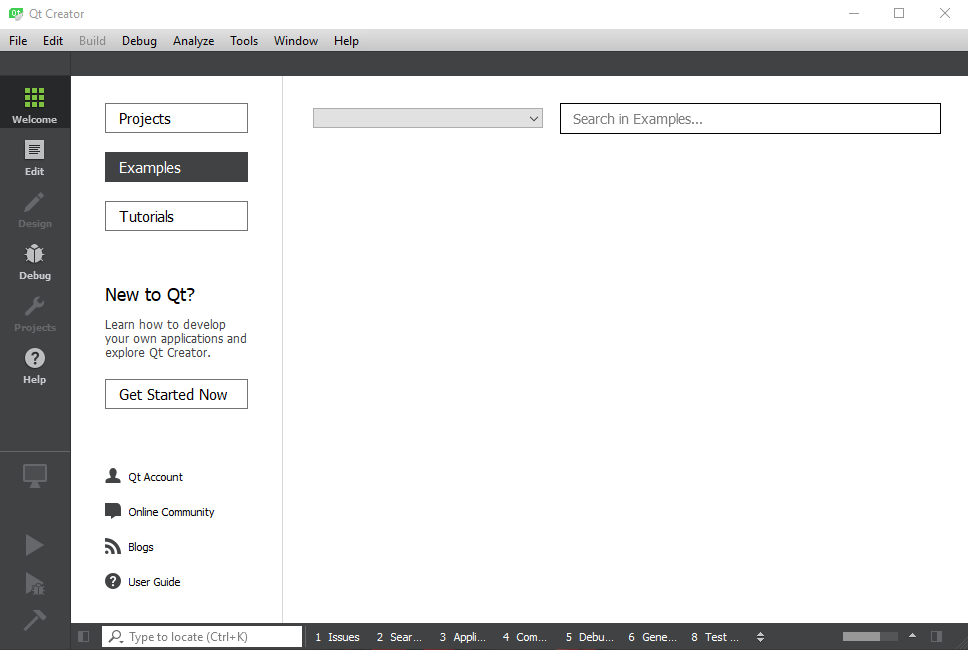
I didn't quite understand what you mean, :sweat_smile: but if you mean why I would use it... for example, I set the autosave for every 10 minutes and it saves the database every 10 minutes.
Yeah, that's what I was meaning. :smile:
It's an interesting idea. We'll probably need to think on it a bit, as I can definitely understand why it would be useful. When using DB4S much like (for example) a word processing document, it's useful to have the most recent changes automatically saved. That way crashes don't lose (much) work. Same concept applies here.
Traditionally, we avoid any kind of automatic saving. That's so people can do experimental changes to their data without worrying they'll be saved.
If we can figure out a good way to have both approaches be catered to, then why not? :smile:
btw I installed that Qt app.
Excellent. :smile:
I just prepared a blank .ts file for you with the untranslated strings in it:
- https://github.com/sqlitebrowser/sqlitebrowser/blob/df33455fda61171f1f62a89047692a3c047357db/src/translations/sqlb_fa.ts
In theory you should be able to download that and Qt Linguist will load it ok. When you translate strings, they get saved back to the same .ts file, so you can do it across as many sessions as you need.
Next question :wink:, how good are you with git? Asking because the general way to give the translated string back to us is with an updated .ts file (with the strings in it), via a GitHub "Pull Request".
If you're not yet familiar with doing Pull Requests, it might be better to just send us the updated .ts file directly (eg via email, or put it in an issue here) and we can merge it in. It's up to you. I just don't want to overload you with too many new things at once. That can go badly sometimes, so learning "a bit at a time" could be better. :wink:
When using DB4S much like (for example) a word processing document, it's useful to have the most recent changes automatically saved. That way crashes don't lose (much) work.
Exactly my point!
I just prepared a blank .ts file for you with the untranslated strings in it
thank you! 🙏
how good are you with git?
I don't know much, but I think I'll figure it out. 😅
When using DB4S much like (for example) a word processing document, it's useful to have the most recent changes automatically saved.
This would have to be per-database setting, rather than per-application setting. Some small databases are fine, but what happens if you open a 22 GB database? You don't want backups of that - could take a while! You'd always forget to turn it off until it was too late, then open a small database, and never remember to turn it back on. Maybe an option, "Automatically backup databases less than [1000] MB" where the [1000] is user defined. There would have to be some management here though - upon program startup*, "You have 67 backups, taking up 800 MB of disk space. Click [here] to open the backup destination directory."
*Once every 24 hours? Could be annoying (like the version check) if its done every startup...

sorry for bumping an old (and not very focused) issue, but it would be nice to have an autosave of the Execute SQL tabs. It shouldn't take too much space and could save someone's bacon
