

 snipe
snipe
Label customization
Snipe-IT Version
v5.3.6 build 6567
Operating System
windows 11
Web Server
Linux
PHP Version
7.3.27-1~deb10u1
Is your feature request related to a problem? Please describe. A clear and concise description of what the problem is. Ex. I'm always frustrated when [...]
Lors de la création d'une étiquette avec code barre, la pagination n'est pas forcément adaptée au support d'impression
Describe the solution you'd like A clear and concise description of what you want to happen.
Possibilité de réorganiser les champs composants l'étiquette (code barre/texte), afin de personnaliser le rendu et de s'adapter au support d'impression (voir capture jointe
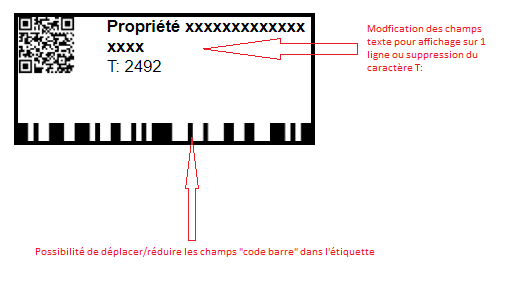 )
)
Describe alternatives you've considered A clear and concise description of any alternative solutions or features you've considered.
No response
Additional context Add any other context or screenshots about the feature request here.
No response

Français Mon Français n'est pas très fort. Donc, cela a été écrit avec Google Translate.
Pour la description du problème, je la lis comme, vous ne voulez pas que les étiquettes soient séparées par page. Cependant, la description de votre solution semble parler de la mise en disposition de l'étiquette, et non de la pagination.
Je vais supposer que mon pauvre Français n'a pas traduit correctement votre problème. Je supposerai également que vous parlez de la mise en page de l'étiquette.
Vous pouvez accomplir une partie de ce que vous voulez dans les paramètres des étiquettes d'éléments d'administration. Cependant, il n'est actuellement pas possible de modifier la disposition réelle de l'étiquette.
Consultez ce lien pour obtenir de la documentation sur la façon de modifier les paramètres d'étiquette d'actif. https://snipe-it.readme.io/docs/asset-labels
Tout cela étant dit... Dans un monde parfait, à quoi ressemblerait un label d'actifs pour vous ? Il y a peut-être des changements de développement que nous pouvons apporter pour répondre à vos besoins.
EDIT: Il y a eu un problème de traduction. Pour mieux faire référence à la mise en disposition de l'étiquette, et non à la séparation par page, j'ai changé le mot français de 'page' en 'disposition' dans la deuxième phrase. Je suis content d'avoir mon Français corrigé cependant.
English My French is not very strong. So, this was written with Google translate.
For the problem description, I am reading it as, you do not want labels to be separated by page. However, your solution description seems to talk about the layout of the label, and not the pagination.
I am going to assume that my poor French didn't translate your problem correctly. I will also assume that you are talking about the label layout.
You can accomplish some of what you want in the admin asset labels settings. However, modifying the actual layout of the label is not currently possible.
See this link for documentation on how to modify the asset label settings. https://snipe-it.readme.io/docs/asset-labels
All of that being said... In a perfect world, what would an asset label look like for you? Perhaps there are development changes we can make to accommodate your needs.
Snipe-IT DocumentationGenerating labels for your assets is very simple in Snipe-IT. Simply go to any of the asset listing views (Ready to Deploy, Deployed, etc) and use the checkboxes in the leftmost column to select the assets you'd like to generate labels for. Once you've finished your selection, scroll down to the bot...
EDIT: There was a translation issue. To better refer to the layout of the label, and not the separation by page, I have changed the French word from 'page' to 'disposition' in the second sentence. I am happy to have my French corrected though.

Folks - please write these in English. My french is awful, and I'd like to understand what the ask is here.

Possibility of reorganizing the fields making up the label (barcode/text), in order to personalize the rendering and adapt to the print medium (see attached capture)
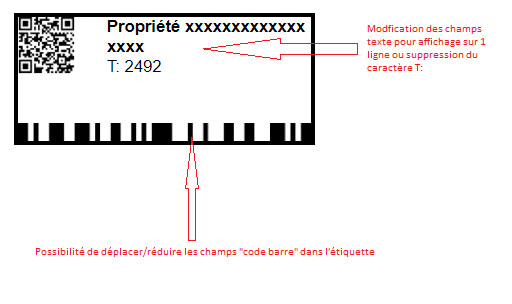
I'll hop into that as well. We would like to have the data matrix / qr code to display our asset number instead of the URL to the asset. If that would be possible we would like to reduce the size to something like the attached picture. Problem is that now the code is not readable anymore. We have other tools which can create data matrix which are a lot smaller and still readable and also only include a number. 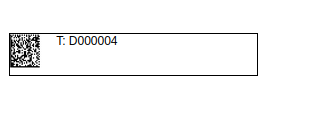

That’s not currently possible. The QR is always a link, the non-QR code stores the asset tag.
I second this. If we ever change the name of our snipeit local installation server/domain/hostname/countrycode, all printed assets (and we have around 2000 right now we are going to have to print soon) would need to be replaced.
I understand that the Barcode has only the AssetID, which is fine, but I would love to have the possibility for QR code to. Either just the /hardware/<asset_id> subpath or something we can specify in Label Settings

Dear @snipe
I am trying to custom label in snipeit as the picture below:
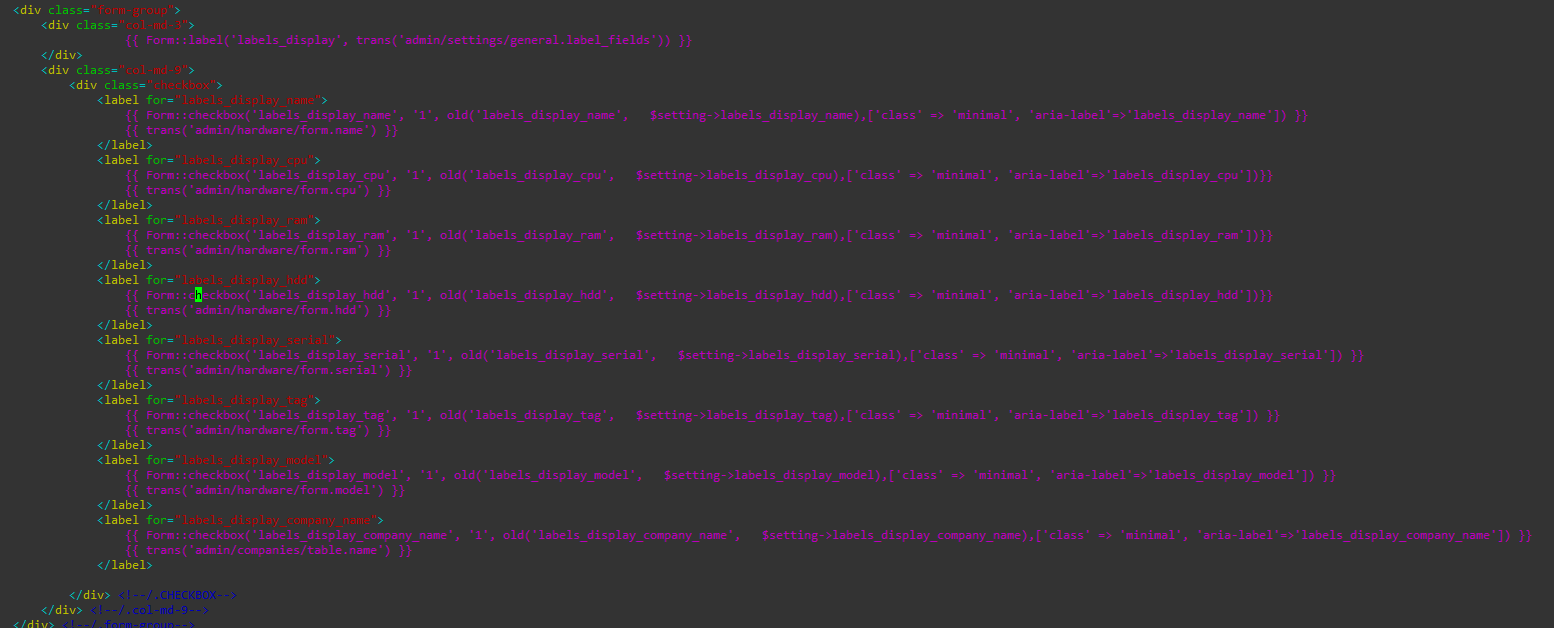
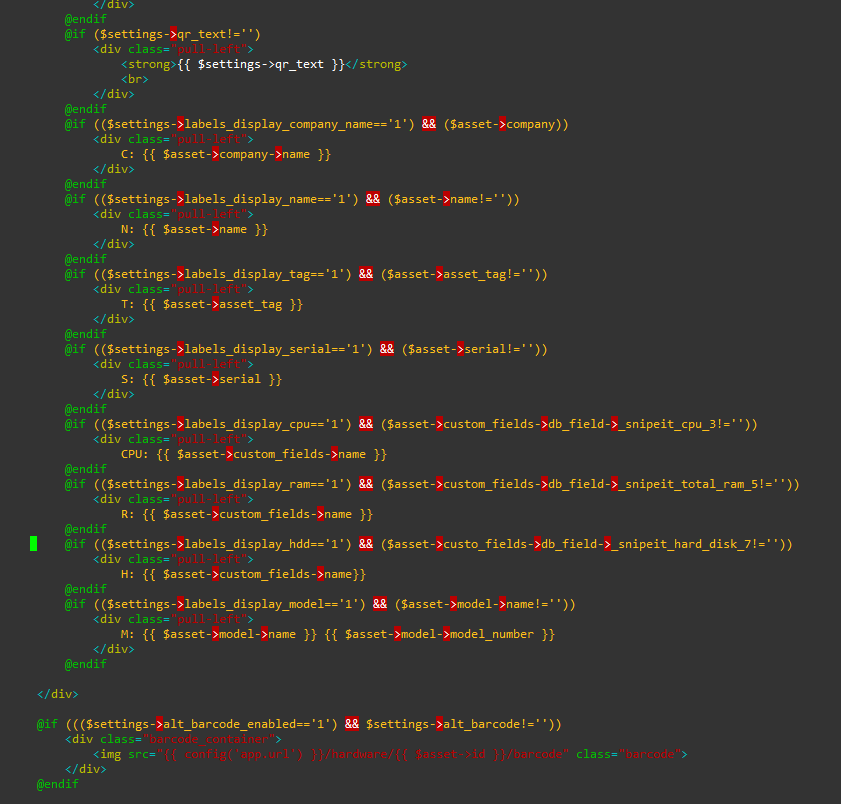
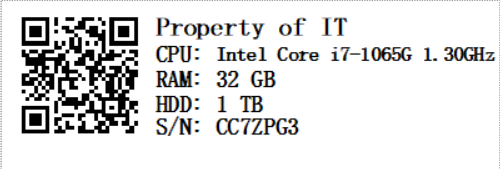 I am changing to location of snipe-it,
-
snipe-it/resource/view/hardware/labels.blade.php
-
snipe-it/resource/settings/labels.blade.php
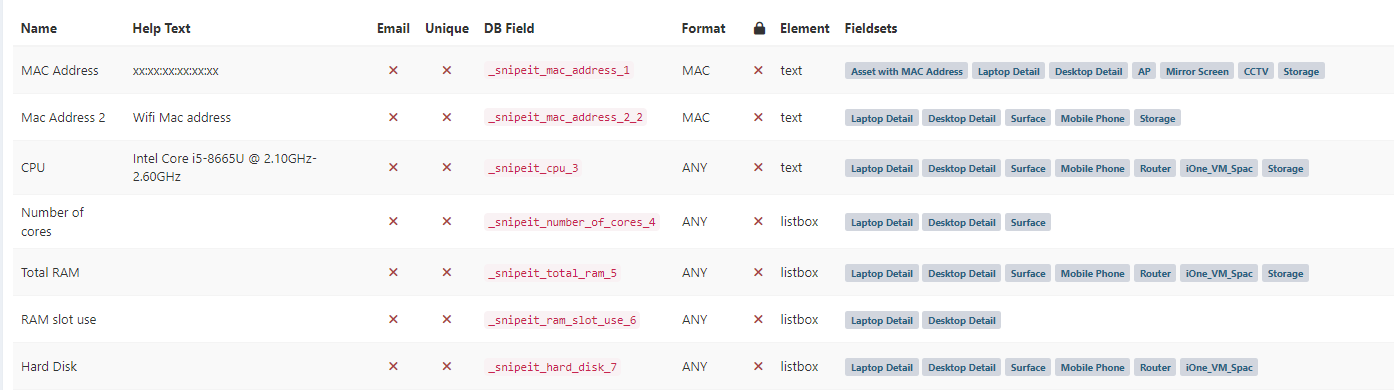
what i got from change is

and can't use it even i try to Tick it many time and it become unTick
