

 sindrets
[Feature] action to view current keybinds
There is quite a lot of mappings that are possible and, unfortunately, I have a terrible memory.
It could be nice to have an action that would show all the current keybinds for the current context (depending on whether we are in the view, file_panel, file_history_panel, etc). Something like actions.show_keymaps
Examples:
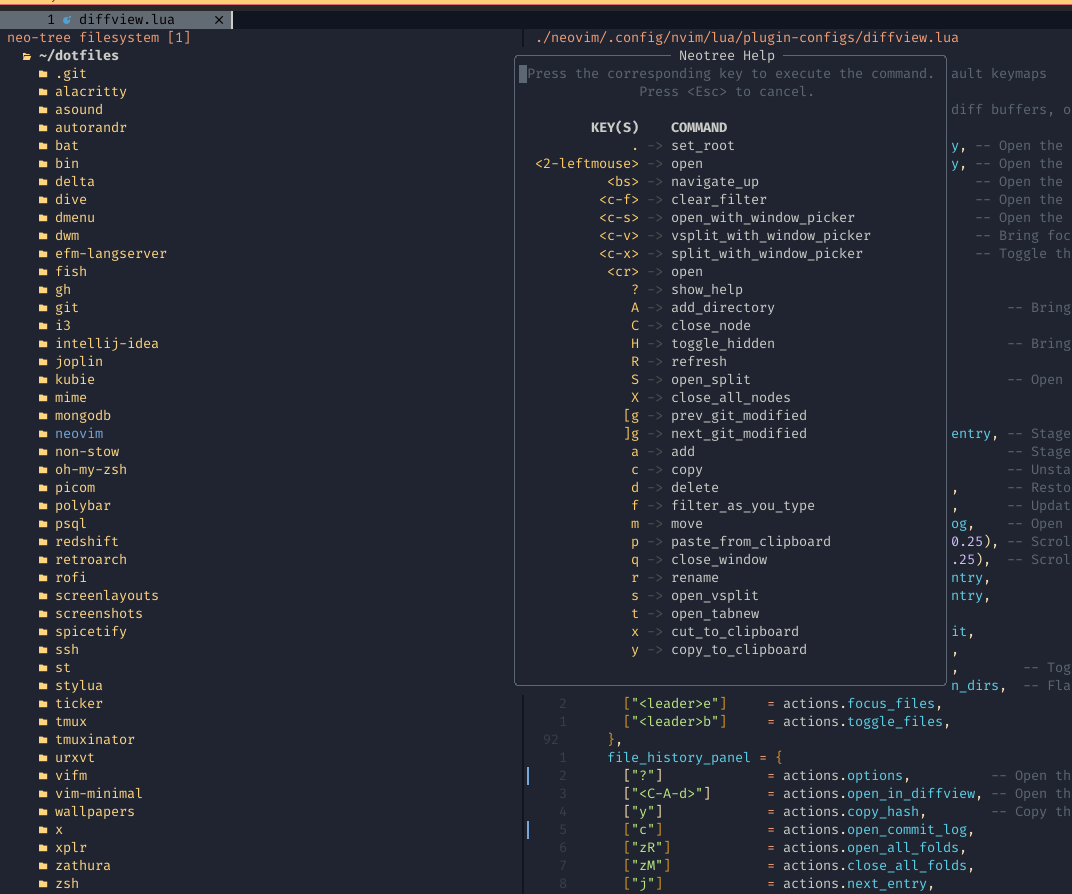
For example, with Neotree pressing ? will show
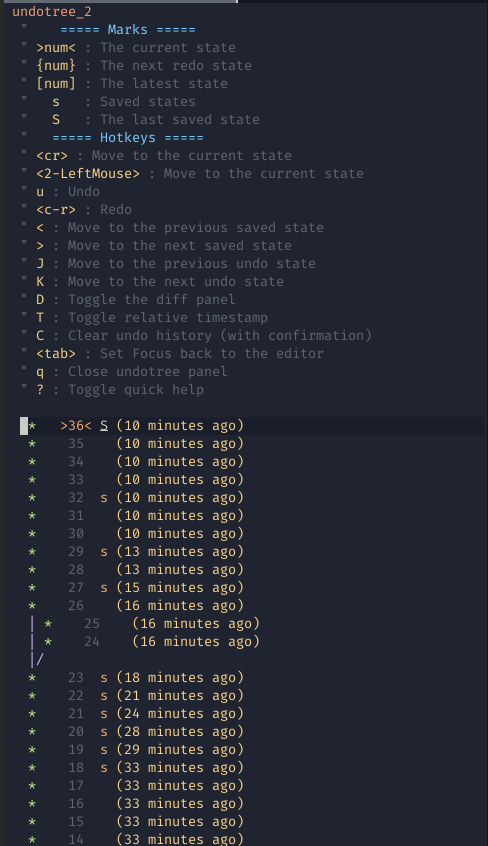
Or similar thing in Undotree:

@jemag An implementation with a floating window could possibly be nicer. But in the meantime you could add these mappings:
require('diffview').setup({
  keymaps = {
    file_panel = {
      ["?"] = "<Cmd>h diffview-maps-file-panel<CR>",
    },
    file_history_panel = {
      ["?"] = "<Cmd>h diffview-maps-file-history-panel<CR>",
    },
  }
})
Although, I noticed that the documentation for the mappings is outdated, and it's missing some of the new keymaps.
I don't think I'm gonna find time to work on this anytime soon, so if you're willing to contribute a PR - either updating the documentation, or implementing a custom help popup - I would greatly appreciate it.
