simonbengtsson
[Bug?] Text in didDrawPage is not anti-aliased
I'm not entirely sure how to describe it, but the text I add in page footer using didDrawPage is drawn without or with different kind of anti-aliasing than all other texts inside or outside table. For comparison it's like if you select diferent type of a-a for font in Photoshop
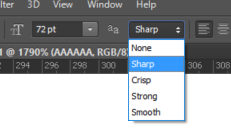
The footer font looks more sharp and fat, here's an example of this behavior:
In Chrome with different zoom level (click on images, otherwise it is hard to see)
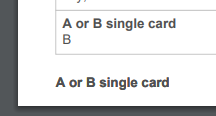
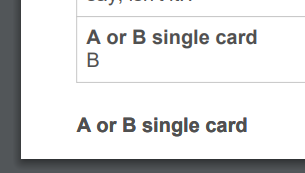
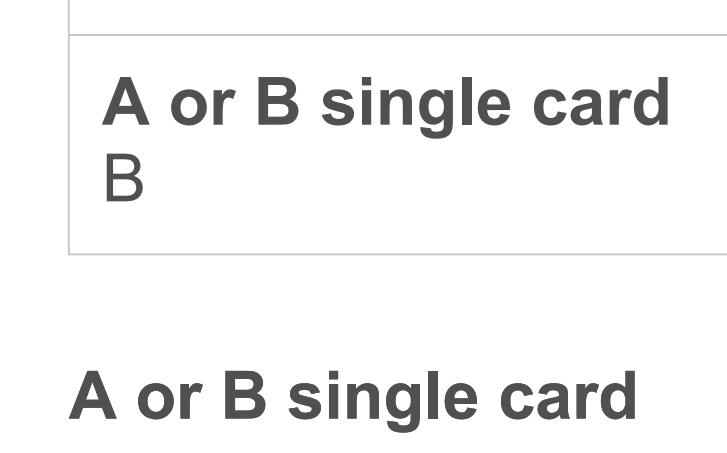 In Edge
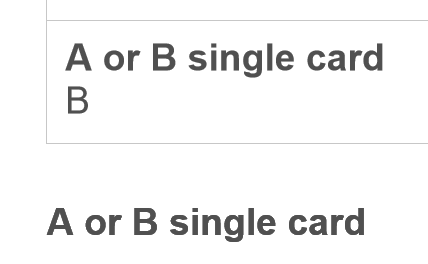
Both texts were printed using the same font set
          doc.setFontSize(10);
          doc.setTextColor(80);
          doc.setFont('helvetica');
          doc.setFontStyle('bold');
          doc.text('A or B single card', x, y);
The only text that have this issue is inside didDrawPage the text manually added inside didDrawCell or outside autotable looks fine.
I couldn't find anything about font anti-aliasing or sharpness in jsPdf, any ideas?
Additional example: the bottom one is from didDrawPage, the one above it is outside of autotable, and the one in the cell is inside didDrawCell
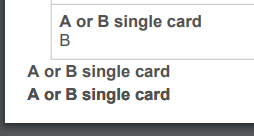

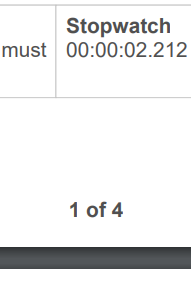
I decided not to use didDrawPage and instead use basic approach for JsPdf
    const totalPages = doc.internal.getNumberOfPages();
    for (let j = 1; j < totalPages + 1; j++) {
      doc.setPage(j);

      doc.setFontSize(10);
      doc.setTextColor(80);
      doc.setFont('helvetica');
      doc.setFontStyle('bold');

      const str = j + ' of ' + totalPages;
      const horizontalPos = this.pageWidth / 2;
      doc.text(str, horizontalPos, this.pageHeight - 5, { align: 'center' });
    }


    doc.save(`${reportInformation.title}.pdf`);
And this way there is no issue with anti-aliasing