

 sibowler
Support for legacy brewpi
Is there support for those of us still using Legacy BrewPi (Due to being on a RasPi2 instead of a RasPi 3)? I'm hoping there once was and it was committed-over, but could be recalled and I could checkout a legacy branch.


To confirm, you're checked out on the 'legacy' branches of "brewpi-script" and "brewpi-web" on a RasPi2? Are you on the most recent version of "brewpi-brewometer"?
If so, would you be willing to send me a tar of your /home/brewpi and /var/www ? I was unable to get it to work when I tried to set it up earlier.
Here's a link to the thread on the brewpi forum where I detailed my installation. I am using a RPi3, so you'll need to get your Bluetooth working before you can integrate the Tilt. I didn't add my Tilt steps to my installation doc, but I just followed the guide here. One way to test the Tilt bluetooth connection is to download and run the TiltPi image from here.
Sorry, to better clarify, I have a running BrewPi legacy setup already on a RasPi2. Which is why I have to use to 'legacy' branches of "brewpi-web" and "brewpi-script". I can successfully run the test utility too to read the temperature/gravity from the Tilt, so bluetooth connectivity is working. It's specifically when I add the brewpi-script and brewpi-web files, I get an unusable web interface.
Specifically, when I copy over the new "brewpi.py" and "brewpiJson.py", I get the following stderr message when attempting to start the "brewpi.py" script:
 May 10 2018 13:29:06   Connecting to controller...
Traceback (most recent call last):
  File "/home/brewpi/brewpi.py", line 344, in <module>
    hwVersion = brewpiVersion.getVersionFromSerial(bg_ser)
  File "/home/brewpi/brewpiVersion.py", line 27, in getVersionFromSerial
    oldTimeOut = ser.timeout
AttributeError: BackGroundSerial instance has no attribute 'timeout'
If I only copy over the "brewpiJson.py" file, then "brewpi.py" will start, but I'm unable to get it to communicate with the web interface (I get the "Cannot receive LCD text from Python script" error message) with the following in stderr:
 May 10 2018 13:33:16   Found BrewPi v0.2.10 build unknown, running on an Arduino Uno with a revC shield on port /dev/ttyACM0

Traceback (most recent call last):
  File "/home/brewpi/brewpi.py", line 759, in <module>
    brewpiJson.addRow(localJsonFileName, newRow)
  File "/home/brewpi/brewpiJson.py", line 114, in addRow
    if row['Log1Temp'] is None:
KeyError: 'Log1Temp'
On the note of the new web files, if I move the new "beer-panel.php" in, my panel in the web interface disappears and the Chrome console gives me this error:
beer-chart.js:485 Uncaught TypeError: Cannot read property 'localeCompare' of undefined at updateVisibility (beer-chart.js:485) at Object.success (beer-chart.js:432) at j (jquery-1.11.0.min.js:2) at Object.fireWith [as resolveWith] (jquery-1.11.0.min.js:2) at x (jquery-1.11.0.min.js:4) at XMLHttpRequest.b (jquery-1.11.0.min.js:4)
The files "previous_beers.php", "js/beer-chart.js", and "css/tiltHydrometer.css" can be placed without any issues, it seems.
When I update to the new "css/style.css", it replaces my beer panel with an out of place text version (see screenshot). Also, "js/beer-chart.js" throws the following console error in Chrome:
Uncaught TypeError: Cannot read property 'text' of undefined at showChartLegend (beer-chart.js:374) at highlightCallback (beer-chart.js:508) at Dygraph.mouseMove_ (dygraph-combined.js:2386) at HTMLCanvasElement.mouseMoveHandler_ (dygraph-combined.js:1893)
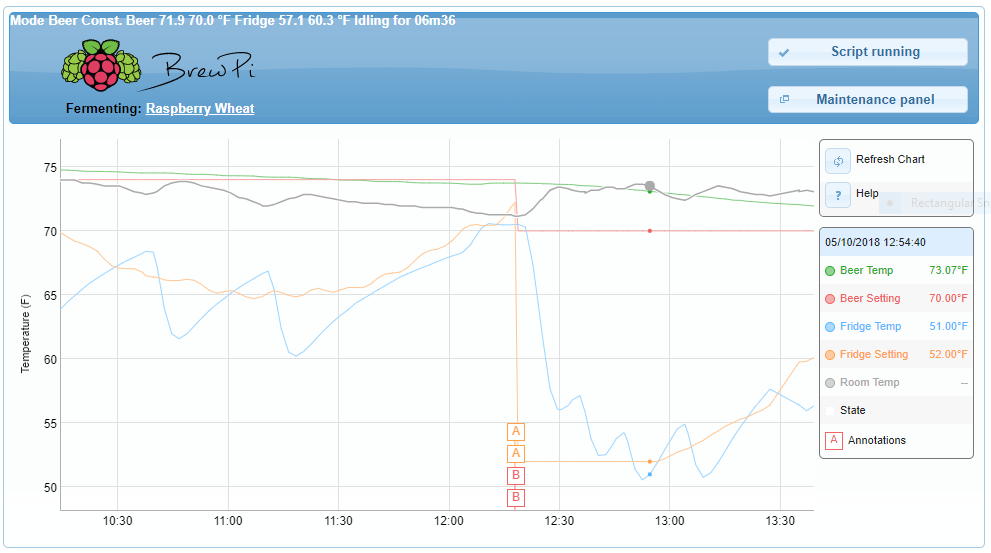
Oh, my bad... My RPi is shut down right now, but I'll fire it up this weekend and try to get you some files. I pulled sibowler's repo prior to the latest update so I might have what you're looking for.
Just following up to see if you had a minute to tar up your /home/brewpi and /var/www
I tar’ed up the files I downloaded here. It’s a .tgz but I had to change it or .zip to get it to upload here. Let me know how this goes. I’ve made some custom modifications to my brew pi, so I’m not sure if my exact files would help.
If by Legacy, you mean the Arduino fork (in addition to RPi 2), then I'd recommend jumping onto the thread at: Brewpi Forums: Brewometer. There are a lot of posts on there about getting the mod setup on the Arduino fork.
If this is just about Raspberry Pi 2 vs 3, then this is not legacy brewpi. The script and mod should work on Raspberry Pi 2 and 3. I know this because I'm running it on a Raspberry Pi 2.

Yes, I do mean Arduino. Thank you for the correction.
Using what rlvehorn provided, I was able to get a working copy running. (Had to restart my brew and lost the previous 5 days of logging, through)
Would you be interested in a .zip of the files to add as an 'arduino' branch others could simply checkout?
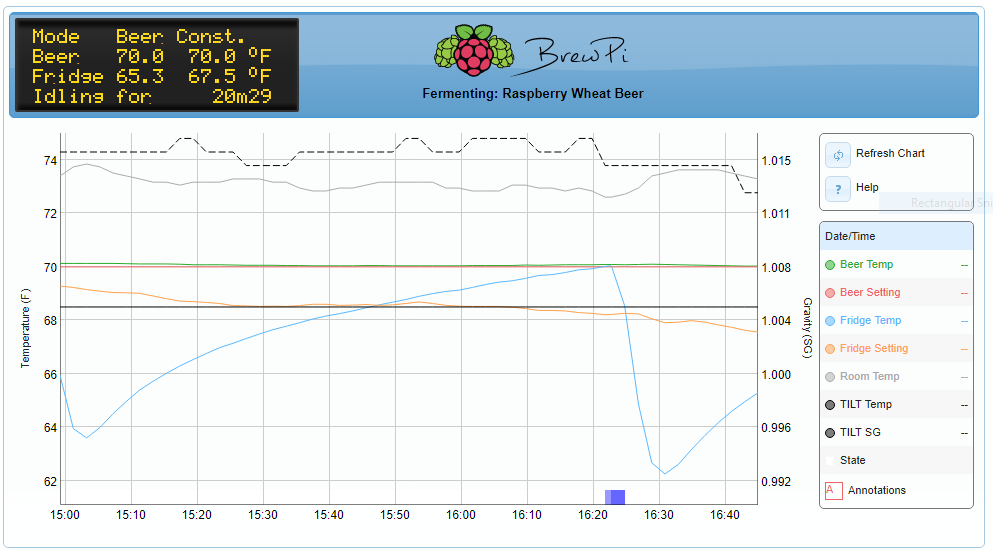
I’d be interested in that .ZIP file. I’m new to this and just ordered a Tilt. Running legacy BrewPi with Arduino but break it when I try to modify for Tilt integration. I was able to show the Tilt devices on the log but now the BrewPi script is stopped and won’t restart.

@brian402 I'm away from home and unable to zip the necessary files, but check out https://github.com/thorrak/fermentrack which was going to be my backup solution.
Thanks! I will try it when I get home next week.
Brian
On Jul 13, 2018, at 10:24 AM, goose-ws <[email protected]mailto:[email protected]> wrote:
@brian402https://github.com/brian402 I'm away from home and unable to zip the necessary files, but check out https://github.com/thorrak/fermentrack which was going to be my backup solution.
— You are receiving this because you were mentioned. Reply to this email directly, view it on GitHubhttps://github.com/sibowler/brewpi-brewometer/issues/9#issuecomment-404848717, or mute the threadhttps://github.com/notifications/unsubscribe-auth/AOQ9SUaWSgbGXS2pfRjFgUEUtfbC32d1ks5uGK24gaJpZM4T6AIX.