

 shroudedcode
8bitdo Support
I've attempted to use the demo with my 8bitdo wireless controller. It doesn't appear to recognize the connection. The button labels don't change when connected, nor do they respond to input from the gamepad. I've tried this on bluetooth and USB using Windows 10, Chrome.
I hate to open an issue for something basic, but I do see input working with the controller using this: https://html5gamepad.com/
Looking at your code, it uses most of the same stuff.


I'm not sure what that unknown controller in slot #1 might be. I unplugged all of peripherals and it's still there. This is an ASUS ROG Laptop though, it has some of those macro keys and what not built in. I suspect that might be the issue if your demo code is defaulting to the first indexed controller. On 3/17/2019 11:53:14 PM, Niklas Higi [email protected] wrote: Could you send me a screenshot of the gamepad info on html5gamepad.com [https://html5gamepad.com/]? — You are receiving this because you authored the thread. Reply to this email directly, view it on GitHub [https://github.com/shroudedcode/contro/issues/10#issuecomment-473673069], or mute the thread [https://github.com/notifications/unsubscribe-auth/ABE7JzL_PfDSKFcm4BkjblYO1s7JYMjoks5vXlbagaJpZM4b4T-I].
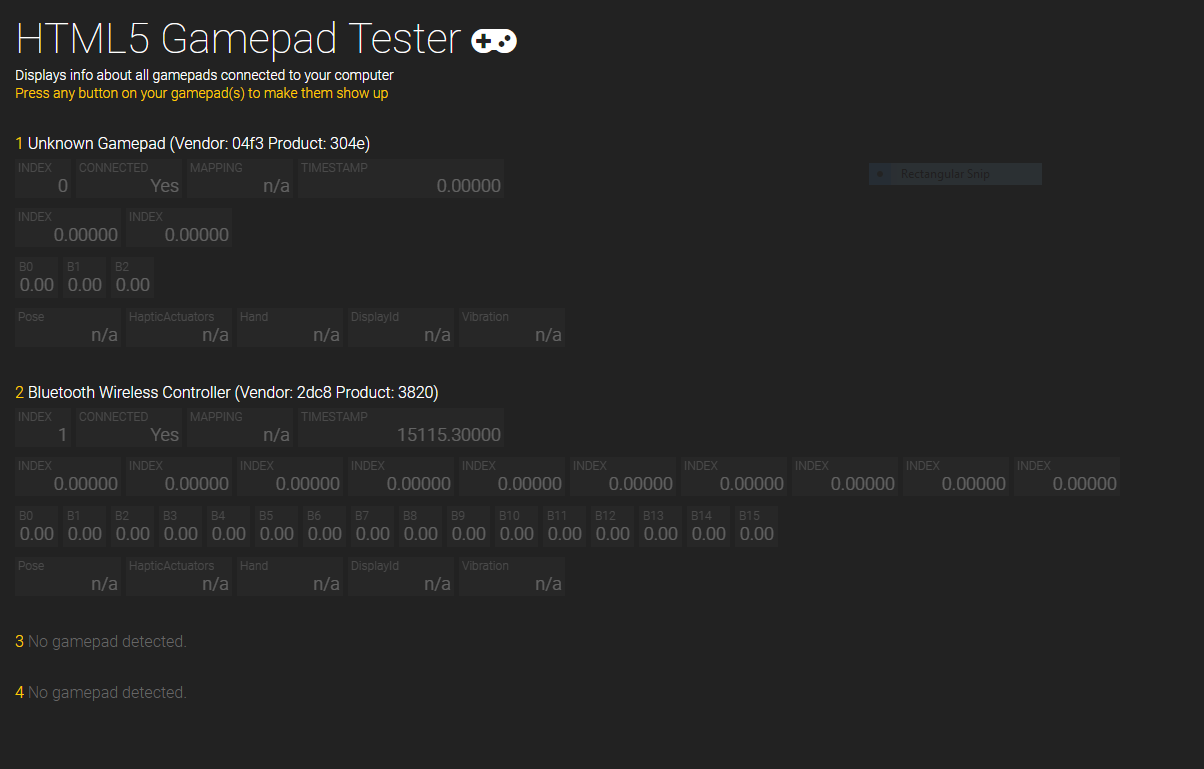
Thanks! I know what the issue is now: Your gamepad does not use the standard mapping.
This is what a gamepad using the standard mapping looks like:
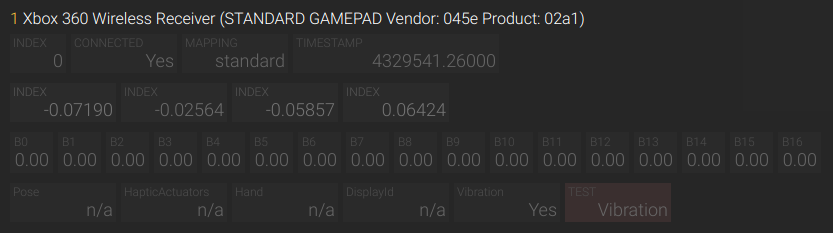
When I've developed Contro I decided to only support these kinds of gamepads because implementing support for gamepads with different layouts would've made the API more complicated (I also just don't own any other gamepad).
In hindsight this doesn't seem like the smartest decision but I'm also not sure what an API that supports multiple button and axis layouts would look like and don't have the time to work on that at the moment. Let me know if you have any ideas though.
I'll have to research this a bit more. I was just trying to write a browser game, so I was going to have to tackle this issue either way. I ran across your library and liked that it solved the dual issue of keyboard and gamepad input.
I'll put in a PR if I come up with something. I suspect the simplest solution is just accepting a controller mapping from the developer that translates the input. A standard UI to create custom mapping would probably be more suited to a separate library to keep the purpose of this one 'pure'.