

 shlomif
Cardsets - Info and Options
These days i play around with new and bigger cardsets for high resolution screens.
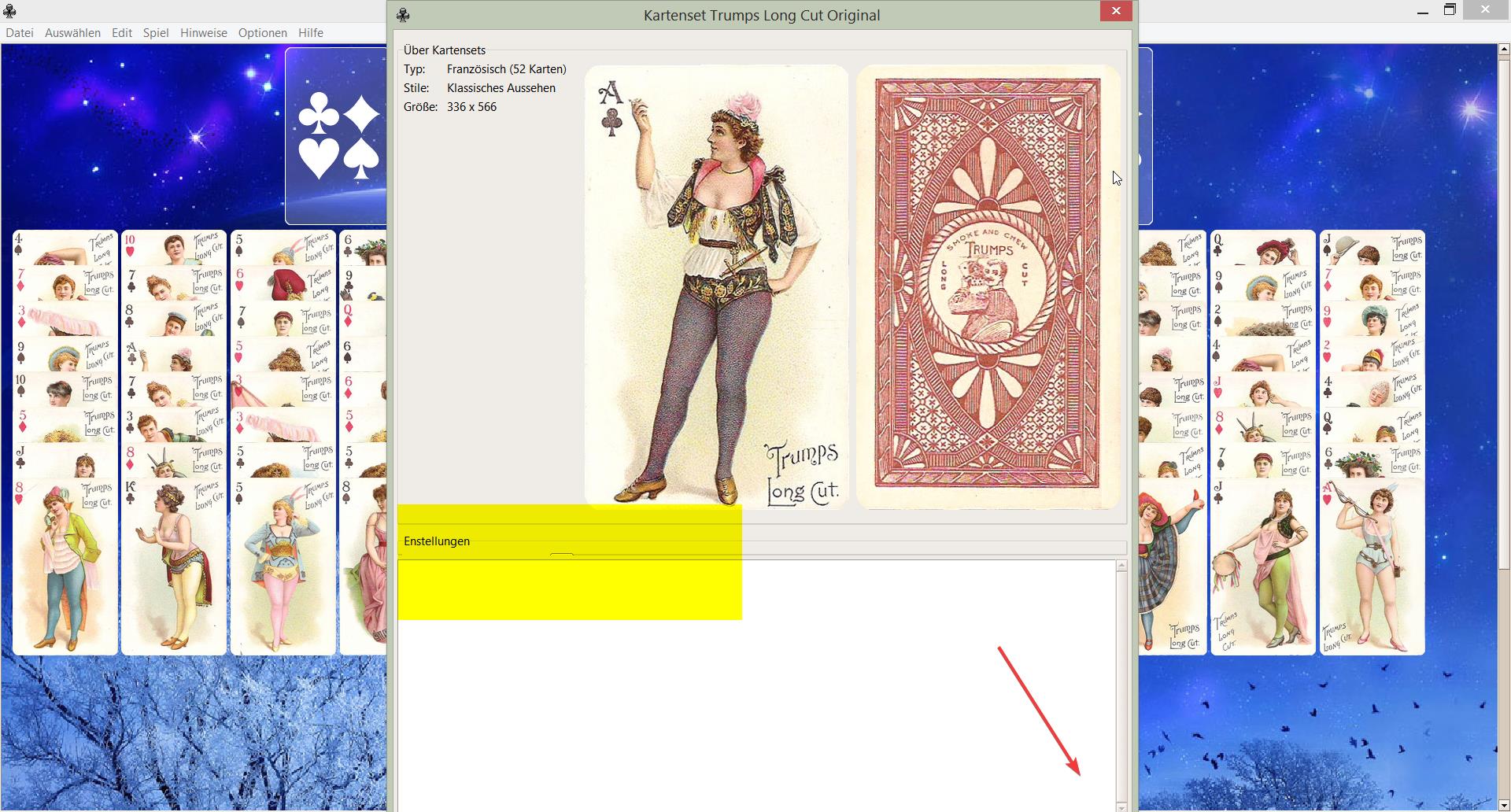
Resizing of these sets for standard screens works very good. But there also some issues. It seems you resize the offset of the cards too. On the following screenshot i had to set the values manually to 110 pixels for good play.
Maybe you ask "manually"? This is the next issue. The slider for the option accepts only values upto forty. If it is even visible.
This leads to the next issue. Because of the preview of the playing card, the save button could get out of reach.
Suggestions: Make the preview of the playing card smaller. A quarter of the screenheight should be enough. Increase the values for the sliders. Or even better, let them accept percent of card height.
with kind regards and carry on with your good work

Hi @cardset ! Sorry for the late reply. Your suggestions sound good. Patches / pull-reqs are welcome I guess.

For a quick solution, please increase the values in line 495 and line 505 from 40 up to 100
like that: from_=5, to=100, resolution=1,
and line 517 height=8
https://github.com/shlomif/PySolFC/blob/master/pysollib/tile/selectcardset.py
Another issue in the same file:
Options/Cardset/Info+Settings
Try to close window with "x"
gives
Exception in Tkinter callback
Traceback (most recent call last):
File "C:\PYTHON34\lib\tkinter_init_.py", line 1538, in call
File "C:\projects\pysolfc\pysollib\tile\tkwidget.py", line 223, in
Did some more tests. I don't think that this is the way it should be.
Test: Info/Settings Move Sliders Click "Save"
next turn: Info/Settings --> the old values
It saves the values when i click Ok in the cardset menu,
but
Test: Info/Settings Move Sliders Click "Save"
Change cardset Click okay to choose cardset for play --> the second cardset gets the changed values of the first one