

 shanalikhan
ignored extensions not working
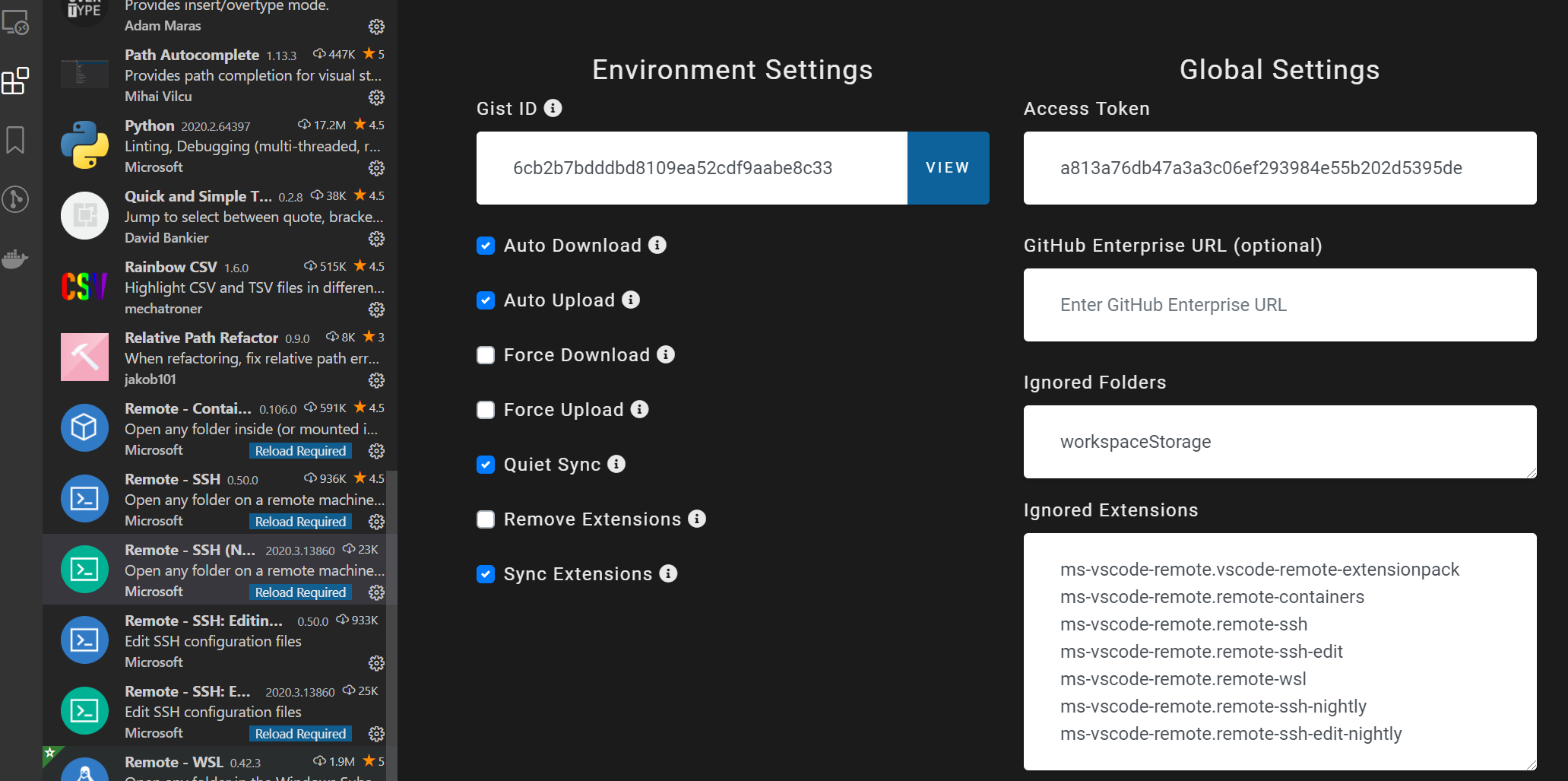
Extensions are still getting installed, even when they are ignored, which causes severe problems on a remote server, where standard and insider versions of an extension clash with each other.
Version: 1.43.0 (user setup)
Commit: 78a4c91400152c0f27ba4d363eb56d2835f9903a
Date: 2020-03-09T19:47:57.235Z
Electron: 7.1.11
Chrome: 78.0.3904.130
Node.js: 12.8.1
V8: 7.8.279.23-electron.0
OS: Windows_NT x64 10.0.18363
Settings Sync: 3.4.3
📰 To Reproduce on computer 1) use standard VSCode and install Remote development extensions also use VSCode insiders and install Remote development (insider) extensions
ms-vscode-remote.vscode-remote-extensionpack
ms-vscode-remote.remote-containers
ms-vscode-remote.remote-ssh
ms-vscode-remote.remote-ssh-edit
ms-vscode-remote.remote-wsl
ms-vscode-remote.remote-ssh-nightly
ms-vscode-remote.remote-ssh-edit-nightly
put them in the ignore in both vscode and vscode insiders
The screenshot above is from the standard VSCode on computer 1
on computer 2) use standard VSCode without remote development extensions
This screenshot is from standard VSCode on computer 2
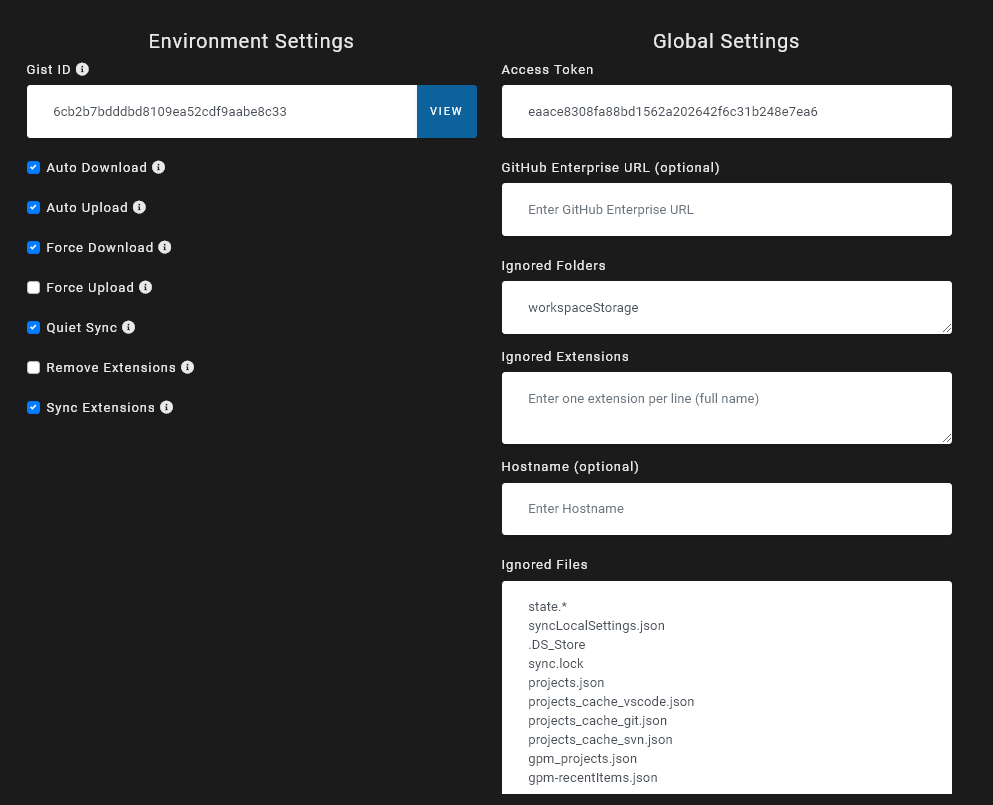 I am not sure why the ignored extensions field is empty.


@boazhoch Due to corona, I had to start using a different setup and I did not have to use two different sets of extensions, so I can't tell you the current status.