

 serverless-nextjs
AWS CloudFront distribution S3 bucket access configuration
I'm deploying a AWS Cloudfront distribution with the serverless-api-cloudfront plugin.
This distribution has a S3 origin configured which works as expected.
Configuration:
plugins:
- serverless-api-cloudfront

mywebapp:
   component: "@sls-next/[email protected]"
   inputs:
      env:
         ...
      cloudfront:
         defaults: # options for lambda that handle SSR
            ...
         origins:
            - url: https://...
              S3OriginConfig:
                  OriginAccessIdentity:
              pathPatterns:
                  secure/exports/*:
                    minTTL: 10
                    maxTTL: 10
                    defaultTTL: 10
                    forward:
                      cookies: "none"
                      queryString: true
    ...
My problem is that When my distribution is deployed, the S3 bucket access configuration of my S3 origin is always set to "Yes use OAI (bucket can restrict access to only CloudFront)" and I would like it to be "Don't use OAI (bucket must allow public access)".
Any idea on how to configure this
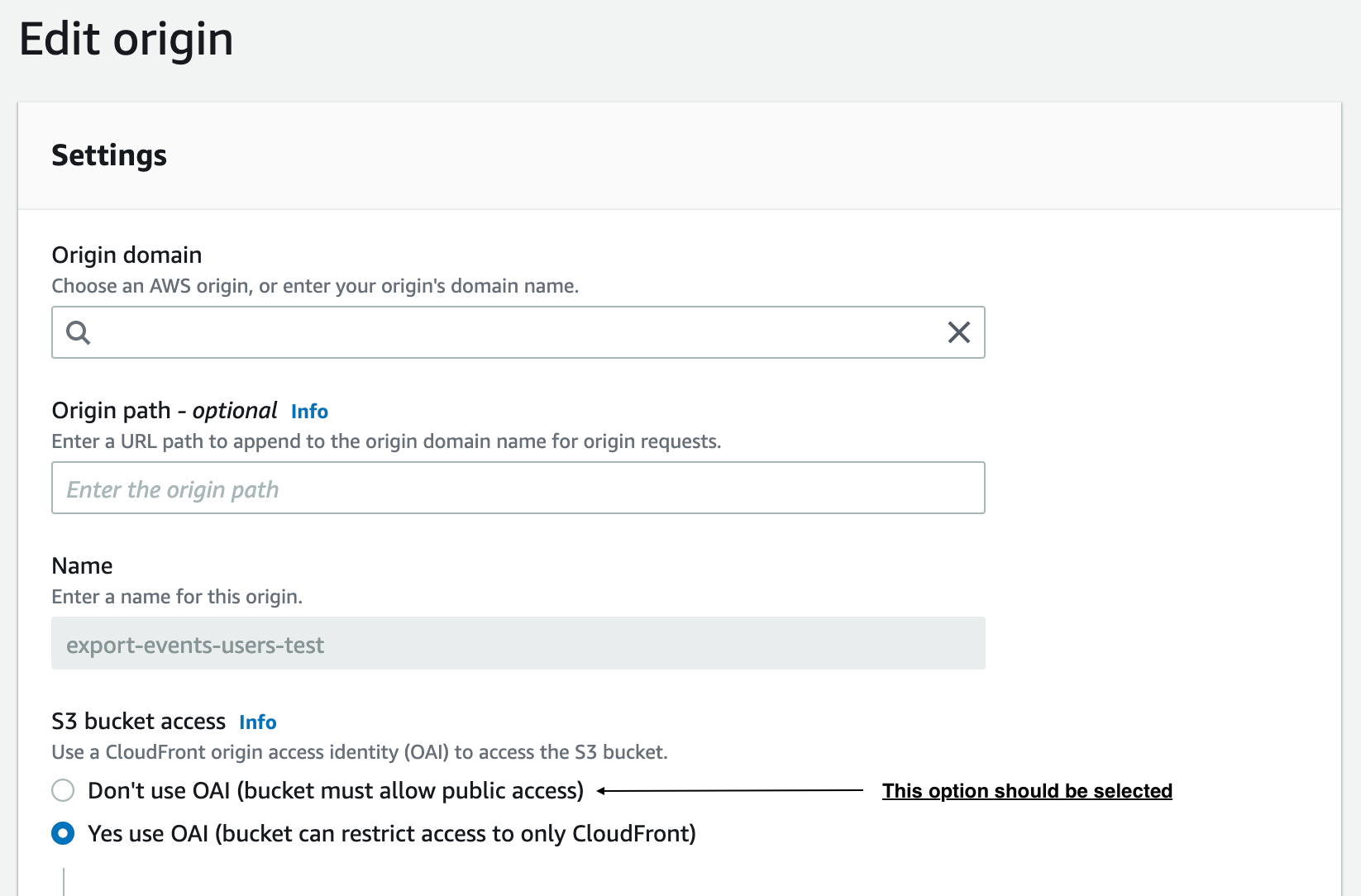 ?
?

@miguelduque Instead of OriginAccessIdentity try using originAccessIdentityId.

It didn't work
I tried with multiple values:
originAccessIdentityId:
originAccessIdentityId: ""
originAccessIdentityId: null