

 sczhou
Thanks for the Project
First of all thank you for the research and sharing your work.
While the project is really cool,I have some feature request. Previous networks both Gfpgan and Gpen is supporting background enhancement with "tiles processing"(so the gpu's doesn't go out of memory).
I liked the face enhancement model but the background enhancement is lacking for the whole images. Is this something we shall expect to be implemented in the future for a robust full image enhancement solution? It is very important both for final image quality and true comparison between projects.
I am hoping there will be an update about this for the repo in future releases.

Also about --upsample_num_times parameter can it be possible to detect an avarage face size so it can be automated? For example if there is only 1 face in the image and the face size detected = 256 x 256 if it needs to fit the models proportion which I assume 512, it automatically set the parameter to 2. So 512 x 512 gets processed.
If more than 1 face is in the picture it can be handled per face size to get the multiplier or as a second method taking an avarage size of the total count of faces X "multiplier" may simply work in most situations. Second method can fail in cases like somebody is taking a selfie who is close to the camera and people in the background shall be far away and their faces can be really small.
Just a theory...
If this is for the face detection ignore my suggestion.There is a problem with the face detection which was mentioned before it fails on detecting faces where as gpen and gfpgan is working fine.Maybe switching to another face detector shall be better.I have seen high cpu usage and 26 gb ram usage(not vram) on trying to detect face on a single image and it errored out and it was the first image.Expected behaviour is if an error happens while detecting skip and try the next image.

Hi @FlowDownTheRiver, thanks for your good suggestions!
- Yes, this project will include an image enhancement model for the background enhancement in future releases, it's actually our main plan. Since our paper is under review now, the current repo is just supporting a simple demo. More relevant models would be released later.
- I noticed the issue of face detection, thus I'd switch it to a new detection method, such as that in GFP-GAN. I will update it soon. Thanks!

Thank you very much. I hope it all goes well. Will be waiting for the improvements.
Hi @FlowDownTheRiver, I updated the face detector, for now our repo supports 4 detection networks, including:
- large models: 'YOLOv5l' 'retinaface_resnet50'
- small models: 'YOLOv5n' 'retinaface_mobile0.25'
We set 'YOLOv5l' by default, it seems better than 'retinaface_resnet50' in my testing, welcome to have a try!
@sczhou Thank you very much for the time you have spent on implementing new models,I have checked yolo,didn't have time to test retina face yet but I will test both for sure,and maybe the smaller models as well. The network is working pretty fast now. The only thing is missing is the background enhancement with tiles option for enhancement part.
I have a few more questions if you don't mind. Shall we expect 1024,2048 pretrained models in the future?
Also about face inpainting completion model,is it possible for the end user to paint anything over the face(maps,colors or some kind of degradation like pixelation) and see that it gets completed or is it just working on predefined masks? Is it going to be possible to complete faces in place? "Paste back" feature like in face enhancement models to use it on full canvas images,or is it going to be supporting aligned faces only?
I was able to test yolo and retina face. In my tests I found retina gave me most consistent results.Especially when the faces roll to left or right yolo detection fails. I mean retina is capable of what yolo does and some extra. Besides I have tested the mobile detections they run really fast but they fail a lot which affects the final result because of the facial landmarks mismatch. Overall I liked how you gave the end user power to try different models.
Codeformer Direct Input and Output.zip
@sczhou As an appreciation and a python beginner,I have made an alternative inference which is directly outputing final result without any extras with bat files for the end users and added realesrgan 4x model. I am not very familiar with pull requests and this may not be worth it but I just wanted to share.Hoping that you add it to main repo.
Hi @FlowDownTheRiver, I updated the face detector, for now our repo supports 4 detection networks, including:
- large models: 'YOLOv5l' 'retinaface_resnet50'
- small models: 'YOLOv5n' 'retinaface_mobile0.25'
We set 'YOLOv5l' by default, it seems better than 'retinaface_resnet50' in my testing, welcome to have a try!
You may not be aware but a group of us are using this tool to enhance diffusion model artworks, diffusion models are not currently always great at creating faces and the retinaface_resnet50 model fairly consistently does detect faces, whereas YOLOv5l does not in this use case. Based on your comment that you believe that YOLOv5l is better, I would request and massively appreciate it if you can keep the 'retinaface_resnet50' model as an option for future versions.
Thank you again for your hard work, it's allowing us to improve our AI generated artwork as well as restoring old memories.
An example - https://i.imgur.com/ZfG0FIp.png

Hi @FlowDownTheRiver, I updated the face detector, for now our repo supports 4 detection networks, including:
- large models: 'YOLOv5l' 'retinaface_resnet50'
- small models: 'YOLOv5n' 'retinaface_mobile0.25'
We set 'YOLOv5l' by default, it seems better than 'retinaface_resnet50' in my testing, welcome to have a try!
You may not be aware but a group of us are using this tool to enhance diffusion model artworks, diffusion models are not currently always great at creating faces and the retinaface_resnet50 model fairly consistently does detect faces, whereas YOLOv5l does not in this use case. based on your comment that you believe that YOLOv5l is better, I would request and massively appreciate it if you can keep this model as an option for future versions.
Thank you again for your hard work, it's allowing us to improve our AI generated artwork as well as restoring old memories.
An example - https://i.imgur.com/ZfG0FIp.png
That image looks interesting. I'm curious as to what you used besides codeformer as the released code for this project only works on faces however it seems that you've changed a lot of other things as well. Care to share what you've done?

Hi @FlowDownTheRiver, I updated the face detector, for now our repo supports 4 detection networks, including:
- large models: 'YOLOv5l' 'retinaface_resnet50'
- small models: 'YOLOv5n' 'retinaface_mobile0.25'
We set 'YOLOv5l' by default, it seems better than 'retinaface_resnet50' in my testing, welcome to have a try!
You may not be aware but a group of us are using this tool to enhance diffusion model artworks, diffusion models are not currently always great at creating faces and the retinaface_resnet50 model fairly consistently does detect faces, whereas YOLOv5l does not in this use case. based on your comment that you believe that YOLOv5l is better, I would request and massively appreciate it if you can keep this model as an option for future versions. Thank you again for your hard work, it's allowing us to improve our AI generated artwork as well as restoring old memories. An example - https://i.imgur.com/ZfG0FIp.png
That image looks interesting. I'm curious as to what you used besides codeformer as the released code for this project only works on faces however it seems that you've changed a lot of other things as well. Care to share what you've done?
It's more automated than it may appear, MidJourney to start with, DALLE inpainting for the clothing change, CodeFormer for the face, and a ESRGAN upscale. It was all tied together with photoshop and some Adobe Raw adjustments for final finessing. Though I have moved to using Latent Diffusion Super Res for upscaling, it's much slower but the results are generally superior.
Hi @FlowDownTheRiver, I updated the face detector, for now our repo supports 4 detection networks, including:
- large models: 'YOLOv5l' 'retinaface_resnet50'
- small models: 'YOLOv5n' 'retinaface_mobile0.25'
We set 'YOLOv5l' by default, it seems better than 'retinaface_resnet50' in my testing, welcome to have a try!
You may not be aware but a group of us are using this tool to enhance diffusion model artworks, diffusion models are not currently always great at creating faces and the retinaface_resnet50 model fairly consistently does detect faces, whereas YOLOv5l does not in this use case. based on your comment that you believe that YOLOv5l is better, I would request and massively appreciate it if you can keep this model as an option for future versions. Thank you again for your hard work, it's allowing us to improve our AI generated artwork as well as restoring old memories. An example - https://i.imgur.com/ZfG0FIp.png
That image looks interesting. I'm curious as to what you used besides codeformer as the released code for this project only works on faces however it seems that you've changed a lot of other things as well. Care to share what you've done?
It's more automated than it may appear, MidJourney to start with, DALLE inpainting for the clothing change, CodeFormer for the face, and a ERSGAN upscale. It was all tied together with photoshop and some Adobe Raw adjustments for final finessing. Though I have moved to using Latent Diffusion Super Res for upscaling, it's much slower but the results are generally superior.
Wow that as all A.I. generated? Awesome! Dalle-2 inpainting, you just mask an image and said that she's wearing a yellow dress? That was the part that I didn't really understand. Very cool nevertheless.
Hi @FlowDownTheRiver, I updated the face detector, for now our repo supports 4 detection networks, including:
- large models: 'YOLOv5l' 'retinaface_resnet50'
- small models: 'YOLOv5n' 'retinaface_mobile0.25'
We set 'YOLOv5l' by default, it seems better than 'retinaface_resnet50' in my testing, welcome to have a try!
You may not be aware but a group of us are using this tool to enhance diffusion model artworks, diffusion models are not currently always great at creating faces and the retinaface_resnet50 model fairly consistently does detect faces, whereas YOLOv5l does not in this use case. based on your comment that you believe that YOLOv5l is better, I would request and massively appreciate it if you can keep this model as an option for future versions. Thank you again for your hard work, it's allowing us to improve our AI generated artwork as well as restoring old memories. An example - https://i.imgur.com/ZfG0FIp.png
That image looks interesting. I'm curious as to what you used besides codeformer as the released code for this project only works on faces however it seems that you've changed a lot of other things as well. Care to share what you've done?
It's more automated than it may appear, MidJourney to start with, DALLE inpainting for the clothing change, CodeFormer for the face, and a ERSGAN upscale. It was all tied together with photoshop and some Adobe Raw adjustments for final finessing. Though I have moved to using Latent Diffusion Super Res for upscaling, it's much slower but the results are generally superior.
Wow that as all A.I. generated? Awesome! Dalle-2 inpainting, you just mask an image and said that she's wearing a yellow dress? That was the part that I didn't really understand. Very cool nevertheless.
I even made a spelling mistake in the prompt lol - https://i.imgur.com/vtSLF6b.png
@caacoe My personel preference is retina face detector as well. Yolo is missing some faces with some yaw direction and in some cases if the face is large at the frame too.
@caacoe @FlowDownTheRiver That's awesome to use CodeFormer to enhance AI-created faces. Thanks for your feedback, I could change retina model as the default detection model, and will provide an argument option so that one can choose the face detection model that you like. Have fun!
Original Image
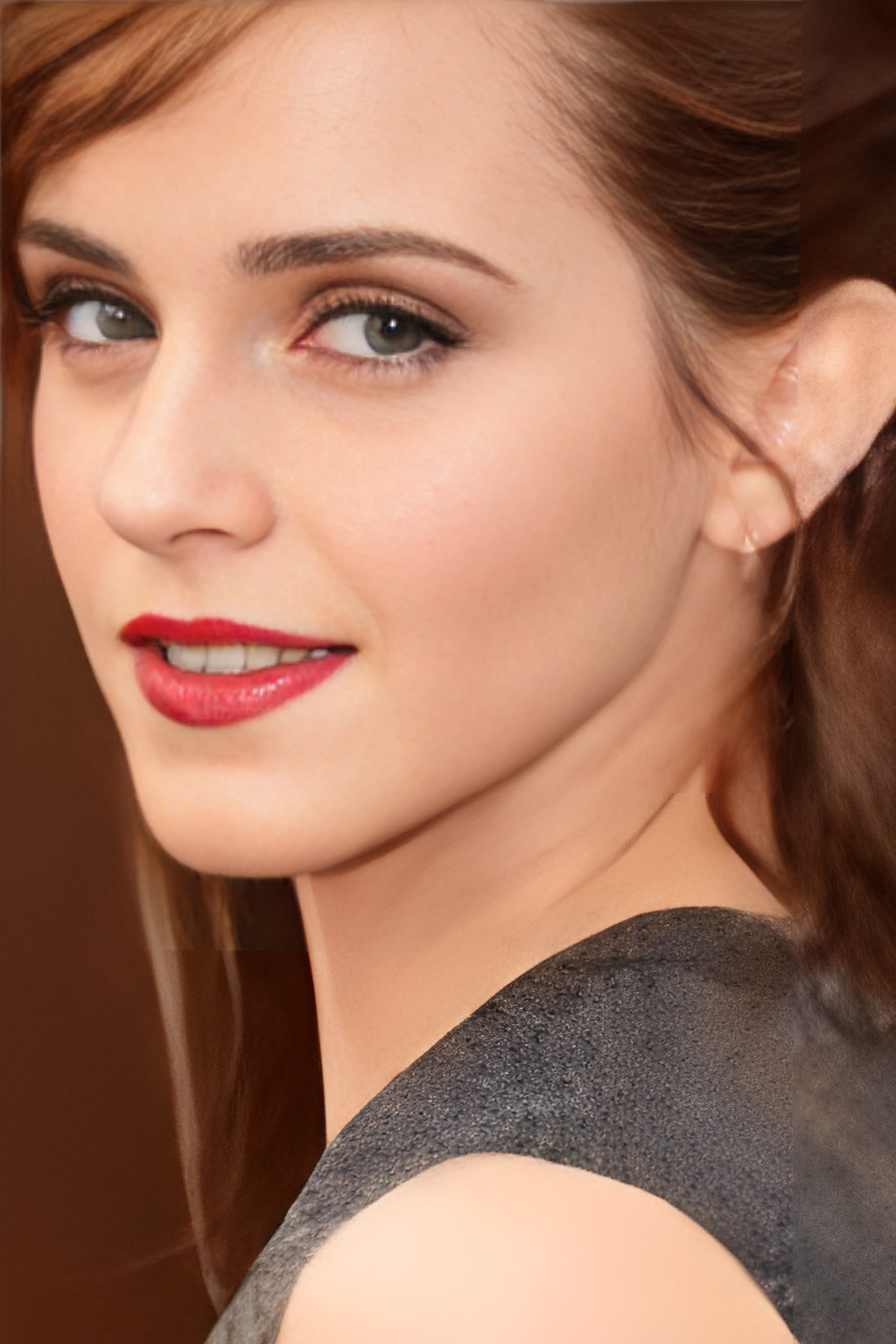
 Codeformer 2x with w=1
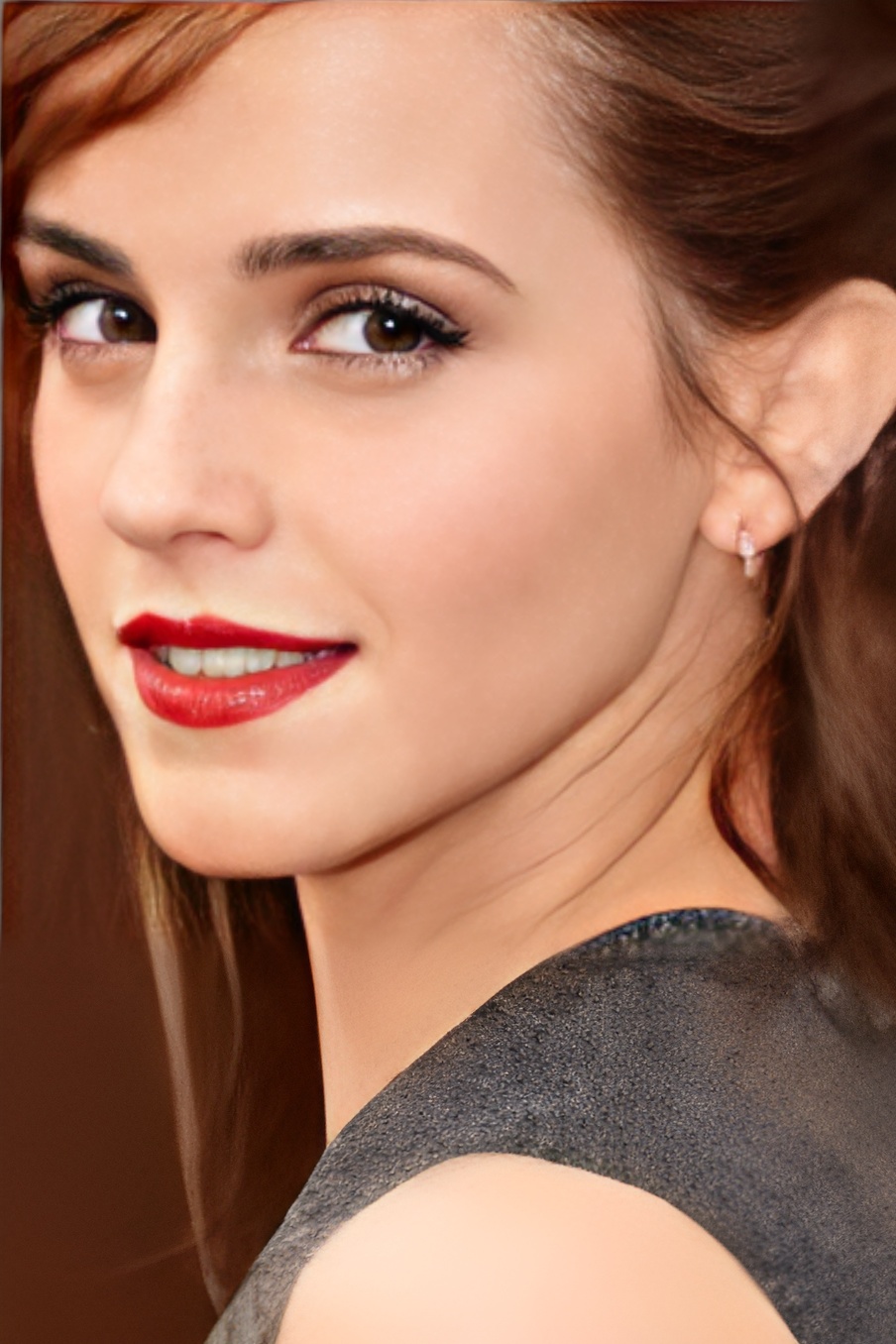
 Gfpgan 2x v2 model
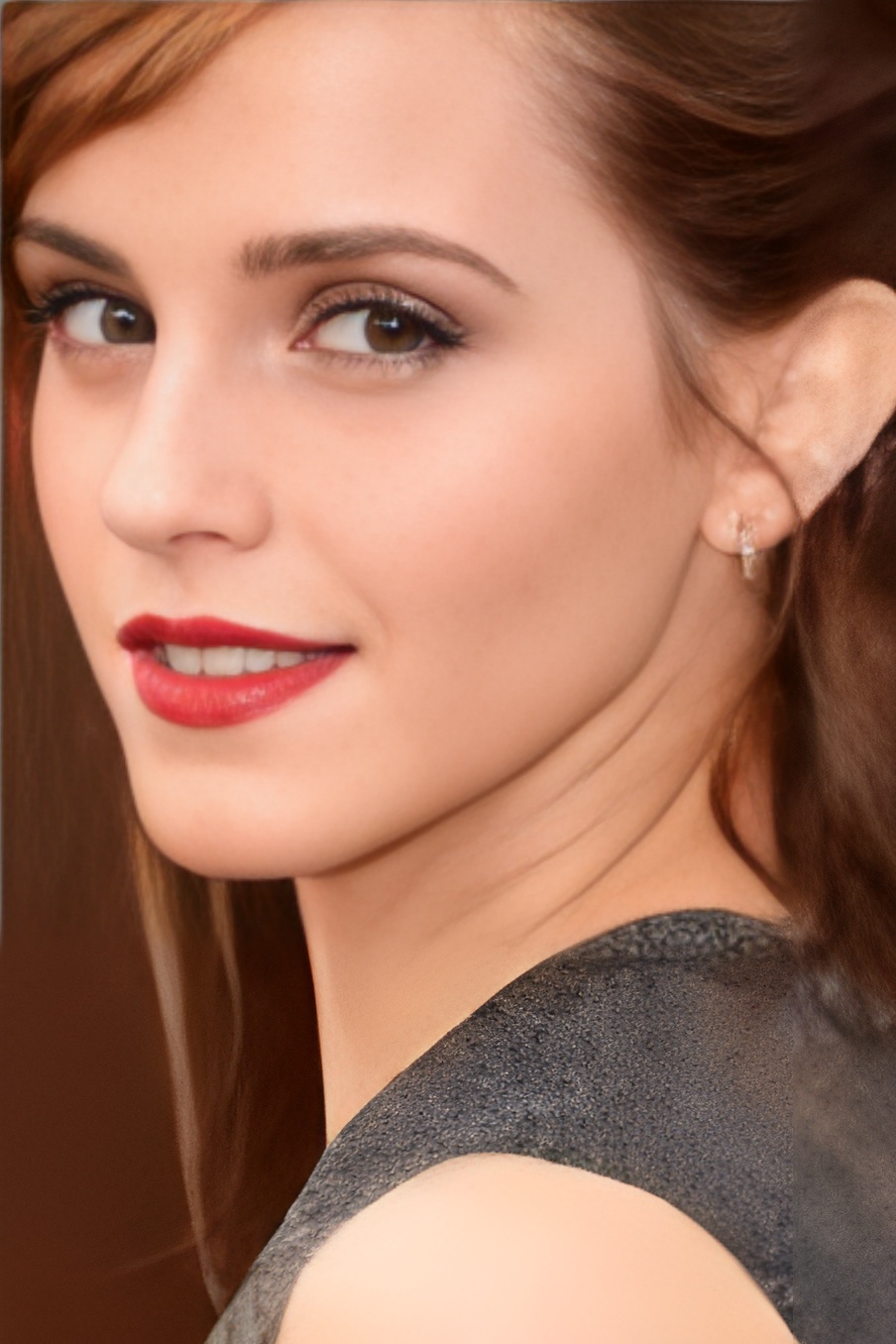
 Gfpgan 2x v3 model
 Gpen 2x 256 model
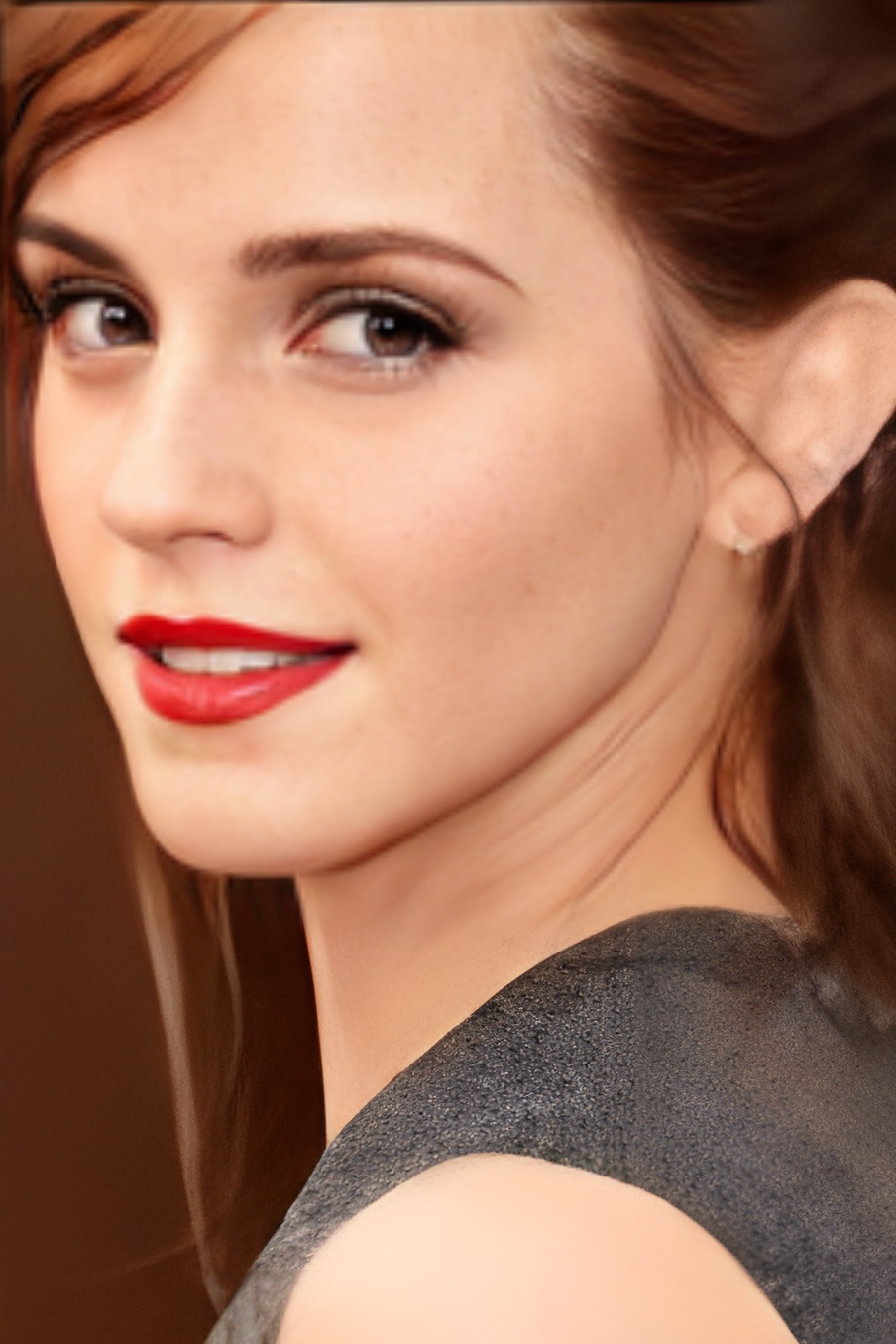 Gpen 2x 512 model
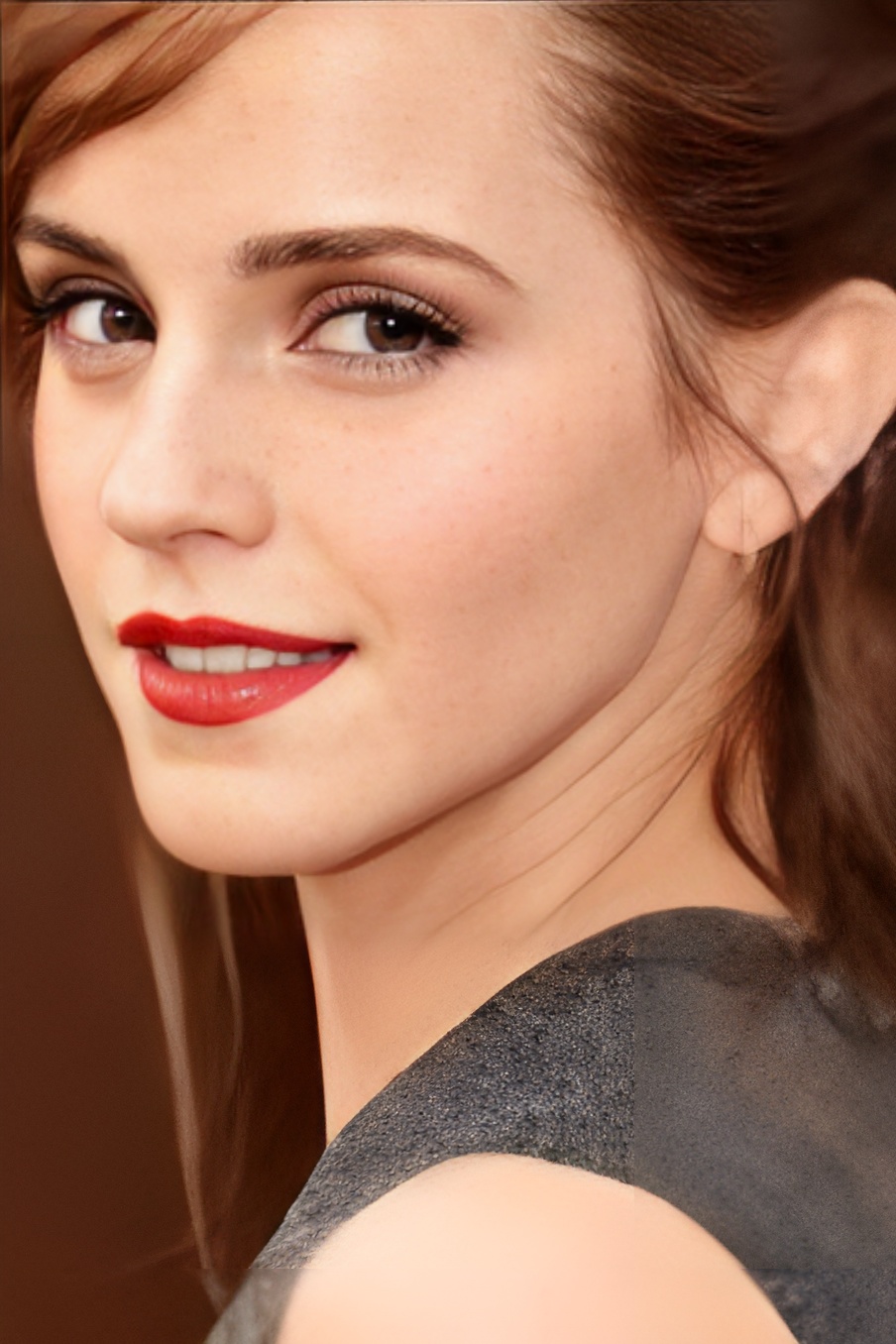
The reason I share the results of multiple networks is the background blending.In codeformer the bounding box lines are visible in most images while gfpgan and gpen is bluring out to hide the harsh transition between the face model and background enhancement model.
It was a similar case with gpen and I have pointed out to the develper and he changed and updated the code to fix the issue.
What was changed in gpen's inference py.
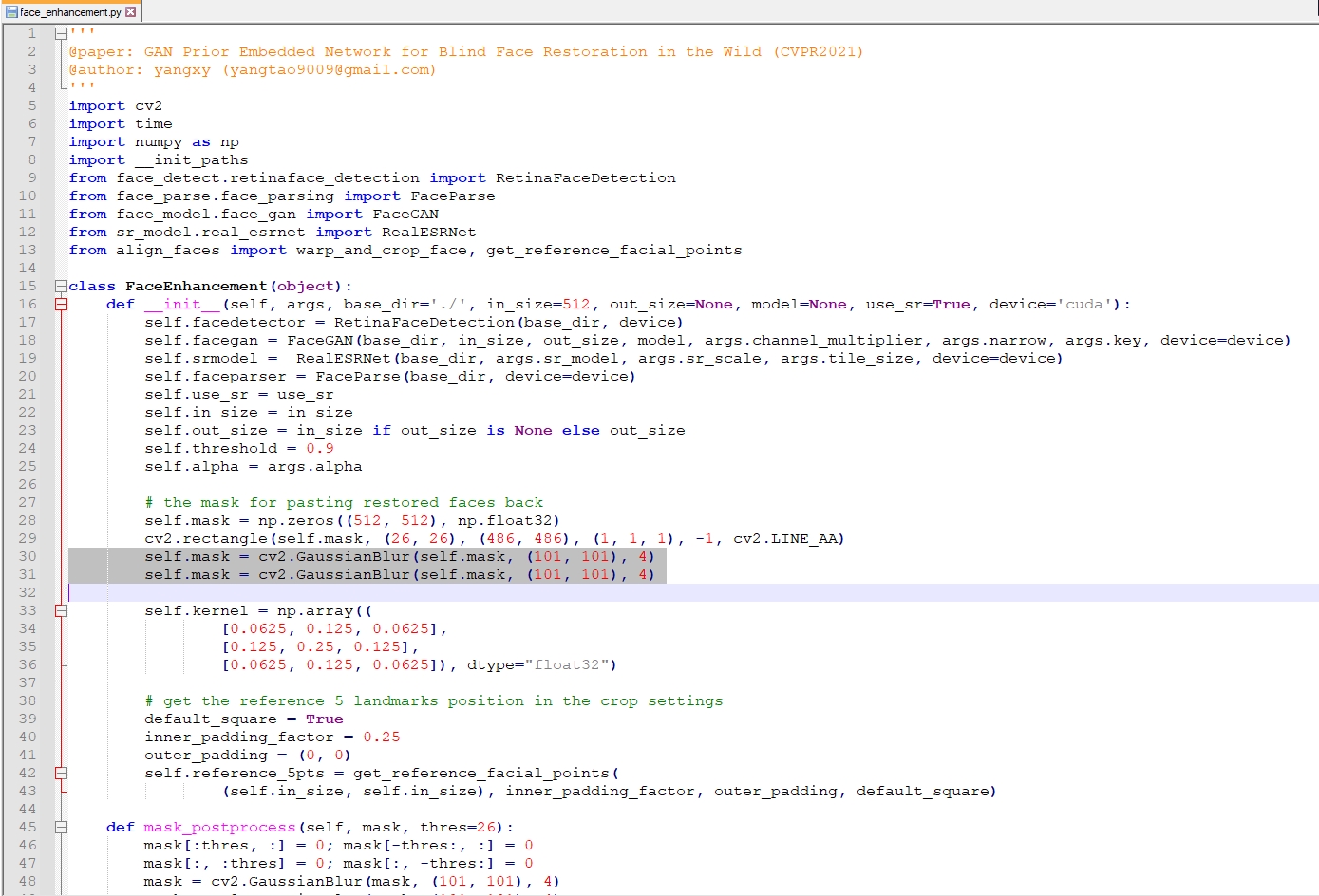
I tried to find similar entries in your face helper and I experimented with values but unfortunately I wasn't lucky this time.Even though I changed the values it was not getting rid of the bounding box traces.
Your face restoration helper.
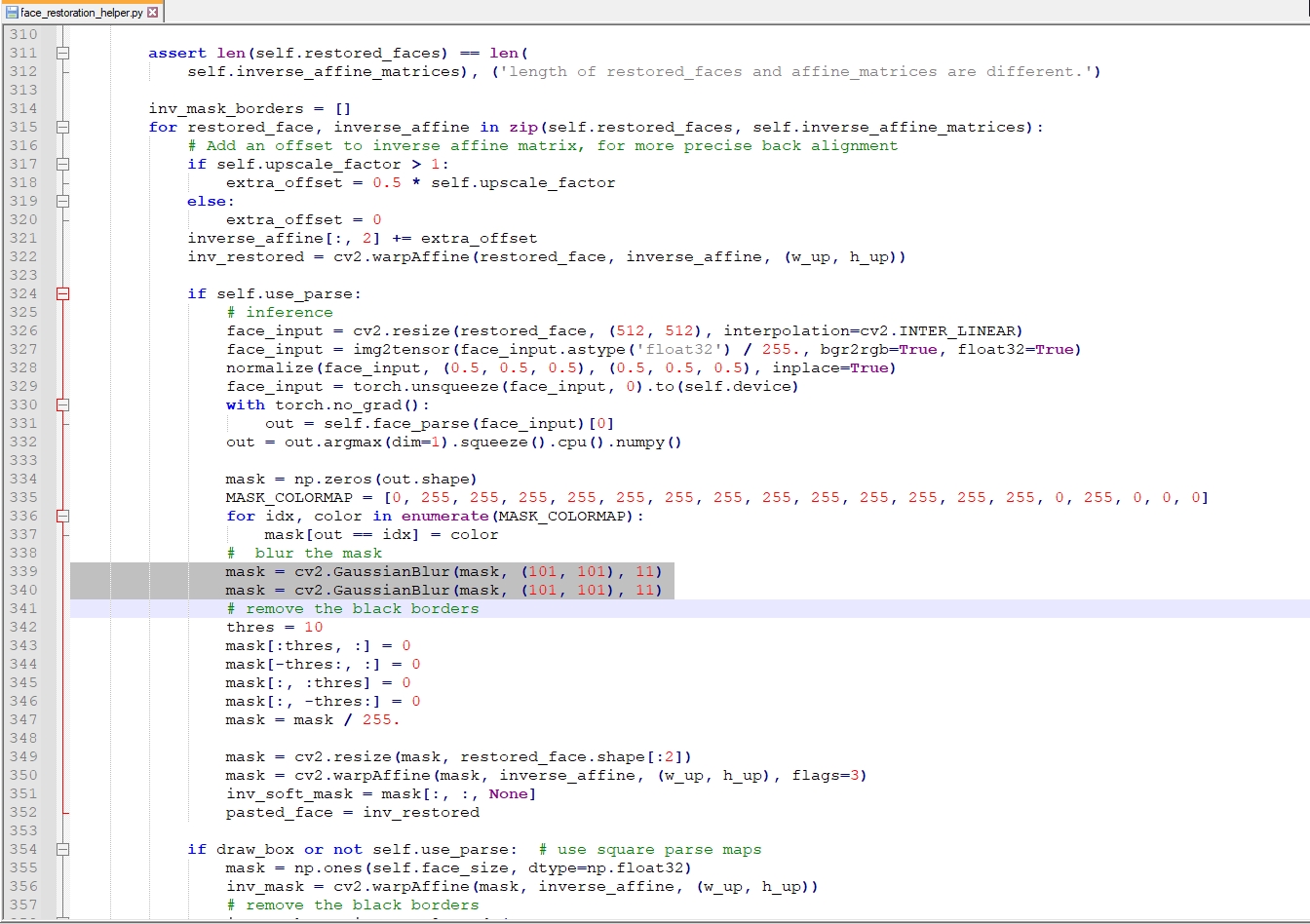
However changing the thres = 10 to thres = 1 gave me expanding the bounding box to a larger area. In my tests it was safe to use it in treshold value 1. Anyway I don't understand the complex code as a python beginner but if it is possible can you do something for smoothing out the trasition between the face and background image? @sczhou
@FlowDownTheRiver well noted, I could try to make it in these few days, but I can't make sure since I've been on another project recently.
@FlowDownTheRiver well noted, I could try to make it in these few days, but I can't make sure since I've been on another project recently.
Please take your time,no pressure. When you feel comfortable,you can look at the issue. I just wanted to point out this little annoying problem :) Edit : Note that while trying to figure out the issue,diffferent tile sizes can get rid of tile combining edges outside the face area.Some of the results here with gfpgan shows that as I didn't pay attention to tile size while producing the result.This info also may come handy.It is not related to the issue,but I thought you may just need to be aware of it while determining.
Hi @FlowDownTheRiver @caacoe, the repo has updated:
- Switch 'retinaface_resnet50' as the default face detection model.
- Fix the issue of bounding box lines in the face and background blending.
Please try it out again.
Hi @FlowDownTheRiver @caacoe, the repo has updated:
* Switch 'retinaface_resnet50' as the default face detection model.

* Fix the issue of bounding box lines in the face and background blending.
Please try it out again. I will today and report back.Thank you very much.
@sczhou I was able to try it.A great update and coding,it fixed the issue and doing a much better job. I can't thank you enough for implementing such changes in a very short amount of time.Totally loved it.
Addional thanks for taking the time for additional AI art enhancment, this is truly appreciated!