screwdriver-cd
Pipeline stages
What happened: Current Pipeline UI displays visualization of build workflow using a workflow graph. However this doesn't convey nature of the jobs in the workflow graph. For example, it's not obvious which jobs of the workflow graph is doing CI, and parts are doing CD.
For example a pipeline can perform the following actions CI -> Dev Deploy -> Stage Deploy -> Prod Deploy. With existing UI users have to name the jobs to convey what it's about, we need to capture and display this structurally
What you expected to happen:
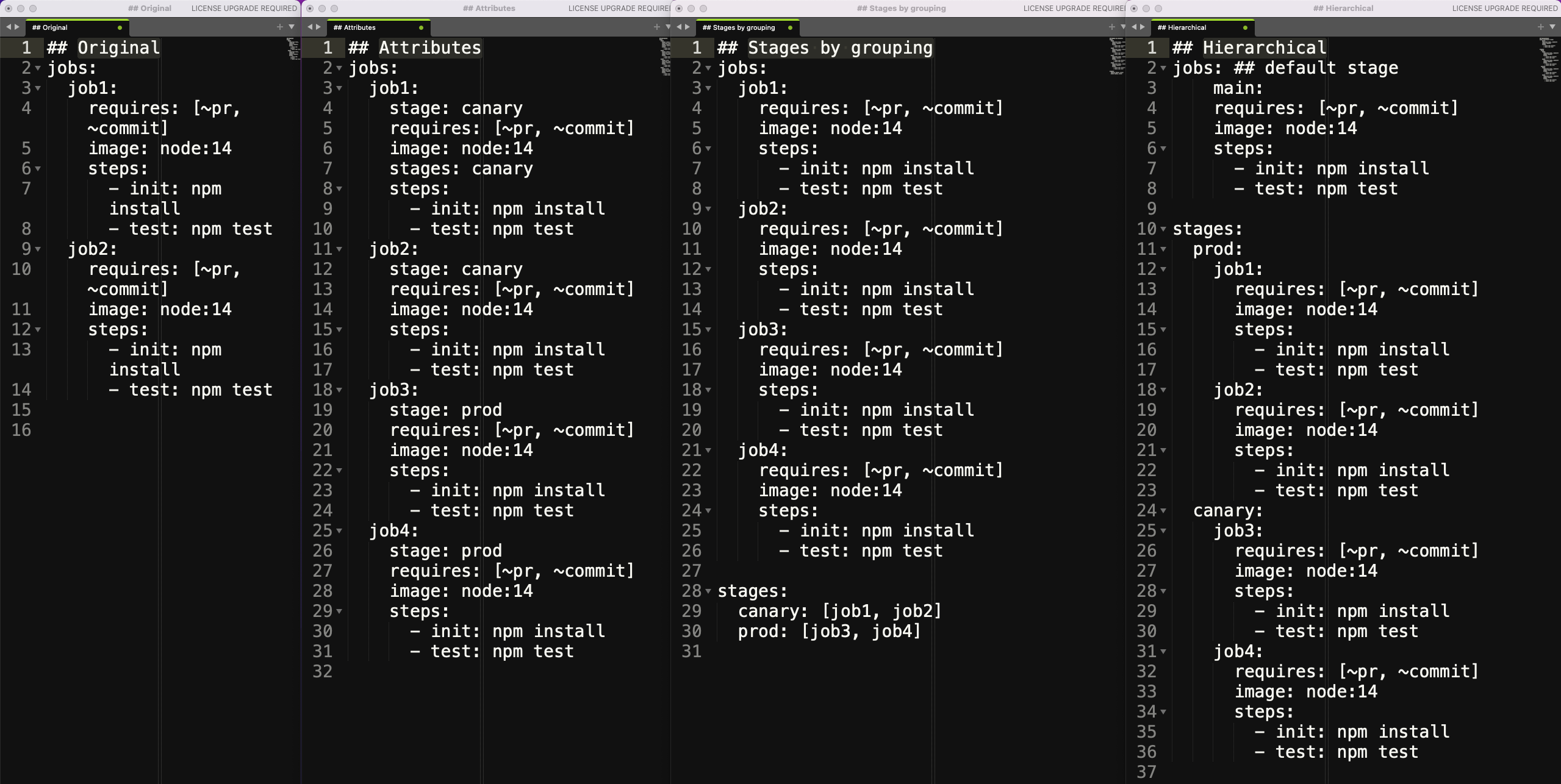
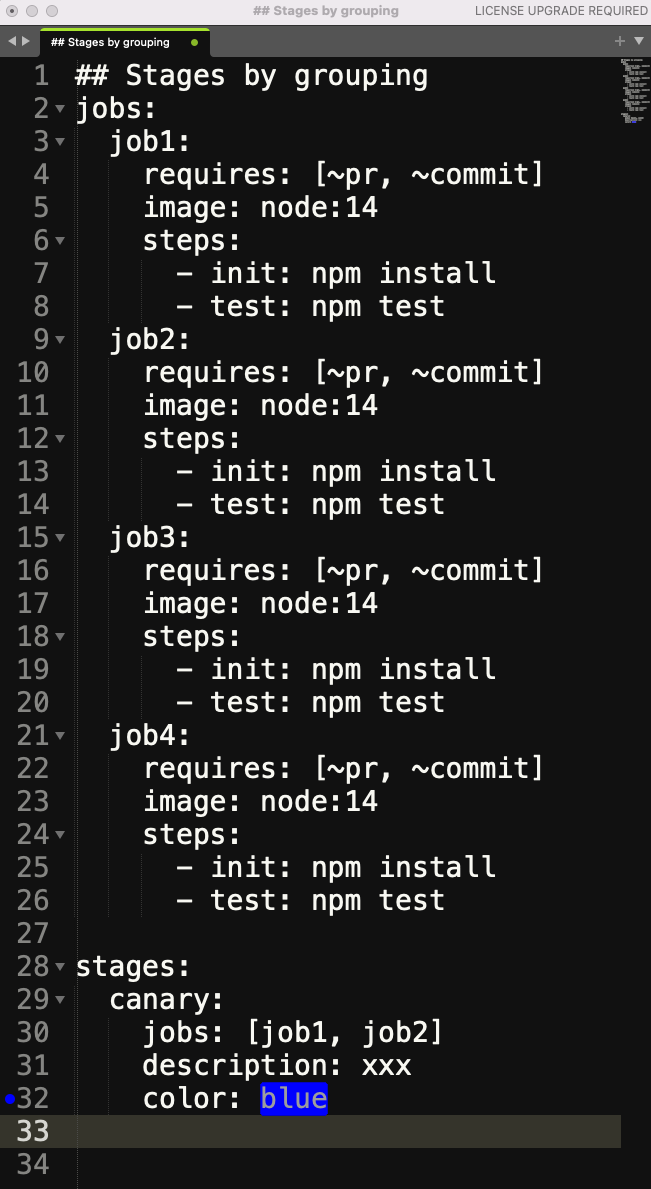
- Users should be able to define pipeline stages, and add a job to a stage. A job can belong to only one stage.
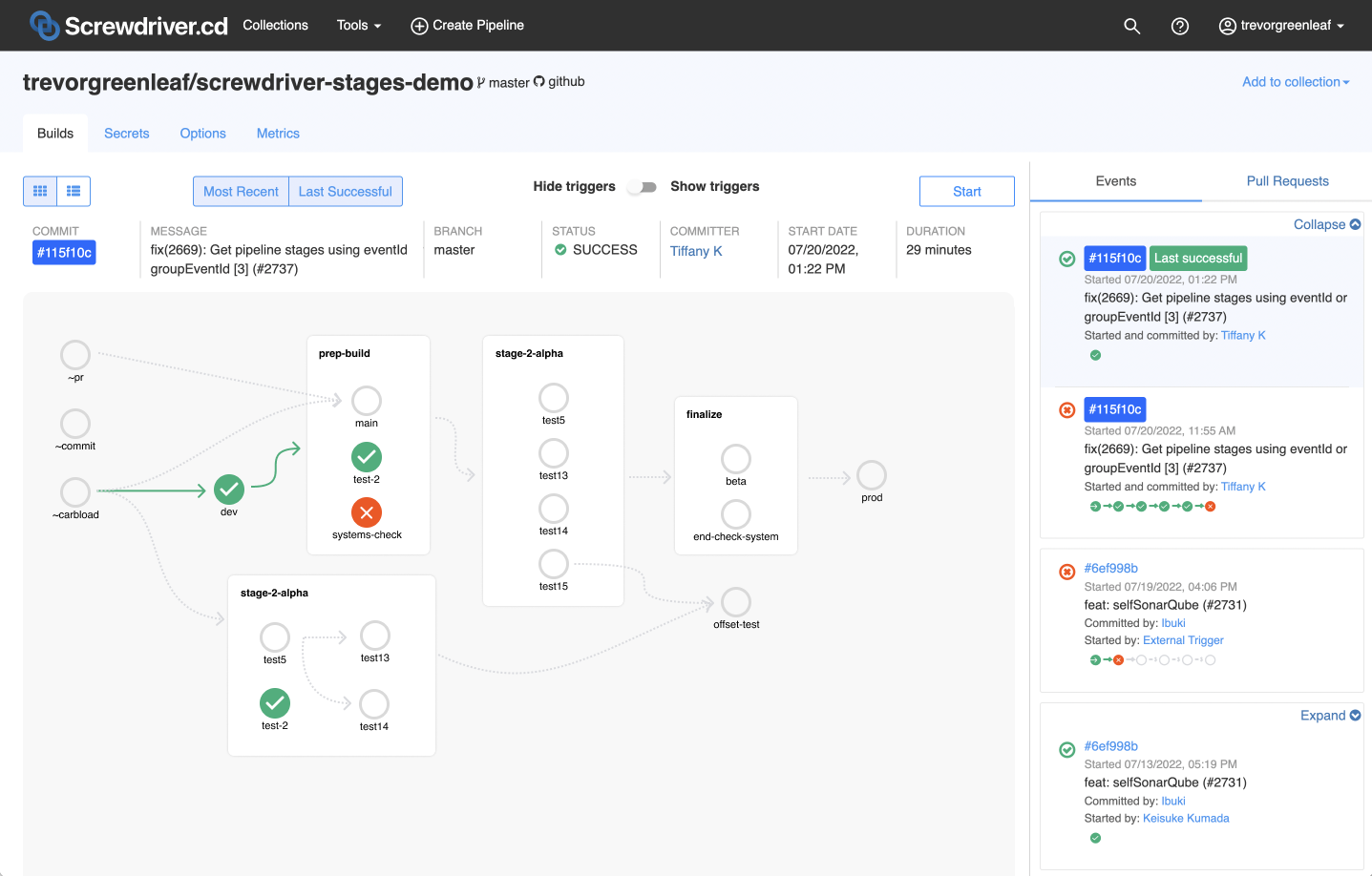
- UI should show the stage transitions, and highlight all the jobs in a stage using visual elements.
- Overall the stages can appear linear, but multiple stages can be active at the same time.
- Relation between jobs will still be defined using
requires
Sub-Tasks for M1:
- [x] https://github.com/screwdriver-cd/screwdriver/issues/3025
- [x] https://github.com/screwdriver-cd/screwdriver/issues/3033
- [x] https://github.com/screwdriver-cd/screwdriver/issues/3034
Sub-Tasks for M2:
- [x] https://github.com/screwdriver-cd/screwdriver/issues/3027
- [ ] Show the stages in workflow graph for PR event
- [ ] Allow the stages to be triggered by PR
- [ ] Show solid line leading to first job in stage during execution regardless whether setup job is implicit or explicit

Draft UI Mockups
-
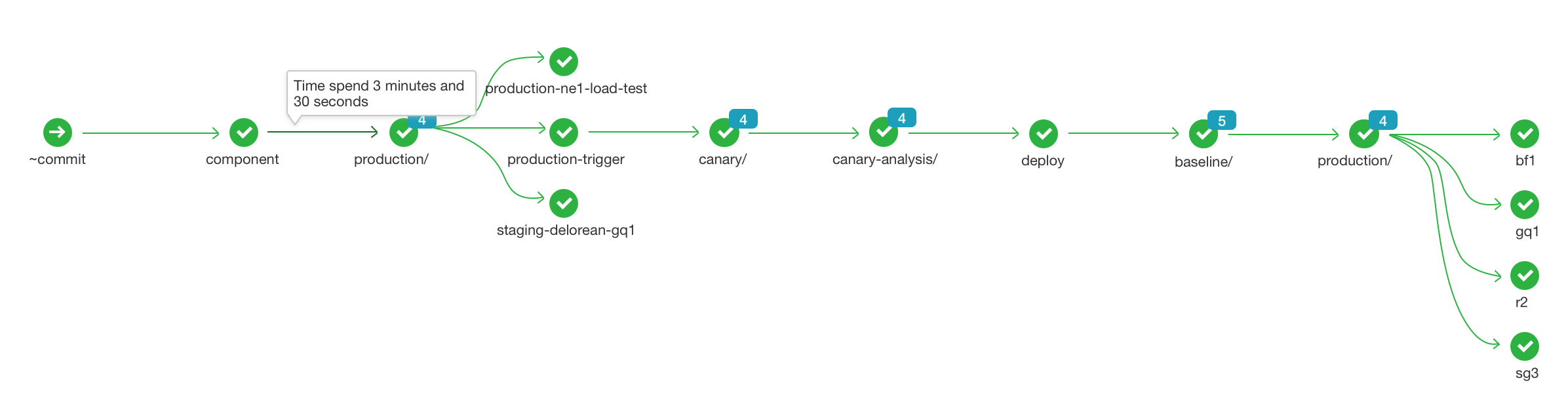
Show additional info as a tooltip when hovering over an edge
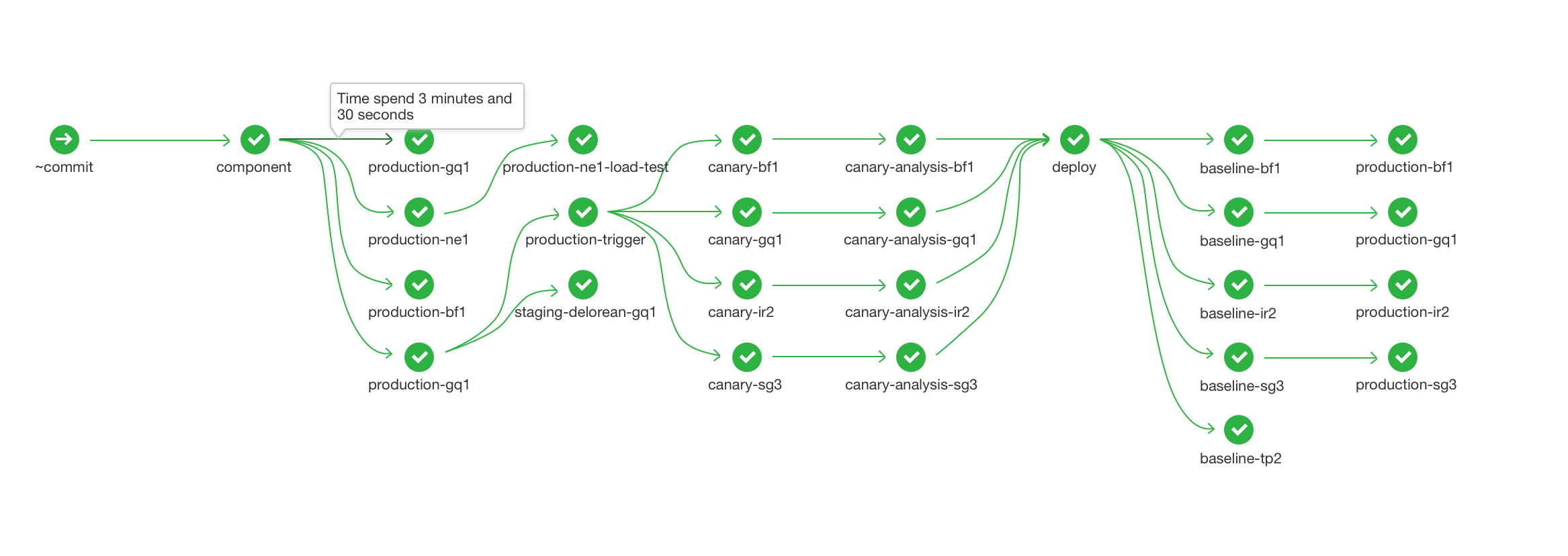
-
Add
groupingswhen users following naming conventions likegroupName/jobNamein thescrewdriver.yaml
Example:
Before
jobs:
  production-bf1
    ...
  production-gq1:
    ...
  production-r21:
    ...
  production-sg3:
    ...
After
jobs:
  production/bf1
    ...
  production/gq1:
    ...
  production/r21:
    ...
  production/sg3:
    ...
With expand and collapse support when clicking on the leading node.
Expanded/Collapsed