scp-fs2open
Texture gamma rendering and us?
https://discord.com/channels/223511295431933953/223511391531827200/1051936732418945084
So I find this a little bit hard to explain buuut: From 3.7.4 to 3.8 there has been a bit of a regression wrt how textures are rendered in FSO. This is noticable when post_processing is turned off or on in the engine.
Specifically and most notably: The way mission backgrounds are rendered changes considerably. Whilst by default FS2's backgrounds are supposed to be rendered additively, when post_processing is turned on, they're not. Research by @qazwsxal indiccated that textures are being rendered to the G-buffer much brighter when post-processing is disabled.
post-proc off
 post-proc on.

Another time this is very noticable is with squadron logos: Squadron logos are nearly transparent on ships with post_processing turned on. They're a lot more visible when post_processiing is turned off. This should not be happening.
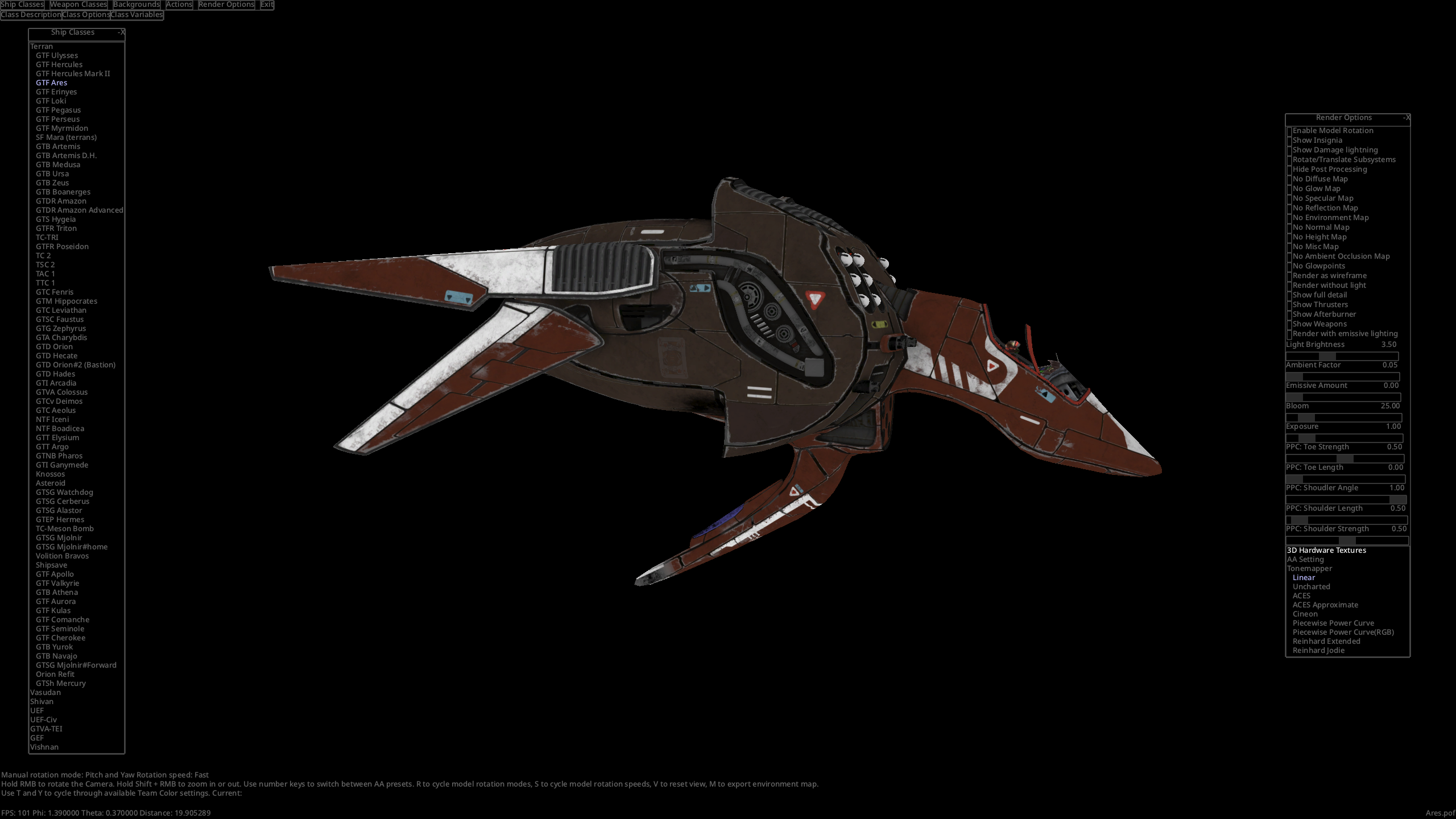
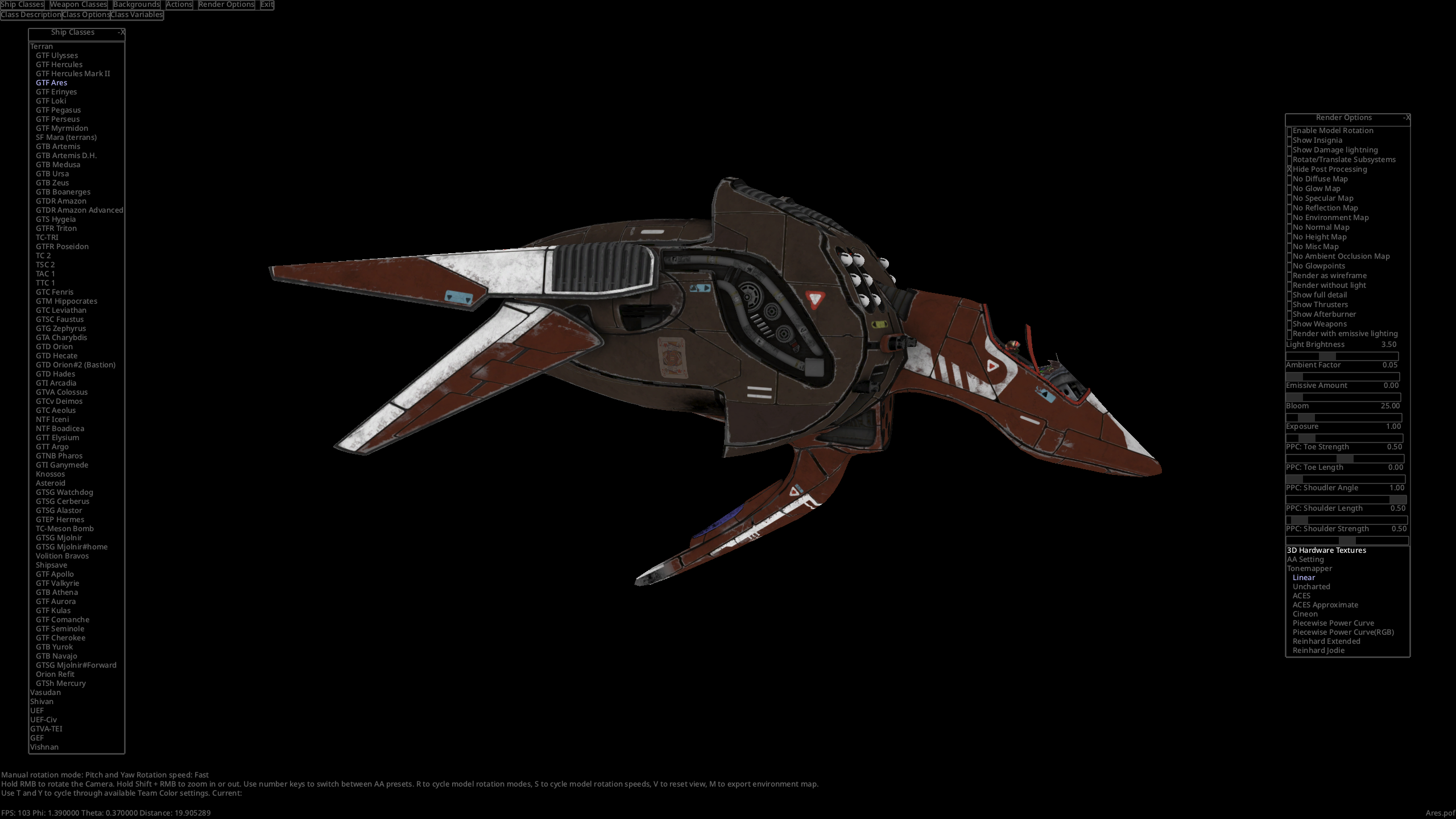
Notice the massive difference, even though this is long before post_processing is supposed to have any effect.
Also please note this example: On this screenshot, all effects adn rendering and what have you except textures is turned off. Nothing that's visible here should be affected by post_processing. And yet...
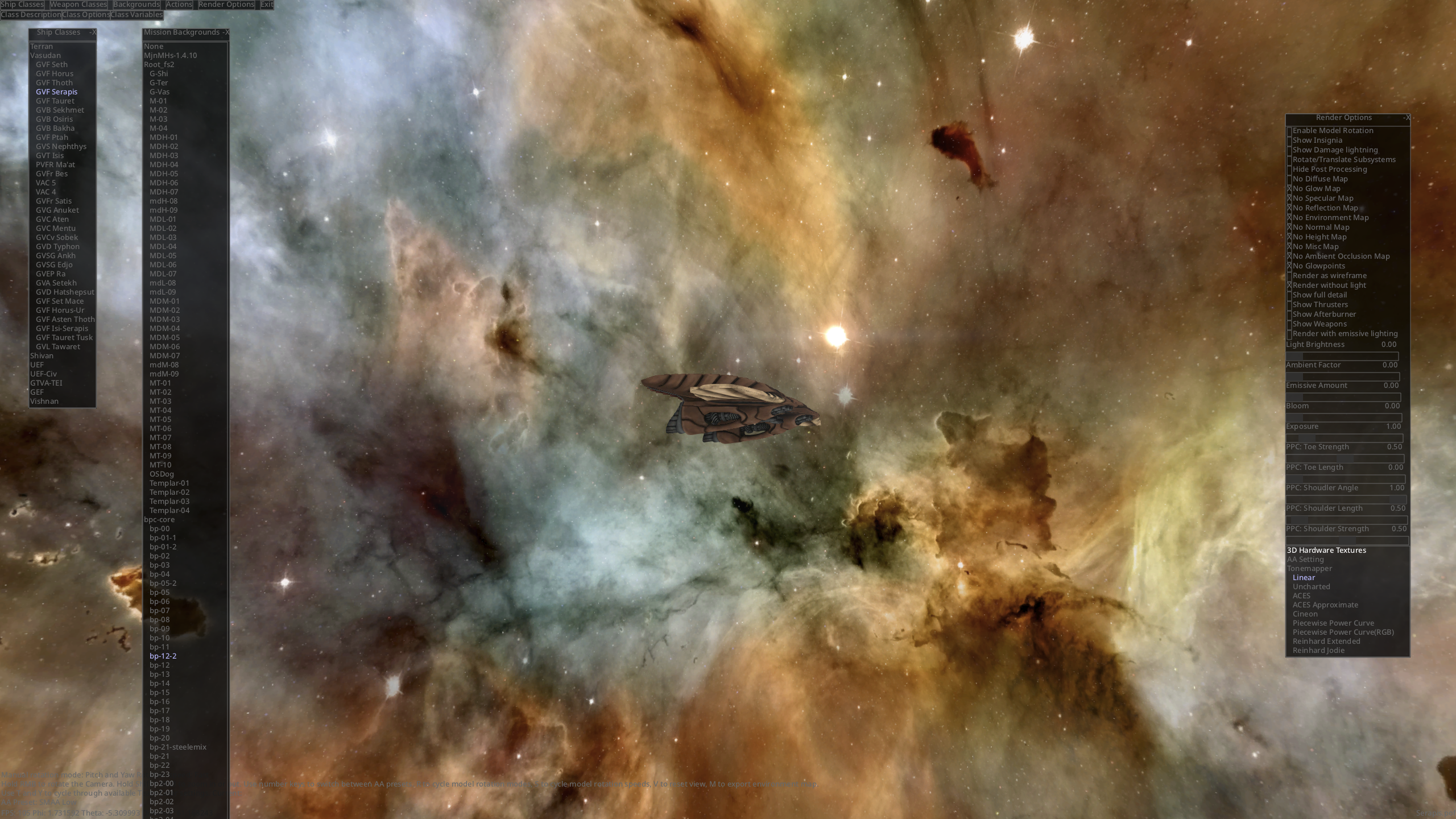
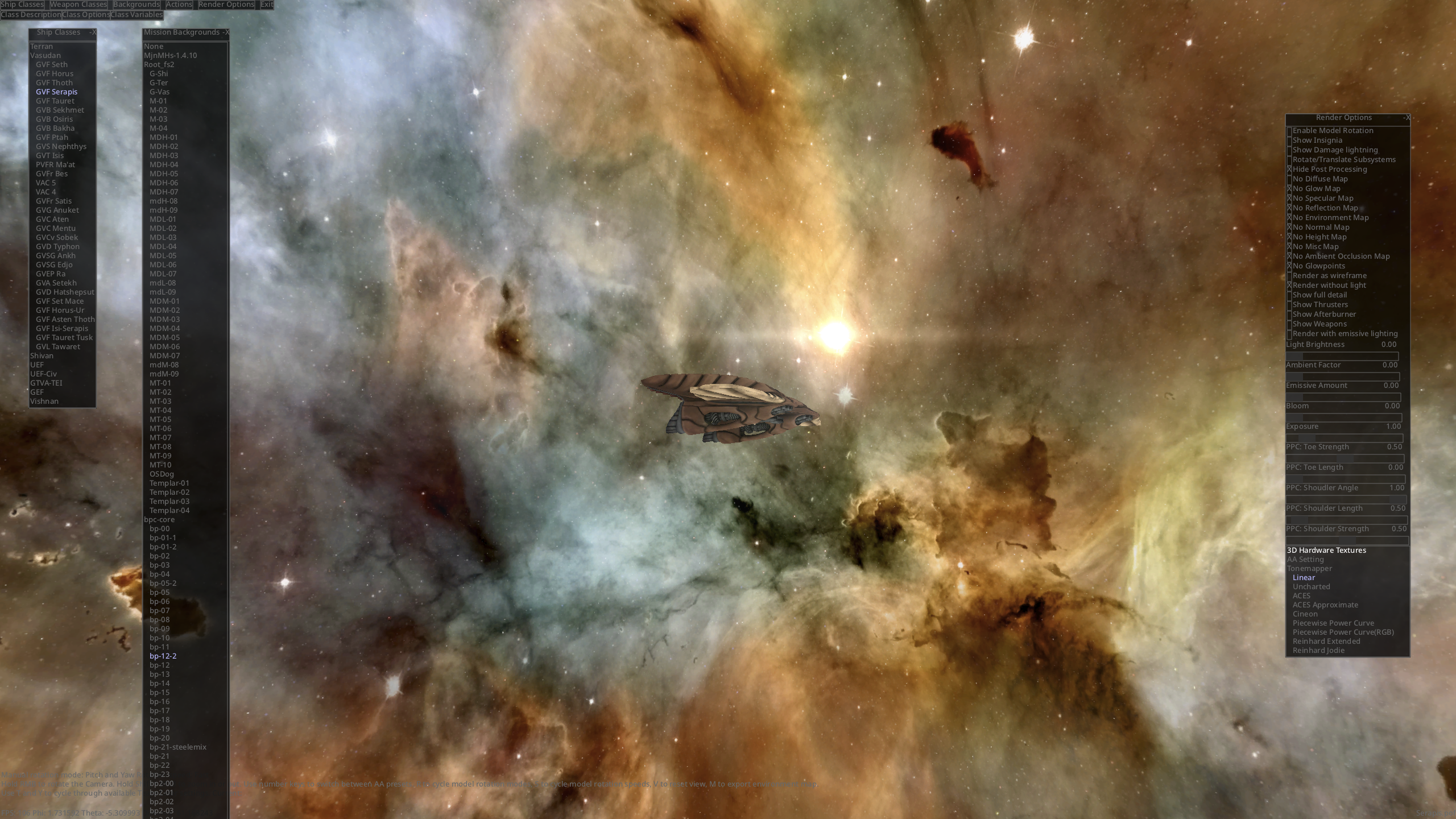
Note how the sun texture is a lot brighter, how a lot of the sun's effects suddenly become more visible, and (if you want to check this yourself), sun glare effects simply have less colour banding, and corona effects become visible.
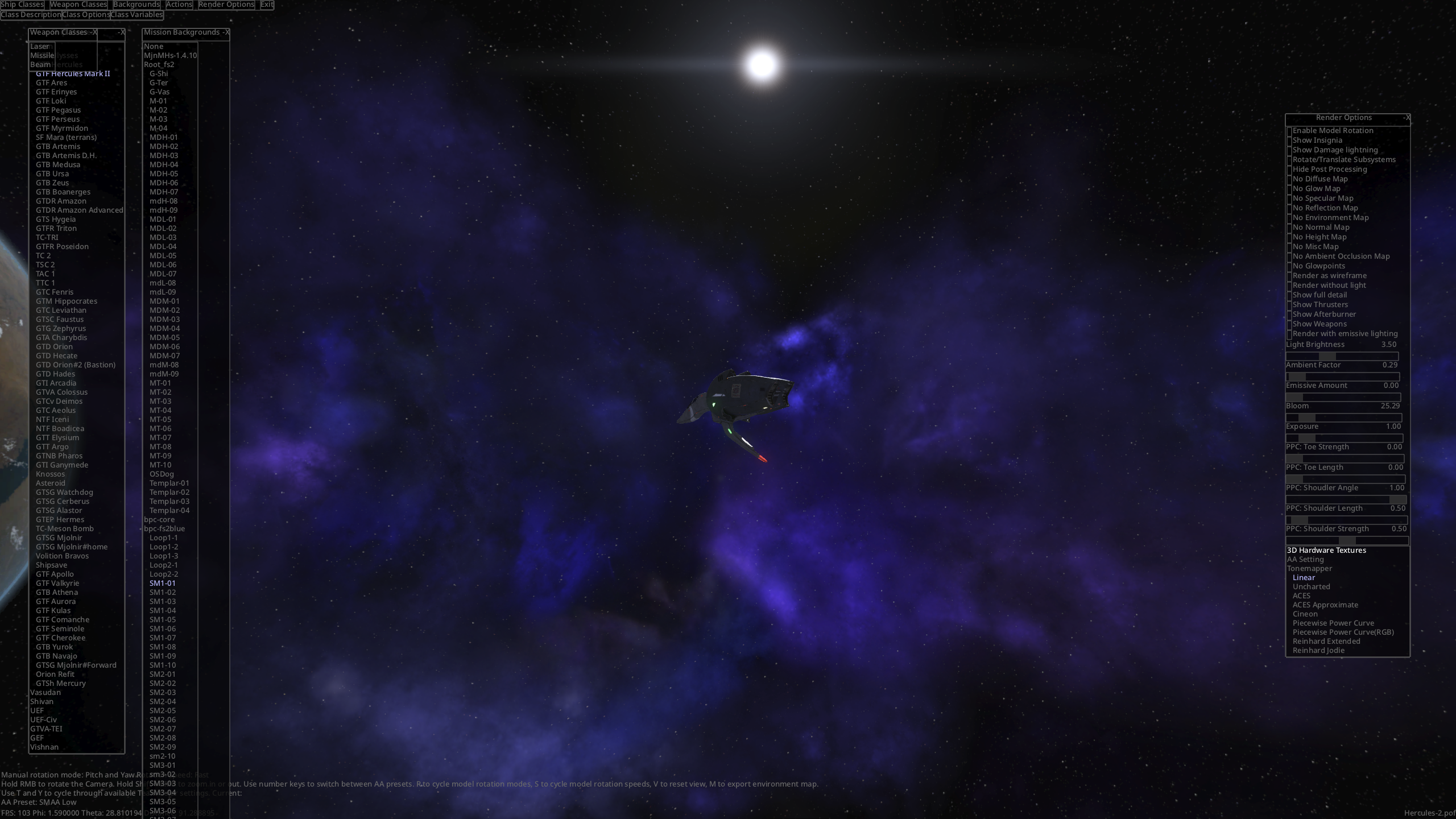
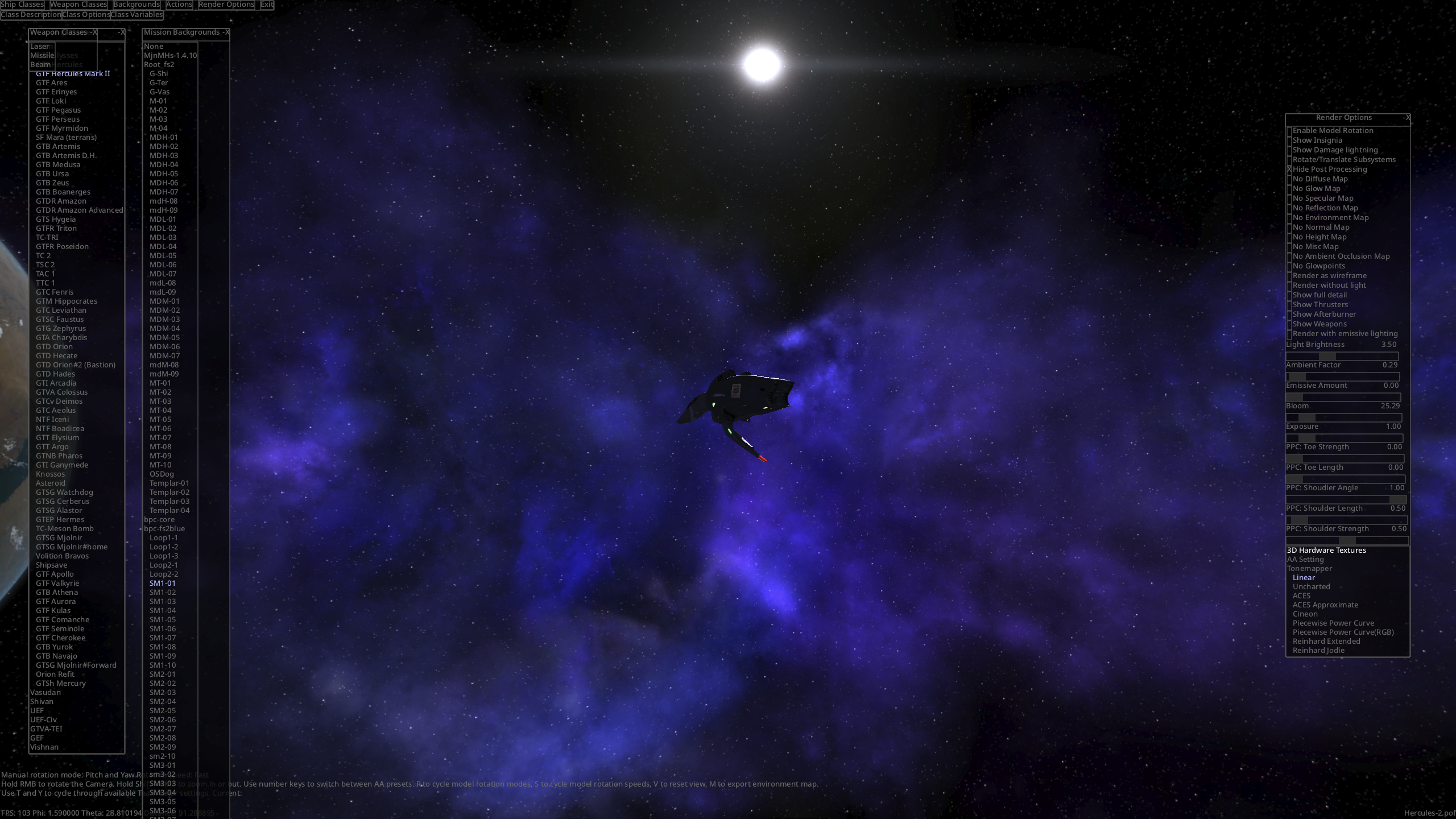
ALso this, notice whilst the tonemapper is fully linear, several things look different in the background rendering specifically: Bits where nebulae overlap are brighter. The stars "shine through" the background, and hte sun's glare is more gradual.
Please forgive me if my speech is confusing, I don't understand graphics pipelines, but this seems like an issue where graphics are changed at the start of the pipeline in a way they shouldn't be.
Issues occur in FSO from 3.8 onwards.

quick note I'm thinking about it: the squadron logos issue is almost certainly tied to #4466, #5161 and #1309

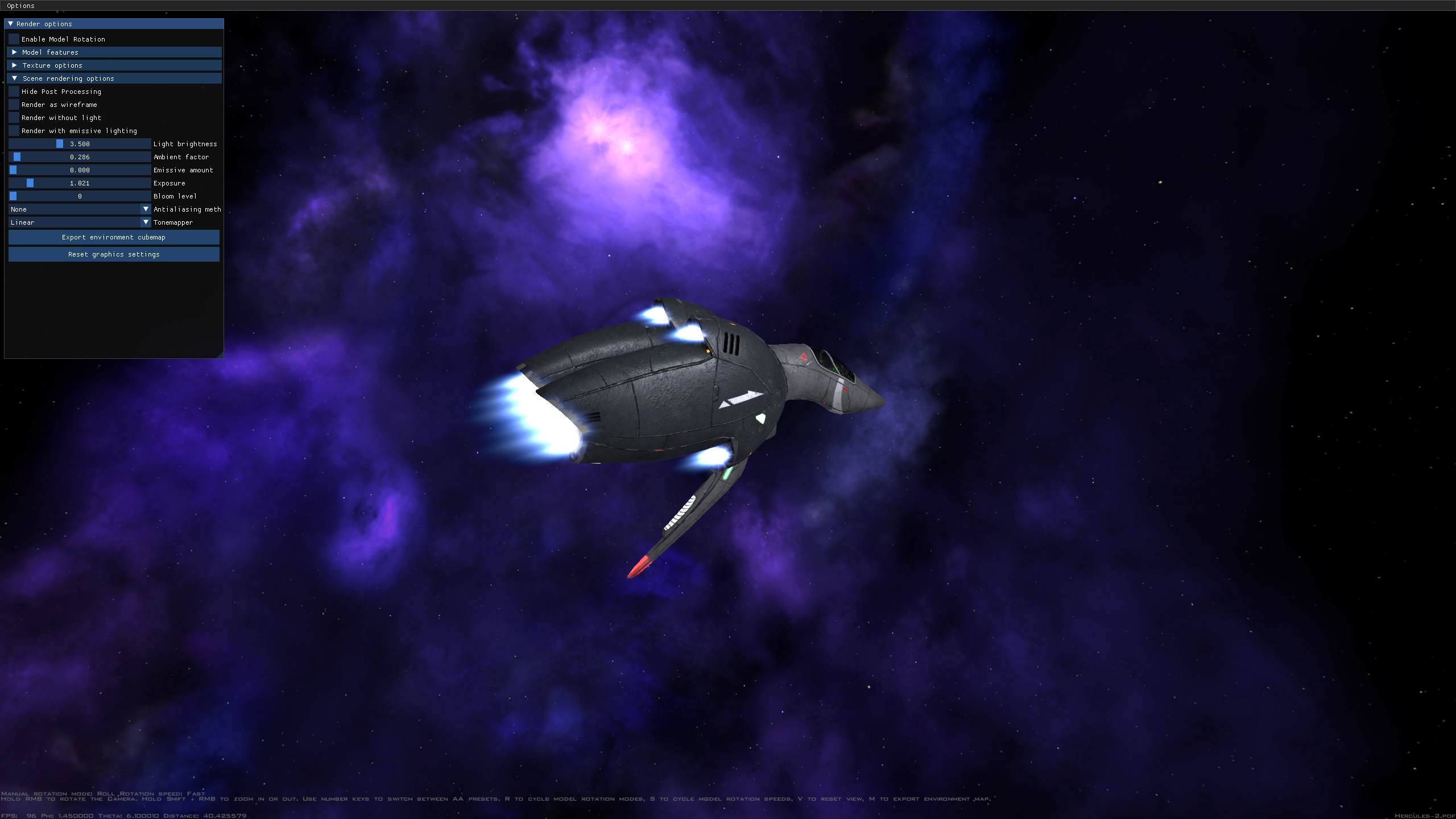
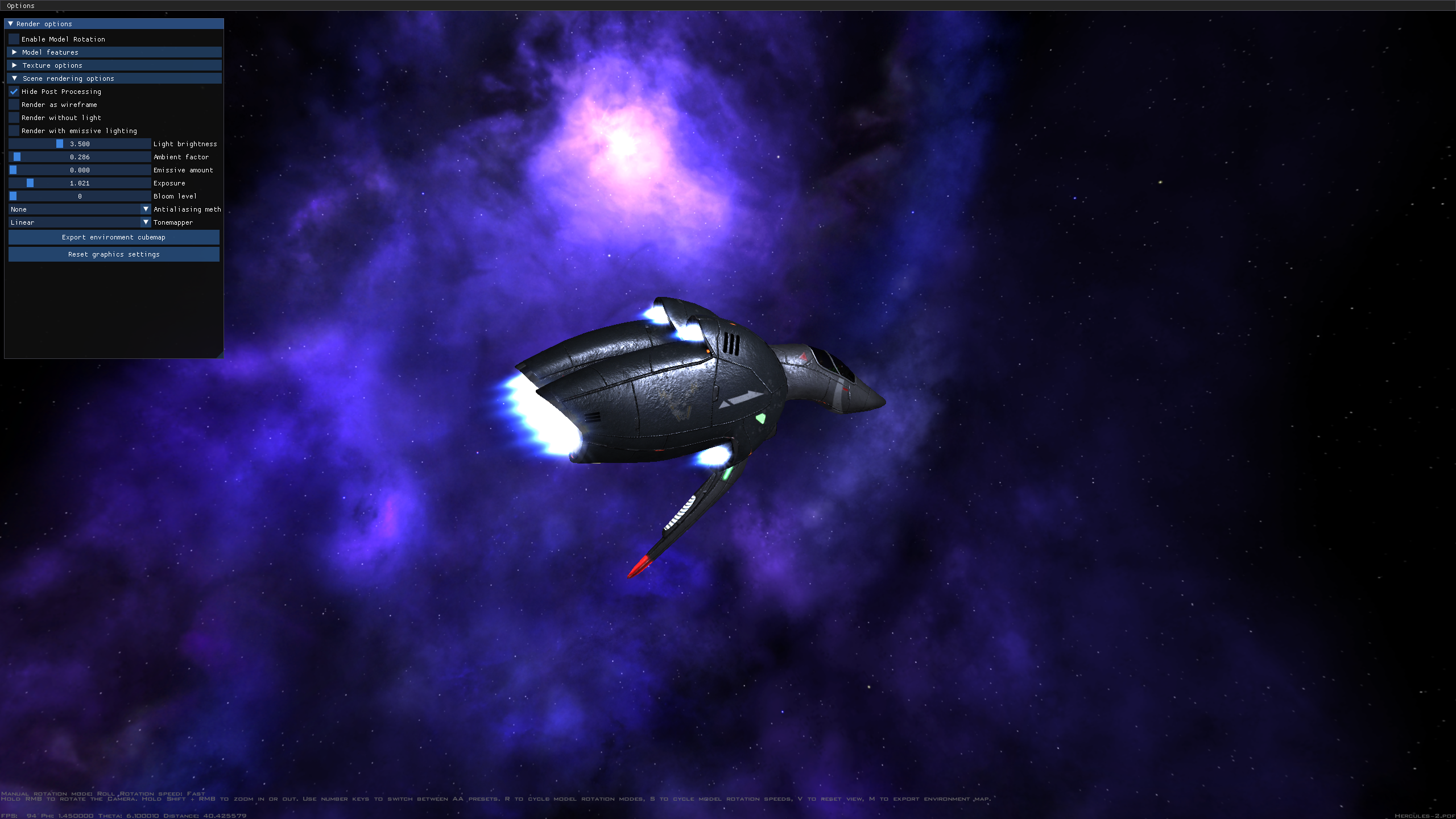
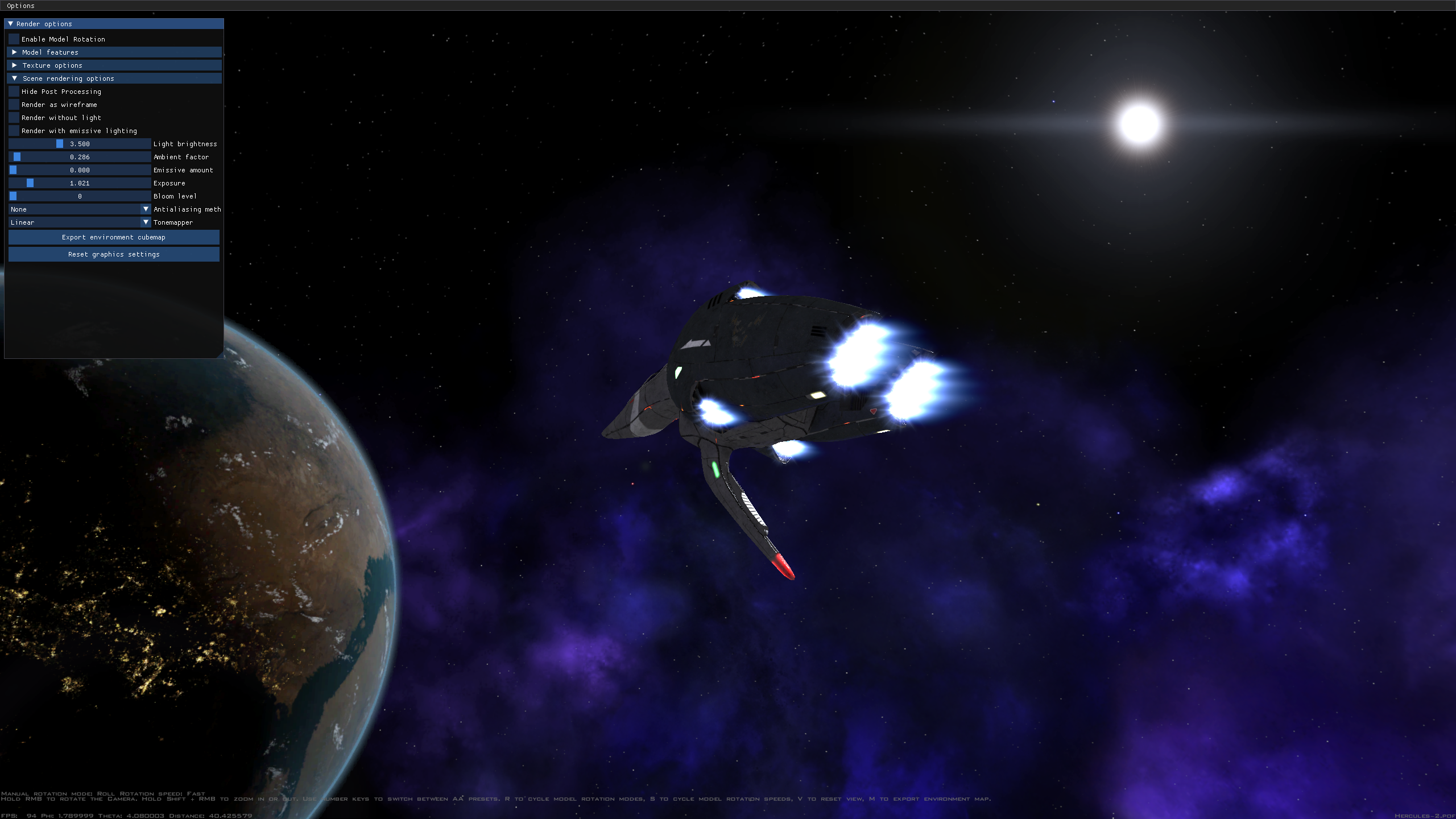
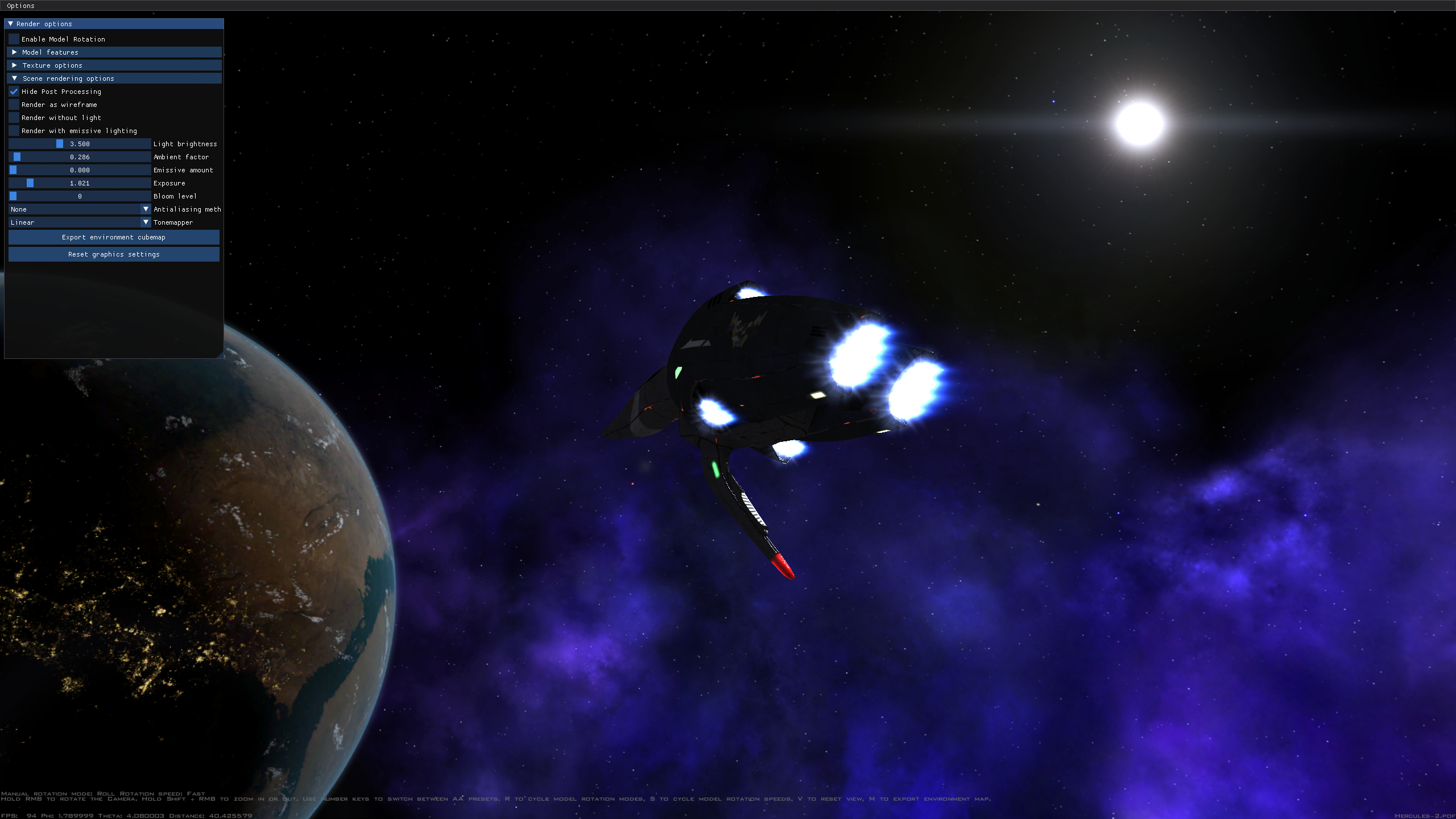 Situation as of FSO 23.0.
In these screenshots, bloom was turned off, and the tonemapper was set to linear with exposure 1, which should mimic the no-post-processing look. Lighting settings are whatever's default in MVPs 4.6.8
Model is the MVP 4.6.8 Hercules 2, mission is MVP's SM1-01
Situation as of FSO 23.0.
In these screenshots, bloom was turned off, and the tonemapper was set to linear with exposure 1, which should mimic the no-post-processing look. Lighting settings are whatever's default in MVPs 4.6.8
Model is the MVP 4.6.8 Hercules 2, mission is MVP's SM1-01
Of note is the stronger light/dark contrast on the Hercules with post-processing off, as well as the altered rendering of 2d textures. Of note is the much bigger difference in brightness and colours if backgrounds overlap, whilst there's very little difference when they don't (in no small part because I didn't set exposure exactly to 1, because it's a slider. Sorry).
Also, note the significantly reduced colour banding in the sun's textures when post-processing is turned off. Might be a good place to start.
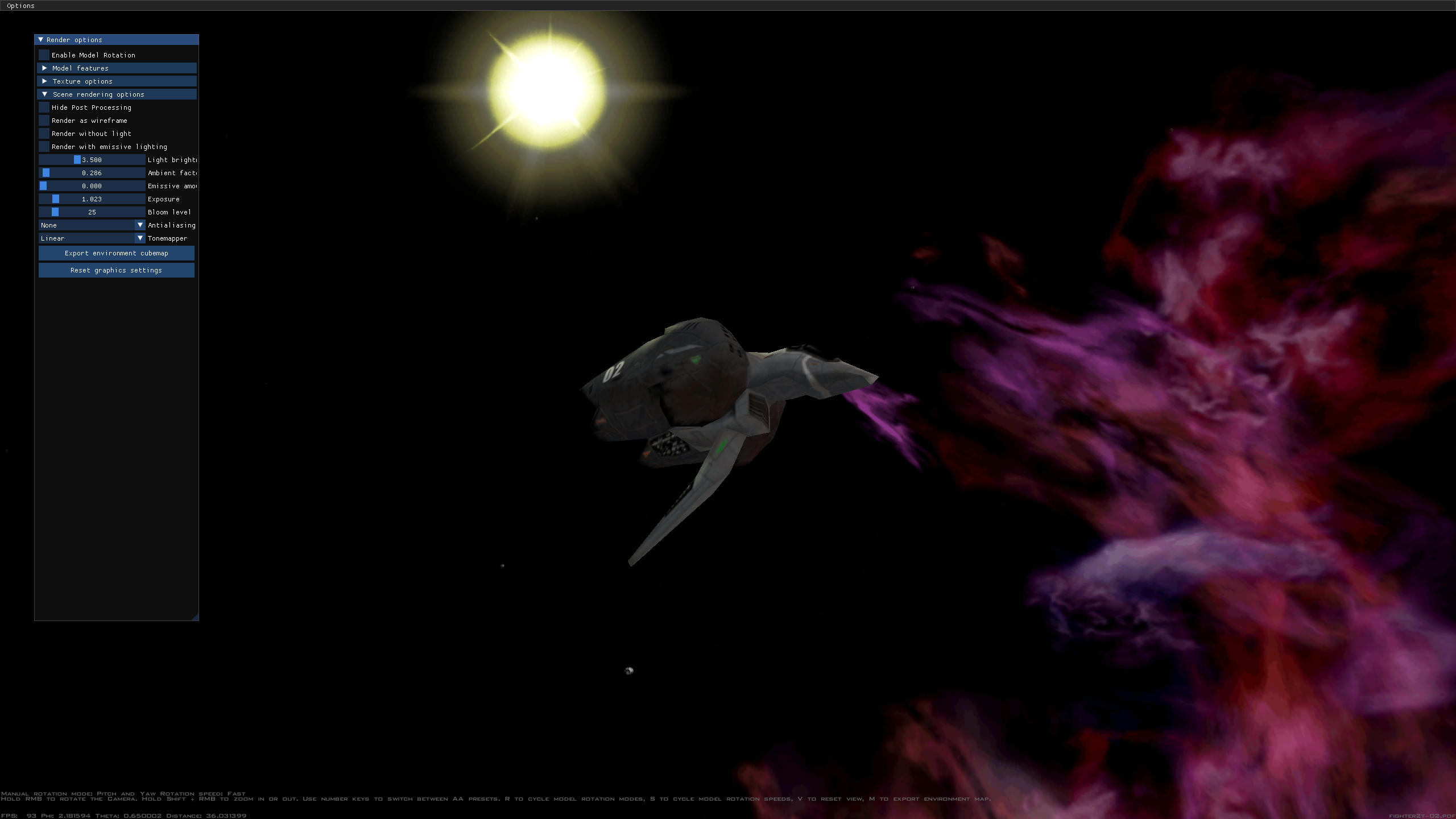
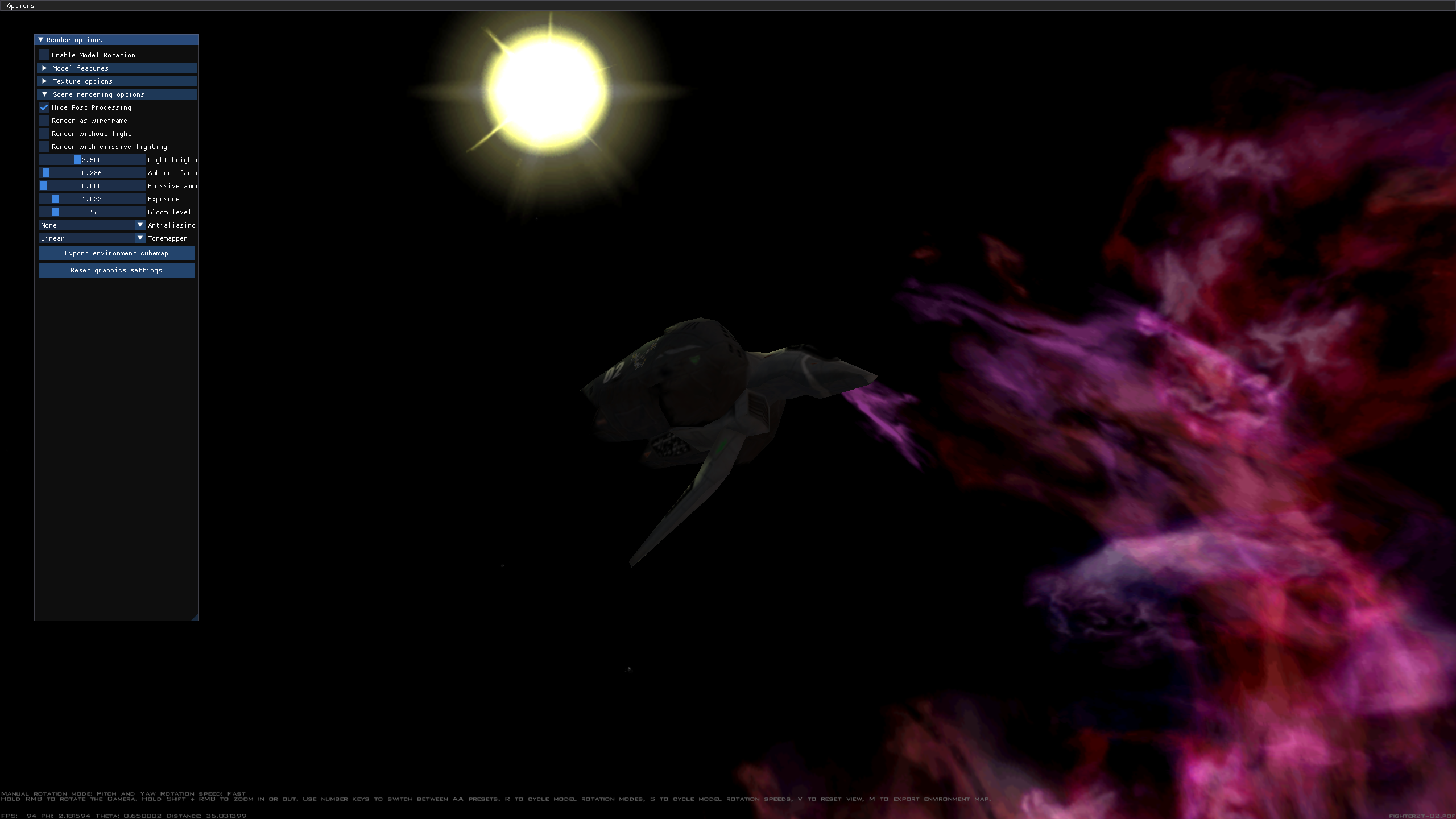 SM1-01 loaded with retail data shows the "backgruond overlap" and altered dark/light contrast issues. Do also note the altered rendering of motion debris.
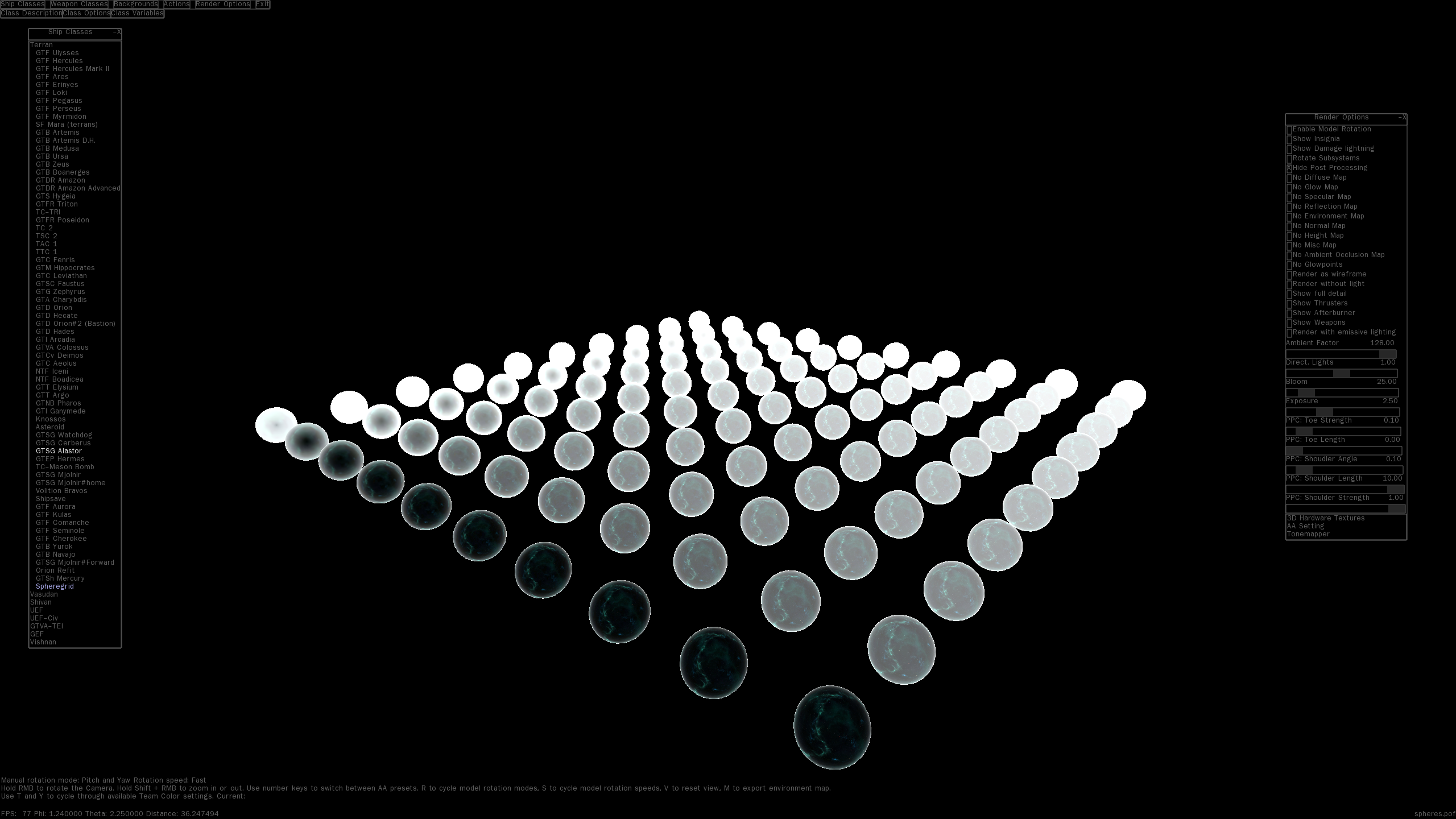
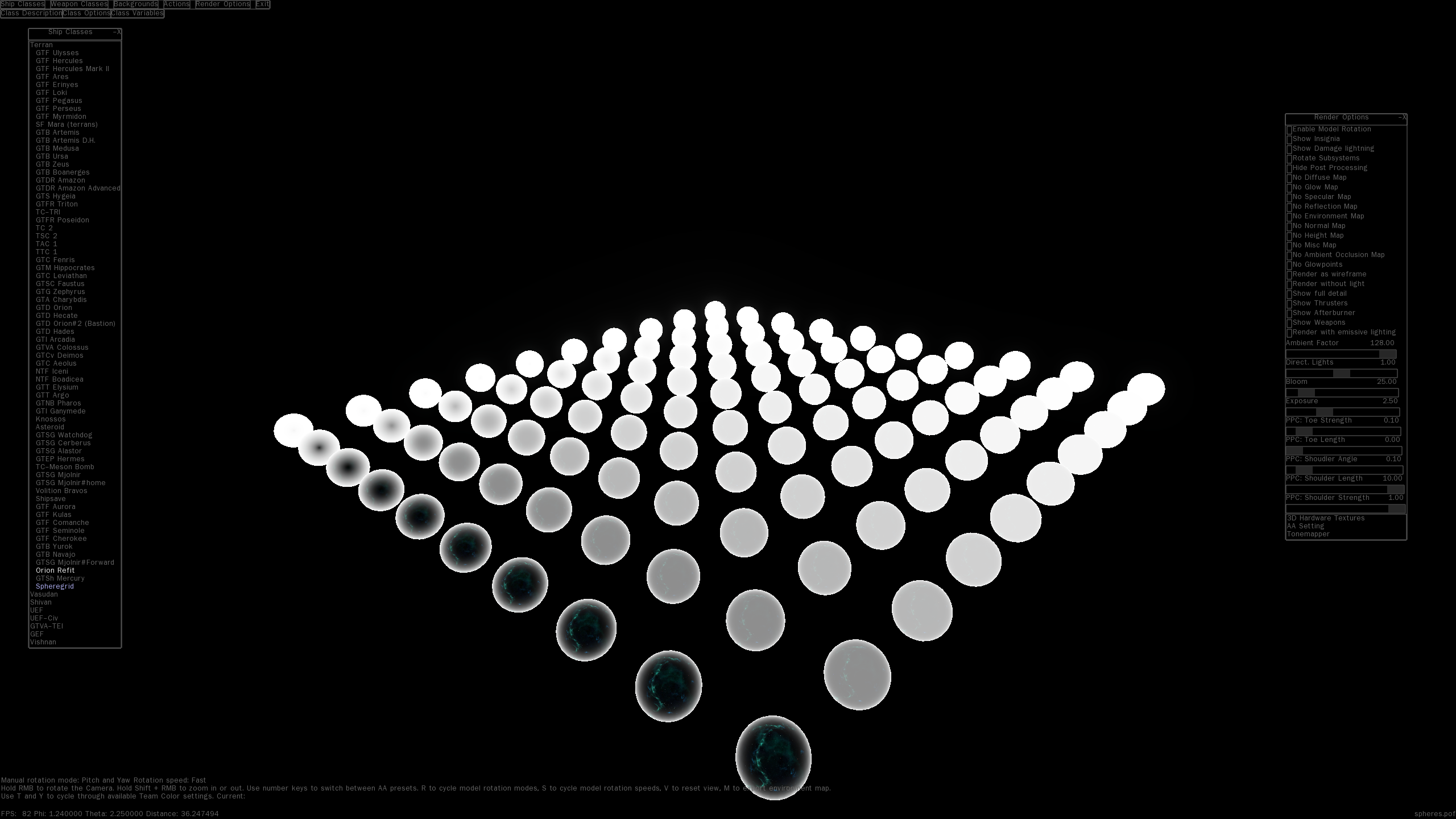 Finaly, these two images from @qazwsxal indicate differences in specular map rendering. Forgot to include those last time.
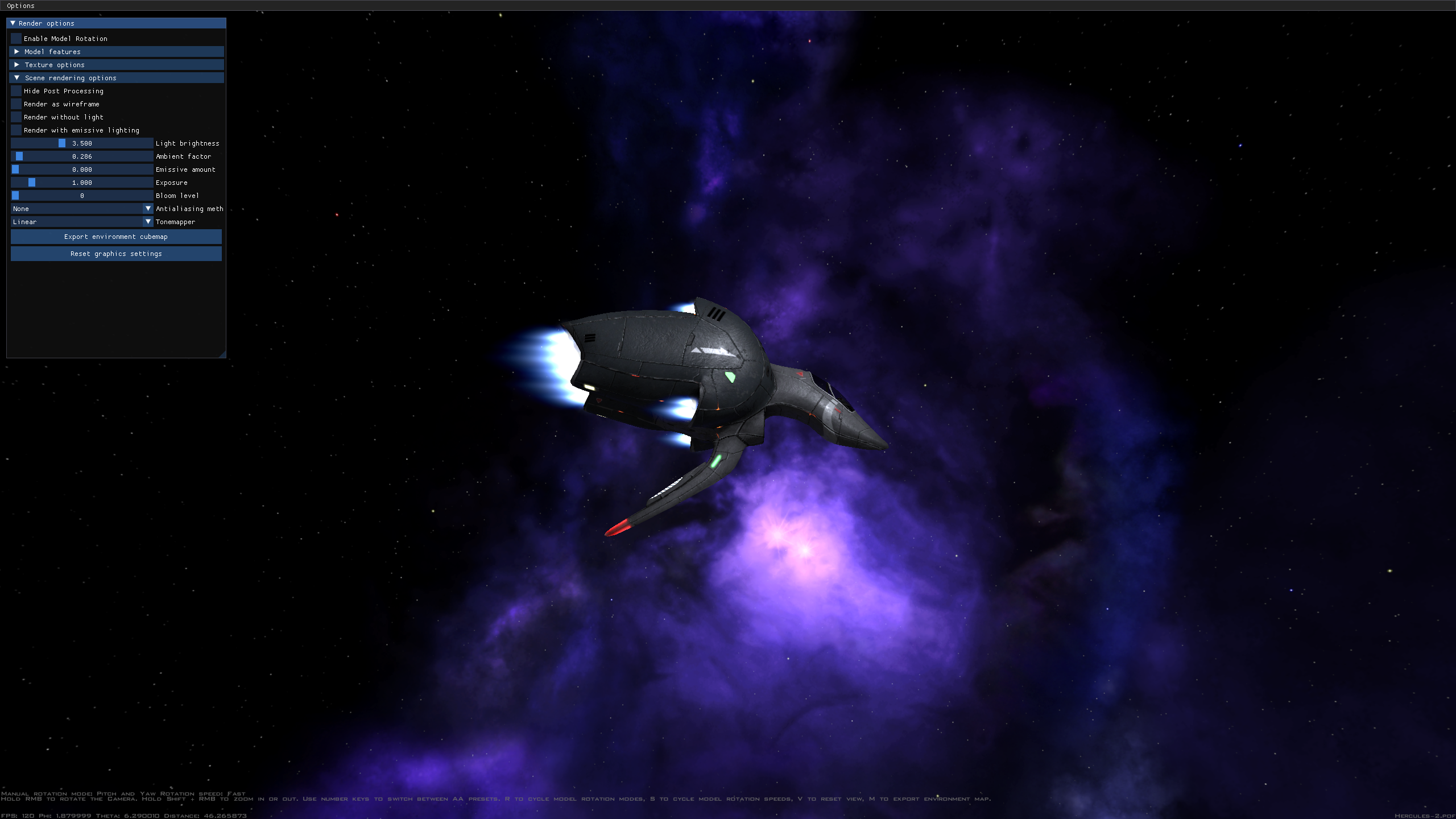
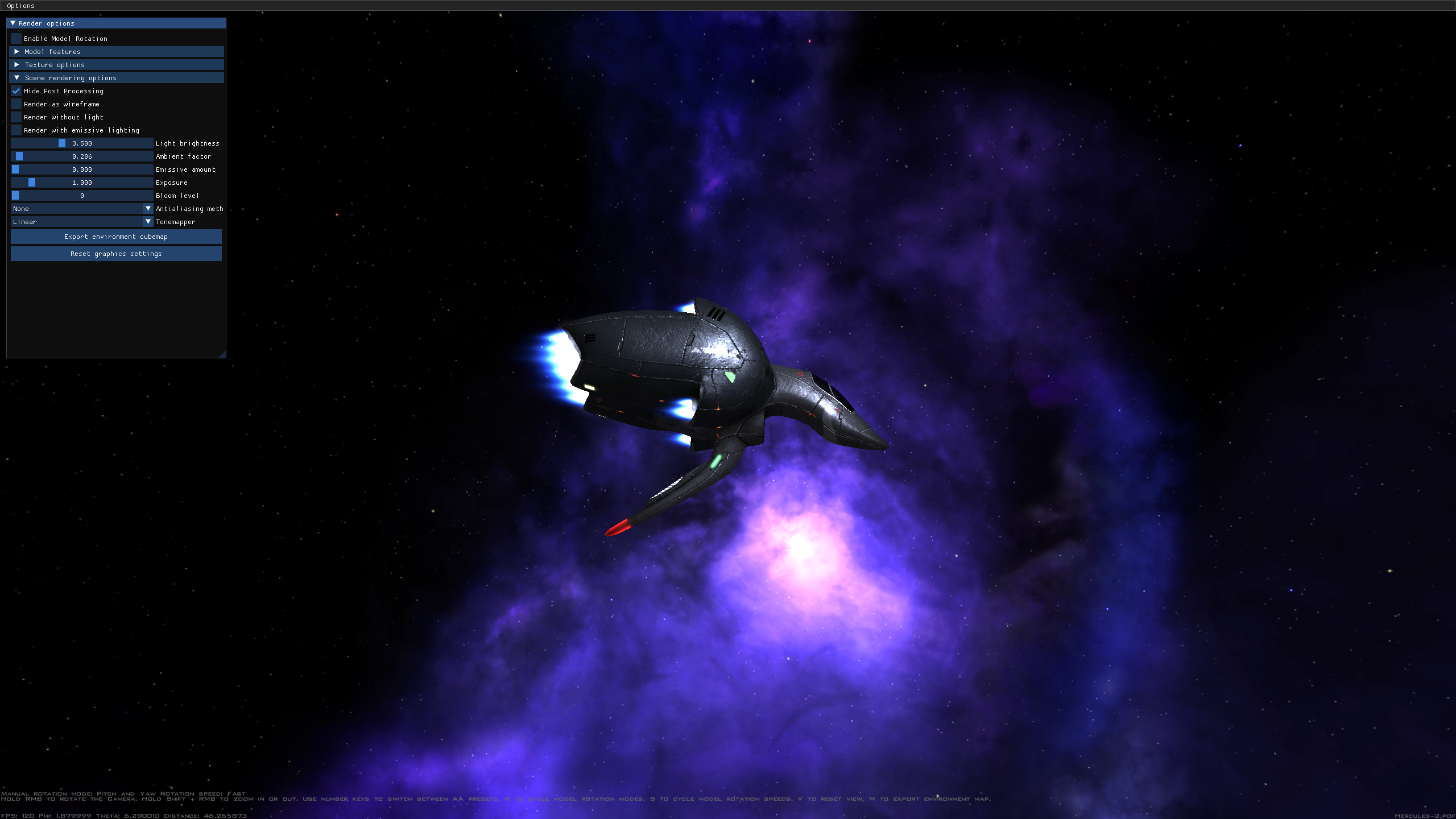
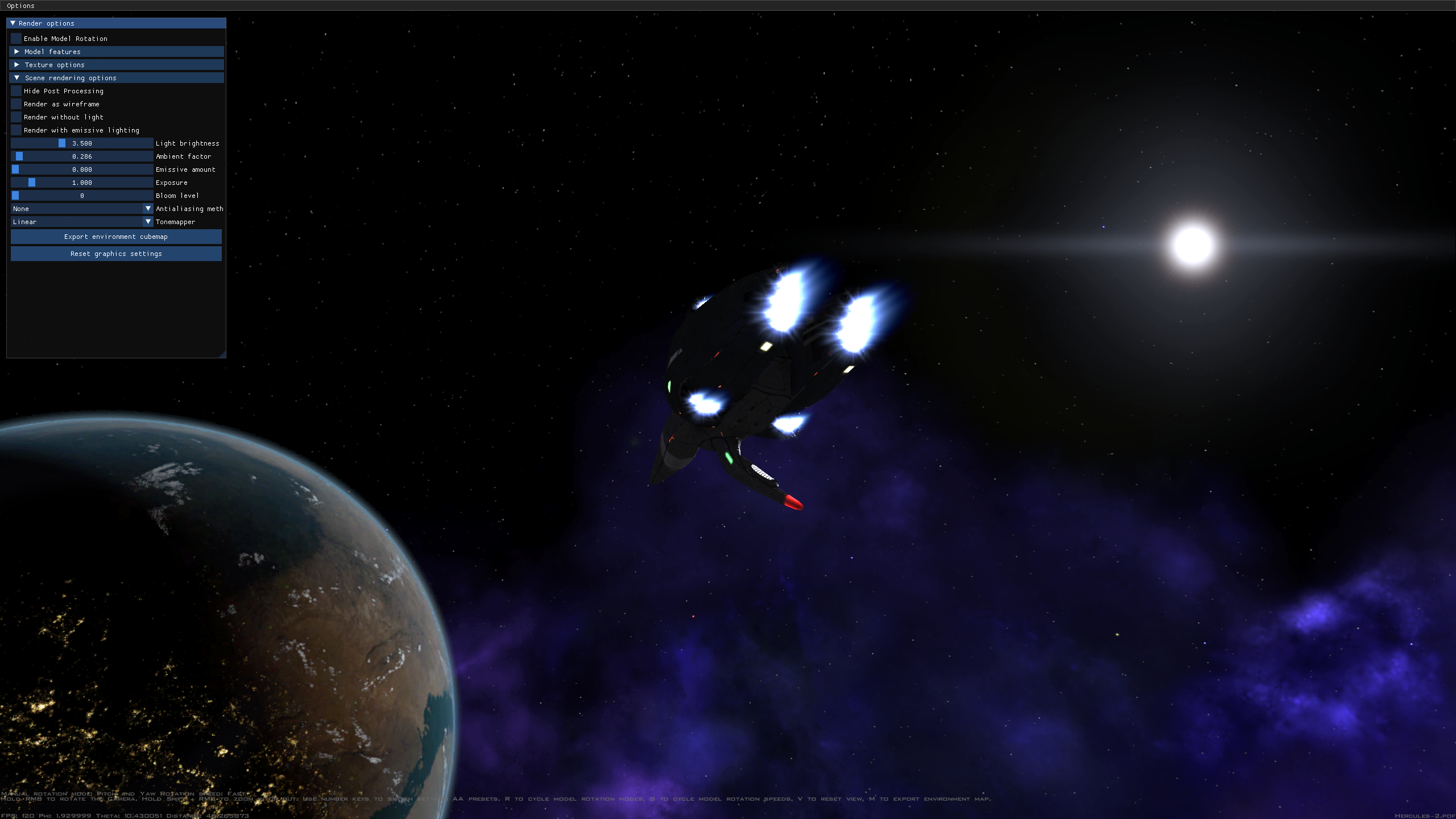
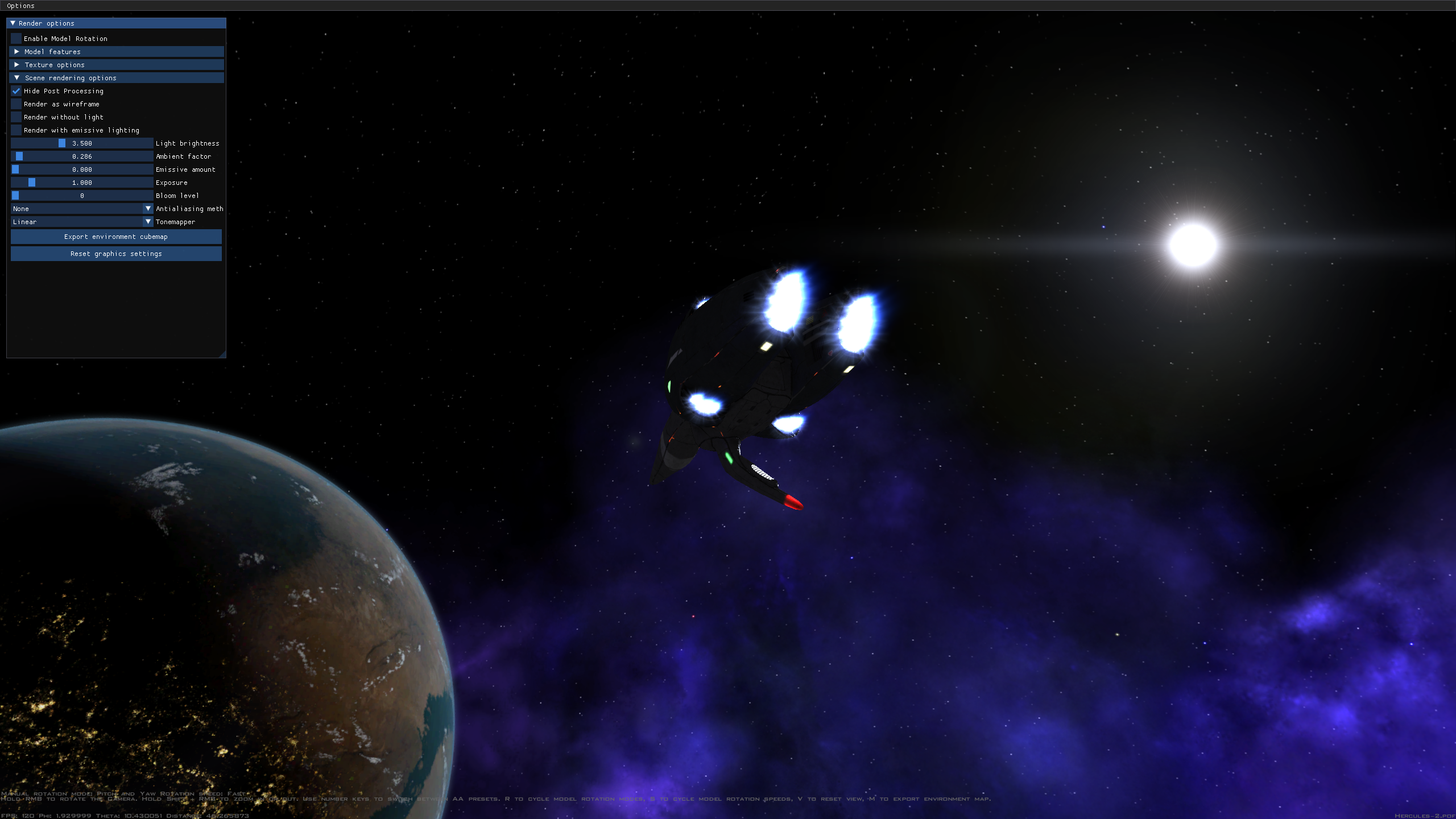 Comparison shot with the latest nightlies as of writing. Notable that the ambient lighting looks the same with post-processing on or off, but the background rendering differences remain.
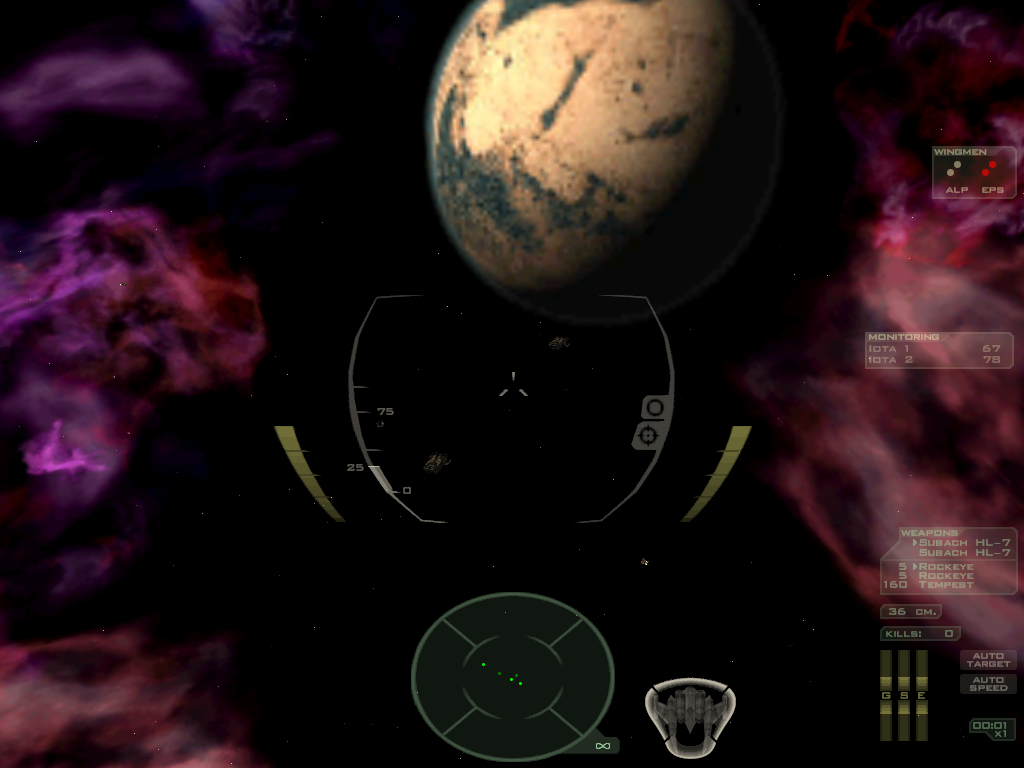
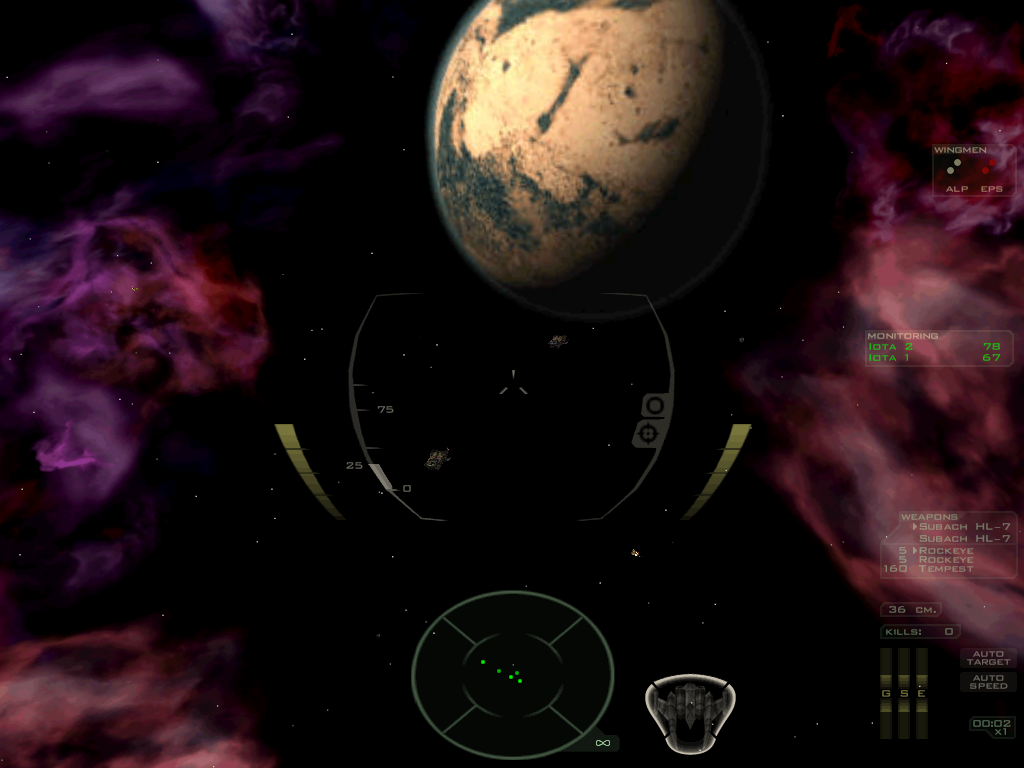
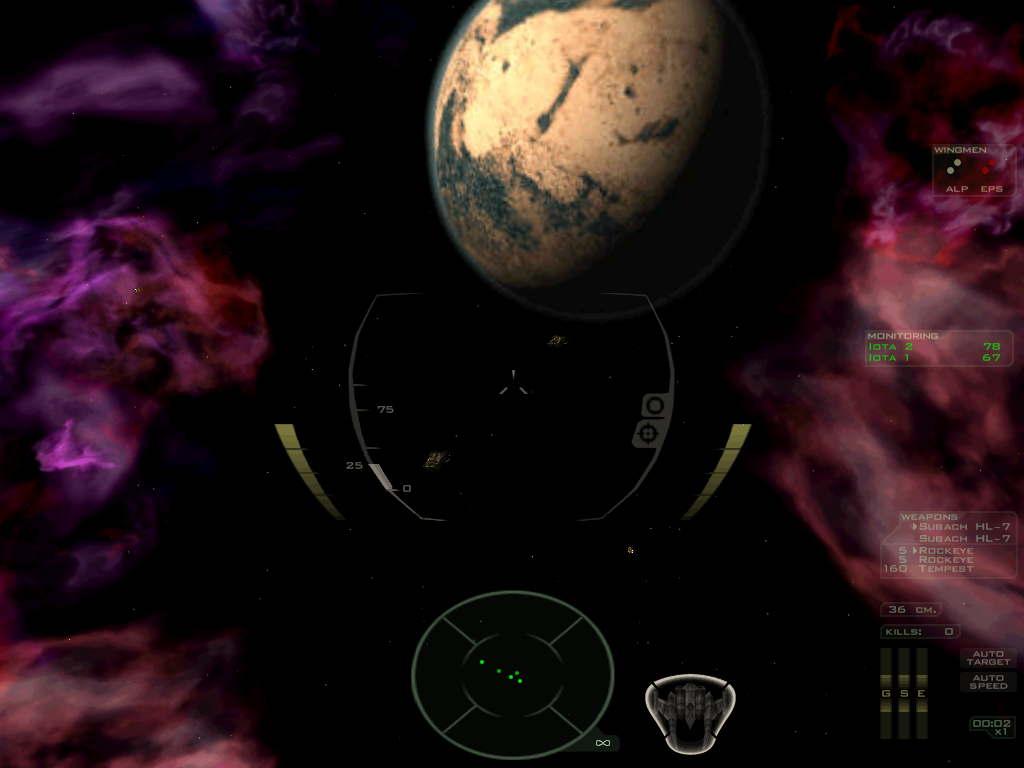
As a final comparison, using FSO 23.0, this is the first mission, in retail FS2, FSO 23 with post processing on, and FSO with post-processing off. Note how the rendering of nebula changes.
I have more comparisons! All pics taken with most recent master
1: Post processing disabled via commandline
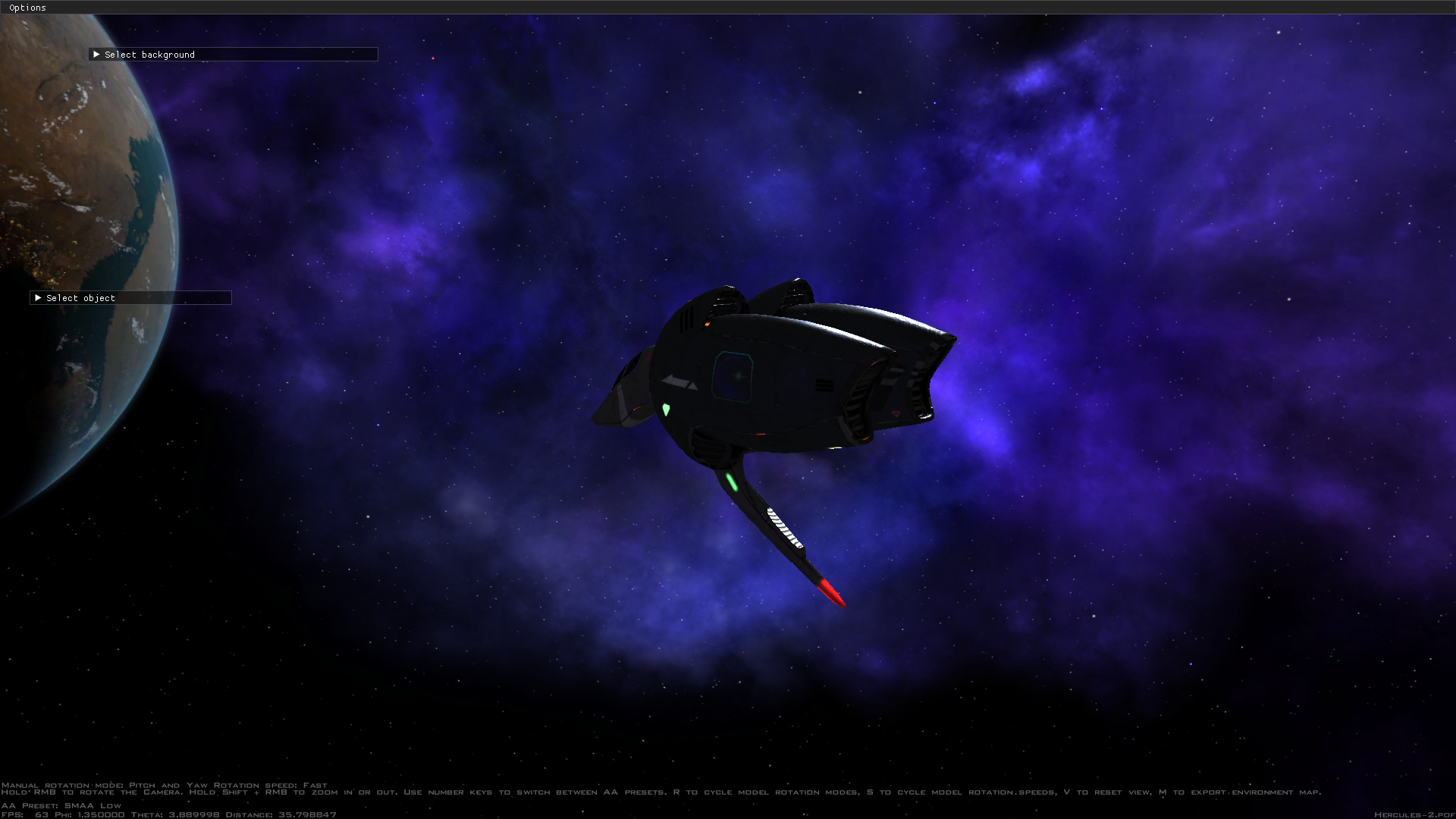
2: Post processing disabled via lab switch
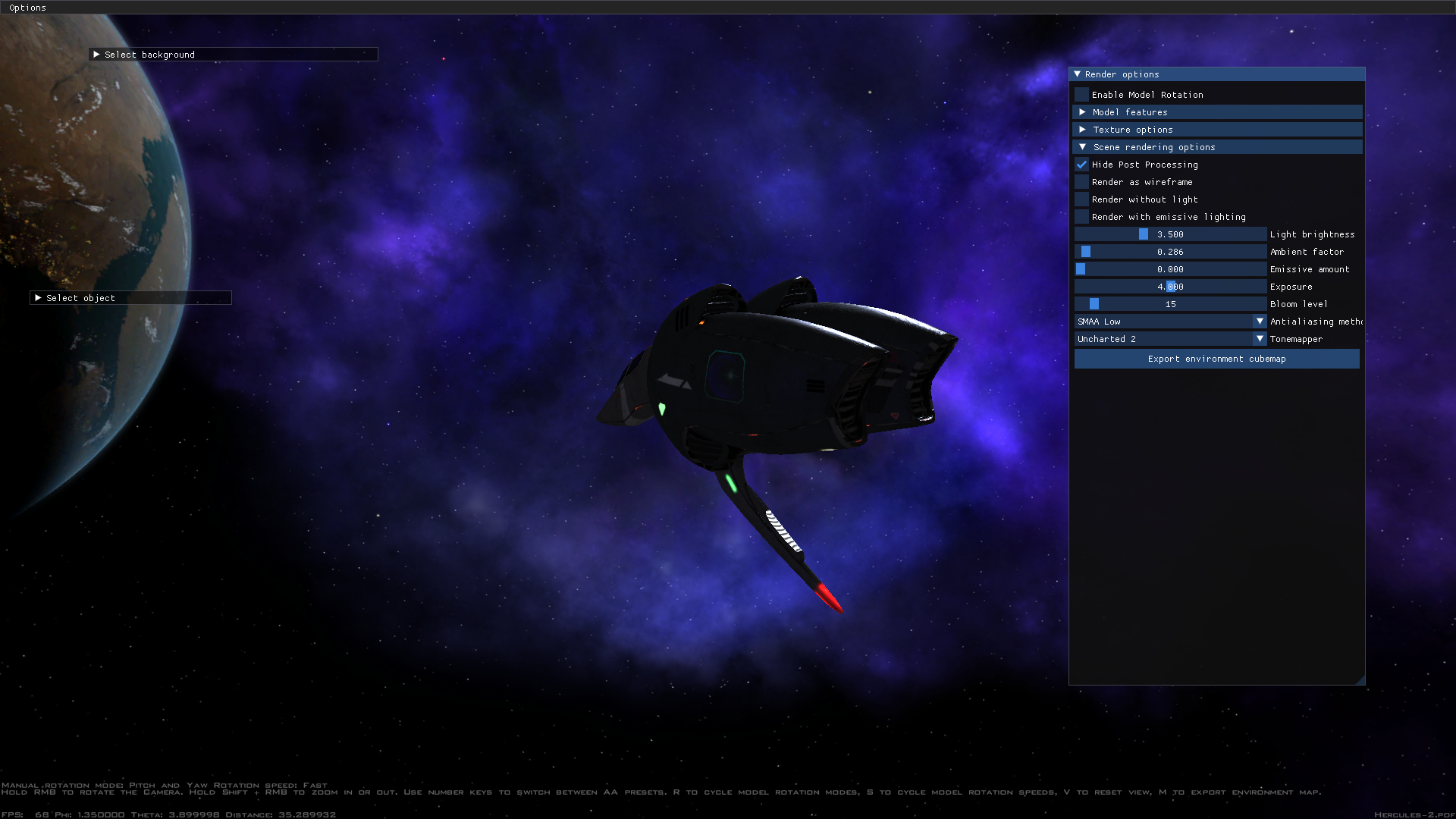
3: Post processing enabled, linear tonemapper, exposure = 1.0
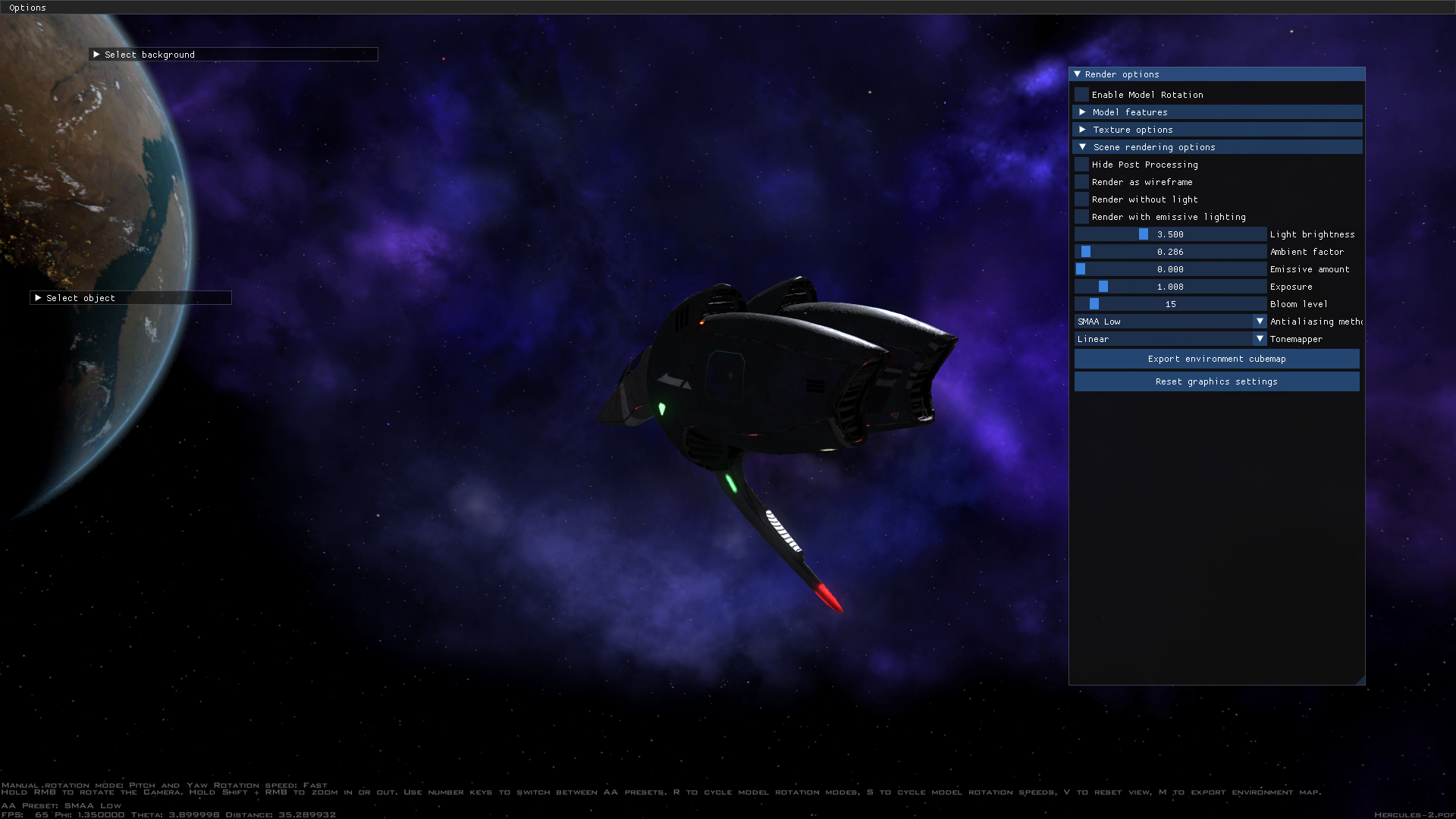
4: Post processing enabled, Uncharted 2 tonemapper, exposure = 4.0 (default settings)