

 sana-ajani
New tasks are not automatically showing or no way to refresh
I'm only using the default tasks.json inside .vscode folder to clarify this issue.
When I add new task it doesn't show up automatically in the sidebar.
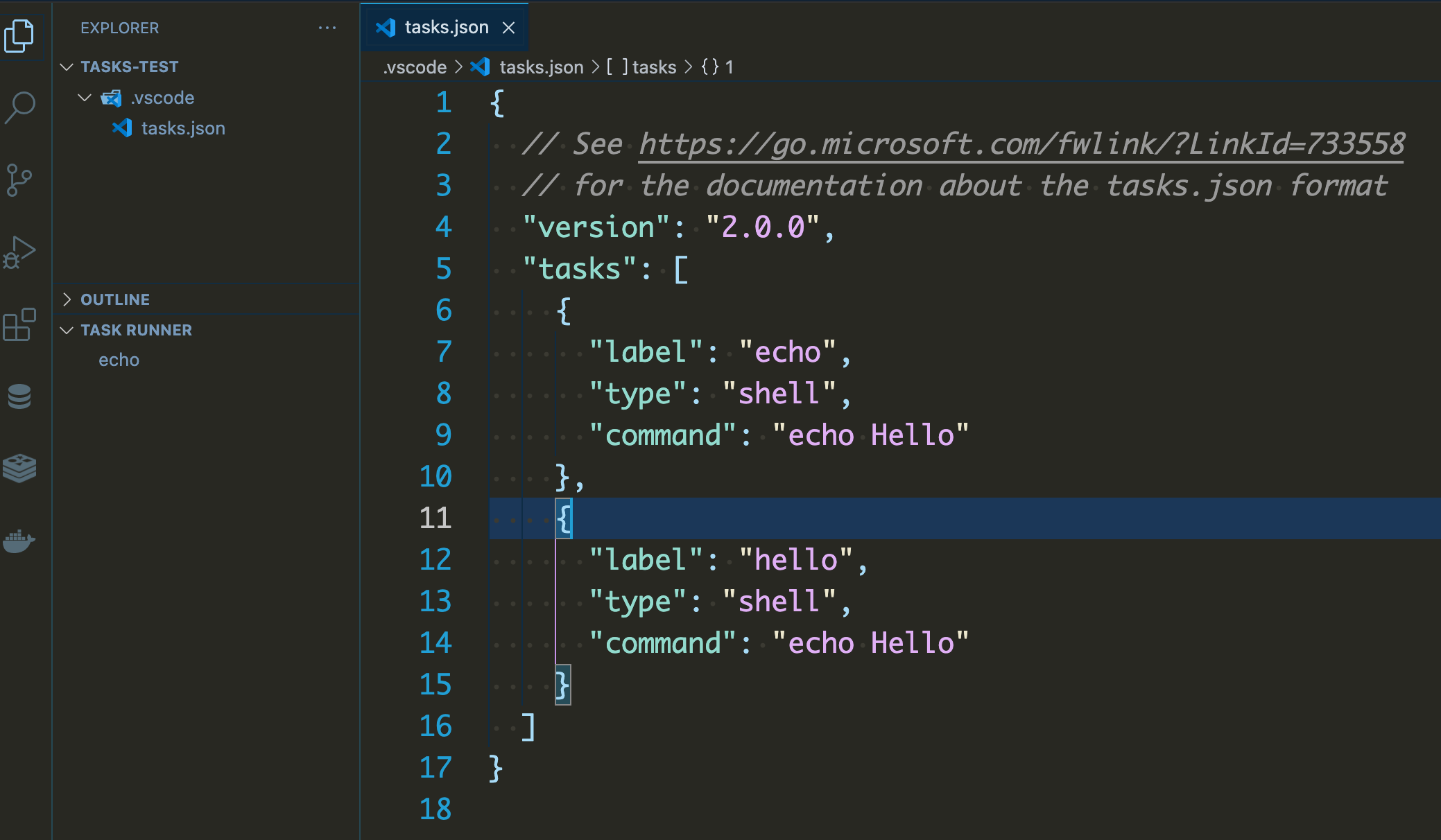
The new tasks are showing only after relaunching vscode.
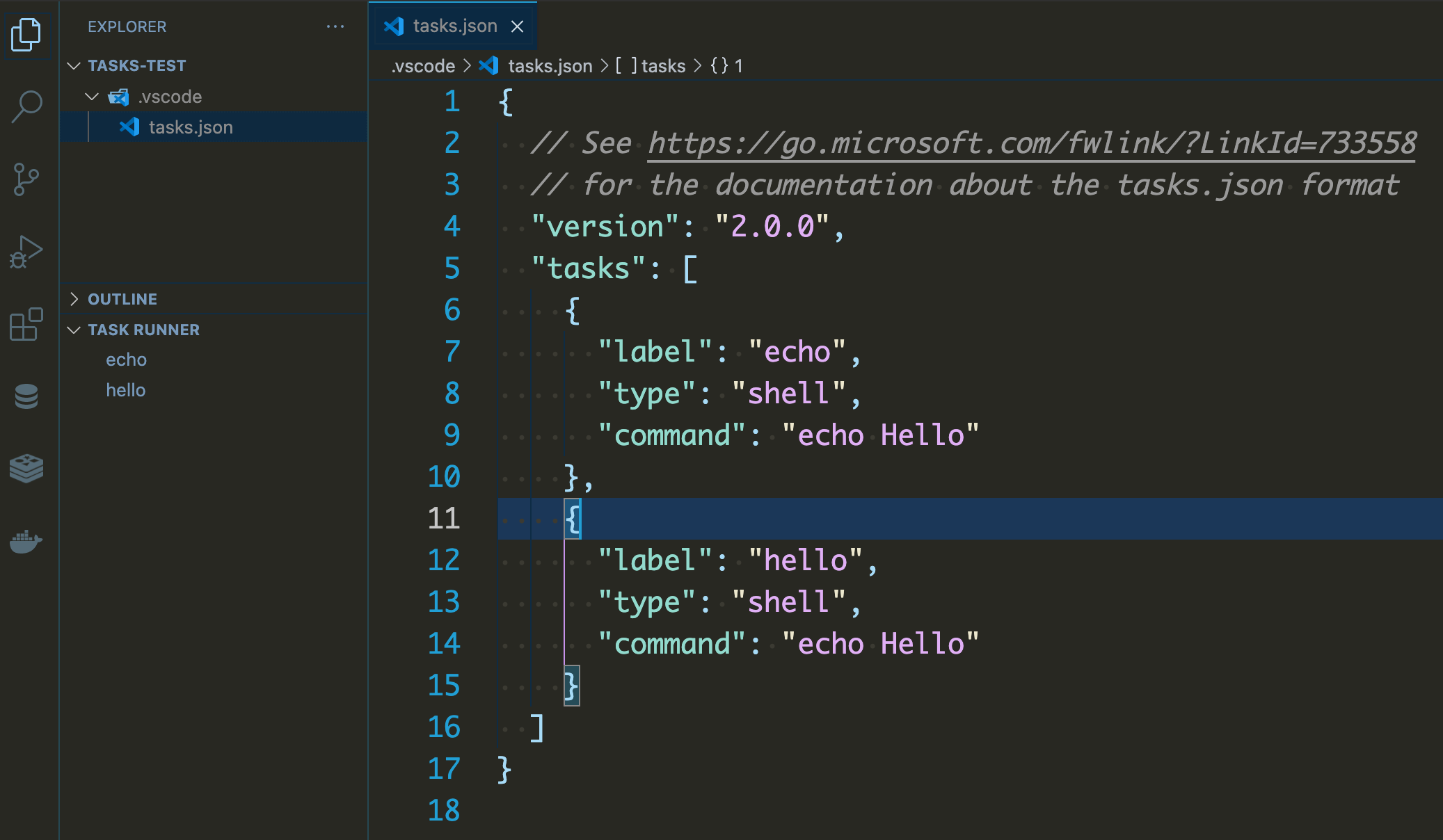

extension.ts registers a command called taskOutline.refresh
Refresh Icon should be visible in the Task Runner view
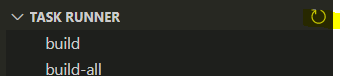
I am also able to run this command and see the Task List refreshed by creating a keyboard shortcut for this command.


Definitely needs to be fixed. Also, sometimes when I initially load a project, it does not show my tasks and I have to Reload the Window.

On my Windows PC it shows the refresh icon:
 Version: 1.64.2 (user setup)
Commit: f80445acd5a3dadef24aa209168452a3d97cc326
Date: 2022-02-09T22:02:28.252Z
Electron: 13.5.2
Chromium: 91.0.4472.164
Node.js: 14.16.0
V8: 9.1.269.39-electron.0
OS: Windows_NT x64 10.0.19044
Version: 1.64.2 (user setup)
Commit: f80445acd5a3dadef24aa209168452a3d97cc326
Date: 2022-02-09T22:02:28.252Z
Electron: 13.5.2
Chromium: 91.0.4472.164
Node.js: 14.16.0
V8: 9.1.269.39-electron.0
OS: Windows_NT x64 10.0.19044
But on an Linux PC (connected via xrdp) not:
 Version: 1.64.2
Commit: f80445acd5a3dadef24aa209168452a3d97cc326
Date: 2022-02-09T22:02:29.527Z
Electron: 13.5.2
Chromium: 91.0.4472.164
Node.js: 14.16.0
V8: 9.1.269.39-electron.0
OS: Linux x64 5.13.0-28-generic snap
Version: 1.64.2
Commit: f80445acd5a3dadef24aa209168452a3d97cc326
Date: 2022-02-09T22:02:29.527Z
Electron: 13.5.2
Chromium: 91.0.4472.164
Node.js: 14.16.0
V8: 9.1.269.39-electron.0
OS: Linux x64 5.13.0-28-generic snap
