
phaser-runtime
 phaser-runtime copied to clipboard
 samuelnovaes
Run Phaser games on desktop
phaser-runtime
Phaser runtime is an application to run Phaser 3 games on desktop. Phase Runtime works with Electron.

How to install
[sudo] npm install -g phaser-runtime
You may have to use the
--unsafe-permflag on Linux.
Usage
cd path/to/game
phaser
Game structure
The project must be a directory that contains a package.json file with the window configuration according to the Electron BrowserWindow documentation and the main script file with Phaser code.
Importing modules
You can import modules using the require function.
require("foo.js")
const fs = require('fs')
loading local assets
You must have to use __dirname to refers to the game directory
this.load.spritesheet('diamonds', __dirname + '/sprites/diamonds32x24x5.png', { frameWidth: 32, frameHeight: 24 });
Browser object
The browser object refers to the current Electron BrowserWindow object. It's equivalent to require("electron").remote.getCurrentWindow();
browser.setTitle("Foo") //Set the window title
browser.serSize(640, 480) //Resize the window
browser.setResizable(true) //Set the window resizable
browser.setMaximizable(true) //Set the window maximizable
browser.center() //Center the window on scree
Game example
Game directory
myGame
└---package.json
└---index.js
myGame/package.json
You can generate a
package.jsonwithnpm initcommand
{
	"name": "demo",
	"version": "1.0.0",
	"description": "Phaser Runtime Demo",
	"main": "index.js",
	"license": "ISC",
	"window": {
		"width": 800,
		"height": 600,
		"title": "My Game"
	}
}
myGame/index.js
const config = {
	type: Phaser.AUTO,
	scene: {
		create: create
	}
}
//It's not necessary to set width, height and parent

const game = new Phaser.Game(config)

function create() {
	var circle = new Phaser.Geom.Circle(400, 300, 100)

	var graphics = this.add.graphics({ fillStyle: { color: 0xff0000 } })
	graphics.fillCircleShape(circle)
}
Running the game
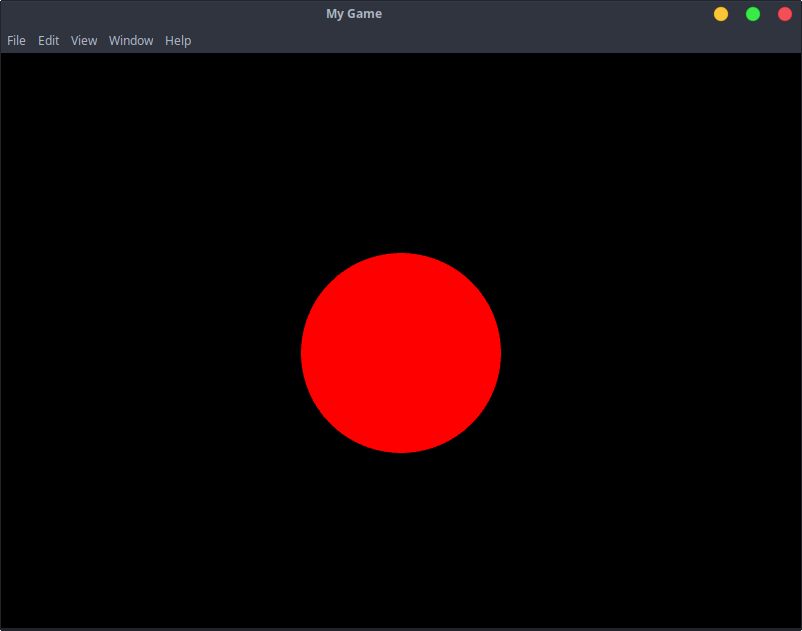
To run the game, enter phaser inside the "myGame" directory.
And you will see it
 samuelnovaes