

 rxhanson
Exporting not working on M1 MBP 2020 MacOS Monterey 12.0.1
- [ ] This is a new bug that hasn't been documented in a closed issue or in the Readme.
macOS version: 12.0.1 M1 MBP 2020 Rectangle version: v0.49(54) Logs if applicable (In Rectangle menu, hold option, "View Logging..."):
Unfortunately nothing shows in the log. The saving window pops up but nothing happens if you press "Save".
edit: It does work on my 2018 MBP though, it has macOS 12.0.1 and rectangle version is the same v0.49(54)

Does the save window go away when you press save? Can you try different locations and see if it saves in some places and not others? Rectangle uses macOS save functionality out of the box, so it's odd that it wouldn't be working properly.

It stopped working for me completely after upgrading to Monterey ... Any ideas?

I came here to report that this also stopped working after upgrading to Monteray (12.1), but it actually started working again while I was typing. I'm going to write out what I observed in case it helps.
- Upgrade to Monteray (12.1), machine reboots.
- Nothing happens when I try to use Rectangle key commands.
- Notice that Rectangle is not in the notification bar. I start it manually.
- The icon appears in the notification bar. When I click the menu, all repositioning options are grayed out.
- Check for updates, click Preferences, click About, no change.
- Search and find this issue, open Rectangle's menu, and all options are available as normal. Everything seems to work again.
I have no idea what happened; guess it just took a little while to spin back up. But waiting fixed it!

Also, I missed completely that the original issue was about exporting only 🤦🏻♀️ I'm not sure whether the commenter 5 days ago meant exporting or completely breaking, so I will leave my original comment for you to do with what you like, @rxhanson.
Save doesn't do anything either (save dialog does go away) on macOS Monterey 12.2.1 on 2021 MacBook M1 Max.
I checked System Privacy settings under Files and Folders and didn't see Rectangle listed. I added Rectangle to Full Disk Access and restarted the app. But that also made no difference.


Yep, just came across this issue today.
I open the Rectangle export dialogue, select a location to save, hit save and nothing happens. The dialogue closes as if it has saved, but no file is created.
Changing directory and doing app restarts does nothing, giving the app full disk permissions manually does nothing, the functionality does not work.
macOS 12.5, M1 Pro.

When i try to start project by clone it for the first time to test its export functionality. I receive the message error, but it does not happen every time, only at some random moments.
2022-09-07 15:21:00.691362+0700 Rectangle[78659:11148035] [General] [<MASShortcutBinder 0x600003ba2d60> valueForUndefinedKey:]: this class is not key value coding-compliant for the key leftHalf.
2022-09-07 15:21:00.704411+0700 Rectangle[78659:11148035] [General] (
	0   CoreFoundation                      0x00000001adf04a18 __exceptionPreprocess + 176
	1   libobjc.A.dylib                     0x00000001ada52ea8 objc_exception_throw + 60
	2   CoreFoundation                      0x00000001adf2df3c _CFBundleGetValueForInfoKey + 0
	3   Foundation                          0x00000001af2f46f8 -[NSObject(NSKeyValueCoding) valueForUndefinedKey:] + 196
	4   MASShortcut                         0x00000001033e69b0 -[MASShortcutBinder valueForUndefinedKey:] + 196
	5   Foundation                          0x00000001aed5f2ac -[NSObject(NSKeyValueCoding) valueForKey:] + 320
	6   Rectangle                           0x0000000102fd2724 $s9Rectangle8DefaultsC7encodedSSSgyFZ + 904
	7   Rectangle                           0x0000000103012c1c $s9Rectangle22SettingsViewControllerC12exportConfigyySo8NSButtonCF + 1252
	8   Rectangle                           0x0000000103012fb0 $s9Rectangle22SettingsViewControllerC12exportConfigyySo8NSButtonCFTo + 52
	9   AppKit                              0x00000001b12756c4 -[NSApplication(NSResponder) sendAction:to:from:] + 440
	10  AppKit                              0x00000001b12754dc -[NSControl sendAction:to:] + 72
	11  AppKit                              0x00000001b1275420 __26-[NSCell _sendActionFrom:]_block_invoke + 100
	12  AppKit                              0x00000001b1275348 -[NSCell _sendActionFrom:] + 204
	13  AppKit                              0x00000001b127526c -[NSButtonCell _sendActionFrom:] + 88
	14  AppKit                              0x00000001b127283c NSControlTrackMouse + 1480
	15  AppKit                              0x00000001b1272248 -[NSCell trackMouse:inRect:ofView:untilMouseUp:] + 144
	16  AppKit                              0x00000001b1272100 -[NSButtonCell trackMouse:inRect:ofView:untilMouseUp:] + 488
	17  AppKit                              0x00000001b12715cc -[NSControl mouseDown:] + 448
	18  AppKit                              0x00000001b12700c0 -[NSWindow(NSEventRouting) _handleMouseDownEvent:isDelayedEvent:] + 3404
	19  AppKit                              0x00000001b11fa5f4 -[NSWindow(NSEventRouting) _reallySendEvent:isDelayedEvent:] + 1984
	20  AppKit                              0x00000001b11f9c60 -[NSWindow(NSEventRouting) sendEvent:] + 284
	21  AppKit                              0x00000001b11f8e8c -[NSApplication(NSEvent) sendEvent:] + 1924
	22  AppKit                              0x00000001b1449da0 -[NSApplication _handleEvent:] + 60
	23  AppKit                              0x00000001b10c07f4 -[NSApplication run] + 500
	24  AppKit                              0x00000001b1097bbc NSApplicationMain + 880
	25  Rectangle                           0x0000000103025a28 main + 12
	26  dyld                                0x00000001ada83e50 start + 2544
)
There are a couple of things going on here. One of them is that there are some oddities with the macOS save/open dialog (I've experienced this type of thing outside of Rectangle, even with stock Mac apps). The other thing is that in the case of exporting not writing a file, if it's related to the logs posted by @cpea2506, then there could be a specific thing about your config that's causing this, related to how MASShortcut exposes a shortcut for serializing. In this case, it would be helpful to see what your config is - you can get it from ~/Library/Preferences/com.knollsoft.Rectangle.plist. This is one of those things that might finally push me to switch out MASShortcut for a newer library.
Thanks for taking a look into it!
I maintain an OSS macOS app and settled on using sindresorhus/KeyboardShortcuts to implement the global keyboard shortcuts for that, although not sure if this would be any better at fixing this specific scenario.
plist attached, although compressed to get around GitHub's file type restrictions: com.knollsoft.Rectangle.plist.zip
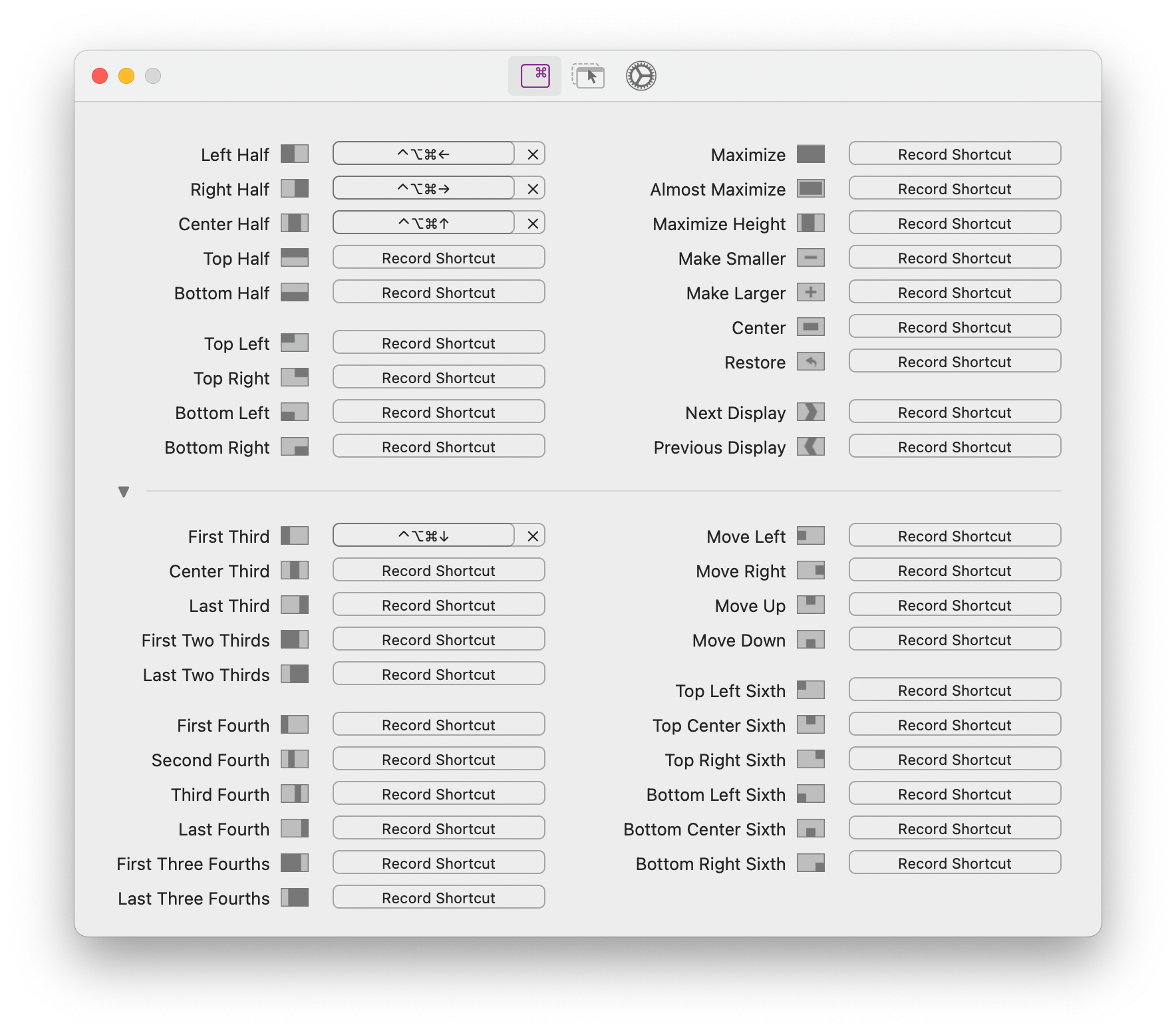
Here is a quick screenshot for reference:
I heavily make use of the repeat key cycling feature and love it <3
I'm also experiencing this issue with the latest release (0.64 (70)) and macOS 10.14.
Preferences are attached. Rectangle plists.zip

@finite-state-machine Thanks for attaching the plist. This is happening for you because some of your shortcuts are in a data format, rather than a dictionary format.
A long time ago, I had a migration release that converted all the shortcuts from the data format to dictionary. It's possible that you could have somehow skipped over that release and kept some data format shortcuts. The easiest way around this would be to look through your plist and clear then re-record your shortcuts that are a large data chunk (the ones that are not "keyCode" & "modifierFlags" dictionary).
@finite-state-machine Thanks for attaching the plist. This is happening for you because some of your shortcuts are in a data format, rather than a dictionary format.
@rxhanson With apologies for my delayed reply: Thank you so much for this advice! You're quite likely correct about me missing a release or two along the way.
If I understand correctly, I should:
- backup and copy
~/Library/Preferences/com.knollsoft.Rectangle.plist - convert it to JSON using
plutil -convert json - delete the offending keys using a text editor
- convert it back to binary using
plutil - close Rectangle
- place it back at the original location,
- restart Rectangle, and
- manually reconfigure the shortcuts I deleted.
Does that sound about right?
I would consider converting to/from JSON as extra steps for no reason.
You can just modify the plist directly if you wanted, but macOS will cache the plist so you might not see immediate results without a logout/login. Alternatively, you could use the terminal and execute defaults remove com.knollsoft.Rectangle <KEY_WITH_DATA_VALUE>. Rather than that, though, I highly recommend just using prefs editor to delete the key-values that are data: https://apps.tempel.org/PrefsEditor/
It's free and will update the macOS cache when you edit each item.
After removing those key-values, restart Rectangle and record the shortcuts again.
@rxhanson With sincere apologies for the very late reply: thank you so much for this individual advice; it's truly appreciated! I've had limited spare cycles and haven't got around to this, but I'm confident with these pointers I'll have no trouble.
I am experiencing this export issue also. It does not appear that I have any Data formatted entries in my plist. plist is attached. I will note that in attempting to use plutil to convert to json format, it fails with message: com.knollsoft.Rectangle.plist: invalid object in plist for destination format
On Monterey 12.6.3 plists.zip

@cyberdork33 I'll be honest, nothing jumps out at me when looking at your plist. The shortcut recorder output is really the only likely candidate that has potential to cause issues like this, and one of my upcoming top priorities is switching out the shortcut recorder. I'll dig deeper in it if you still have issues after I make the switch.
Just as a followup, I am now on Rectangle 0.68 and macOS 12.6.5 and export is working fine.
@cyberdork33 Thanks! I'm going to close this one out, and if anyone experiences this kind of issue again, then I think it's best to open a new issue and we can track it starting anew there.
Still doesn't work for me with v0.68. Maybe I missed it. Was there a fix released?
@huyz can you open a new issue and include your preferences plist?
~/Library/Preferences/com.knollsoft.Rectangle.plist
I suspect some people on this thread did the same thing I did: "Ignore Rectangle" itself. Then some time later, maybe even years later, we'd try to export but it wouldn't work.
After reinstalling and starting from scratch, one would re-set other settings such as keyboard shortcuts but probably forget about the "Ignore Rectangle" setting. Export would magically work again, but the new version of Rectangle would get undue credit for the fix ;)