

 rust-lang
Allow to use MSVC - VS 2022
Problem you are trying to solve
RUSTUP-INIT.EXE https://www.rust-lang.org/tools/install requires old toolchain (MSVC - VS 2019 and older)
the modern version is visual studio 2022 / MSVC - VS 2022 please support this version - so that you do not need to install an outdated toolchain on your computer
Solution you'd like
Allow to use MSVC - VS 2022
Notes
No response

You can use VS 2022. The Rust website just doesn't get updated that often.

@Andrysky where did it say you have to have 2019? Perhaps we can update the docs there whereever that is with something more inclusive?

It depends on the language. Some languages are very slow to be updated. Unfortunately I'm not multilingual enough to do translations.
And even changes to the English language website can take a long while to be published.
@ChrisDenton I'm not sure that the poster was referring to the web page were they? At least in english that page doesn't have a reference to 2019 at all.
If it is a stale version of the page, we can update the bug to reflect that, if its something else (e.g. some help text we missed), I'd like to fix that.
For example, the Spanish language text does as do other translations. The wording and links they use depend on when that section was last translated from the English.
I've updated the English section to simply link to rustup's guide as that is more thorough and can be updated more frequently then the Rust Book.
I apologize for forgetting the steps to paint / write in more detail:
after running rustup-init.exe
it is reported that you need to have "MSVC - VS 2019 C++ x64/x86 build tools" and "Windows 10 SDK"

- I already have visual studio 2022 with msvc v143-vs 2022 c++ x64/x86 build tools - why can't I use it?
- at least as a temporary improvement, you can write that if you already have visual studio 2022 installed, then you can simply install the "msvc v142 - vs 2019 c++ x64/x86 build tools" component
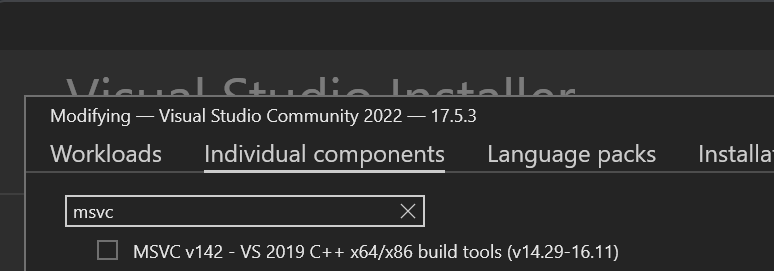
Hm, I can confirm I'm seeing the message too but I'm not sure why. I removed references to 2019 a while back. In any case, it works fine with 2022. I confirmed that these instructions work. For VS 2022 the only two things you absolutely need are:
- MSVC v143 - VS 2022 C++ x64/86 build tools (Latest)
- Windows 11 SDK (10.0.22621.0)
But you can use any version of the Windows SDK.
@Andrysky What does rustup-init.exe --version report ? For the specific rustup-init.exe you ran?
@rbtcollins
cmd /c rustup-init.exe --version
rustup-init 1.25.2 (17db695f1 2023-02-01)