

 romancin
Cannot scan movies with special characters
When I try to scan my media library all the movies with " ´ " in letters like Astérix Ultrón último días
It dont appear in the tmm list.


i confirm the same bug with french accented character. When the scanner gets there it hangs with error and i cans see ?? at the place of those characters. I alreday used TNMM on multiple devices, and never had this issue. I wanted to test your docker to have a centralized TNMM and it seems great ... only this weird issue @romancin
Seems like an issue of locale in the linux itself ?

Sorry, but I can't reproduce it, works fine for me :(
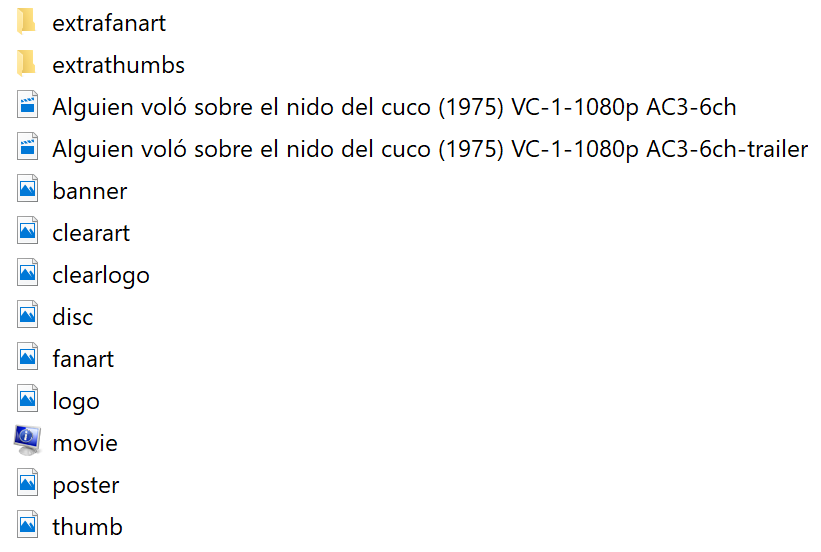
In the interface:

And file paths:

The media is scraped correctly for me:

Sorry, I am work fine now.
Because I set it wrong LANG env like:
LANG=C.UTF-8
Now I set it like:
LANG=en_US-UTF-8
Greetings from Germany,
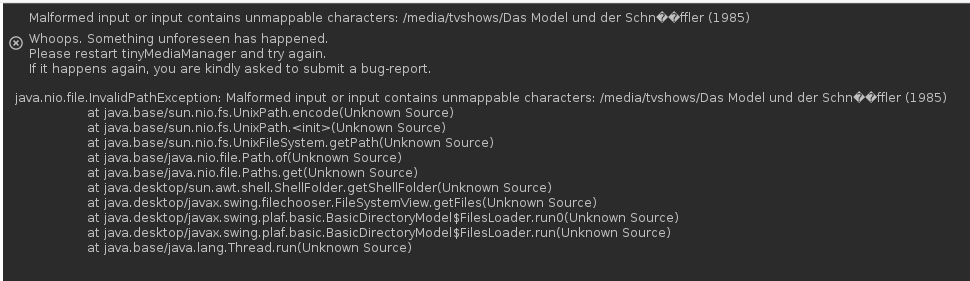
this issue still exists. I had no issues so far with your docker containers, but after reinstalling the container I can´t scan my existing media folders (folders which contain äöü letters in titles), because TMM throws an exception:
Thanks to Hansons answer on this post
https://stackoverflow.com/questions/39185613/java-nio-file-invalidpathexception-malformed-input-or-input-contains-unmappable
"Java natively translates all string to platform's local encoding in this method: jdk/src/share/native/common/jni_util.c - JNU_GetStringPlatformChars() . System property sun.jnu.encoding is used to determine the platform's encoding."
"The value of sun.jnu.encoding is set at jdk/src/solaris/native/java/lang/java_props_md.c - GetJavaProperties() using setlocale() method of libc. Environment variable LC_ALL is used to set the value of sun.jnu.encoding. Value given at the command prompt using -Dsun.jnu.encoding option to Java is ignored."
I found the possible reason for the strange behaviour:
The java System property sun.jnu.encoding which is normally set by LC_ALL environment variable from JRE by calling the setlocale() method from libc, contains ANSI_X3.4-1968 instead of UTF-8.
I´m already starting the docker container with the ENV variables LC_ALL=en_US-UTF-8, LANG=en_US-UTF-8, LANGUAGE=en_US-UTF-8.
Unfortunally I can´t change this value to UTF-8, because it´s normally done by the underlaying OS. As you can see in launcher.yml file TMM ist started using -Dfile.encoding=UTF-8 -Dsun.jnu.encoding=UTF-8 parameters.
- The -Dfile.encoding=UTF-8 parameter influences the file.encoding System property to UTF-8
- The -Dsun.jnu.encoding=UTF-8 is ignored and contains ANSI_X3.4-1968 instead
So I installed some additional musl libc languages for Alpine Linux with the help of https://gitlab.com/rilian-la-te/musl-locales/ repository using this command:
sudo docker exec -ti tinymediamanager sh
apk add --no-cache cmake make musl-dev gcc gettext-dev libintl
&& wget https://gitlab.com/rilian-la-te/musl-locales/-/archive/master/musl-locales-master.zip
&& unzip musl-locales-master.zip
&& cd musl-locales-master
&& cmake -DLOCALE_PROFILE=OFF -D CMAKE_INSTALL_PREFIX:PATH=/usr . && make && make install
&& cd .. && rm -r musl-locales-master
The languages are successful installed and locale -a and locale command within the docker container give me the follwing output:
bash-5.0# locale -a
C
C.UTF-8
ch_DE.UTF-8
de_CH.UTF-8
de_DE.UTF-8
en_GB.UTF-8
en_US.UTF-8
es_ES.UTF-8
fr_FR.UTF-8
it_IT.UTF-8
nb_NO.UTF-8
nl_NL.UTF-8
pt_BR.UTF-8
ru_RU.UTF-8
sv_SE.UTF-8
bash-5.0# locale
LANG=en_US-UTF-8
LC_CTYPE=en_US-UTF-8
LC_NUMERIC=en_US-UTF-8
LC_TIME=en_US-UTF-8
LC_COLLATE=en_US-UTF-8
LC_MONETARY=en_US-UTF-8
LC_MESSAGES=en_US-UTF-8
LC_ALL=en_US-UTF-8
But the Java system property sun.jnu.encoding still holds the value ANSI_X3.4-1968.
@romancin Could you please have a look at your container OS? I´m not really familiar with Linux.
You can display the value of sun.jnu.encoding and the other properties with the following Java code snippet after compiling this code into a valid JAR file named ListProperties.jar:
package com; import java.util.*; public class ListProperties { public static void main(String[] args) { Properties p = System.getProperties(); Enumeration keys = p.keys(); while (keys.hasMoreElements()) { String key = (String)keys.nextElement(); String value = (String)p.get(key); System.out.println(key + ": " + value); } } }
You just need to place it into the /config folder mapping path from TMM an run some command like this:
/config/jre/bin/java -jar -Dsun.jnu.encoding=UTF-8 -Dfile.encoding=UTF-8 config/ListProperties.jar
