

 robvdpol
[FEATURE] A dark mode for the main screen and possibly the Flyleaf player controls
Is your feature request related to a problem? Please describe. At present the main window of the Race Control app is mostly blindingly white. This causes eye strain and is particularly frustrating when watching content on the app at night or in a dark room in general.
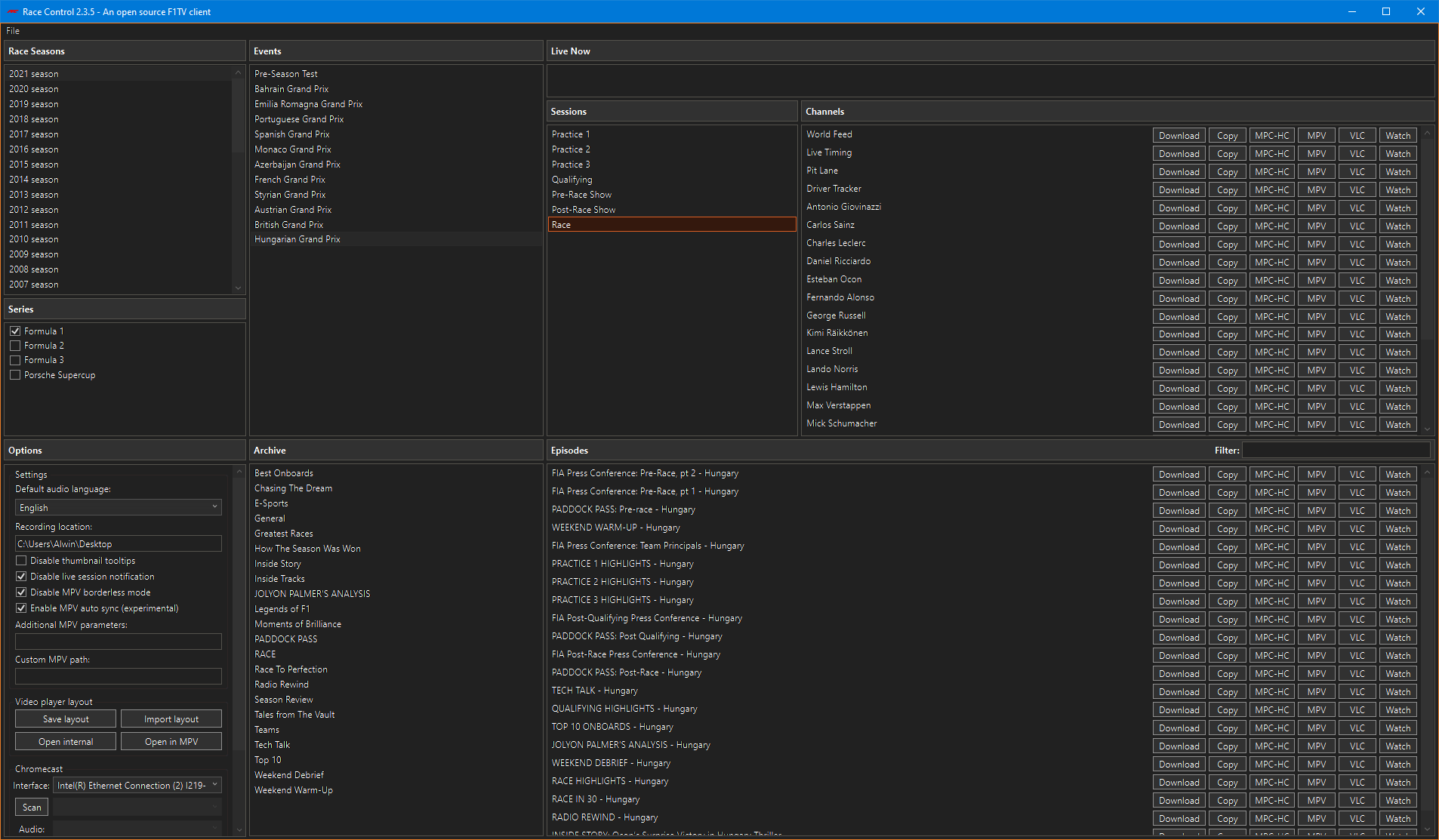
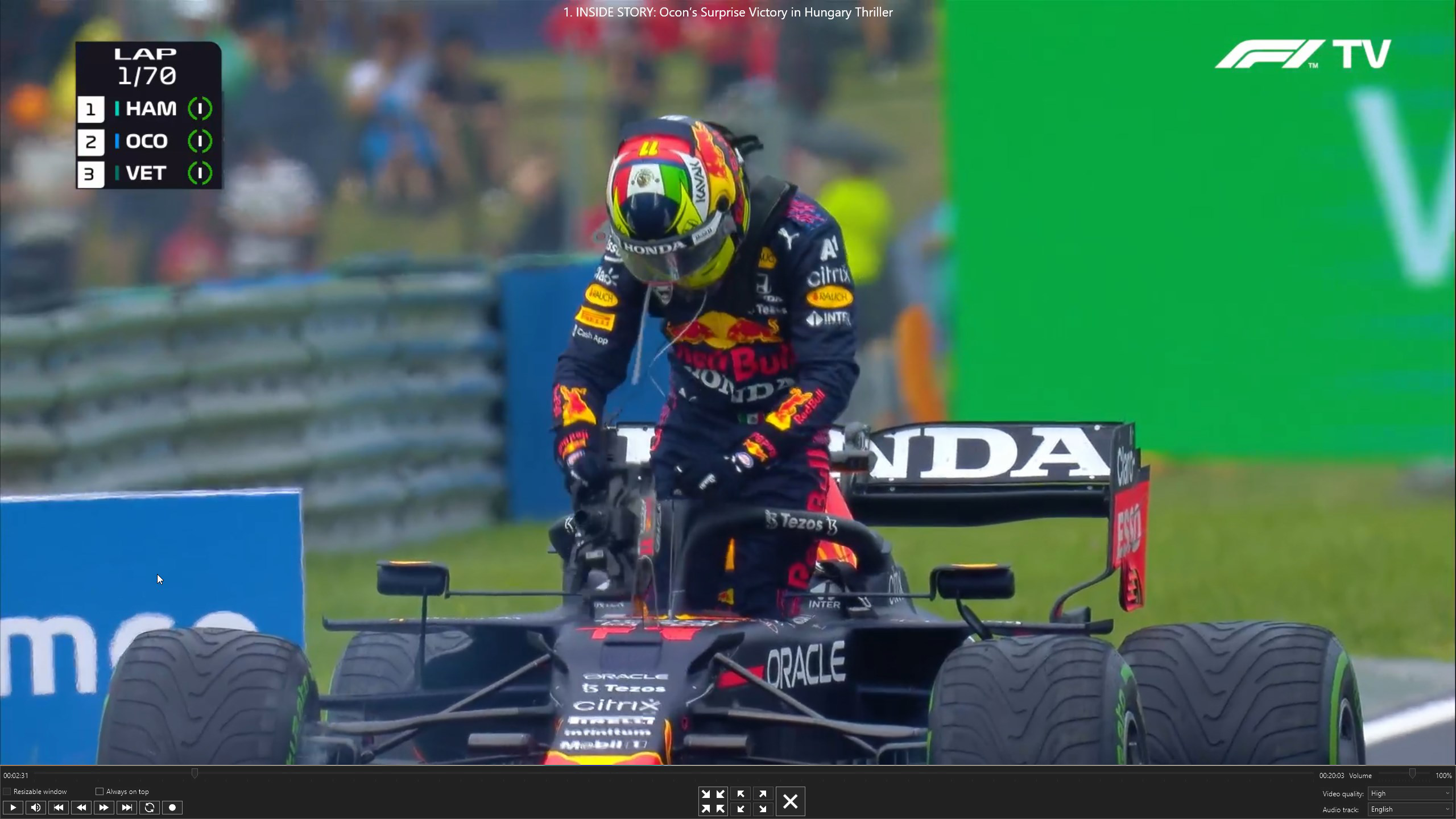
Describe the solution you'd like I would like the Race Control app to have a Dark Mode. This would entail replacing the bright white colours in the palette with darker greys (not deep blacks) and the black text with white or off-white text which would be easier on the eyes. I made some rough mockups using Photoshop below to give an idea of what I have in mind.
Mockup of Dark Mode on the main screen:
Mockup of Dark Mode on the player screen:
Describe alternatives you've considered I have been turning on Night Light in Windows 10 just before starting the Race Control app to cut out the blue light shock that my eyes would suddenly be subjected to on opening the app. Then I pick a video or stream to watch and start it up and then turn off Night Light when watching the video. As you can imagine it is not optimal to watch any kind of video content with the colours made consdireably warmer and "redder" through Night Light, so I don't want to leave Night Light on all the time. I have to go through the on-off steps with Night Light just to avoid the eye-searingly bright whites of the main screen. A proper dark mode would solve my issues with the app.
Additional context Dark Mode was previously brought up in #98 but it was closed citing it as a duplicate of #31. However, #31 specifically talks about wanting dark mode on the player controls and not the main screen which is what #98 was about. And honestly the absence of a dark mode is more of a problem on the main screen than on the player controls.

I am currently working on this, would be nice to have an option for a Dark theme. It must be said that I have no real experience with C# and mostly do Embedded Systems stuff. Not sure if @robvdpol has done any work on this yet, it's not my plan to push the agenda unwillingly.
So far I am able to create Resource Dictionaries and change the colours. It's far form perfect, need to change some parts to use the dynamic resources.
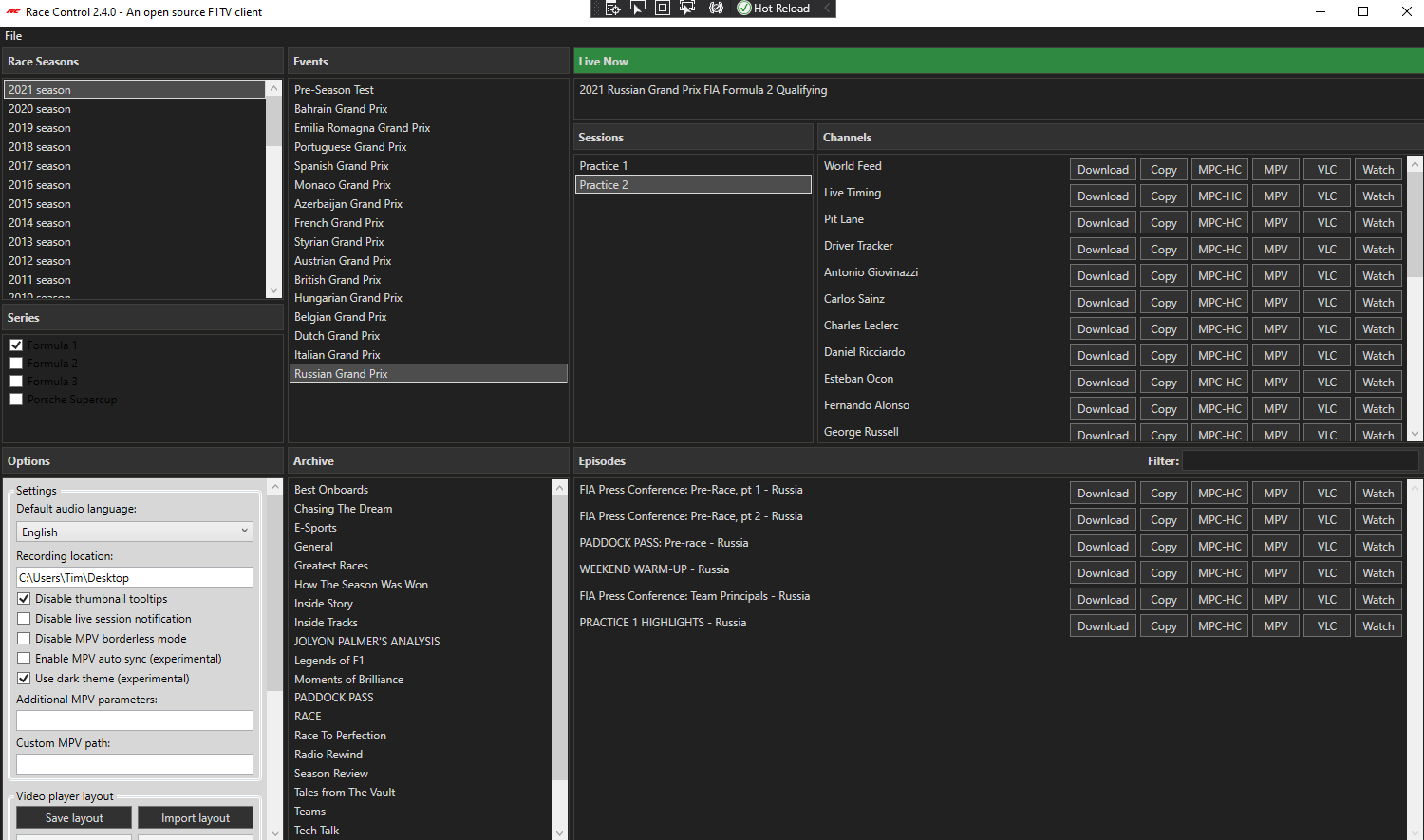

After some time I managed to get most stuff working. Look like there are already themes made that fit, for now I only used the DarkTheme Shout out to https://github.com/AngryCarrot789/WPFDarkTheme
If you check/uncheck the dark-theme checkbox it will update the UI and save it for the next time.
I will push the commits and see if I can open a pull-request.
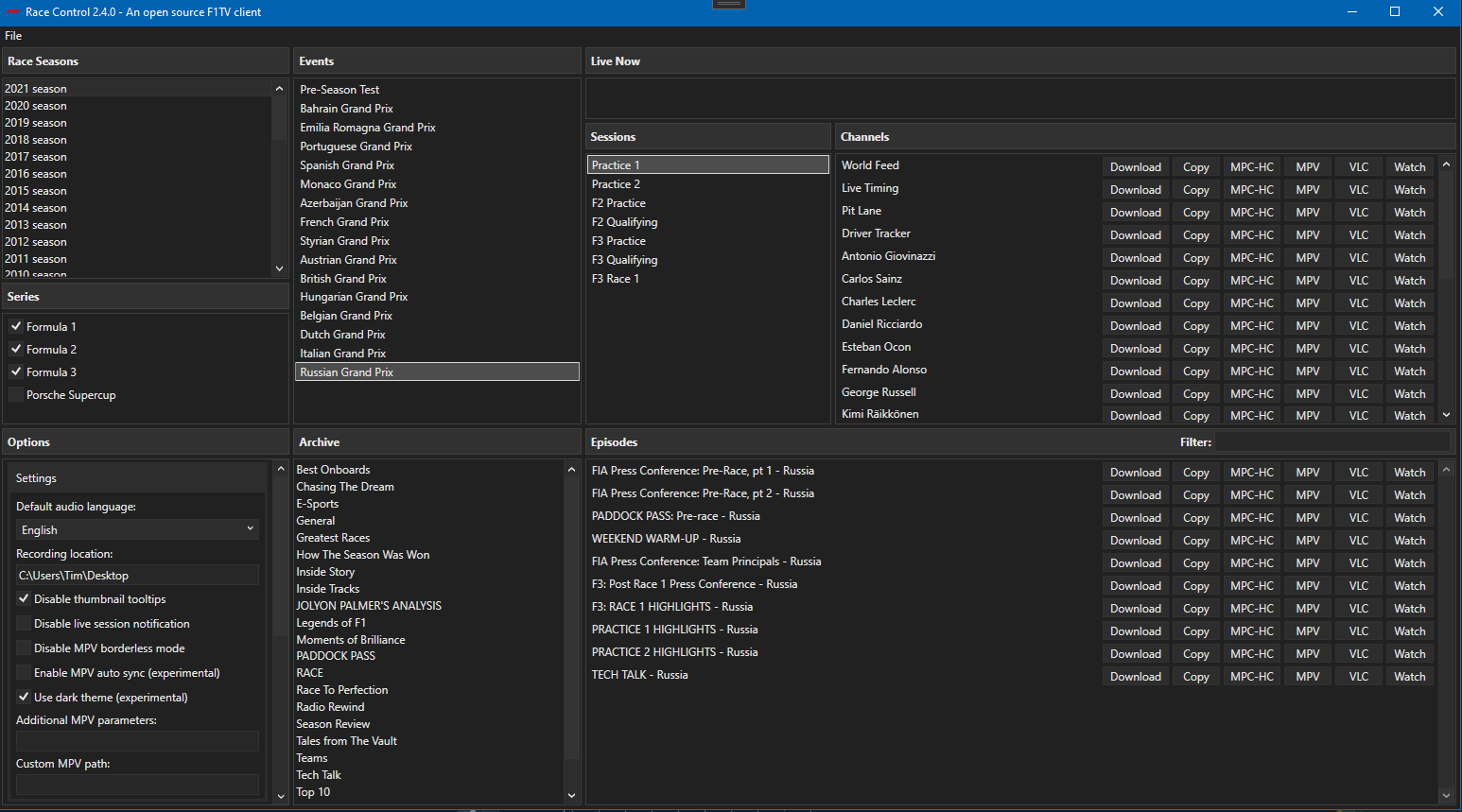
Any progress on this? It's been over half a year and still no dark mode. It does not have to be perfect. Even if some UI elements require further patches atleast the main window would not hurt my eyes. From what i've seen most programs that add dark mode alse require patches down the line to presumably fix small UI issues.
It coule be labeled as beta or testing to let the user know that it is still work in progress.
