

 robinrodricks
Can't transfer files to FileZilla Server latest (1.3.0) on windows using Tls 1.3
FTP OS: Windows 11 FTP Server: FileZilla Server 1.3.0 Computer OS: Windows 11 FluentFTP Version: source code / master
Steps
- Install latest FileZilla Server version (1.3.0).
- Keep default settings (minimum allowed TLS 1.2)
- Add a new unit test with hardcoded values to force uploading a file to the server with minimal commands:
[Fact]
public void Test01()
{
	FluentFTP.Helpers.FtpTrace.LogToConsole = true;
	FluentFTP.Helpers.FtpTrace.LogFunctions = true;

	using (var client = new FtpClient("127.0.0.1", "hello", "world"))
	{
		client.OnLogEvent = (x, a) => { outputHelper.WriteLine(a); };
		client.EncryptionMode = FtpEncryptionMode.Explicit;
		client.ValidateAnyCertificate = true;
		client.SslProtocols = System.Security.Authentication.SslProtocols.Tls13;
		client.Connect();

		var status = client.UploadFile(@"C:\code\tests\FtpTestConsole\Program.cs", "/test/Program.cs", FtpRemoteExists.NoCheck);
		outputHelper.WriteLine($"{status}: {client.LastReply.ErrorMessage}");

	}
}
- Run the test: the file won't be uploaded. The TLS negociation seems to fail.
Please note that FileZilla has received a major overhaul in version 1.0, switching engine to gnuTLS. Since then, we have been unable to transfer files to FileZilla Server (only tested on windows).
Of course, it works using the official FileZilla client.
I also have a wireshark dump available, with the certificate and the private key, but it seems to be a complex case to analyse.
I also plan to submit this problem to filezilla server repo, with a simple exe to reproduce the problem on their side.
Logs
FluentFTP:
>         Connect()
Status:   Connecting to 127.0.0.1:21
Response: 220-FileZilla Server 1.3.0
Response: 220 Please visit https://filezilla-project.org/
Status:   Detected FTP server: FileZilla
Command:  AUTH TLS
Response: 234 Using authentication type TLS.
Status:   FTPS Authentication Successful
Status:   Time to activate encryption: 0h 0m 0s.  Total Seconds: 0,0479999.
Command:  USER hello
Response: 331 Please, specify the password.
Command:  PASS ***
Response: 230 Login successful.
Command:  PBSZ 0
Response: 200 PBSZ=0
Command:  PROT P
Response: 200 Protection level set to P
Command:  FEAT
Response: 211-Features:
Response: MDTM
Response: REST STREAM
Response: SIZE
Response: MLST type*;size*;modify*;perm*;
Response: MLSD
Response: AUTH SSL
Response: AUTH TLS
Response: PROT
Response: PBSZ
Response: UTF8
Response: TVFS
Response: EPSV
Response: EPRT
Response: MFMT
Response: 211 End
Status:   Text encoding: System.Text.UTF8Encoding
Command:  OPTS UTF8 ON
Response: 202 UTF8 mode is always enabled. No need to send this command
Command:  SYST
Response: 215 UNIX emulated by FileZilla.
Status:   Listing parser set to: Machine
>         UploadFile("C:\code\tests\FtpTestConsole\Program.cs", "/test/Program.cs", NoCheck, False, None)
>         OpenWrite("/test/Program.cs", Binary)
>         GetFileSize("/test/Program.cs")
Command:  SIZE /test/Program.cs
Response: 213 0
Command:  TYPE I
Response: 200 Type set to I
>         OpenPassiveDataStream(AutoPassive, "STOR /test/Program.cs", 0)
Command:  EPSV
Response: 229 Entering Extended Passive Mode (|||53757|)
Status:   Connecting to 127.0.0.1:53757
Command:  STOR /test/Program.cs
Response: 150 Starting data transfer.
Status:   FTPS Authentication Successful
Status:   Time to activate encryption: 0h 0m 0s.  Total Seconds: 0,0029996.
Status:   Disposing FtpSocketStream...
Response: 425 Unable to build data connection: TLS session of data connection not resumed.
Status:   Failed to upload file.
Failed: Unable to build data connection: TLS session of data connection not resumed.
>         Dispose()
Status:   Disposing FtpClient object...
Command:  QUIT
Response: 200 Goodbye.
Status:   Disposing FtpSocketStream...
Status:   Disposing FtpSocketStream...
FileZilla Server:
2022-03-15T13:43:34.471Z << [FTP Session 38 127.0.0.1] 234 Using authentication type TLS.
2022-03-15T13:43:34.530Z >> [FTP Session 38 127.0.0.1] USER hello
2022-03-15T13:43:34.530Z << [FTP Session 38 127.0.0.1] 331 Please, specify the password.
2022-03-15T13:43:34.533Z >> [FTP Session 38 127.0.0.1] PASS ****
2022-03-15T13:43:34.533Z << [FTP Session 38 127.0.0.1 hello] 230 Login successful.
2022-03-15T13:43:34.533Z >> [FTP Session 38 127.0.0.1 hello] PBSZ 0
2022-03-15T13:43:34.533Z << [FTP Session 38 127.0.0.1 hello] 200 PBSZ=0
2022-03-15T13:43:34.533Z >> [FTP Session 38 127.0.0.1 hello] PROT P
2022-03-15T13:43:34.533Z << [FTP Session 38 127.0.0.1 hello] 200 Protection level set to P
2022-03-15T13:43:34.534Z >> [FTP Session 38 127.0.0.1 hello] FEAT
2022-03-15T13:43:34.534Z << [FTP Session 38 127.0.0.1 hello] 211-Features:
2022-03-15T13:43:34.534Z << [FTP Session 38 127.0.0.1 hello] 211 End
2022-03-15T13:43:34.537Z >> [FTP Session 38 127.0.0.1 hello] OPTS UTF8 ON
2022-03-15T13:43:34.537Z << [FTP Session 38 127.0.0.1 hello] 202 UTF8 mode is always enabled. No need to send this command
2022-03-15T13:43:34.537Z >> [FTP Session 38 127.0.0.1 hello] SYST
2022-03-15T13:43:34.537Z << [FTP Session 38 127.0.0.1 hello] 215 UNIX emulated by FileZilla.
2022-03-15T13:43:34.544Z >> [FTP Session 38 127.0.0.1 hello] SIZE /test/Program.cs
2022-03-15T13:43:34.544Z << [FTP Session 38 127.0.0.1 hello] 213 0
2022-03-15T13:43:34.545Z >> [FTP Session 38 127.0.0.1 hello] TYPE I
2022-03-15T13:43:34.545Z << [FTP Session 38 127.0.0.1 hello] 200 Type set to I
2022-03-15T13:43:34.547Z >> [FTP Session 38 127.0.0.1 hello] EPSV
2022-03-15T13:43:34.547Z << [FTP Session 38 127.0.0.1 hello] 229 Entering Extended Passive Mode (|||53757|)
2022-03-15T13:43:34.551Z >> [FTP Session 38 127.0.0.1 hello] STOR /test/Program.cs
2022-03-15T13:43:34.551Z << [FTP Session 38 127.0.0.1 hello] 150 Starting data transfer.
2022-03-15T13:43:34.554Z !! [FTP Session 38 127.0.0.1 hello] TLS session of data connection not resumed.
2022-03-15T13:43:34.554Z << [FTP Session 38 127.0.0.1 hello] 425 Unable to build data connection: TLS session of data connection not resumed.
2022-03-15T13:43:34.560Z >> [FTP Session 38 127.0.0.1 hello] QUIT
2022-03-15T13:43:34.560Z << [FTP Session 38 127.0.0.1 hello] 200 Goodbye.

I have also noted that TLS 1.3 is not officially supported on .net versions prior 5.0 or only on Win11, and there are multiple articles regarding TLS 1.3 support on .NET:
- Transport Layer Security (TLS) best practices with the .NET Framework
- SChannel Support Table
- Discussion on TLS 1.3 and .NET Framework support
(I don't even know if these limitations are concerning this project)
I have also created a discussion on FileZilla Server Support Forum and got replies from the developer of FileZilla.
I also have forked FluentFTP to create a simple program app to reproduce the problem.
Please also note that when using Windows 10, FluentFTP could not even connect to the server:
[Verbose] >         Connect()
[Info] Status:   Connecting to ::1:21
[Verbose] Response: 220-FileZilla Server 1.3.0
[Info] Response: 220 Please visit https://filezilla-project.org/
[Info] Status:   Detected FTP server: FileZilla
[Info] Command:  AUTH TLS
[Info] Response: 234 Using authentication type TLS.

Exception non gérée : System.ComponentModel.Win32Exception: Le client et le serveur ne peuvent pas communiquer car ils ne possèdent aucun algorithme commun
   à System.Net.SSPIWrapper.AcquireCredentialsHandle(SSPIInterface SecModule, String package, CredentialUse intent, SecureCredential2 scc)
   à System.Net.Security.SecureChannel.AcquireCredentialsHandle(CredentialUse credUsage, SecureCredential2& secureCredential)
   à System.Net.Security.SecureChannel.AcquireCredentialsHandle(CredentialUse credUsage, X509Certificate2 selectedCert, Flags flags)
   à System.Net.Security.SecureChannel.AcquireClientCredentials(Byte[]& thumbPrint)
   à System.Net.Security.SecureChannel.GenerateToken(Byte[] input, Int32 offset, Int32 count, Byte[]& output)
   à System.Net.Security.SecureChannel.NextMessage(Byte[] incoming, Int32 offset, Int32 count)
   à System.Net.Security.SslState.StartSendBlob(Byte[] incoming, Int32 count, AsyncProtocolRequest asyncRequest)
   à System.Net.Security.SslState.ForceAuthentication(Boolean receiveFirst, Byte[] buffer, AsyncProtocolRequest asyncRequest)
   à System.Net.Security.SslState.ProcessAuthentication(LazyAsyncResult lazyResult)
   à FluentFTP.FtpSocketStream.ActivateEncryption(String targethost, X509CertificateCollection clientCerts, SslProtocols sslProtocols) dans C:\code\github\FluentFTP\FluentFTP\Streams\FtpSocketStream.cs:ligne 1120
   à FluentFTP.FtpClient.Connect() dans C:\code\github\FluentFTP\FluentFTP\Client\FtpClient_Connection.cs:ligne 418
   à FluentFTP.Program.Main(String[] args) dans C:\code\github\FluentFTP\FluentFTP.ConsoleApp\Program.cs:ligne 38
[Verbose] >         Dispose()
[Verbose] Status:   Disposing FtpClient object...
[Verbose] Status:   Testing connectivity using Socket.Poll()...
[Info] Command:  QUIT
[Warn] Warning:  FtpClient.Disconnect(): Exception caught and discarded while closing control connection: System.ComponentModel.Win32Exception (0x80004005): Le client et le serveur ne peuvent pas communiquer car ils ne possèdent aucun algorithme commun
   à System.Net.Security.SslState.CheckThrow(Boolean authSuccessCheck, Boolean shutdownCheck)
   à System.Net.Security.SslState.get_SecureStream()
   à System.Net.Security.SslStream.Write(Byte[] buffer, Int32 offset, Int32 count)
   à FluentFTP.FtpSocketStream.Write(Byte[] buffer, Int32 offset, Int32 count) dans C:\code\github\FluentFTP\FluentFTP\Streams\FtpSocketStream.cs:ligne 664
   à FluentFTP.FtpSocketStream.WriteLine(Encoding encoding, String buf) dans C:\code\github\FluentFTP\FluentFTP\Streams\FtpSocketStream.cs:ligne 694
   à FluentFTP.FtpClient.Execute(String command) dans C:\code\github\FluentFTP\FluentFTP\Client\FtpClient_Stream.cs:ligne 83
   à FluentFTP.FtpClient.Disconnect() dans C:\code\github\FluentFTP\FluentFTP\Client\FtpClient_Connection.cs:ligne 978
[Verbose] Status:   Disposing FtpSocketStream...
[Verbose] Status:   Disposing FtpSocketStream...
The exception message could be translated as "Unhandled Exception: System.ComponentModel.Win32Exception: The client and server cannot communicate, because they do not possess a common algorithm"".
Per "Unhandled Exception: System.ComponentModel.Win32Exception: The client and server cannot communicate, because they do not possess a common algorithm"".
It seems here that the OS cannot find a suitable protocol to communicate with the server. I doubt we can fix it at the library level, but keep us updated if you find any fix. Thanks for debugging this issue thus far!
Per botg on the Filezilla forum, "It's a bug in Schannel, it has been reported to Microsoft."

You are right, it seems to be a bug in SChannel itself. I will continue to track this issue and report any progress here.
@tbolon Not sure if it's related. I had a similar issue (The client and server cannot communicate, because they do not possess a common algorithm), but the server is not FileZilla.
My code didn't set a value for SslProtocols. After setting it to None, I was able to connect, list, download.
Apologies if it's not related.

I think it's all resolved now by #996. I will confirm in a few weeks.
It was perhaps not caused by TLS 1.3 but by the new FileZilla server engine.
@tbolon The logs you posted originally showed the error message 425 Unable to build data connection: TLS session of data connection not resumed. and FileZilla-Server 1.3.0.
I don't really think #996 (which problem is fixed) helps for this.
Please note that current FluentFTP version (from V42 or current/master) produces more and better error messages to diagnose errors of this kind (TLS version and cipher suites negotiated).
Perhaps you could retry with current/master? Because it has come a long way since march.
Please note that FileZilla has received a major overhaul in version 1.0, switching engine to gnuTLS.
Yes, that is true. Currently we have the following information:
FileZilla-Server V 0.9.60: Session Resume failure. Previous versions might actually work. FileZilla-Server V 1.x.x: Works fine for TLS 1.2, but fails session resume for TLS 1.3 Generally, only very late versions of WIN 10 might support TLS 1.3. Typically, WIN 10 does not support TLS 1.3

In my case it failed under slightly different circumstances which I believe is worth highlighting.. I had a stable working openssl based FTPS code which I had tested for session resumption against the older filezilla servers (presumably openssl based as well).. It all worked fine till I tried the code again after 2 years (yesterday) on the latest gnutls based FZ and got this issue. The first cc handshake worked as expected but dc handshake for the subsequent list operation reported that (SSL_session_reused-->false) it was actually a new TLS connection.. At this point fz server closed the connection with "425 TLS session of data connection not resumed.." -ve response. Upon checking this further I realized that I was doing the TLS1.2 thingy of extracting the (SSL_get1_session) existing session off the first successful full handshake and then setting it (SSL_set_session) as the session for the subsequent dc channel handshake. This works fine if the negotiated protocol is 1.2; FZ server logs, however, were reporting 1.3 as the negotiated protocol and here the usual (1.2) way of extracting the session from first successful handshake and simply pointing it to the next handshake doesn't work as per the spec. Apparently we need to wait for the server to send the session token "after" the handshake. This is different from 1.2 where the session data is exchanged as part of the handshake itself. So, I set the session cache mode to SSL_SESS_CACHE_CLIENT, added a session data callback and some wait logic to save and use the correct session ticket when it arrived post the first handshake. That fixed the session resumption failure issue with the latest fz for me
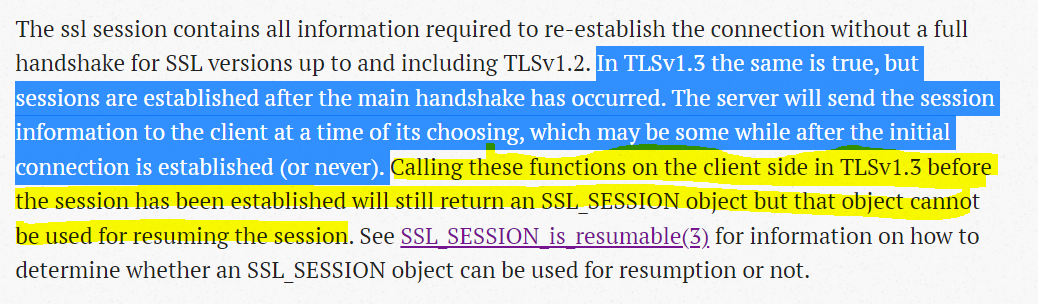

@n-mam Thanks for this information. Impressive diagnosis. Sadly, we have no real way of implementing any kind of work around as we us SChannel via SslStream (.NET). Any suggestions?
@FanDjango as far as I can tell, schannel has tls1.3 support starting win11 and via some registry settings on win10 sku's. However even with that, session resumption does not seem to be supported as per this article . Not sure when this article was published and what's the support status since then but unless schannel supports session reuse the next best thing would be to somehow pinvoke libssl.dll/libgnutls.dll directly or use some ready made .net wrappers. I had a native c++ app and as such fixing this for my openssl code was moderately complex.
I agree with what you say. I always "sort of" forget about Win 11, I don't plan to have it currently, so my bad, I remember now that some actually had some limited success for TLS 1.3 with Win 11.
PInvoke is certainly an option but not an attractive one, for me.
Perhaps the participants might like to investigate: https://github.com/robinrodricks/FluentFTP/wiki/FTPS-Connection-using-GnuTLS.