

 rnmapbox
UserLocation -> showsUserHeadingIndicator is huge
Describe the bug
The user heading indicator triangle is huge.
| iOS Simulator (iPhone 8) | Real iPhone 11 Pro |
|---|---|
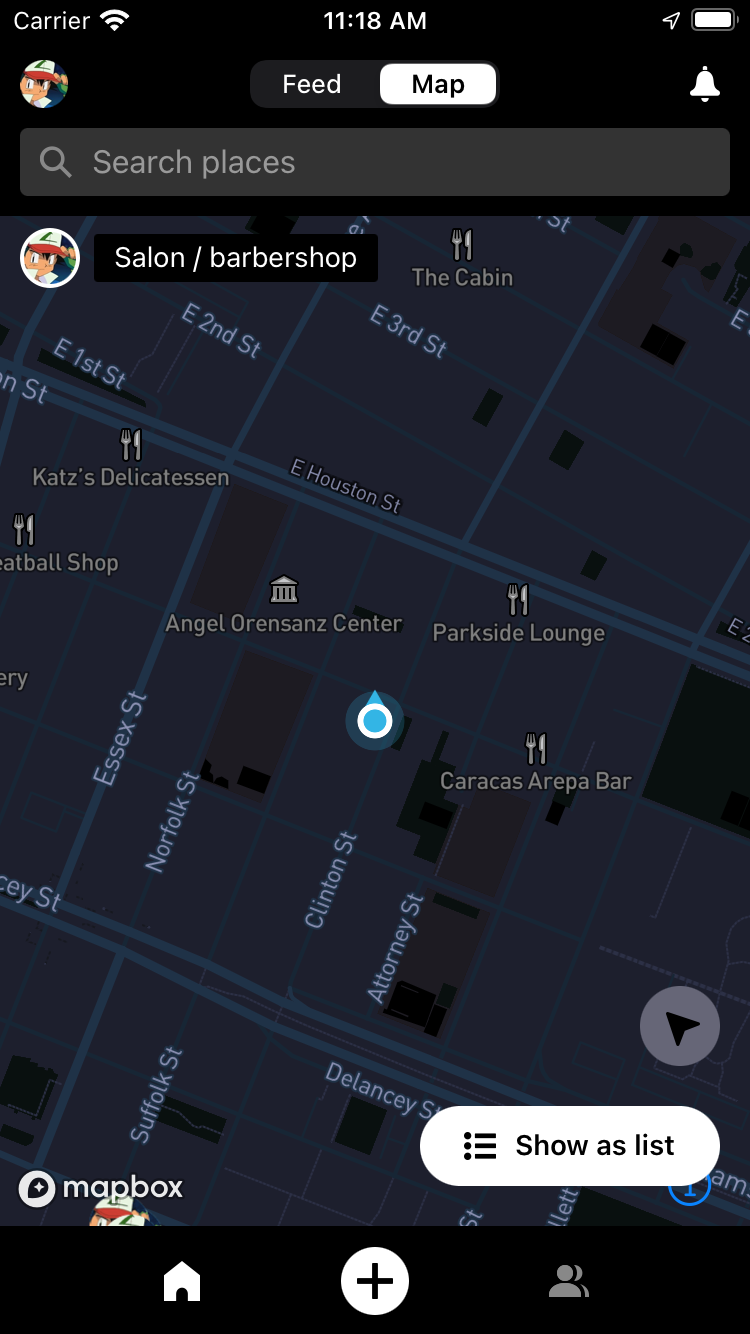 |
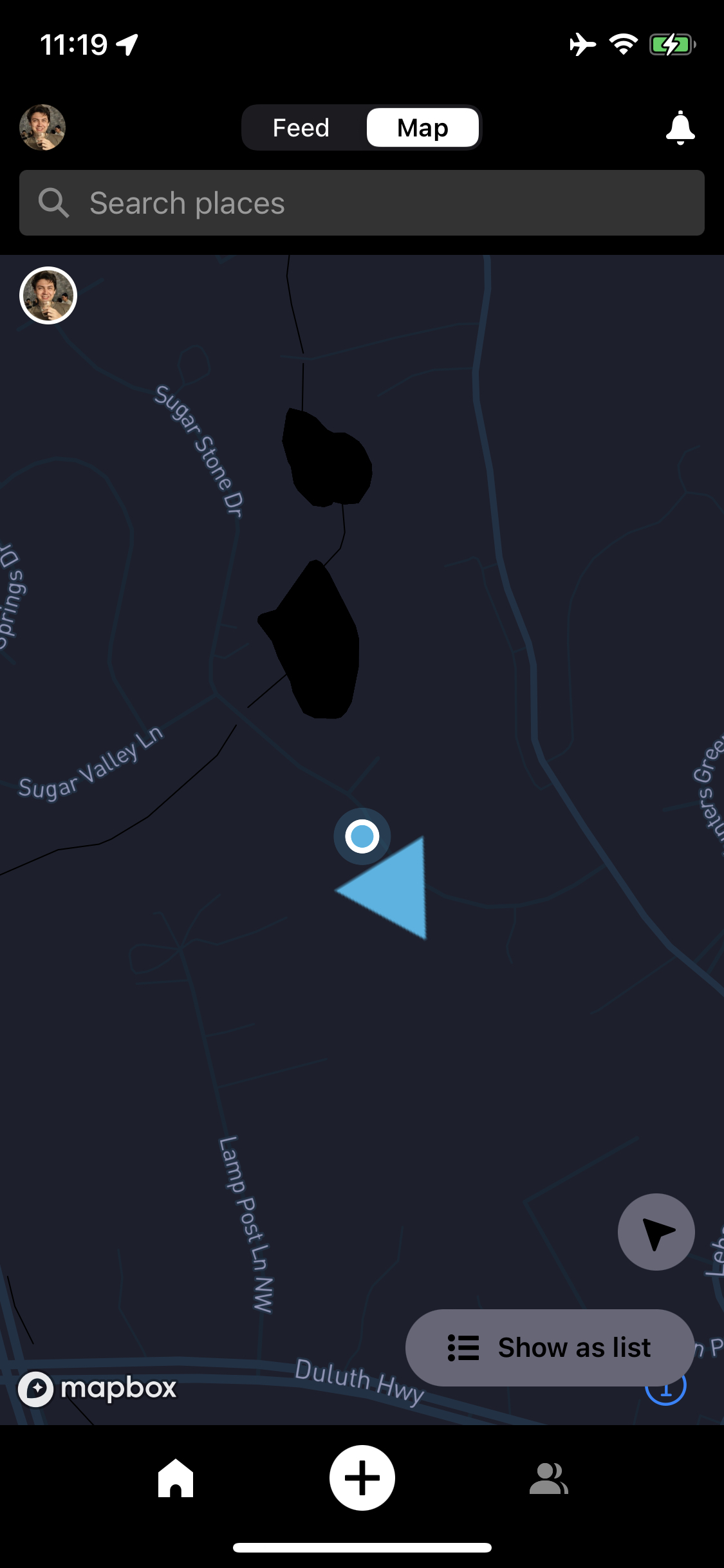 |
To Reproduce
Insert <UserLocation> as last child within a <MapBox> component
<UserLocation visible showsUserHeadingIndicator/>
Versions (please complete the following information):
- Platform OS: iOS 15.5
- Device: iPhone 11 Pro
- Dev OS: MacOS 12.4
- @rnmapbox/maps Version:
rnmapbox/maps#main - Expo Version: 45.0.0
- React Native Version: 0.68.2
Additional context
Not sure if this is rendering correct on the sim because its a simulator or just because of the scaling integer being a nice round 2x.
Totally happy to provide any details and to be helpful 😀

I have looked in to it and I believe I have found some information that will help.
In the file HeadingIndicator.js, I beleive there is no fixed size to apply to the triangle resource. Relevant code from the repo pasted below:
const style = {
  iconImage: headingIcon,
  iconAllowOverlap: true,
  iconPitchAlignment: 'map',
  iconRotationAlignment: 'map',
};
Perhaps a simple polygon could be used instead of the png file.
@jamesloper what is the mapbox library you're using?! eg what is RNMapboxMapsImpl?!

Sorry for leaving out that detail.
$RNMapboxMapsImpl = 'mapbox'
$RNMapboxMapsVersion = '~> 10.5.0'

Correction, after updating to Installing rnmapbox-maps 10.0.0-beta.22 (was 10.0.0-beta.18), UserLocation is no longer visible on iOS simulator
@mfazekas is this a tricky fix? I've been trying to add a custom header indicator but have been running into a bunch of issues and if its still possible possible to create a custom user heading indicator based on past solutions, afaik theres no simple solution
I've tried on latest beta - aka 10.0.0-beta.42 it was working fine for me.
I've tried on simulator and on iPhone 13 mini.