

 riverwm
gtk menus overflow screen
hey guys,
this could very well be a wl-roots / (gtk) only issue, but i decided to post it here to make you aware of. i was curious how things would behave, which need a large amount of vertical screen space, for example a long list of menu items (e.g. libreoffice with its insane menu items :smile: ). you can easily reproduce by using a lower resolution. issue arises with any gtk app & actually makes them not completely usable.
the problem only occurs in wl-roots based compositors (validated with sway). using the mutter compositor (gnome-shell) everything works as expected. i made the comparison with latest versions, default / untouched configs & of course wayland only.
see vid's below:
this is libreoffice & river. as you can see, there is no way to access all menu items. there seems to be a visual glitch too, there is a gap between selected menu item & its submenu popping up ("visible buttons") hovering again over the menu item ("visible buttons") makes the gap disappear.
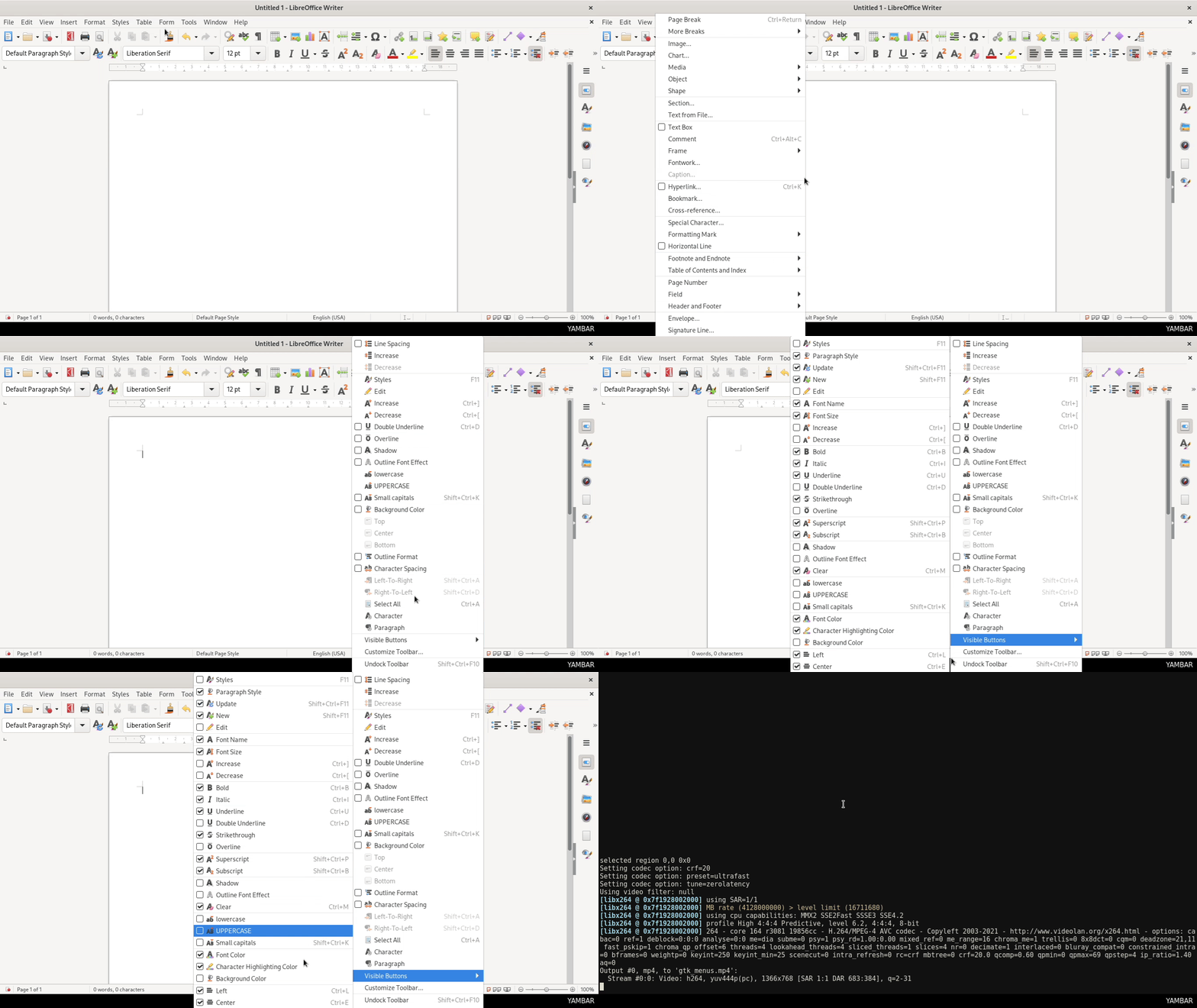
this is libreoffice & mutter (gnome-shell). as you can see, every menu item can be accessed perfectly fine.
arrows will appear automatically at the top or bottom & scrolling the menu items will work too.

if this is a gtk bug, i wonder why it works with mutter.. there must be something special mutter is doing for communicating dimensions.

Looks like https://gitlab.freedesktop.org/wlroots/wlroots/-/merge_requests/3446 fixes this. I guess we need to wait for the next wlroots release.

yes, you are correct. i tested master branches of wlroots & sway.
issue will be fixed by --> https://gitlab.freedesktop.org/wlroots/wlroots/-/merge_requests/3446