

 reflex-dev
F-String does not work
I wrote a counter web app, but it has two counter.
Here is the code I wrote:
def index():
    return pc.center(
        pc.grid(
            pc.grid_item(pc.heading(f"{TestStateA.counter} {TestStateB.counter}"), row_span=1, col_span=3, text_align="center"),
            pc.grid_item(row_span=1, col_span=3),
            pc.grid_item(pc.flex(pc.button("Increase", on_click=TestStateA.clicker), align="center", justify="right"), row_span=1, col_span=1),
            pc.grid_item(row_span=1, col_span=1),
            pc.grid_item(pc.flex(pc.button("Increase", on_click=TestStateB.clicker), align="center", justify="left"), row_span=1, col_span=1),
            template_columns="1fr 40px 1fr",
            template_rows="1fr 50px 1fr",
            width="fit-content",
            height="fit-content",
        ),
        width="100vw",
        height="100vh"
    )
Basically I put heading in top of grid, and the content of the heading is formatted with f-string.
And the result is:

Then, I rewrote f-string to plus sign like this
pc.heading(TestStateA.counter + ' ' + TestStateB.counter)
And it worked perfectly how I desired..
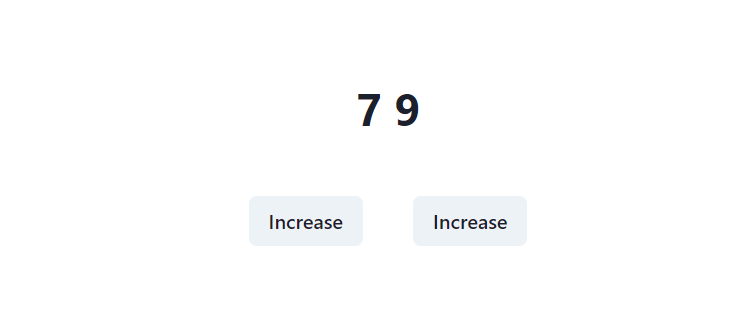
I think it's reproduced when you put f-string into content.
I'm not sure but when I wrote similar code with text and span component, same happened.
Specifics (please complete the following information):
- Python Version: 3.11.1
- Pynecone Version: 0.1.14
- OS: Windows 10
- Browser (Optional): Chrome

Maybe it is related to how we process the view function code, we compile them to React components, which is write in Javascript.

Yeah @FHU-yezi is right but I think we can try and support this in the future as we do with other var operations with strings.

Most of f-string work exept for @sserve-kr mentioned one. I think this related to accesibility of state var.
- shows value
Pure python object.
class State(pc.State):
    text: str = "default"

def index():
    return pc.vstack(
        pc.text(f"{datetime.now()}"),
    )
Default value of state var.
class State(pc.State):
    text: str = f"{datetime.now()}"

def index():
    return pc.vstack(
        pc.text(State.text),
    )
Set variable with function.
class State(pc.State):
    text: str = "this is default"

    def add_text(self, value):
        self.text = f"the input is {value}"

def index():
    return pc.vstack(
        pc.text(State.text),
        pc.input(on_blur=State.add_text)
    )
Backend var.
class State(pc.State):
    text: str = "the default value"
    _text: str = "the inside default"

def index():
    return pc.vstack(
        pc.text(f"{State._text}")
    )
- shows variable name State var.
class State(pc.State):
    text: str = "this is default"

def index():
    return pc.vstack(
        pc.text(f"{State.text}"),
    )

Could something like this be a solution?
def to_template_literal(s: str) -> str:
    """
    Takes a formatted Python f-string with references to Pynecone Vars
    and turns it into a fully functional Javascript template literal
    with working references to those same state variables.

    Most of the heavy lifting has already been done by the
    Var class, transforming the Python code inside the f-string's
    format blocks into valid and equivalent (ish) Javascript.

    Because Python's f-string syntax and Javascript's template literal
    syntax are so similar, all we have to do is add the $ in front
    of the bits we want to be formatted.
    """
    s = re.sub(r"([^{]){([^{])", r"\1${\2", s)
    return s
Or, if the regex solution is too naive/simple in some cases:
def to_template_literal(s: str) -> str:
    def process(expr: ast.expr):
        if isinstance(expr, ast.Constant):
            return expr.value
        elif isinstance(expr, ast.FormattedValue):
            return "$" + ast.unparse(expr)
        raise ValueError()  # Not sure if arriving here is actually possible. Just here for safety

    # Turn the string into an f-string and parse it with the built-in ast,
    # simply adding
    f_str = 'f"' + s.replace('"', "'") + '"'
    f_str_ast = ast.parse(f_str, mode="eval")
    str_parts = f_str_ast.body.values

    # We don't need to surround with '`' because pc already does this
    # with all strings that get compiled to JS.
    out = "".join(map(process, str_parts))
    return out
Example:
class SubState(pc.State):
    strs: list[str] = ["test"]

class State(pc.State):
    colors: dict[str, str] = {"one": "red", "two": "blue"}
    array: list[SubState] = [SubState()]
    color_key = "one"

    def toggle_color(self):
        self.color_key = "two" if self.color_key == "one" else "one"


def index():
    s = f'{1} and {State.color_key} and {State.colors[State.color_key]} and {State.array[0].strs[0]}'
    s_templated = to_template_literal(s)
    return pc.vstack(
        pc.text(s, color=State.colors[State.color_key]),
        pc.text(s_templated, color=State.colors[State.color_key]),
        pc.button("Toggle color", on_click=State.toggle_color)
    )
On load:
 After pressing button:

