

 reflex-dev
Plotly Axis and Title Labeling not showing
Describe the bug While using Plotly express with the NBA app, the title and axis labels were not showing. Specifically the functions "title" and "xaxis_title/yaxis_title" did not update the graph properly.
To Reproduce
@pc.var
   def scat_fig(self) -> go.Figure:
       """The scatter figure."""
       nba = self.df

       if nba.empty:
           return go.Figure()
       else:
           fig = px.scatter(
               nba,
               x="Age",
               y="Salary",
               title="NBA Age/Salary plot",
               color=nba["Position"],
               hover_data=["Name"],
               symbol=nba["Position"],
               trendline="lowess",
               trendline_scope="overall",

           )
           fig.update_layout(font_family="Courier New", font_color="blue", xaxis_title="Age", yaxis_title="Salary")
           return fig


   @pc.var
   def hist_fig(self) -> go.Figure:
       """The histogram figure."""
       nba = self.df

       if nba.empty:
           return go.Figure()
       else:
           return px.histogram(
               nba,
               x="Age",
               y="Salary",
               title="Age/Salary Distribution"
           )
UI that I use
def index():
    """The main view."""
    return pc.center(
        pc.vstack(
            navbar(),
            selection(),
            pc.divider(),
            pc.plotly(data=State.scat_fig, layout={"width": "1000", "height": "600"}),
            pc.plotly(data=State.hist_fig, layout={"width": "1000", "height": "600"}),
            pc.data_table(
                data=nba_data,
                pagination=True,
                search=True,
                sort=True,
                resizable=True,
            ),
            pc.divider(),
            padding_top="6em",
            width="100%",
        )
    )
Expected behavior Expected there to be proper labeling of X-axis as Age, Y-axis as salary, and title as "NBA player Age/Salary" for both the scatter and histogram.
** Specifics (please complete the following information):**
- Python Version: 3.11
- Pynecone Version: 1.10
- OS:
- Browser (Optional):


I find that my plotly charts are not looking at all as expect them to. I have customized a plot with shapes to denote areas of the plot. But it seems that all my layout property is lost or more likely ignored by pynecone. And I don't know how to get it out in the right format to set the layout property.
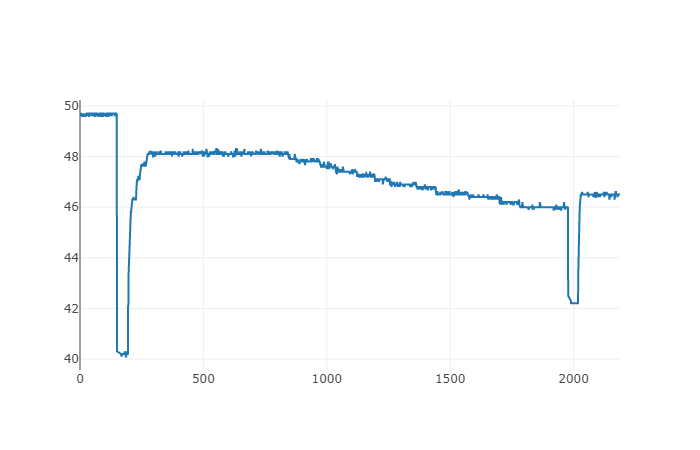 and it should look like this:
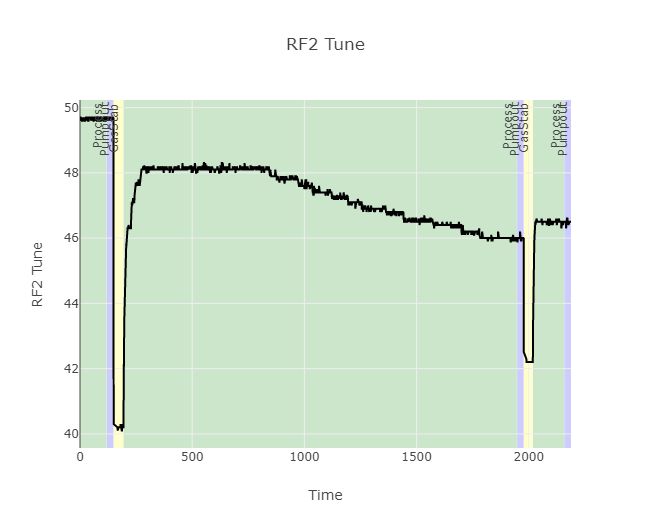

I am having a similar issue with a treemap. Most properties are ignored while a few are maintained. For instance, fig.update_traces(marker=dict(cornerradius=5)) is ignored while fig.update_traces(root_color="lightgrey") is maintained. I also can't resize the charts.

I looked a little more on this. To get pc.plotly to use the layout made in the figure, you have to define the it like this
pc.plotly(
    data = fig,
    layout = fig._layout,
)
It is important that you use the _layout property as this is a dict. The layout property, without the underscore is of type <class 'plotly.graph_objs._layout.Layout'> which is not accepted py pynecone
Now I get the figure shown as expected, with all my layout used. The next problem is that it is not reponsive, meaning that it does not use the full width of the containing box, and does not resize on box resize. I do not have any clue on how to fix this.
Best regards Kristian
I guess as well if you are computing this, it is not possible for even _layout to be used? i.e. with a setup where graph is computed in State:
def graph() -> rx.plotly:
    return rx.plotly(
        data=State.graph,
        layout = State.graph._layout,
    )
Would result in 'ComputedVar' object has no attribute '_layout'
